
1. Introduction
The Zunate TA620A is a stable and reliable handheld digital hygrometer designed for accurate measurement of relative humidity, ambient temperature, wet bulb temperature, and dew point temperature. This device is suitable for various indoor and outdoor applications, including growing gardens, laboratories, wine cellars, farms, storage rooms, and homes. Its compact design and robust construction ensure ease of use and durability.
2. Product Overview
The TA620A meter features a clear digital display and intuitive controls for various measurement functions. It is constructed from durable ABS material, designed to withstand wear and erosion in diverse environments.

Figure 2.1: Front and back view of the TA620A meter with labeled components.

Figure 2.2: The TA620A meter in use, showing its display with current readings.
3. Features
- Durable Construction: Made from high-quality ABS material, ensuring wear and erosion resistance for use in various environments.
- Multi-Parameter Measurement: Measures relative humidity, ambient temperature, wet bulb temperature, and dew point temperature.
- Data Storage: Capable of storing up to 99 data units for later review.
- Measurement Modes: Includes maximum (MAX), minimum (MIN), and average (AVG) modes.
- Unit Conversion: Easily switch between Celsius (°C) and Fahrenheit (°F).
- Automatic Shutdown: Features an automatic shutdown function after 15 minutes of inactivity to conserve battery life.
- Portable Design: Small, lightweight, and easy to carry for convenient use in various locations.

Figure 3.1: Detail of the high accuracy sensor for precise measurements.
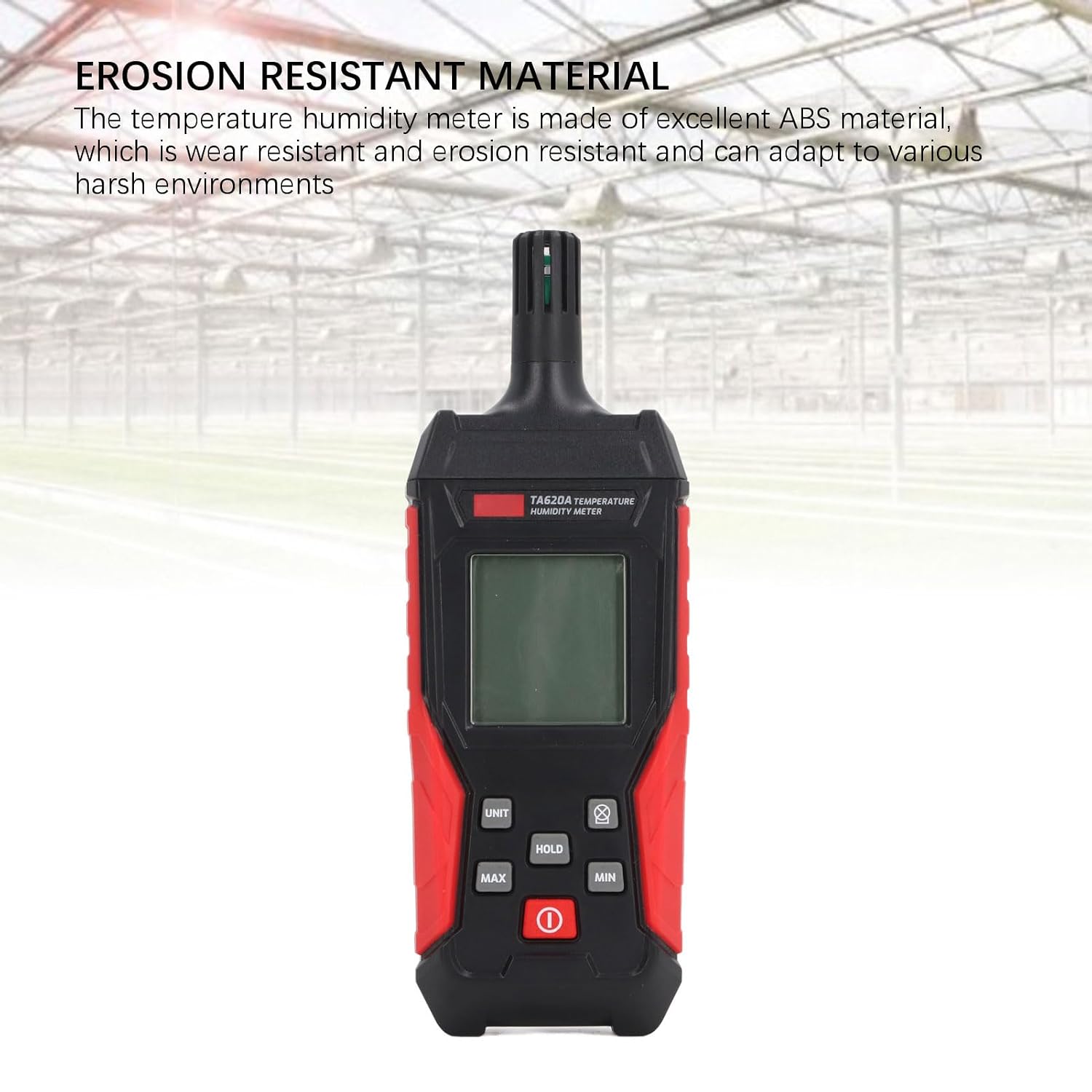
Figure 3.2: The meter's robust construction with erosion-resistant ABS material.
4. Setup
4.1 Battery Installation
The TA620A meter is powered by batteries. To install or replace batteries:
- Locate the battery compartment cover on the back of the device.
- Slide the cover open or remove it as indicated.
- Insert the required batteries (refer to specifications for type and quantity), ensuring correct polarity (+/-).
- Replace the battery compartment cover securely.

Figure 4.1: Battery compartment with batteries installed.
4.2 Initial Power On
After battery installation, press the power button (usually marked with a ① symbol) to turn on the device. The display will illuminate, and the meter will begin taking readings.
Video 4.1: Demonstration of battery installation and initial power-on for the TA620A Handheld Hygrometer Humidity Meter.
5. Operating Instructions
5.1 Basic Measurement
Once powered on, the meter will automatically display the current ambient temperature and relative humidity. Ensure the sensor probe is exposed to the environment you wish to measure.
5.2 Unit Switching (°C/°F)
To switch between Celsius and Fahrenheit temperature units, press the UNIT button. The display will update to show the selected unit.
5.3 Data Retention (HOLD)
Press the HOLD button to freeze the current readings on the display. Press it again to release and resume live measurements.
5.4 Maximum, Minimum, and Average Modes
The meter can display the maximum, minimum, and average values recorded since the device was powered on or the mode was reset.
- Press MAX to view the maximum recorded values.
- Press MIN to view the minimum recorded values.
- To exit MAX/MIN mode, press the respective button again or the power button.
5.5 Data Storage
The TA620A can store up to 99 sets of measurement data. Refer to the specific instructions in your device's full manual for detailed steps on how to save and recall data.

Figure 5.1: The meter's data storage capability.
5.6 Automatic Shutdown
The device will automatically shut down after approximately 15 minutes of inactivity to conserve battery power. To reactivate, press the power button.
6. Maintenance
6.1 Cleaning
To clean the device, gently wipe the exterior with a clean, damp cloth. Do not use abrasive cleaners or solvents. Ensure no liquid enters the sensor area or other openings.
6.2 Battery Replacement
When the low battery indicator appears on the display, replace the batteries as described in Section 4.1. Always use fresh batteries of the specified type.
6.3 Sensor Care
The temperature and humidity sensor is a delicate component. Avoid touching the sensor directly or exposing it to extreme dust, dirt, or corrosive substances, as this can affect accuracy and lifespan.
7. Troubleshooting
If you encounter issues with your TA620A meter, please refer to the following common troubleshooting steps:
- No Display/Device Not Turning On:
- Check if the batteries are installed correctly with the right polarity.
- Replace old or depleted batteries with new ones.
- Ensure the power button is pressed firmly.
- Inaccurate Readings:
- Ensure the sensor is clean and free from obstructions.
- Allow the device to stabilize in the measurement environment for a few minutes.
- Avoid placing the device near heat sources, direct sunlight, or strong air currents that could affect readings.
- Automatic Shutdown Too Soon:
- The device has an automatic shutdown feature after 15 minutes of inactivity. This is normal operation. Press the power button to restart.
8. Specifications
| Parameter | Value |
|---|---|
| Model | TA620A |
| Brand | Zunate |
| Display Type | Digital |
| Outer Material | Plastic (ABS) |
| Power Source | Battery Powered |
| Temperature Range | -20°C to 60°C |
| Humidity Range | 0-100% RH |
| Resolution | 1.5°C or 3°F |
| Indoor/Outdoor Usage | Indoor, Outdoor |
| Automatic Shutdown | Yes (after 15 minutes) |
| Data Storage | Up to 99 data units |
| Item Length | 7.87 Inches (167mm) |
| Item Width | 3.54 Inches (59mm) |

Figure 8.1: Dimensions of the TA620A meter.