
Introduction
This manual provides detailed instructions for the safe and efficient operation, installation, and maintenance of your TCL MONOSPLIT ELITE F2 18 U.EXT air conditioner. Please read this manual thoroughly before using the appliance and keep it for future reference. Proper use and maintenance will ensure optimal performance and extend the lifespan of your unit.
Important Safety Information
Always follow basic safety precautions when using electrical appliances to reduce the risk of fire, electric shock, or injury. This appliance uses R32 refrigerant, which is a low global warming potential (GWP) refrigerant. Installation, servicing, and repair should only be performed by qualified personnel. Do not attempt to repair or modify the unit yourself. Ensure the power supply is disconnected before any maintenance or cleaning. Keep children away from the unit and remote control.
- Ensure proper grounding of the unit.
- Do not block air inlets or outlets.
- Do not insert objects into the unit.
- Avoid direct exposure to the airflow for extended periods.
- In case of abnormal operation, turn off the unit and disconnect power immediately.
Setup Guide
1. Unpacking and Inspection
Carefully unpack the indoor and outdoor units. Verify that all components listed in the packing list are present and undamaged. The product includes a kit for installation. If any damage is found, contact your supplier immediately.
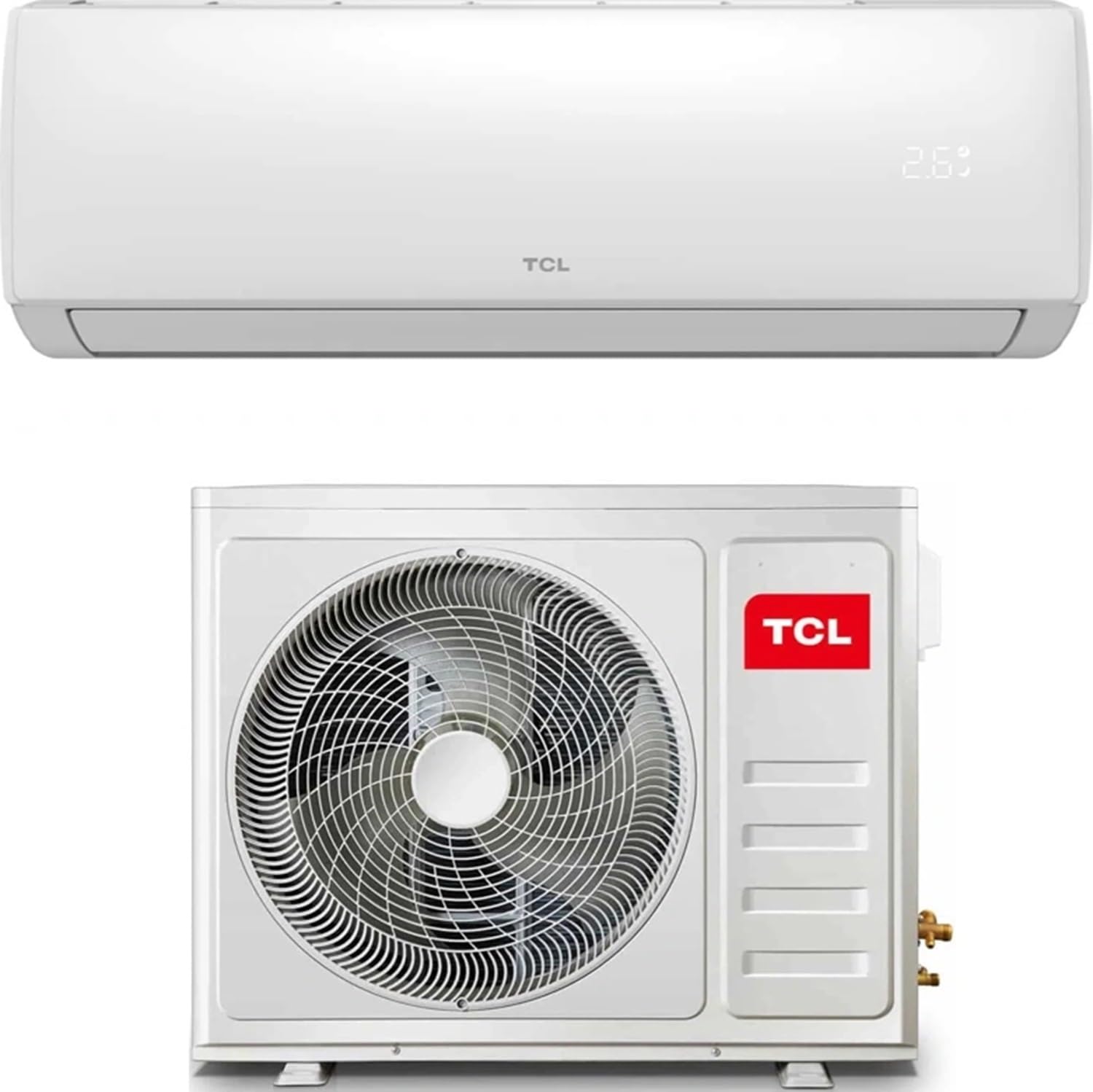
Image: The outdoor unit of the TCL MONOSPLIT ELITE F2 18 U.EXT air conditioner.
2. Professional Installation
The TCL MONOSPLIT ELITE F2 18 U.EXT is a split-system air conditioner. Installation requires specialized knowledge and tools. It is highly recommended that installation be performed by a certified professional to ensure proper functioning, safety, and compliance with local regulations. Incorrect installation can lead to refrigerant leakage, electric shock, fire, or water leakage.
3. Initial Power-On
After professional installation is complete and all connections are secure, connect the unit to the power supply. The unit may perform a self-check upon first power-on. Refer to the professional installer for guidance on the initial startup procedure.
Operating Instructions
1. Basic Operation Modes
- Cooling Mode: Reduces room temperature. Set your desired temperature using the remote control.
- Heating Mode: Increases room temperature. Utilizes a heat pump for efficient heating.
- Dehumidification Mode: Reduces humidity in the room without significant temperature change, contributing to energy savings.
- Fan Mode: Circulates air without cooling or heating.
- Auto Mode: Automatically selects the operating mode (cooling, heating, or fan) based on the room temperature and your set temperature.
2. Remote Control Functions
The unit comes with a remote control for convenient operation. The remote features a clear display and intuitive buttons for various functions.
- Power Button: Turns the unit ON/OFF.
- Mode Button: Cycles through operating modes (Cool, Heat, Dry, Fan, Auto).
- Temperature Adjustment: Use the up/down arrows to set the desired temperature.
- Fan Speed: Adjusts the fan speed (Auto, Low, Medium, High).
- Swing Function: Controls the vertical and horizontal airflow direction.
- Eco Mode: Activates energy-saving operation.
- Follow Me Function: The remote control has a built-in temperature sensor. When activated, the unit will adjust its operation based on the temperature detected by the remote control, ensuring optimal comfort in your immediate vicinity.
3. Wi-Fi and Smart App Integration
The TCL MONOSPLIT ELITE F2 18 U.EXT features integrated Wi-Fi, allowing you to control the unit remotely via a dedicated smartphone application. This enables advanced functionalities:
- Remote Control: Adjust settings, change modes, and monitor the unit from anywhere.
- Scheduling: Set custom operating schedules to automatically turn the unit ON/OFF or change modes at specific times, optimizing energy consumption.
- Voice Assistant Compatibility: Compatible with popular voice assistants like Amazon Alexa, Google Home, and Siri for hands-free control.
- Smart Scenarios: Create custom scenarios, for example, to pre-cool your space before you arrive home.
Maintenance
Regular maintenance is crucial for maintaining the efficiency and longevity of your air conditioner. Always disconnect the power supply before performing any maintenance.
1. Air Filter Cleaning
The indoor unit is equipped with a dual filter system: a high-density filter for dust and pollen, and a catalytic filter for volatile organic compounds (VOCs) and gases. Clean the air filters every two weeks or more frequently depending on usage and air quality.
- Open the front panel of the indoor unit.
- Gently remove the air filters.
- Clean the filters with a vacuum cleaner or wash them with lukewarm water (below 40°C).
- Allow the filters to dry completely in a shaded area before reinserting them.
- Close the front panel securely.
2. Self-Cleaning Function
The unit may feature a self-cleaning function to prevent mold and odors by drying the internal components. Refer to your remote control or app for activation instructions.
3. Outdoor Unit Maintenance
Periodically check the outdoor unit for any obstructions (leaves, debris) and clean them. The outdoor unit's heat exchangers have a Golden Fin anti-corrosive coating to resist salt air, rain, and extreme temperatures, enhancing durability. For thorough cleaning or inspection, contact a qualified technician.
Troubleshooting
Before contacting customer support, please refer to the following table for common issues and their solutions.
| Problem | Possible Cause | Solution |
|---|---|---|
| Unit does not turn on. | No power, circuit breaker tripped, remote control batteries low. | Check power supply, reset circuit breaker, replace remote control batteries. |
| Insufficient cooling/heating. | Dirty air filters, blocked air inlets/outlets, incorrect temperature setting, room too large for unit capacity. | Clean filters, clear obstructions, adjust temperature, ensure unit matches room size. |
| Unusual noise. | Loose parts, foreign objects, refrigerant flow noise (normal). | Check for loose parts, remove foreign objects. If noise persists or is abnormal, contact service. |
| Water leakage from indoor unit. | Clogged drain pipe, improper installation. | Clear drain pipe. If issue persists, contact a professional installer. |
| Wi-Fi connection issues. | Router issues, incorrect Wi-Fi password, app configuration error. | Check router, re-enter Wi-Fi password, reconfigure app connection. |
For issues not listed or if problems persist, please contact TCL customer support or a certified service technician.
Technical Specifications
| Feature | Detail |
|---|---|
| Brand | TCL |
| Model Number | 02.1629 |
| Cooling Capacity | 18000 BTU |
| Energy Efficiency (Cooling) | A++ |
| Energy Efficiency (Heating) | A+ |
| Refrigerant Type | R32 (Low GWP) |
| Special Features | Energy Saving, Wi-Fi, R32 refrigerant, Split System |
| Power Source | Corded Electric |
| Color | White |
| Item Weight | 30 Kilograms |
| Seasonal Energy Efficiency Ratio (SEER) | 7.5 |
Warranty and Support
Your TCL MONOSPLIT ELITE F2 18 U.EXT air conditioner is covered by a manufacturer's warranty. Please refer to the warranty card included with your product for specific terms and conditions, including the warranty period and coverage details. For technical assistance, service requests, or to purchase replacement parts, please contact TCL customer support through their official website or the contact information provided in your product documentation. Keep your purchase receipt as proof of purchase for warranty claims.
For further information, you may visit the TCL Store on Amazon.


