
1. Product Overview
The Dreo Smart Ceiling Fan with Lights offers advanced features for optimal comfort and ambiance. This low-profile 52-inch fan provides powerful airflow with quiet operation, customizable lighting, and smart control options via Alexa, Google Assistant, or the dedicated Dreo app.
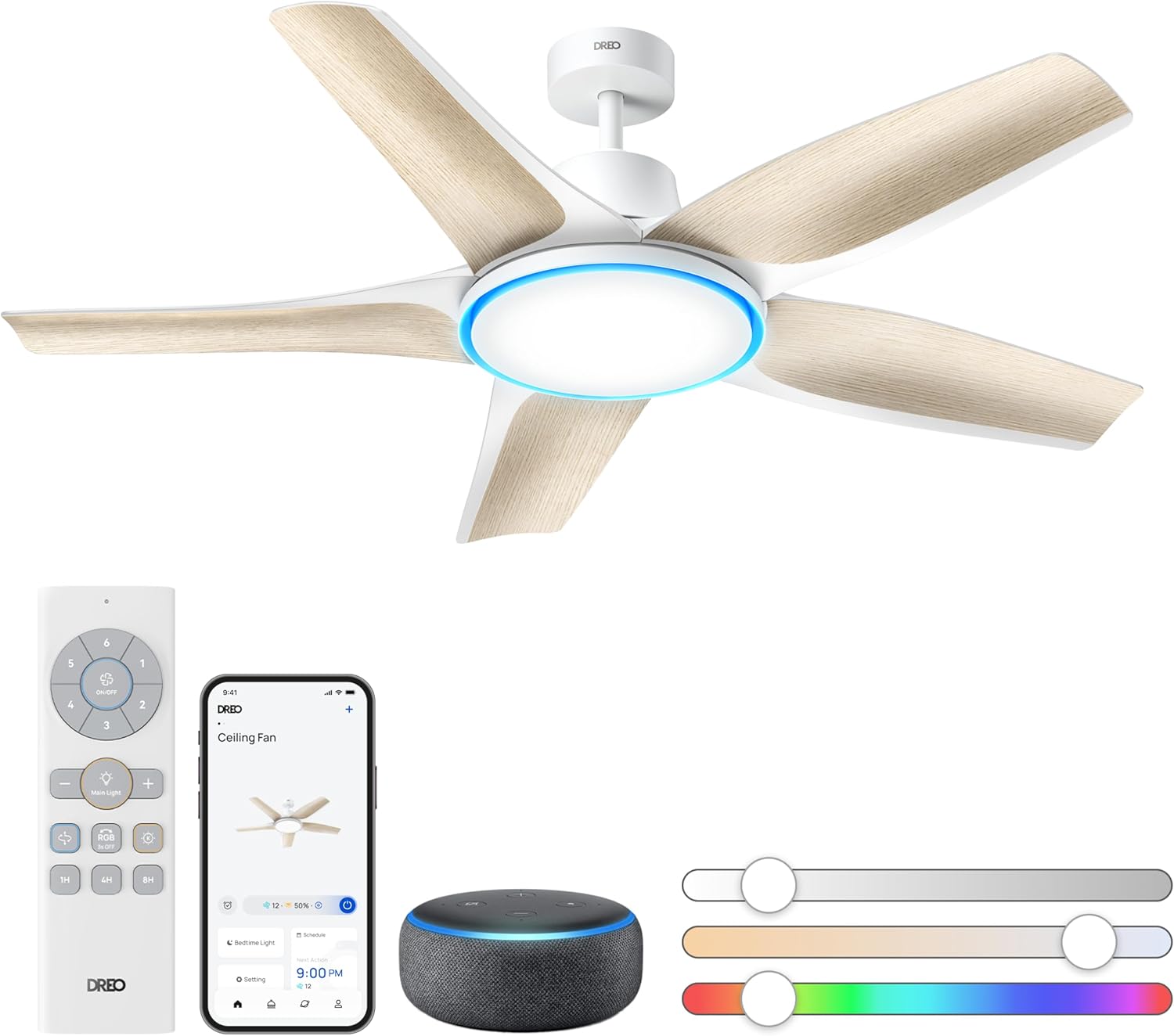
Figure 1: Dreo Smart Ceiling Fan with included accessories and control methods.
2. Safety Information
Always disconnect power at the circuit breaker before installing, cleaning, or servicing the fan. Ensure all electrical connections comply with local codes and ordinances. If you are unsure about wiring or installation, consult a qualified electrician. The fan must be securely mounted to a building structure or a ceiling fan-rated outlet box capable of supporting 35 lbs (15.8 kg) or less.
3. Package Contents
Your Dreo Smart Ceiling Fan package includes the following components:
- 1 Ceiling Fan Body
- 5 Blades (White with wood-grain finish)
- 1 LED Integrated Light Kit
- 1 Remote Control
- 1 Ceiling Bracket
- 1 Downrod (4-inch)
- 1 Downrod (6-inch)
- User Manual and Quick Start Guide
- Necessary hardware for installation (screws, washers, wire nuts)
4. Setup and Installation
Installation Steps
The Dreo Smart Ceiling Fan features an effortless installation system. Follow these steps for a smooth setup:
- **Mounting the Ceiling Bracket:** Securely attach the ceiling bracket to your ceiling's support structure or a fan-rated electrical outlet box. Ensure it can support the fan's weight.
- **Assembling the Downrod:** Remove pre-installed setscrews and the downrod pin from the fan body. Insert the canopy and yoke cover onto the downrod. Pass all wires through the downrod.
- **Hanging the Fan:** Carefully slide the downrod into the yoke of the motor assembly, aligning the holes. Re-install the downrod pin and clip. Tighten the setscrews with a screwdriver and push down the yoke cover.
- **Wiring:** Connect the fan's wires to your household wiring. Connect the three grounding wires (green, green/yellow stripe, or bare copper). Connect the black (ungrounded) wire from the ceiling to the black wire from the fan. Connect the white (grounded) wire from the ceiling to the white wire from the fan.
- **Blade Assembly:** Align each fan blade with the slot on the ceiling fan's blade arm and insert it. Push the metal toggle clamp upward until it clicks securely. Tighten the thumbscrew into the middle hole of the blade arm.
- **Light Kit Assembly:** Connect the matching-colored wires from the fan body to the light kit. Use the transparent ports for LED light and RGB light. Rotate the light kit clockwise to securely fasten it into place until you hear a distinct 'click'.
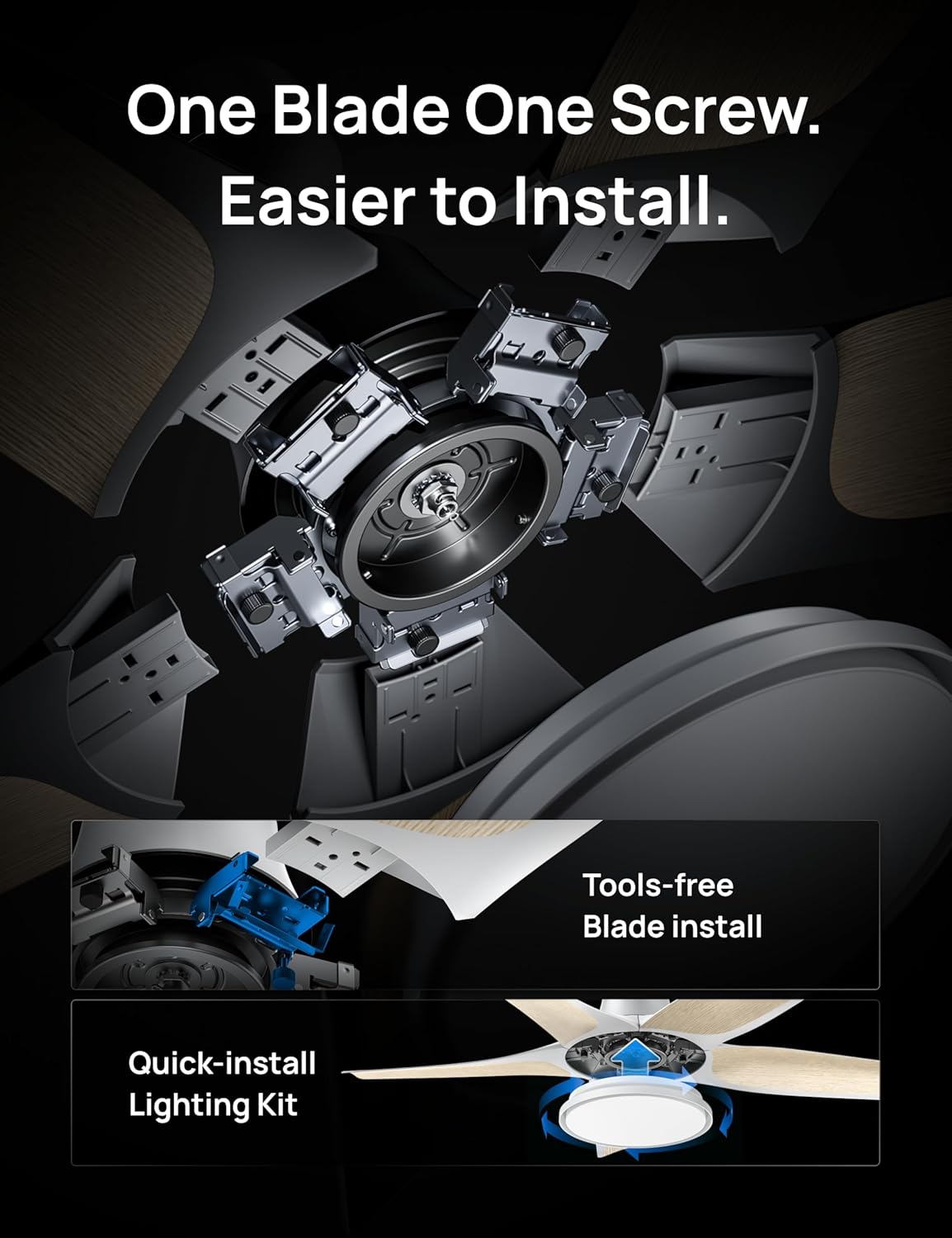
Figure 2: Simplified blade and light kit installation.
Installation Video
Video 1: Detailed step-by-step installation guide for the Dreo Smart Ceiling Fan.
5. Operating Instructions
Control your Dreo Smart Ceiling Fan using the included remote, the Dreo app, or voice commands via Alexa or Google Assistant.
Fan Control
Adjust fan speed from 6 levels via remote or 12 app-adjustable speeds. Choose from 3 modes: Sleep, Natural, or Auto. The fan also features a reverse airflow function for year-round comfort.
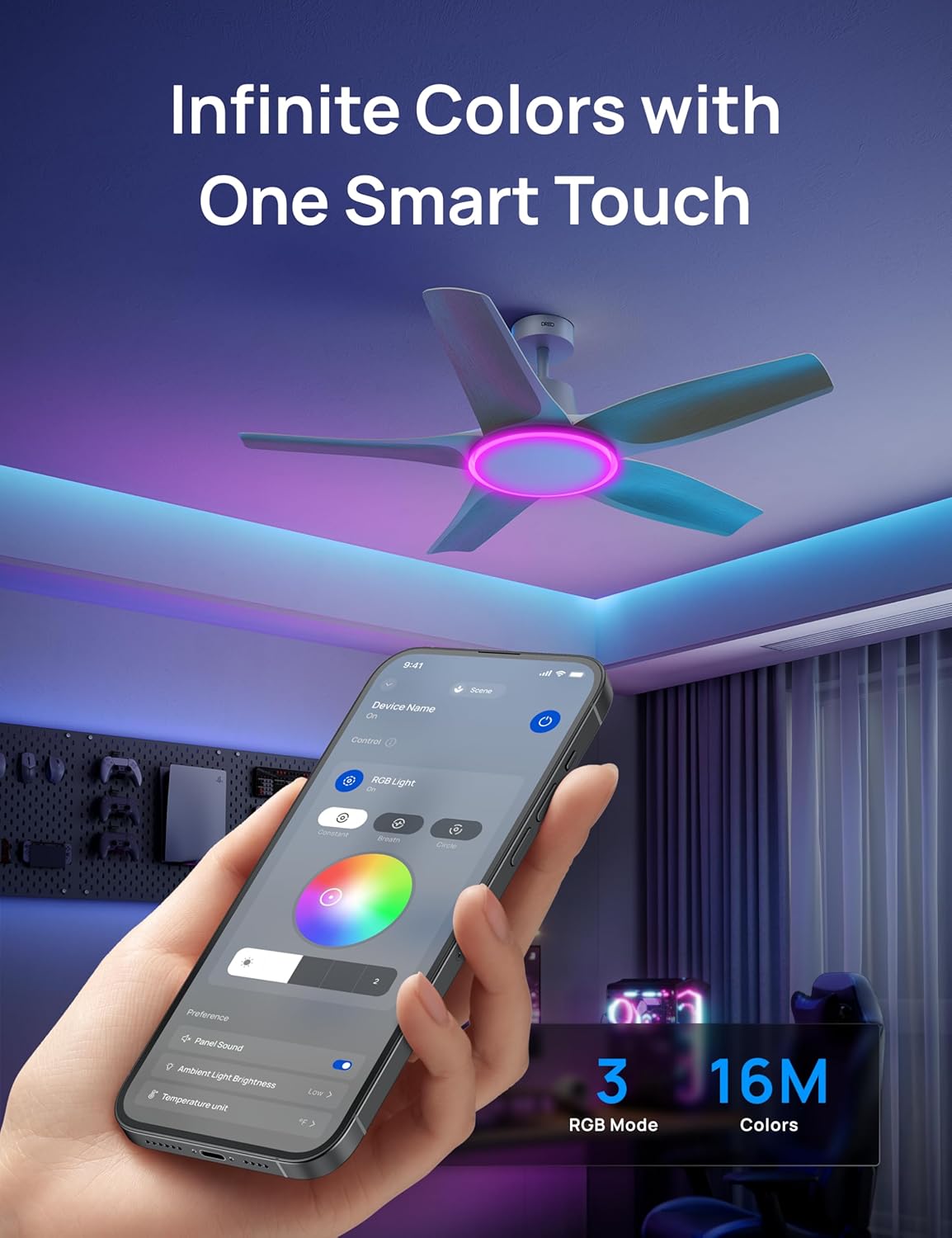
Figure 3: Multiple control options for your convenience.
Lighting Control
The integrated LED light offers 6 brightness levels and 5 color temperatures (2700-6500K). Explore endless possibilities with RGB ambient lighting, switching between Constant, Breath, and Circle modes via the app. Preset modes like Sunrise, Sunset, Reading, and Working are available.
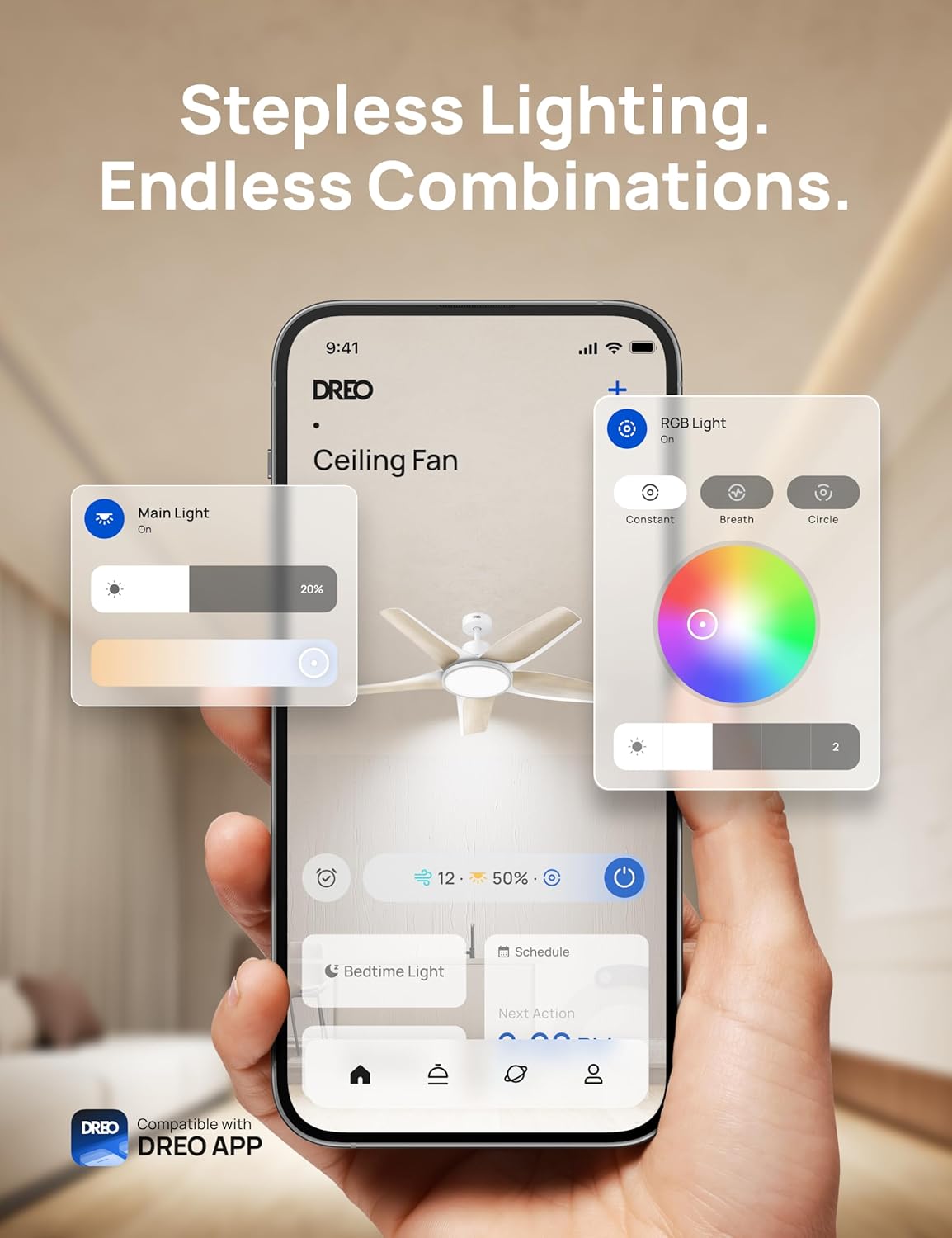
Figure 4: Customize your ambiance with infinite RGB colors.
Smart Features
Utilize the Dreo app for presets and scheduling. The memory function remembers your last settings. Control fan and lights via Alexa or Google Assistant voice commands. A 12-hour timer is also available.

Figure 5: Voice control for hands-free operation.
App Instruction Video
Video 2: Guide on how to connect and control your Dreo Smart Ceiling Fan using the mobile app.
6. Specifications
| Feature | Specification |
|---|---|
| Brand | Dreo |
| Model Name | CLF712S |
| Model Number | DR-HCF002S White |
| Size | 52 inch |
| Color | White |
| Material | Metal, Acrylonitrile Butadiene Styrene |
| Item Weight | 23.5 Pounds |
| Product Dimensions | 51.97 x 51.97 x 15.55 inches |
| Air Flow Capacity | 6040 CFM |
| Wattage | 54 watts |
| Control Method | App, Remote, Voice |
| Special Features | Remote Controlled, Adjustable Color Temperature, Dimmable, Wi-Fi Enabled, App Operable |

Figure 6: Fan dimensions and recommended room size.
7. Maintenance and Care
To ensure optimal performance and longevity of your Dreo Smart Ceiling Fan, regular maintenance is recommended. Keep the fan clean by wiping it with a soft, damp cloth. Avoid using harsh chemicals or abrasive cleaners. Periodically check all screws and connections to ensure they are secure. No lubrication is needed for the motor.
8. Troubleshooting
If you encounter any issues with your Dreo Smart Ceiling Fan, please refer to the troubleshooting section in the full user manual or contact Dreo customer support for assistance. Common issues may include connectivity problems, fan not operating, or light malfunctions.
9. Warranty and Support
Dreo products come with a limited warranty. For detailed warranty information, product registration, or technical support, please visit the official Dreo website or contact their customer service team. Contact information can be found in the full user manual or on the Dreo brand store page.