1. Introduction
Thank you for choosing the JUOVI 10000mAh 35W Portable Power Bank. This manual provides essential information for the safe and efficient operation of your device. Please read it thoroughly before use and retain it for future reference. This power bank is designed to provide fast and reliable charging for a wide range of electronic devices, including smartphones, tablets, and more.
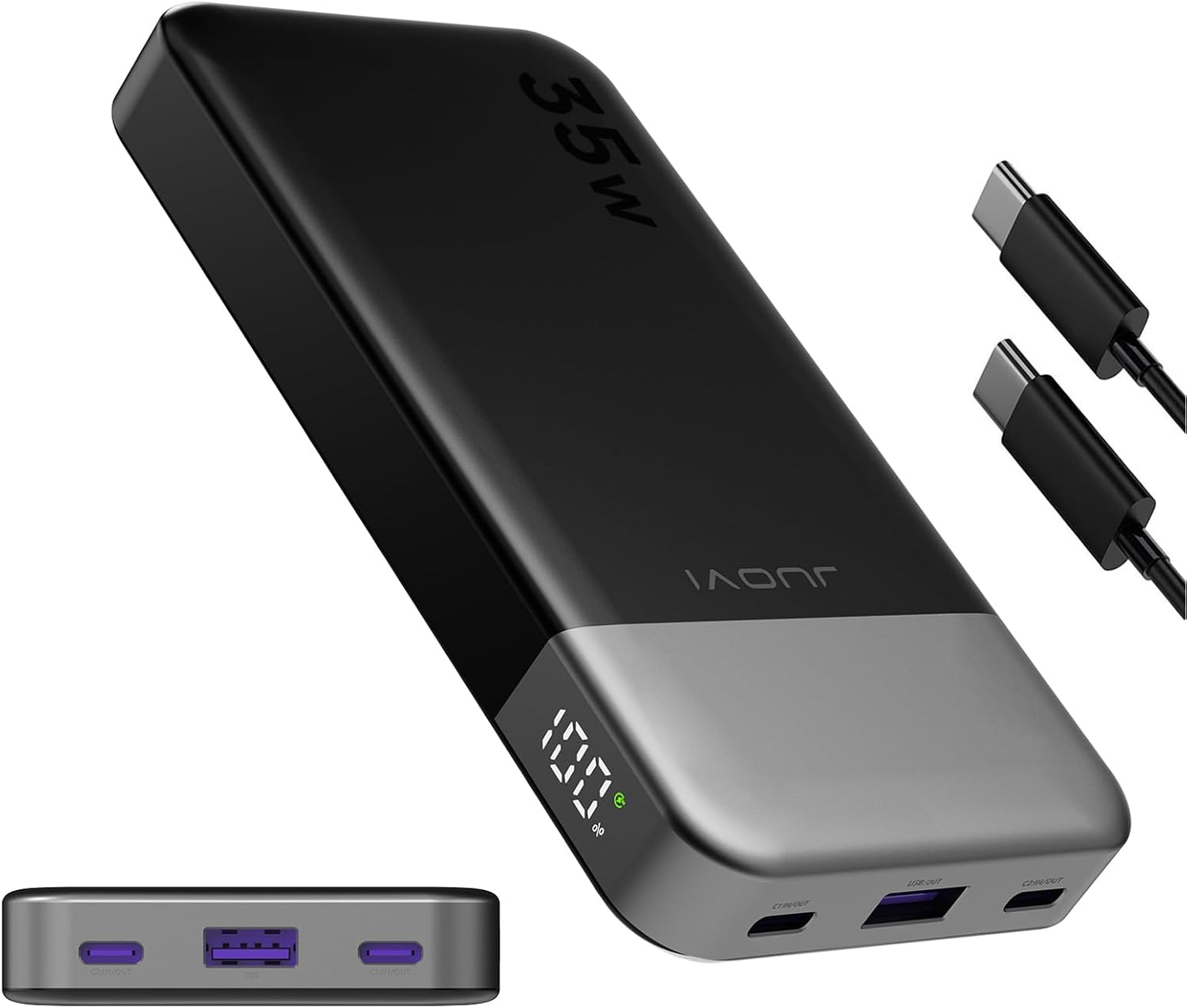
Image 1: JUOVI 10000mAh 35W Portable Power Bank (Black)
This image displays the JUOVI 10000mAh 35W Portable Power Bank in black, showcasing its sleek design and the digital display. The accompanying USB-C to USB-C cables are also visible, highlighting the product's readiness for use.
2. Product Overview
2.1 Key Features
- 35W Fast Charging: Delivers rapid charging, capable of charging an iPhone 15 from 20% to 70% in approximately 30 minutes.
- Two-way Fast Charging: Features a 35W PD Type-C port for both input and output, allowing the power bank to be fully charged in about 1.4 hours.
- Long-lasting Battery Life: Maintains 90% battery capacity after 300 charge and discharge cycles.
- Universal Compatibility: Supports PD 3.0 and QC 4.0, compatible with a wide range of devices including smartphones, tablets, smartwatches, and wireless headphones.
- Safe Charging Protection: Includes automatic shut-off to prevent overheating and overcharging, and a low current mode for stable charging of low-power devices.
- Compact and Portable: Ideal for everyday use and travel.
2.2 Package Contents
Please check the box for the following items:
- 1 x JUOVI 10000mAh/35W Power Bank
- 1 x Type C-C Cable
- 1 x User Manual
2.3 Product Components

Image 2: Power Bank Ports and Indicators
This image illustrates the various ports and indicators on the power bank. It highlights the digital display for remaining power, the fast charge indicator, two Type-C ports (C1 and C2) for both input and output (up to 35W Max), and one USB-A output port (up to 30W Max).
- Digital Display: Shows remaining battery percentage.
- Fast Charge Indicator: Indicates when fast charging is active.
- USB Type-C Ports (C1/C2): Both support 35W Max input/output.
- USB Type-A Port: Supports 30W Max output.
3. Setup
Before first use, it is recommended to fully charge your JUOVI Power Bank.
3.1 Initial Charging of the Power Bank
- Connect the provided Type C-C cable to one of the Type-C input/output ports on the power bank.
- Connect the other end of the cable to a compatible USB-C wall charger (not included). For optimal charging speed, use a 35W or higher PD-compatible charger.
- The digital display will show the charging progress. The power bank is fully charged when the display shows 100%.

Image 3: Charging the Power Bank
This image demonstrates how to recharge the power bank using a USB-C wall adapter and the provided cable. It highlights the 35W input capability, allowing for a full recharge in approximately 1.4 hours.
4. Operating Instructions
4.1 Charging Your Devices
The JUOVI Power Bank can charge up to three devices simultaneously using its USB-A and two USB-C ports.
- Connect your device's charging cable to the appropriate output port on the power bank (USB-A or USB-C).
- Connect the other end of the cable to your device.
- The power bank will automatically begin charging your device. The digital display will show the remaining battery percentage.
- For fast charging, ensure your device and cable support PD 3.0 or QC 4.0. The fast charge indicator will illuminate.
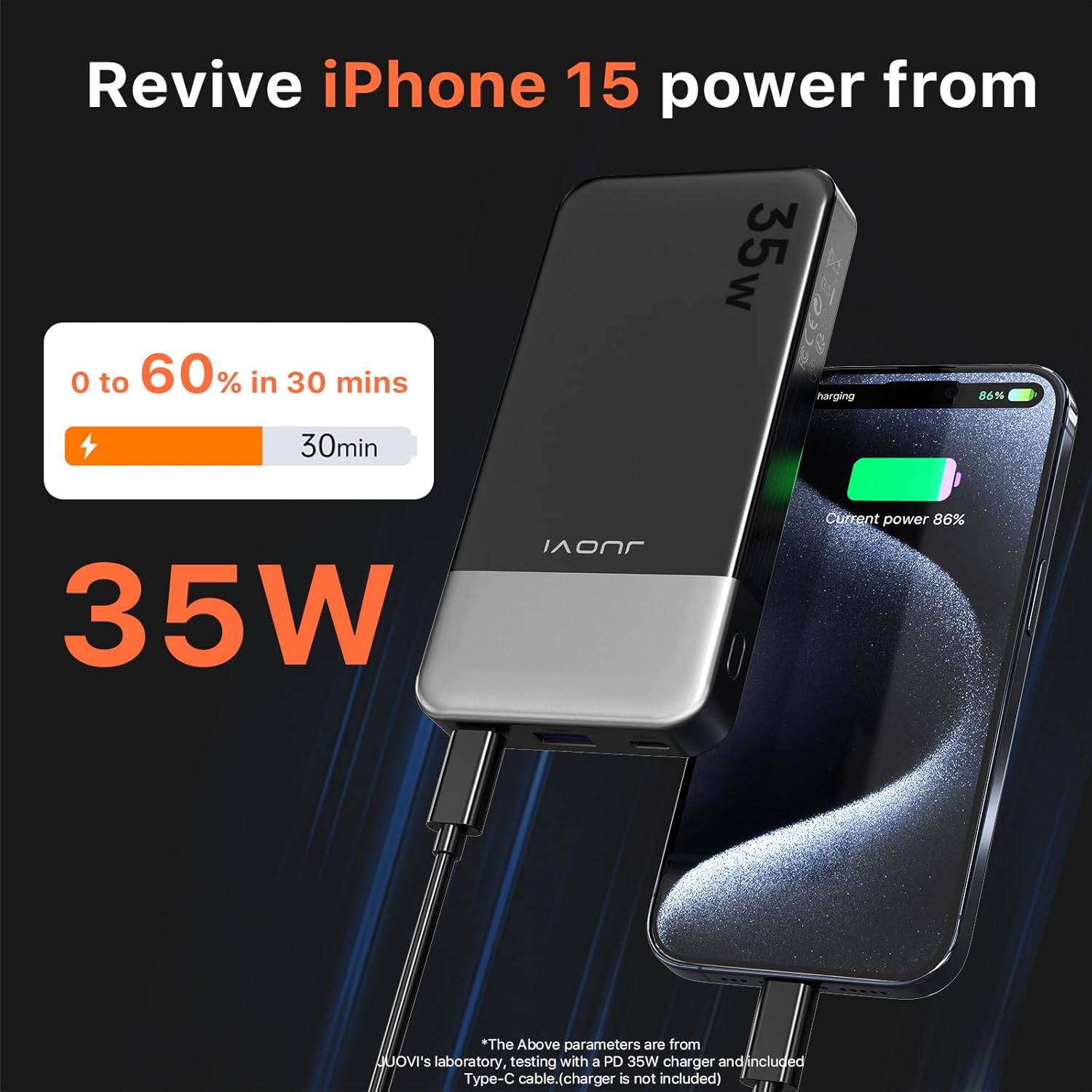
Image 4: Fast Charging an iPhone 15
This image illustrates the power bank's ability to fast charge an iPhone 15, showing a charge from 0% to 60% in 30 minutes. It emphasizes the 35W output capability.
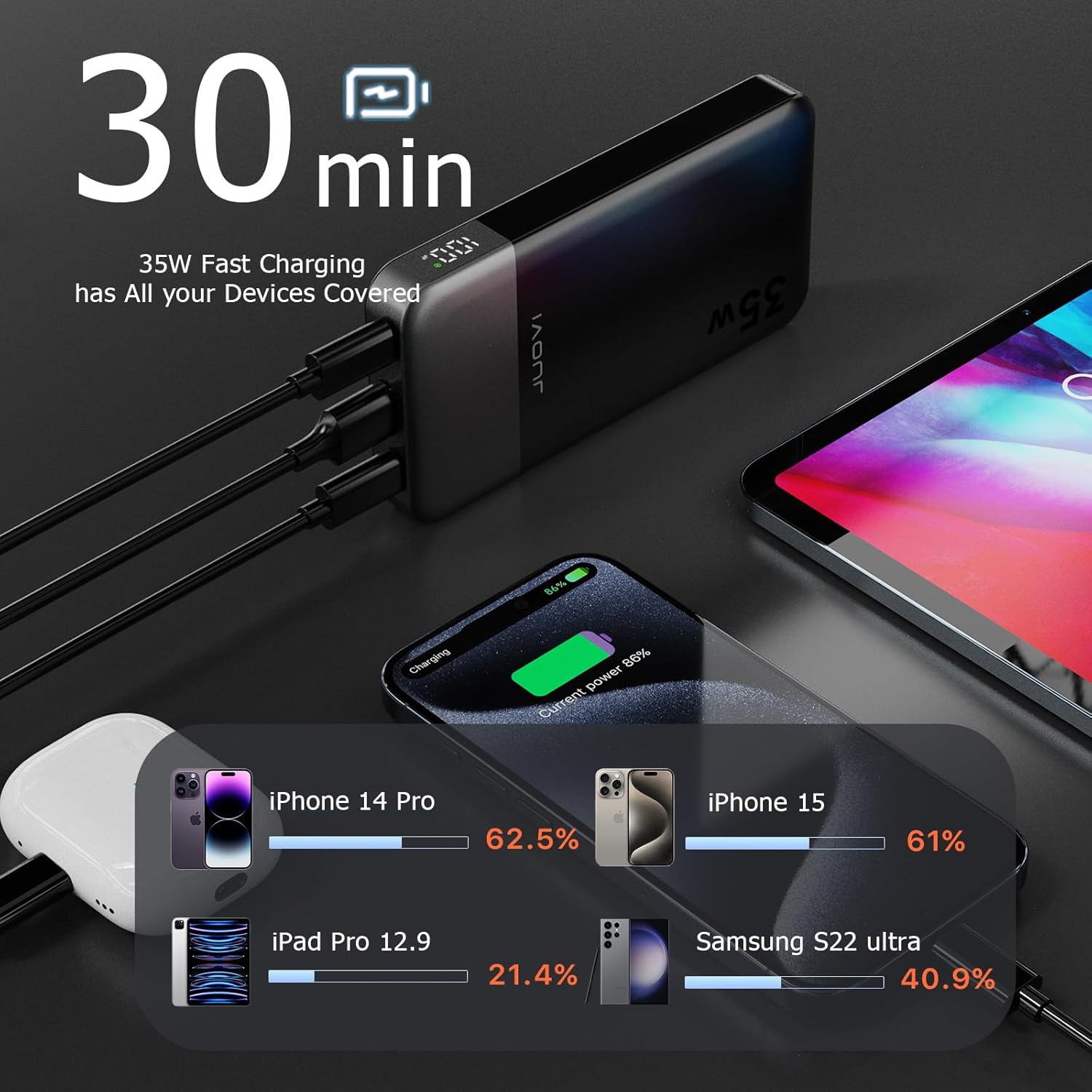
Image 5: Charging Multiple Devices
This image demonstrates the power bank simultaneously charging multiple devices, including an iPhone 14 Pro, iPhone 15, iPad Pro 12.9, and Samsung S22 Ultra, highlighting its versatility and 35W fast charging capability across various devices.
4.2 Low Current Mode
For small devices like smartwatches or wireless headphones that require lower charging currents, the power bank automatically adjusts to a low current mode to ensure stable and safe charging.
5. Maintenance
- Keep the power bank dry and away from moisture, rain, and corrosive materials.
- Do not expose the power bank to extreme temperatures (hot or cold).
- Clean the power bank with a soft, dry cloth. Do not use harsh chemicals or abrasive cleaners.
- Store the power bank in a cool, dry place when not in use.
- Avoid dropping or subjecting the power bank to strong impacts.
6. Troubleshooting
| Problem | Possible Cause | Solution |
|---|---|---|
| Power bank not charging | Charging cable or adapter is faulty; Power bank is already full; Loose connection. | Try a different cable and adapter. Ensure connections are secure. Check digital display for battery level. |
| Device not charging from power bank | Power bank battery is depleted; Device cable is faulty; Incompatible device; Loose connection. | Recharge the power bank. Try a different device cable. Ensure connections are secure. |
| Slow charging | Cable or device does not support fast charging; Multiple devices connected; Power bank battery is low. | Use a fast-charging compatible cable and device. Disconnect other devices. Recharge the power bank. |
| Power bank automatically shuts off | Device is fully charged; Overheating; Short circuit detected. | This is normal if the device is fully charged. Allow power bank to cool down. If issue persists, contact support. |
7. Specifications
| Model Number | J2601 |
| Battery Capacity | 10000 mAh |
| Input (Type-C) | 35W Max (PD 3.0) |
| Output (Type-C) | 35W Max (PD 3.0, QC 4.0) |
| Output (USB-A) | 30W Max (QC 4.0) |
| Product Dimensions | 5.4 x 2.8 x 0.67 inches |
| Item Weight | 8 ounces |
| Battery Type | Lithium Polymer |
| Special Features | Auto Shut-Off, Digital Display, Fast Charging, Over Charging Protection, Short Circuit Protection |
8. Safety Information
To ensure safe operation and prolong the lifespan of your power bank, please adhere to the following safety guidelines:
- Do not disassemble, open, or shred the battery pack.
- Do not expose the power bank to heat or fire. Avoid storage in direct sunlight.
- Do not short-circuit the power bank.
- Do not subject the power bank to mechanical shock.
- In case of a battery leak, do not allow the liquid to come into contact with skin or eyes. If contact occurs, wash the affected area with copious amounts of water and seek medical advice.
- Keep the power bank out of reach of children.
- Dispose of the power bank properly according to local regulations. Do not dispose of it with household waste.
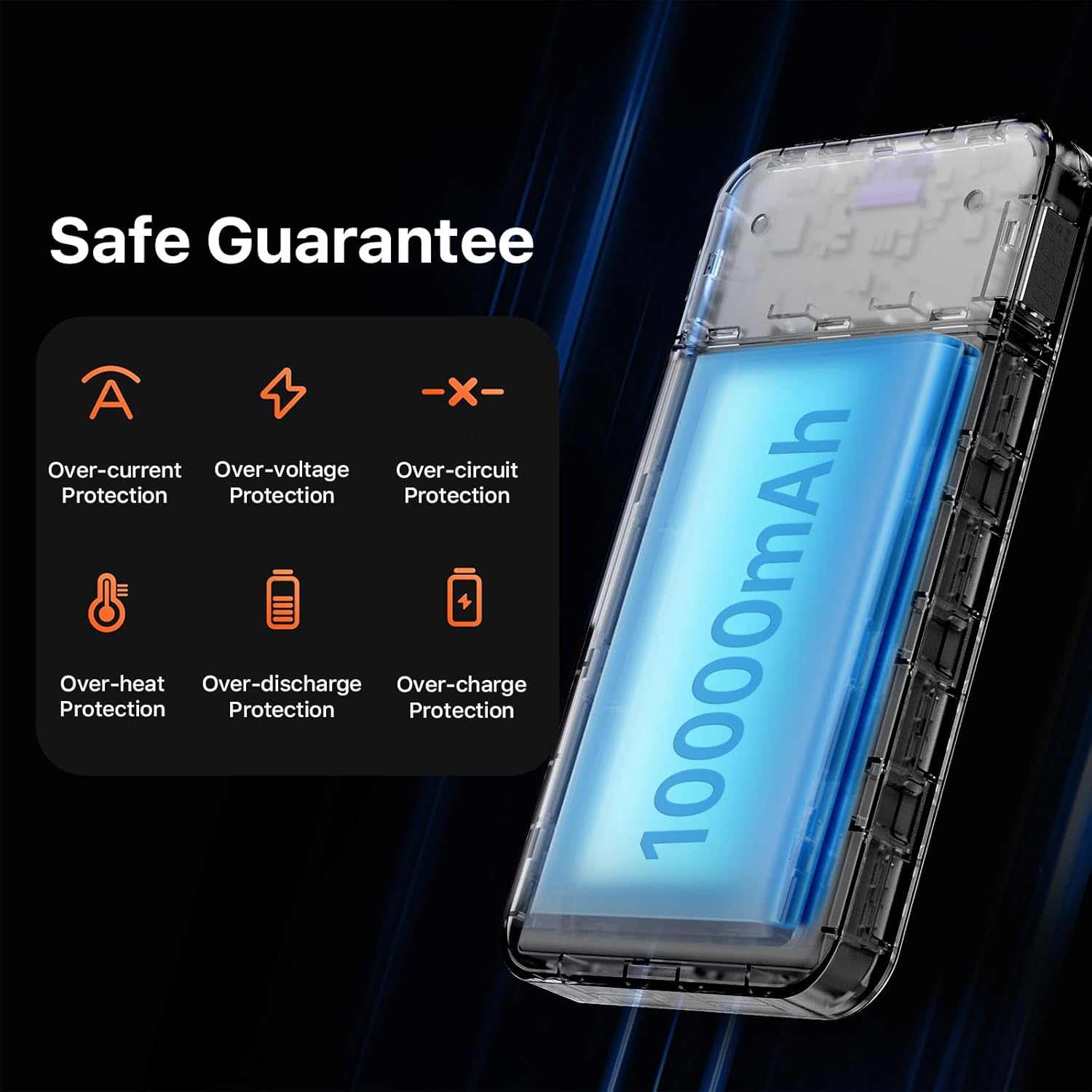
Image 6: Power Bank Safety Protections
This image visually represents the multiple safety protections built into the power bank, including over-current, over-voltage, over-circuit, over-heat, over-discharge, and over-charge protection, ensuring safe and reliable operation.
9. Warranty and Support
JUOVI products are designed and manufactured to the highest quality standards. For information regarding warranty coverage, technical support, or any product-related inquiries, please refer to the warranty card included in your package or visit the official JUOVI website.
You can also contact JUOVI customer support through the seller's contact information on the platform where you purchased the product.
Manufacturer: Tianjin Zowda New Energy Technology Co.,Ltd


