
AODK B0D62ZTBYL
AODK Electric L-Shaped Standing Desk User Manual
Model: B0D62ZTBYL
Introduction
Thank you for choosing the AODK Electric L-Shaped Standing Desk. This manual provides essential information for the safe and efficient assembly, operation, and maintenance of your new height-adjustable desk. Please read all instructions carefully before use and retain this manual for future reference.

Figure 1: AODK Electric L-Shaped Standing Desk (White)
Safety Information
To ensure safe operation and prevent damage, observe the following precautions:
- Ensure the desk is securely attached to a wall if used at its highest setting to prevent tipping.
- Do not exceed the desk's weight limit (not specified in product details, refer to packaging or product label for specific load capacity).
- Supervise children during assembly and operation to prevent injury.
- Keep hands and objects clear of moving parts during height adjustment.
- Ensure all cables are properly managed to avoid entanglement or damage during movement.
- This product meets ANSI/BIFMA X5.5-2014 standards for office furniture.
Setup and Assembly
The AODK Electric L-Shaped Standing Desk is designed for straightforward assembly. All necessary parts are clearly labeled, and detailed instructions are included with the product. It is recommended that two people assemble the desk for ease and safety.
- Unpacking: Carefully remove all components from the packaging. Verify all parts are present against the included parts list.
- Frame Assembly: Assemble the desk frame according to the provided diagrams. Ensure all screws and fasteners are tightened securely.
- Desktop Installation: Attach the L-shaped desktop sections to the assembled frame. The L-shape design is reversible, allowing you to install the sub-table plate on either the left or right side to suit your preference and room layout.
- Monitor Stand: Install the integrated monitor stand. This stand provides additional space for monitors and desk accessories.
- Power Connection: Connect the power cable to the desk's control box and then to a standard wall outlet.

Figure 2: Reversible L-Shape Design for flexible setup.

Figure 3: Desk Dimensions Overview.
Operating Instructions
Your AODK Electric L-Shaped Standing Desk features an intuitive control panel for height adjustment and power management.
Height Adjustment
The desk's height can be adjusted infinitely from 28 inches (minimum) to 47 inches (maximum) using the control panel. The motor operates quietly, with a noise level of 45-55 decibels, and is designed for over 20,000 lift cycles.
- Up/Down Buttons: Use the ▲ (Up) and ▼ (Down) arrows on the control panel to manually adjust the desk to your desired height. The current height is displayed on the LED screen.
- Memory Presets: The desk features three programmable memory presets (1, 2, 3).
- Adjust the desk to your preferred height using the Up/Down buttons.
- Press the S (Save) button.
- Press the desired memory button (1, 2, or 3) within 3 seconds to save the current height.
- To recall a saved height, simply press the corresponding memory button (1, 2, or 3). The desk will automatically move to the saved position.
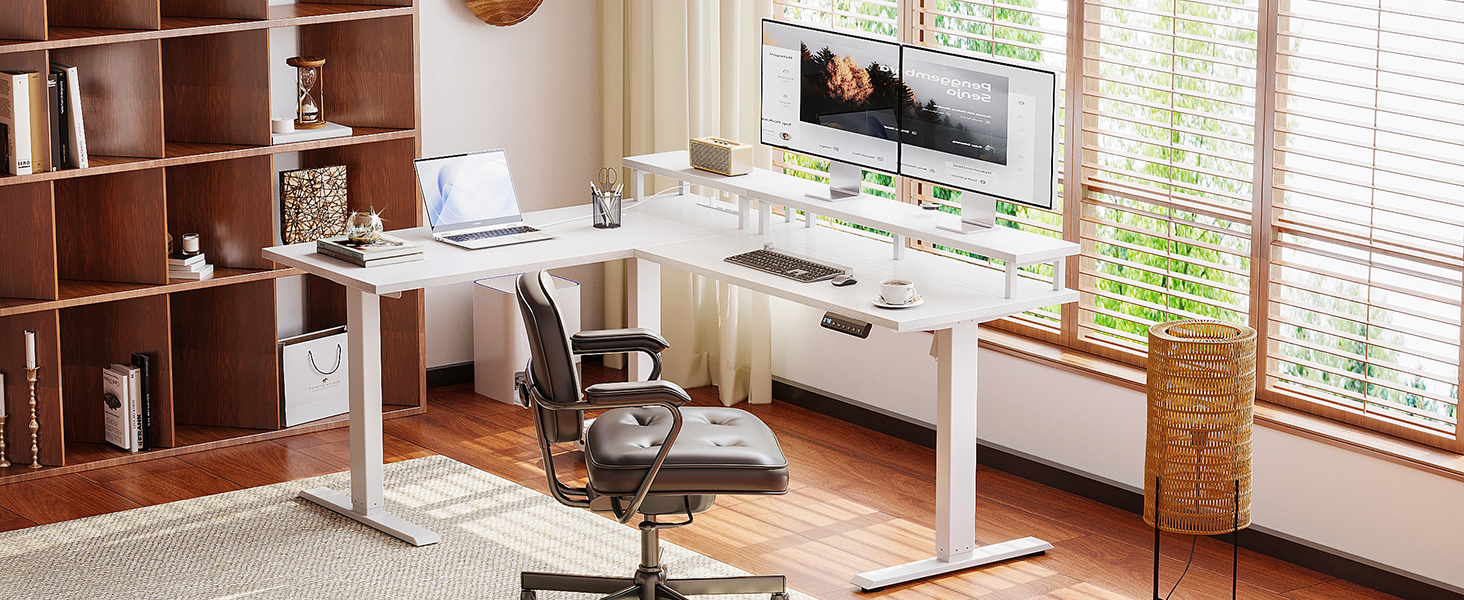
Figure 4: Control Panel for Height Adjustment and Memory Presets.

Figure 5: Adjustable Height for Sitting and Standing.
Integrated Power Outlet
The desk includes a built-in power outlet for convenient charging of your electronic devices. This power outlet features:
- 3 AC Sockets
- 1 USB Port
- 1 Type-C Port
Simply plug your devices into the available ports. Ensure the desk is connected to a power source for the outlets to function.

Figure 6: Convenient Built-in Charging Station.
Maintenance
Regular maintenance will help prolong the life of your AODK Electric L-Shaped Standing Desk:
- Cleaning: Wipe the desk surfaces with a soft, damp cloth. Avoid abrasive cleaners or harsh chemicals that may damage the finish.
- Motor Care: The motor is designed for durability. Avoid overloading the desk beyond its specified weight capacity.
- Cable Management: Periodically check and organize cables to prevent tangling or damage, especially when adjusting desk height.
- Fasteners: Occasionally check all screws and fasteners to ensure they remain tight. Re-tighten if necessary.
Troubleshooting
If you encounter issues with your AODK Electric L-Shaped Standing Desk, refer to the following common troubleshooting steps:
| Problem | Possible Cause | Solution |
|---|---|---|
| Desk does not move. | Power cable disconnected; motor overload; control panel issue. | Check power connections. Reduce weight on desk. Unplug and replug the desk after 30 seconds to reset the control system. |
| Desk moves unevenly or makes unusual noise. | Loose fasteners; obstruction; motor issue. | Check and tighten all assembly fasteners. Ensure no objects are obstructing the legs. If problem persists, contact customer support. |
| Memory presets not working. | Presets not saved correctly. | Re-program the memory presets following the "Operating Instructions" section. |
For issues not covered here, or if problems persist, please contact AODK customer support for assistance.
Specifications
- Brand: AODK
- Model Name: Electric L-Shaped Standing Desk
- Product Dimensions (D x W x H): 47"D x 59"W x 31"H (at lowest setting)
- Adjustable Height Range: 28 inches (Min) to 47 inches (Max)
- Color: White
- Top Material Type: Engineered Wood
- Base Material: Metal
- Lifting Mechanism: Electric Motor
- Motor Noise Level: 45-55 decibels
- Power Outlet: 3 AC Sockets, 1 USB Port, 1 Type-C Port
- Special Feature: Height Adjustable, Reversible L-Shape Design, Integrated Monitor Stand, Power Outlets
- Assembly Required: Yes (Recommended 2 people)
- Certifications: Meets ANSI/BIFMA X5.5-2014 standards
- UPC: 850064516432
Warranty and Support
AODK provides a limited warranty for this product. For detailed warranty information, including terms and conditions, please refer to the warranty card included with your purchase or visit the official AODK website. Our professional customer support team is available to assist you with any questions or concerns regarding your desk.
Contact Support: For assistance, please refer to the contact information provided in your product packaging or on the AODK official website. Please have your model number (B0D62ZTBYL) and purchase date ready when contacting support.
Related documentsB0D62ZTBYL

Ask a question about this manual
Ask about setup, troubleshooting, compatibility, parts, safety, or missing instructions. Manuals+ will review the question and use this page’s manual context to help answer it.