
1. Introduction
This manual provides essential instructions for the proper installation, operation, and maintenance of your HEXEH TN2333 Temperature Sensor with Display. Please read this manual thoroughly before using the device to ensure safe and efficient operation.
The TN2333 is a high-precision digital temperature sensor designed for various industrial and agricultural applications, offering stable output, fast response, and high durability.
2. Safety Information
- Always ensure the device is powered off before installation or maintenance to prevent electrical shock.
- Do not expose the sensor to extreme temperatures or corrosive environments beyond its specified operating range.
- Handle the sensor carefully to avoid physical damage to the probe or display unit.
- Only use the device for its intended purpose as a temperature sensor.
- Keep the device away from strong magnetic fields, which may affect its accuracy.
3. Product Overview
The HEXEH TN2333 is a robust temperature sensor featuring a digital display for direct temperature readings. It is designed for easy installation and dismantling, making it suitable for a wide range of applications.
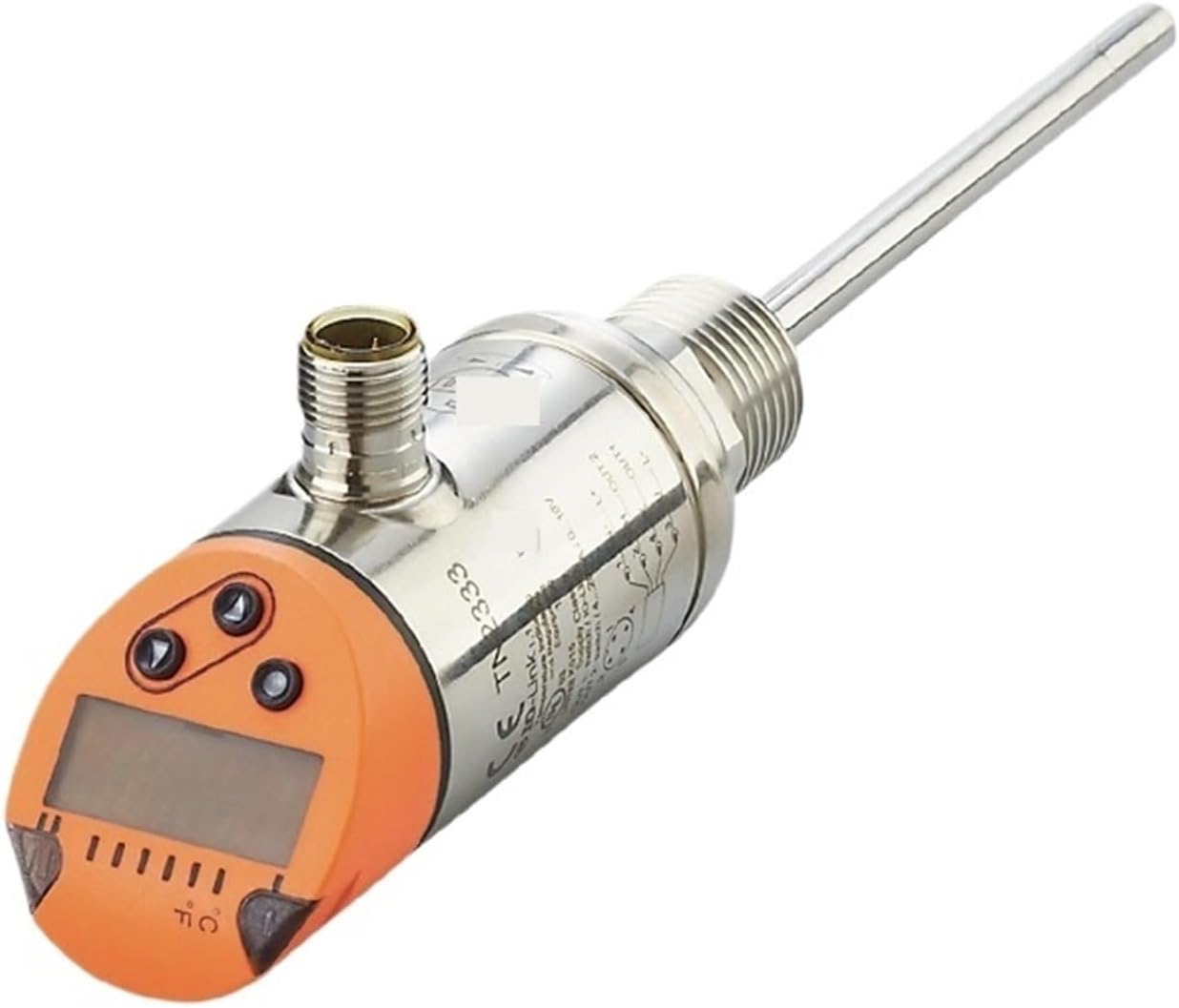
Figure 1: Side view of the TN2333 Temperature Sensor. This image shows the elongated metal probe extending from the main body, which houses the display and control buttons. A threaded connection point is visible on the main body.
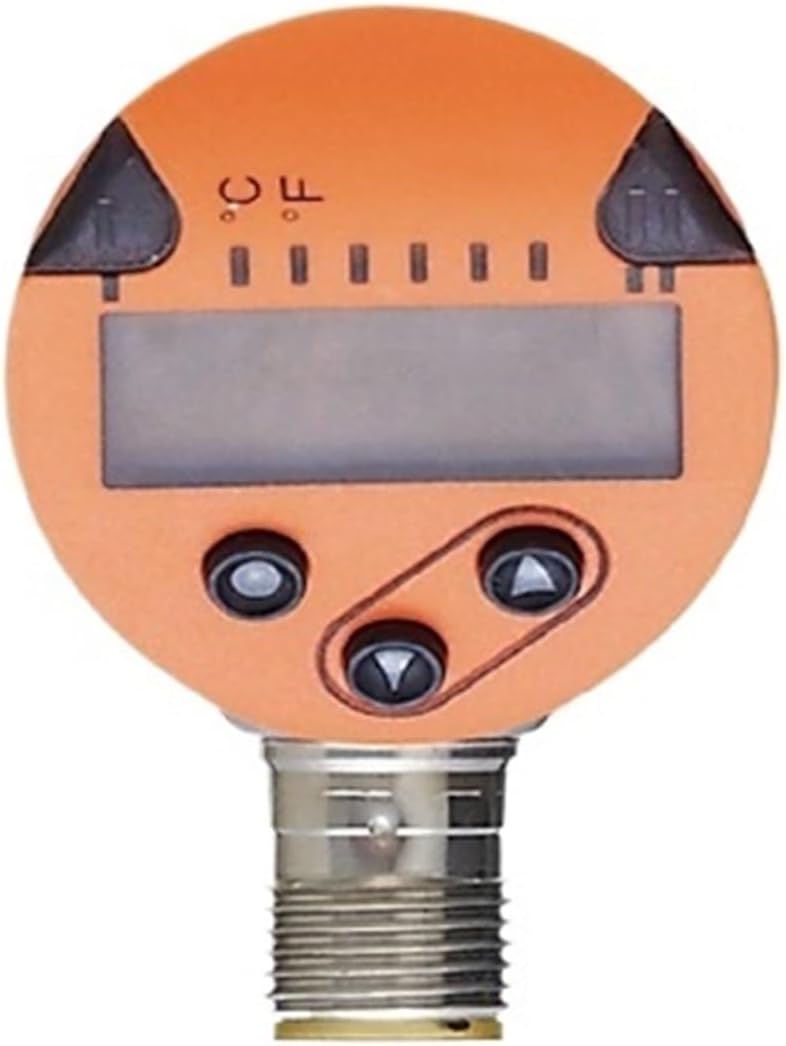
Figure 2: Front view of the TN2333 display unit. This image highlights the circular orange face of the sensor, featuring a rectangular digital display and three black control buttons arranged below it. Markings for Celsius and Fahrenheit are also visible.
Key Features:
- High precision digital sensor for accurate readings.
- Stable output and fast response speed.
- Integrated display for direct temperature monitoring.
- Easy installation and dismantling.
- Durable construction for long-term use.
- Wide range of applications, including industrial and agricultural machinery.
4. Setup and Installation
- Unpacking: Carefully remove the TN2333 sensor from its packaging. Inspect for any visible damage.
- Mounting: The sensor is designed for easy installation. Identify the appropriate mounting point for your application. The threaded connection on the sensor body allows for secure attachment. Ensure the probe is fully immersed in the medium to be measured, if applicable.
- Electrical Connection: Connect the sensor to the power supply and data acquisition system (if used) according to the wiring diagram provided with your specific system. Ensure all connections are secure and correct polarity is observed. The sensor features a standard connector for reliable electrical interface.
- Power On: Once securely installed and connected, apply power to the sensor. The display should illuminate and show a temperature reading.
The design facilitates both initial setup and subsequent removal for maintenance or relocation.
5. Operating Instructions
5.1. Reading the Display
Upon powering on, the digital display will show the current temperature reading. The unit of measurement (Celsius or Fahrenheit) will be indicated on the display.
5.2. Changing Temperature Units
The TN2333 sensor allows switching between Celsius (°C) and Fahrenheit (°F). Refer to Figure 2 for button locations.
- Locate the control buttons on the front face of the display unit.
- Press the designated unit selection button (often marked with °C/°F or an arrow) to toggle between Celsius and Fahrenheit. The display will update to reflect the new unit.
5.3. Response Time and Accuracy
The sensor utilizes a high-precision digital sensor for stable and fast temperature acquisition. Readings are updated rapidly, providing real-time temperature data for critical applications.
6. Maintenance
- Cleaning: Periodically clean the sensor probe and display unit with a soft, damp cloth. Do not use abrasive cleaners or solvents. Ensure no liquid enters the electrical connections.
- Inspection: Regularly inspect the sensor for any signs of physical damage, corrosion, or loose connections. Address any issues promptly.
- Storage: If storing the sensor for an extended period, ensure it is clean, dry, and stored in a protective environment away from extreme temperatures and humidity.
7. Troubleshooting
| Problem | Possible Cause | Solution |
|---|---|---|
| Display is blank or off. | No power supply or loose connection. | Check power connections and ensure the power supply is active. |
| Incorrect temperature reading. | Sensor not properly immersed/positioned; environmental interference; sensor malfunction. | Ensure proper sensor placement. Check for strong electromagnetic interference. If problem persists, contact support. |
| Display shows "Err" or similar error code. | Sensor fault or out of operating range. | Power cycle the device. Verify the temperature is within the sensor's specified range. If the error persists, contact support. |
8. Specifications
| Attribute | Value |
|---|---|
| Model | TN2333 |
| Brand | HEXEH |
| Item Weight | 700 Grams |
| Number of Pieces | 1 |
| Assembly Required | No |
| Manufacturer | HEXEH |
| ASIN | B0D62YNK3F |
| First Available | June 4 2024 |
9. Warranty and Support
For warranty information or technical support, please refer to the documentation provided at the time of purchase or contact your retailer. Keep your purchase receipt as proof of purchase.
For further assistance, you may also visit the official HEXEH website or contact their customer service department.