1. Introduction
Thank you for choosing the Kayle 120-inch Motorized Projector Screen. This manual provides essential information for the safe and efficient installation, operation, and maintenance of your new projection screen. Designed for a 16:9 widescreen aspect ratio, this screen is suitable for home theater, presentations, and educational environments, offering a 180° viewing angle and 1.2 gain for optimal 4K Ultra HD and Active 3D projection.
2. Safety Information
Please read all safety instructions carefully before installation and operation. Failure to follow these instructions may result in injury or damage to the product.
- Ensure the power supply matches the product's requirements.
- Do not attempt to disassemble or repair the screen or motor. Contact qualified service personnel for assistance.
- Keep the remote control away from children to prevent accidental operation.
- Ensure the installation surface (wall or ceiling) is strong enough to support the screen's weight (approximately 25.9 pounds).
- Avoid exposing the screen material to direct sunlight for prolonged periods to prevent damage.
- Keep the screen away from heat sources and open flames.
3. Setup and Installation
The Kayle motorized projector screen arrives fully assembled and is designed for plug-and-play readiness. It can be installed on a wall or ceiling using the included installation kit.
3.1 Unpacking
Carefully remove the screen from its packaging. Inspect for any damage during transit.

Figure 3.1: Kayle 120-inch Motorized Projector Screen in a home theater environment.
3.2 Mounting Options
The durable metal casing allows for easy installation on either a wall or ceiling. Ensure appropriate anchors and brackets are used, especially for ceiling mounting, to securely support the screen's weight.
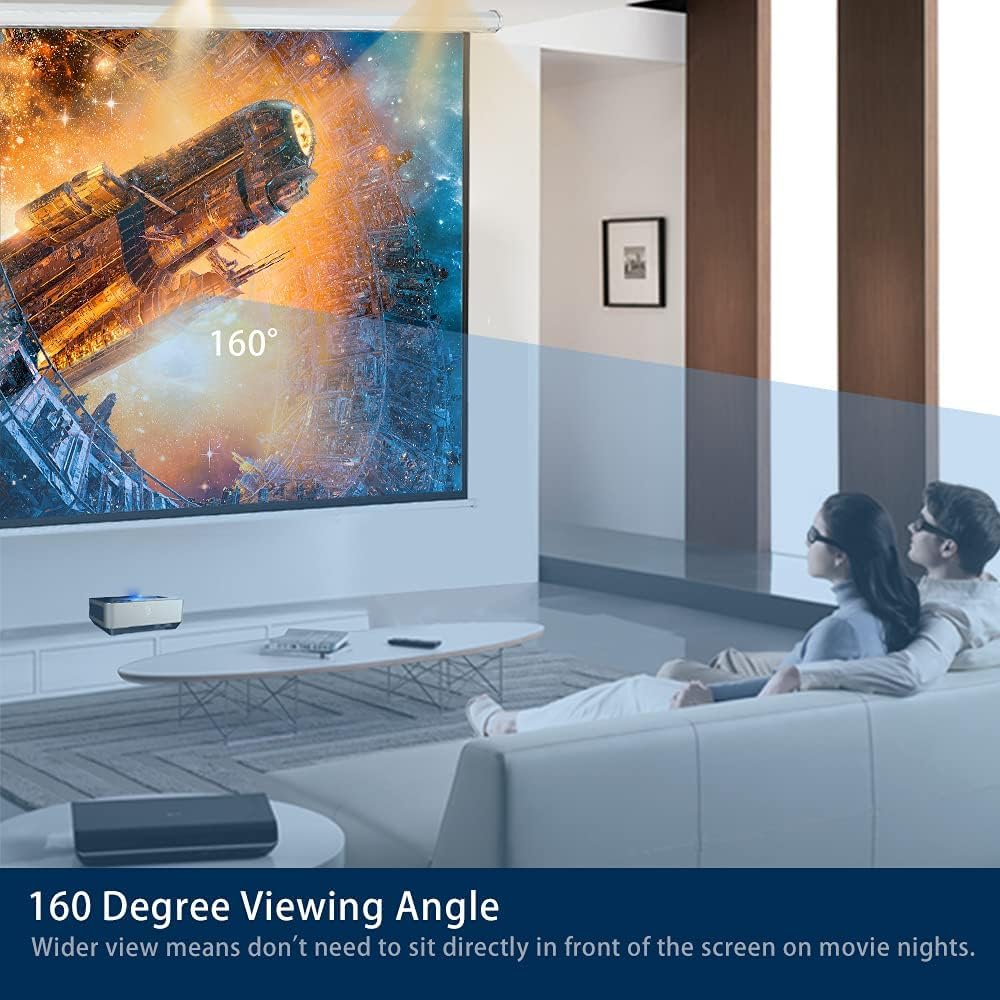
Figure 3.2: Detailed view of the screen's casing and masking borders.
3.3 Electrical Connection
Connect the screen's power cable to a suitable electrical outlet. The screen is ready for operation once plugged in.
4. Operating Instructions
Your Kayle motorized projector screen can be operated using the included wireless remote control or the detachable 3-way wall switch.
4.1 Using the Wireless Remote Control
The RF (Radio Frequency) remote control allows you to raise, lower, and stop the screen from a distance.
- Press the UP button to raise the screen.
- Press the DOWN button to lower the screen.
- Press the STOP button to halt the screen at any desired position.
4.2 Using the Wall Switch
The wall switch provides an alternative control method, typically mounted near the screen. It features similar UP, DOWN, and STOP functions.

Figure 4.1: Wireless remote control and wired wall switch for screen operation.
4.3 Motorized Operation
The energy-efficient synchronous motor operates smoothly and quietly, ensuring a long operational life.

Figure 4.2: The efficient and quiet motor mechanism.
5. Maintenance
To ensure the longevity and optimal performance of your projector screen, follow these simple maintenance guidelines:
- Cleaning the Screen Surface: The screen material is easy to clean. Use a soft, damp cloth with mild soap and water. Gently wipe the surface and allow it to air dry completely. Avoid harsh chemicals or abrasive materials.
- Motor Care: The motor is designed for durability and quiet operation. No special maintenance is required for the motor itself.
- General Inspection: Periodically check the mounting hardware to ensure it remains secure.
6. Troubleshooting
If you encounter any issues with your Kayle motorized projector screen, refer to the following common problems and solutions:
| Problem | Possible Cause | Solution |
|---|---|---|
| Screen does not respond to remote/wall switch. | No power, remote batteries dead, or signal interference. | Check power connection. Replace remote batteries. Ensure no obstructions between remote and screen receiver. |
| Screen stops midway or does not fully extend/retract. | Obstruction, motor limit settings, or power interruption. | Check for obstructions. Consult the full manual for adjusting motor limit settings. Ensure stable power supply. |
| Wavy or uneven screen surface. | Improper installation or environmental factors (temperature/humidity). | Ensure the screen is installed on a flat, stable surface. Allow time for the screen material to relax. If persistent, contact customer service. |
| Poor image quality (e.g., dim, blurry). | Projector settings, ambient light, or screen surface dirt. | Adjust projector focus and brightness. Minimize ambient light. Clean the screen surface as per maintenance instructions. |
If the problem persists after attempting these solutions, please contact Kayle customer service for further assistance.
7. Specifications
| Feature | Detail |
|---|---|
| Brand | Kayle |
| Model Number | 120"(16:9) White |
| Screen Size (Diagonal) | 120 inches |
| Aspect Ratio | 16:9 |
| Viewing Angle | 180° |
| Gain | 1.2 |
| Screen Material | 3-layer premium black-backed with textured surface, 4K Ultra HD and Active 3D Projection Ready |
| Motor Type | Energy efficient synchronous motor |
| Control Methods | Wireless RF Remote, Detachable 3-way Wall Switch |
| Mounting Type | Wall Mount, Ceiling Mount |
| Product Dimensions (W x H) | 106.8" x 54" |
| Item Weight | 25.9 pounds |
| Material | Alloy Steel, Metal |
8. Warranty and Support
Kayle offers a 30-day no-reason return policy and lifetime customer service for this product. For any inquiries or support needs, please contact our customer service team. We are committed to providing prompt assistance before and after your purchase.
9. Product Videos
Screen Extension Demonstration
This video demonstrates the smooth and quiet motorized extension of the projector screen, showcasing its operation.
Projector Screen in Use
This video illustrates the Kayle 120-inch Motorized Projector Screen displaying content, highlighting its image quality and suitability for various viewing environments.


