
CooSpo BC107, CS8
Contents
CooSpo BC107 GPS Bike Computer & CS8 Sensor Bundle User Manual
Comprehensive Guide for Your Cycling Performance
1. Introduction
This manual provides detailed instructions for the CooSpo BC107 GPS Bike Computer, bundled with the CS8 Cadence Sensor and CS8 Speed Sensor. This powerful and affordable combination is designed to enhance your cycling experience by providing accurate real-time data and performance analysis.
The BC107 features a 2.4-inch FSTN anti-glare LCD screen for clear data visibility day or night, with automatic backlight. It supports GPS and BEIDOU positioning for global accuracy and offers ANT+ compatibility for seamless integration with the included CS8 sensors and other ANT+ devices.

Image: The CooSpo BC107 GPS Bike Computer displayed alongside the CS8 Cadence Sensor (black) and CS8 Speed Sensor (orange).

Image: Overview of BC107 features including GPS+BEIDOU, ANT+ Sensor compatibility, IP67 Waterproof rating, Bluetooth 5.0, Auto backlight, 2.3-inch screen, Lap function, 28 hours battery life, Altitude tracking, and Sync to Strava.
2. Setup and Installation
2.1 Package Contents
Before proceeding, ensure all components are present:
- CooSpo BC107 GPS Bike Computer
- CooSpo CS8 Cadence Sensor
- CooSpo CS8 Speed Sensor
- Handlebar Mount for BC107
- Mounting accessories for CS8 sensors (rubber bands, pads)
- USB Charging Cable (for BC107)
2.2 BC107 Bike Computer Installation
Attach the BC107 handlebar mount to your bicycle's handlebars using the provided rubber bands or zip ties. Once the mount is secure, align the BC107 with the mount and twist it clockwise until it locks into place.
2.3 CS8 Sensor Installation
The CS8 sensor can function as either a cadence sensor or a speed sensor. The mode is determined by its orientation and mounting location.
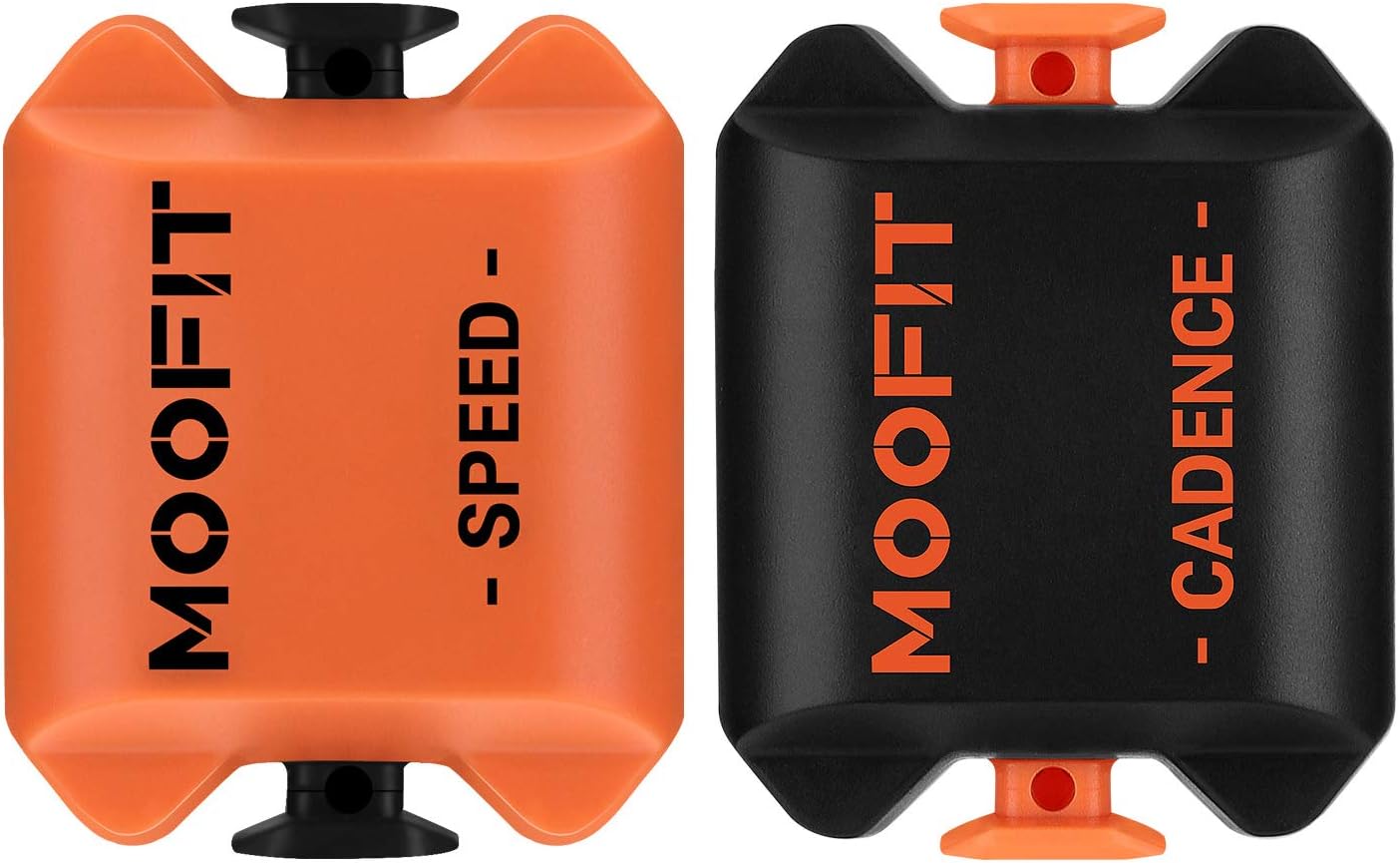
Image: Separate views of the CooSpo CS8 Speed Sensor (orange) and CS8 Cadence Sensor (black), highlighting their identical physical form factor.
- Cadence Sensor: Mount the CS8 sensor to the inside of your bicycle's crank arm using the provided rubber band. Ensure it is securely fastened and does not interfere with pedaling.
- Speed Sensor: Mount the CS8 sensor to the hub of your bicycle's front or rear wheel using the provided rubber band. Ensure it is securely fastened and does not interfere with wheel rotation.

Image: A cyclist on a road bike, with a close-up inset showing the CS8 Speed Sensor mounted on the wheel hub.
2.4 Initial Power On and Charging
Before first use, it is recommended to fully charge the BC107 using the provided USB cable. The CS8 sensors come with pre-installed CR2032 batteries.
2.5 Pairing Sensors with BC107
The BC107 supports ANT+ connectivity for sensors. To pair your CS8 Cadence and Speed sensors:
- Power on the BC107.
- Ensure the CS8 sensors are active (e.g., spin the wheel for the speed sensor, rotate the crank for the cadence sensor).
- Navigate to the sensor pairing menu on the BC107 (refer to the operating section for navigation).
- The BC107 will automatically search for nearby ANT+ sensors. Select your CS8 sensors from the list to pair them.
Note: The BC107 uses Bluetooth for pairing with the CoospoRide app on your smartphone, not for sensor connections. Sensor connections are exclusively via ANT+.

Image: The BC107 displaying its ANT+ compatibility with various sensors, including heart rate monitors, heart rate armbands, and speed & cadence sensors.
3. Operating the BC107 Bike Computer
3.1 Basic Controls and Display
The BC107 features a clear 2.4-inch FSTN LCD screen and intuitive button controls at the bottom of the device.

Image: A close-up view of the CooSpo BC107 display, showing various data fields such as speed (KMH), heart rate (HRM), time, distance (DST), cadence (CAD), and power (PWR).
- Power Button: Typically the leftmost button, used to power on/off and confirm selections.
- Navigation Buttons: Middle and rightmost buttons for navigating menus and changing display screens.
- Automatic Backlight: The screen automatically adjusts its backlight based on ambient light conditions for optimal visibility.

Image: A cyclist's hand adjusting the CooSpo BC107 on a handlebar, demonstrating the clear visibility of the 2.4-inch large screen during a ride.
3.2 GPS and BEIDOU Positioning
The BC107 utilizes both GPS and BEIDOU satellite systems for accurate global positioning. This ensures reliable speed, distance, and route tracking.
- Outdoor Cycling: For outdoor rides, ensure the device has a clear view of the sky to acquire satellite signals.
- Indoor Cycling: For indoor training, you can disable GPS to conserve battery and rely solely on the CS8 Speed Sensor for speed and distance data, or a power meter for power data.
3.3 Data Display and Recording
The BC107 displays various real-time cycling metrics:
- Speed: Current speed (KMH).
- Heart Rate (HRM): Requires a paired heart rate monitor (not included in this bundle).
- Time: Elapsed ride time.
- Distance (DST): Total distance covered.
- Cadence (CAD): Pedaling revolutions per minute from the CS8 Cadence Sensor.
- Power (PWR): Requires a paired power meter (not included in this bundle).
- Lap: Track lap times and data.
- Altitude: Current elevation.
The device records your ride data, which can then be synced to the CoospoRide app for detailed analysis and tracking your progress towards cycling goals.
4. Maintenance
4.1 Cleaning
Wipe the BC107 and CS8 sensors with a soft, damp cloth. Do not use abrasive cleaners or solvents. Ensure the charging port cover on the BC107 is securely closed to maintain its waterproof rating.
4.2 Battery Information
- BC107 Bike Computer: The internal rechargeable battery provides approximately 28 hours of usage. Recharge using the provided USB cable.
- CS8 Cadence/Speed Sensors: Each CS8 sensor uses a CR2032 coin cell battery. The endurance is approximately 320 hours. To replace, carefully open the battery compartment, replace the old battery with a new CR2032, and ensure the seal is properly seated before closing.
4.3 Waterproof Rating
Both the BC107 and CS8 sensors are rated IP67 waterproof, meaning they are protected from dust and can withstand immersion in water up to 1 meter for 30 minutes. They are suitable for use in rain, but avoid prolonged submersion.
5. Troubleshooting
5.1 No GPS Signal
- Ensure you are in an open outdoor area with a clear view of the sky.
- Wait a few minutes for the device to acquire satellites.
- If indoors, consider disabling GPS and using only sensor data.
5.2 Sensors Not Pairing/Connecting
- Ensure the sensors are active (e.g., spin the wheel or crank).
- Check the battery in the CS8 sensors (CR2032). Replace if necessary.
- Ensure the BC107 is in sensor pairing mode.
- Move the sensors closer to the BC107 during pairing.
- Confirm the BC107 only supports ANT+ for sensors, not Bluetooth.
5.3 Inaccurate Data Readings
- Speed/Distance: Ensure the CS8 Speed Sensor is correctly installed on the wheel hub and is active.
- Cadence: Ensure the CS8 Cadence Sensor is correctly installed on the crank arm and is active.
- GPS Data: Ensure a strong GPS signal.
5.4 Device Not Powering On
- Charge the BC107 for at least 30 minutes.
- Try a different USB charging cable and power adapter.
6. Specifications
| Feature | Detail |
|---|---|
| Brand | CooSpo |
| Model | BC107 (Bike Computer), CS8 (Sensors) |
| Color | Orange (BC107), Orange/Black (CS8) |
| Screen Size (BC107) | 2.4 Inches |
| Display Type (BC107) | FSTN LCD |
| Display Resolution (BC107) | 240x320 |
| Sensor Type (Included) | Cadence Sensor, Speed Sensor |
| Connectivity Technology | ANT+ (Sensors), Bluetooth 5.0 (App Sync) |
| Included Components | BC107 Bike Computer, CS8 Cadence Sensor, CS8 Speed Sensor |
| Mounting Type | Handlebar Mount (BC107) |
| Human Interface Input | Buttons |
| BC107 Battery Life | Approx. 28 hours |
| CS8 Sensor Battery | CR2032 (Endurance: 320h) |
| Waterproof Rating | IP67 |
| Operating Temperature | -10 to 50°C |

Image: Detailed specifications and dimensions for the CooSpo CS8 Speed Sensor, including its Bluetooth & ANT+ dual mode wireless transmission and CR2032 battery.

Image: Detailed specifications and dimensions for the CooSpo CS8 Cadence Sensor, including its Bluetooth & ANT+ dual mode wireless transmission and CR2032 battery.
7. Warranty and Support
CooSpo products are designed for reliability and performance. For any technical assistance, troubleshooting beyond this manual, or warranty inquiries, please contact CooSpo customer support through their official website or the retailer where the product was purchased.
Keep your proof of purchase for warranty claims.
Ask a question about this manual
Ask about setup, troubleshooting, compatibility, parts, safety, or missing instructions. Manuals+ will review the question and use this page’s manual context to help answer it.