
Introduction
This manual provides essential instructions for the safe and effective use of your LEXiBOOK Disney Stitch Nightlight with Speaker, Model NS01D. Please read this manual thoroughly before operating the device and retain it for future reference.
Product Overview
The LEXiBOOK Disney Stitch Nightlight with Speaker combines a color-changing LED nightlight with an audio speaker function, designed for indoor use. It operates on batteries and features an automatic shut-off function.
Package Contents:
- 1 x Nightlight with Speaker (Disney Stitch design)
- 1 x Aux-in Cable
- 1 x User Manual (this document)

Figure 1: The LEXiBOOK Disney Stitch Nightlight with Speaker. This image shows the blue Stitch character sitting on a blue base, which houses the light and speaker components.
Setup
1. Battery Installation
- Locate the battery compartment on the underside of the nightlight base.
- Using a small screwdriver, open the battery compartment cover.
- Insert 3 x 1.5V AAA/LR03 batteries (not included), ensuring correct polarity (+/-) as indicated inside the compartment.
- Replace the battery compartment cover and secure it with the screw.
2. Connecting an Audio Source (Optional)
To use the speaker function, connect an external audio device (e.g., smartphone, MP3 player) using the supplied aux-in cable.
- Insert one end of the aux-in cable into the audio input jack on the nightlight base.
- Insert the other end of the aux-in cable into the headphone jack or audio output of your external audio device.

Figure 2: The nightlight connected to a smartphone via the aux-in cable, demonstrating the speaker functionality.
Operating Instructions
1. Powering On/Off and Light Control
- The nightlight is controlled by a touch-sensitive switch. Locate the touch area, typically on the base or a designated spot on the character.
- To turn on the light: Lightly touch the control area. The light will illuminate and begin its color-changing sequence.
- Color Change Function: The LED light will cycle through various colors, providing a soft, ambient glow.
- Automatic Shut-off: The nightlight is equipped with an energy-saving feature that automatically turns off the light after approximately 15 minutes of operation.
- To turn off the light manually: Touch and hold the control area for a few seconds, or cycle through the light modes until it turns off.

Figure 3: The Stitch nightlight providing a soft, color-changing glow in a child's room, creating a calming atmosphere.
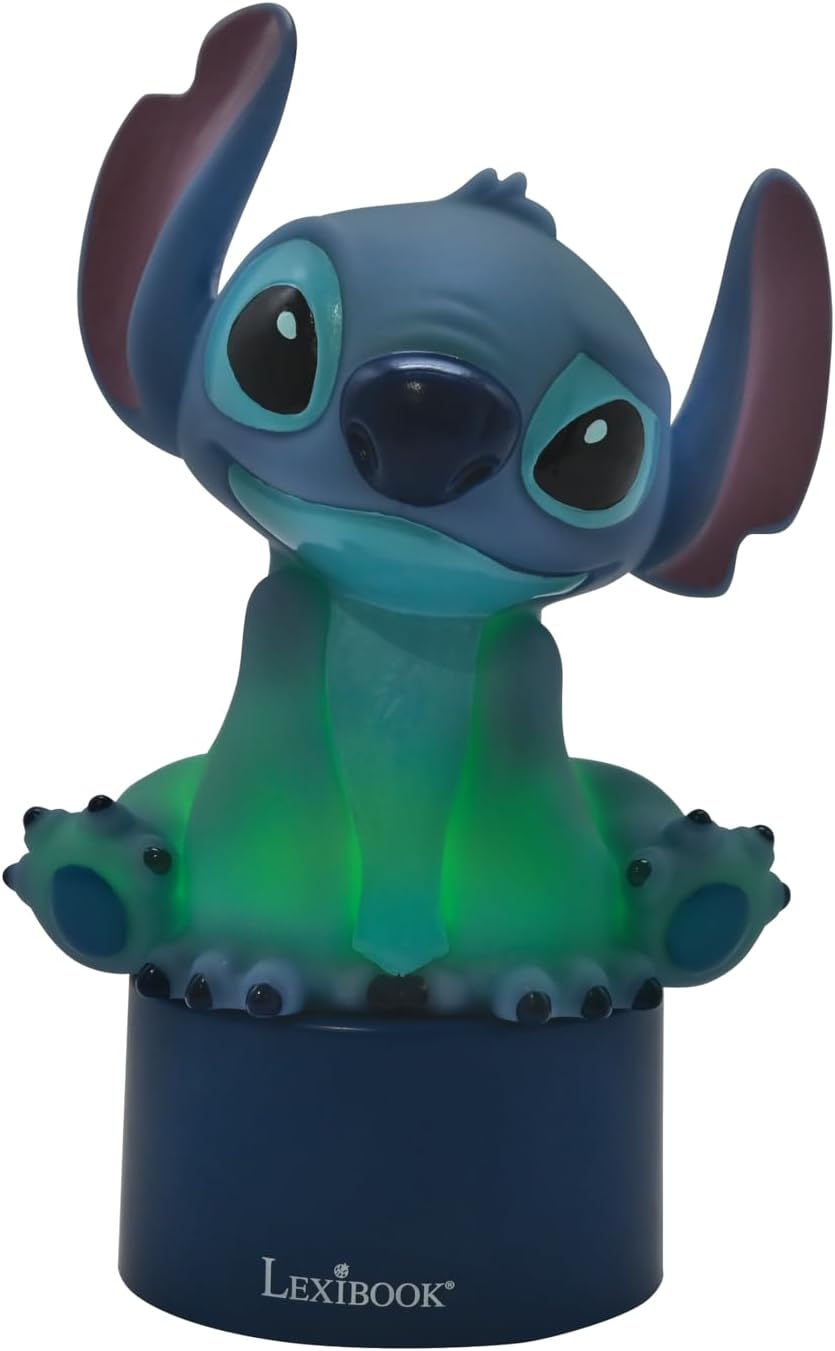

Figure 4: Examples of the nightlight displaying different colors, such as blue and green, as part of its color-changing feature.
2. Speaker Function
- Once an audio device is connected via the aux-in cable (as described in the Setup section), audio will play through the nightlight's integrated speaker.
- Volume Control: Adjust the volume directly on your connected audio device. The nightlight itself does not have independent volume controls.
- Ensure the audio device's volume is not set too high to prevent distortion or damage to the speaker.
Maintenance
- Cleaning: Wipe the surface of the nightlight with a soft, dry cloth. Do not use abrasive cleaners or immerse the unit in water.
- Battery Replacement: When the light dims or the speaker audio becomes weak, it is time to replace the batteries. Follow the battery installation steps in the Setup section. Always replace all three batteries at once with new ones of the same type.
- Storage: If the device will not be used for an extended period, remove the batteries to prevent leakage and store the unit in a cool, dry place.
Troubleshooting
| Problem | Possible Cause | Solution |
|---|---|---|
| Nightlight does not turn on. | Batteries are depleted or incorrectly installed. | Check battery polarity and replace with fresh AAA batteries. |
| Speaker produces no sound or distorted sound. | Aux-in cable is not properly connected. External audio device volume is too low or muted. Batteries are low. | Ensure the aux-in cable is securely plugged into both the nightlight and the audio device. Increase the volume on your audio device. Replace batteries if necessary. |
| Light turns off too quickly. | Automatic 15-minute shut-off feature is active. | This is a normal energy-saving function. To reactivate, simply touch the control area again. |
Specifications
- Model Name: NS01D
- Brand: LEXiBOOK
- Power Source: 3 x 1.5V AAA/LR03 Batteries (not included)
- Voltage: 4.5 Volts
- Light Source Type: LED
- Special Feature: Color Changing, Automatic 15-minute Shut-off
- Control Method: Touch
- Material: Plastic
- Product Dimensions: 4.29"D x 2.75"W x 6.69"H (approximately)
- Item Weight: 4.8 ounces (approximately)
- Recommended Age: 3 years and up
- Indoor/Outdoor Usage: Indoor
Safety Information
- This product is recommended for children aged 3 years and up.
- Do not mix old and new batteries. Do not mix alkaline, standard (carbon-zinc), or rechargeable (nickel-cadmium) batteries.
- Remove batteries if the product is not to be used for a long period.
- Dispose of used batteries responsibly according to local regulations.
- Keep the device away from water and excessive moisture. This product is not waterproof.
- Do not attempt to disassemble or modify the product. This may cause damage or injury.
- Use only the provided aux-in cable or a compatible standard 3.5mm audio cable.
Warranty and Support
Specific warranty details are not provided within the product information. For warranty claims, technical support, or further inquiries, please contact LEXiBOOK customer service directly through their official website or the retailer where the product was purchased.
Please retain your proof of purchase for any potential warranty claims.