
1. Introduction
The LIORQUE Carbon Monoxide (CO) Detector, Model TCS0202A, is designed to provide continuous monitoring for carbon monoxide gas in your home. Equipped with an advanced electrochemical sensor and a 10-year integrated battery, this device offers reliable protection against the dangers of CO poisoning. It is certified and compliant with European standard EN50291.
Carbon monoxide is a colorless, odorless, and tasteless gas that can be fatal. This detector is an essential safety device for any household, especially those with fuel-burning appliances such as furnaces, water heaters, fireplaces, and gas stoves.

Image 1: Front view of the LIORQUE Carbon Monoxide Detector showing the display, test button, and LED indicators.
2. Safety Information and Important Warnings
Please read all instructions carefully before installation and operation. Failure to follow these instructions may result in improper operation of the detector and could lead to serious injury or death.
General Safety Guidelines:
- This device is designed to detect carbon monoxide gas from any source of combustion. It is not designed to detect smoke, fire, or other gases.
- The detector should be tested regularly to ensure proper function.
- Do not paint the detector. Paint can clog the openings and interfere with the sensor's ability to detect CO.
- Do not block the ventilation openings of the detector.
- In case of an alarm, evacuate the premises immediately and contact emergency services.
Installation Restrictions:
To ensure optimal performance and avoid false alarms or impaired detection, do not install the CO detector in the following locations:
- Directly above kitchen fumes or cooking appliances.
- In garages, as vehicle exhaust contains CO and can cause false alarms.
- In bathrooms, saunas, or steam rooms, due to high humidity and temperature fluctuations.
- In areas with extreme temperatures (below 0°C or above 45°C).
- In dusty, dirty, or greasy areas.
- In direct sunlight or near heat sources.
- In areas where it might be obstructed by furniture or curtains.
3. Setup and Installation
The LIORQUE CO Detector is designed for easy installation. It comes with the necessary mounting accessories.
Recommended Installation Locations:
It is recommended to install CO detectors in every room where carbon monoxide leaks may occur, and in all sleeping areas. For optimal detection, consider the following:
- Near sleeping areas: Install a detector in or near bedrooms to ensure the alarm is heard during sleep.
- Near fuel-burning appliances: Place a detector in rooms containing furnaces, water heaters, fireplaces, or gas stoves.
- On walls: Install the detector on a wall, at a height above any doors or windows, but below the ceiling.
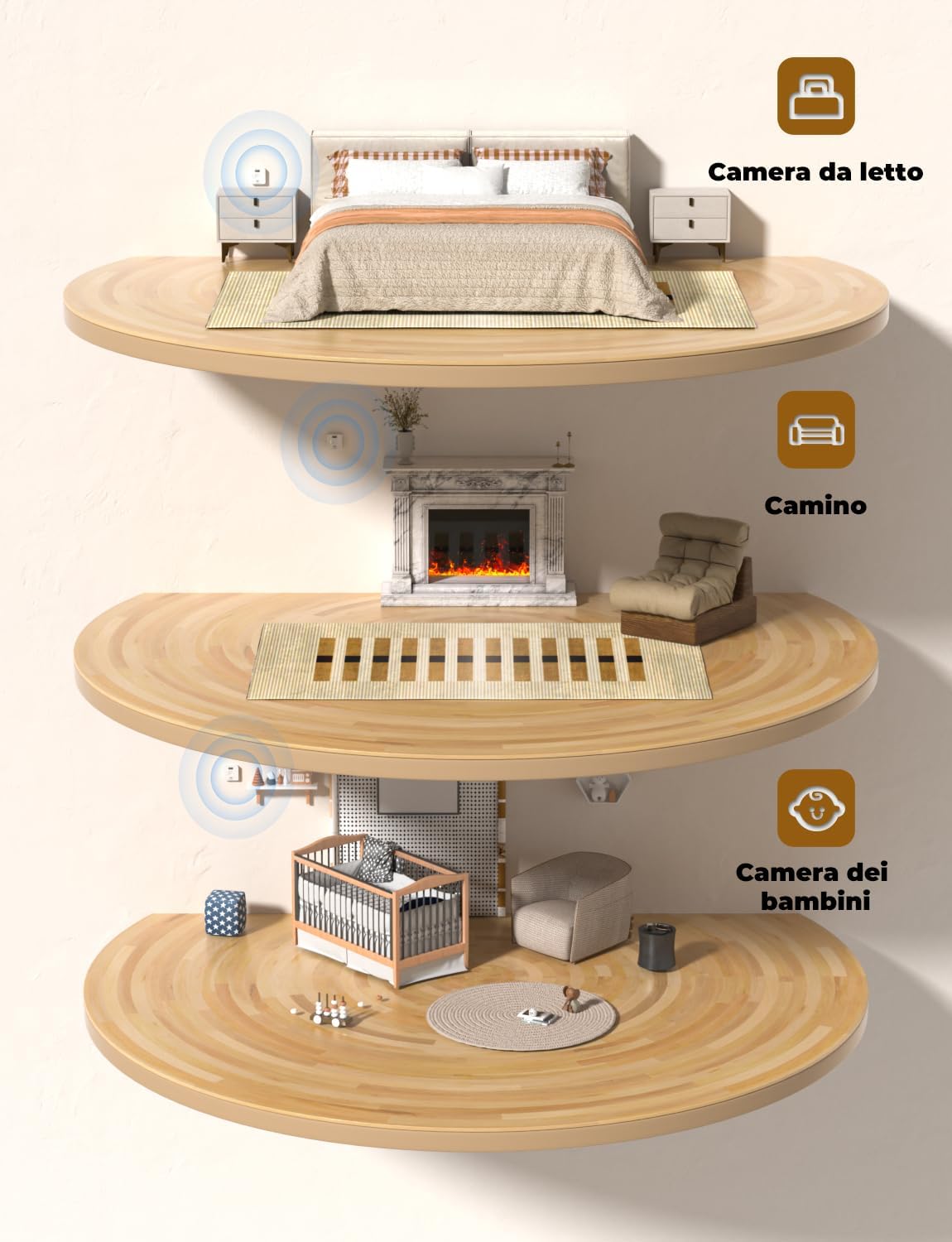
Image 2: Recommended placement examples for the CO detector in various rooms.
Installation Steps:
- Choose a suitable location on a wall, away from obstructions and restricted areas mentioned in Section 2.
- Using the provided mounting accessories (screws and wall plugs), mark the positions for drilling two holes.
- Drill the holes and insert the wall plugs.
- Secure the mounting bracket (if separate) or the detector directly to the wall using the screws.
- Ensure the detector is firmly attached to the wall.

Image 3: Illustration of the detector being mounted on a wall using screws.
4. Operating Instructions
The LIORQUE CO Detector operates continuously once installed. It features LED indicators and an LCD display for status updates.
LED Indicators:
The detector uses a 4-color LED indicator system to communicate its status:
- Green LED (Power): Flashes every 50 seconds, indicating normal operation.
- Yellow LED (Fault): Indicates a fault or malfunction with the device.
- Red LED (Alarm): Flashes rapidly and an audible alarm sounds when CO is detected at dangerous levels.
- White Indicator (Low Battery): Indicates a low battery condition.

Image 4: Visual representation of the LED indicators and their meanings.
LCD Display:
The integrated LCD display shows the current CO concentration in parts per million (ppm) and battery status.
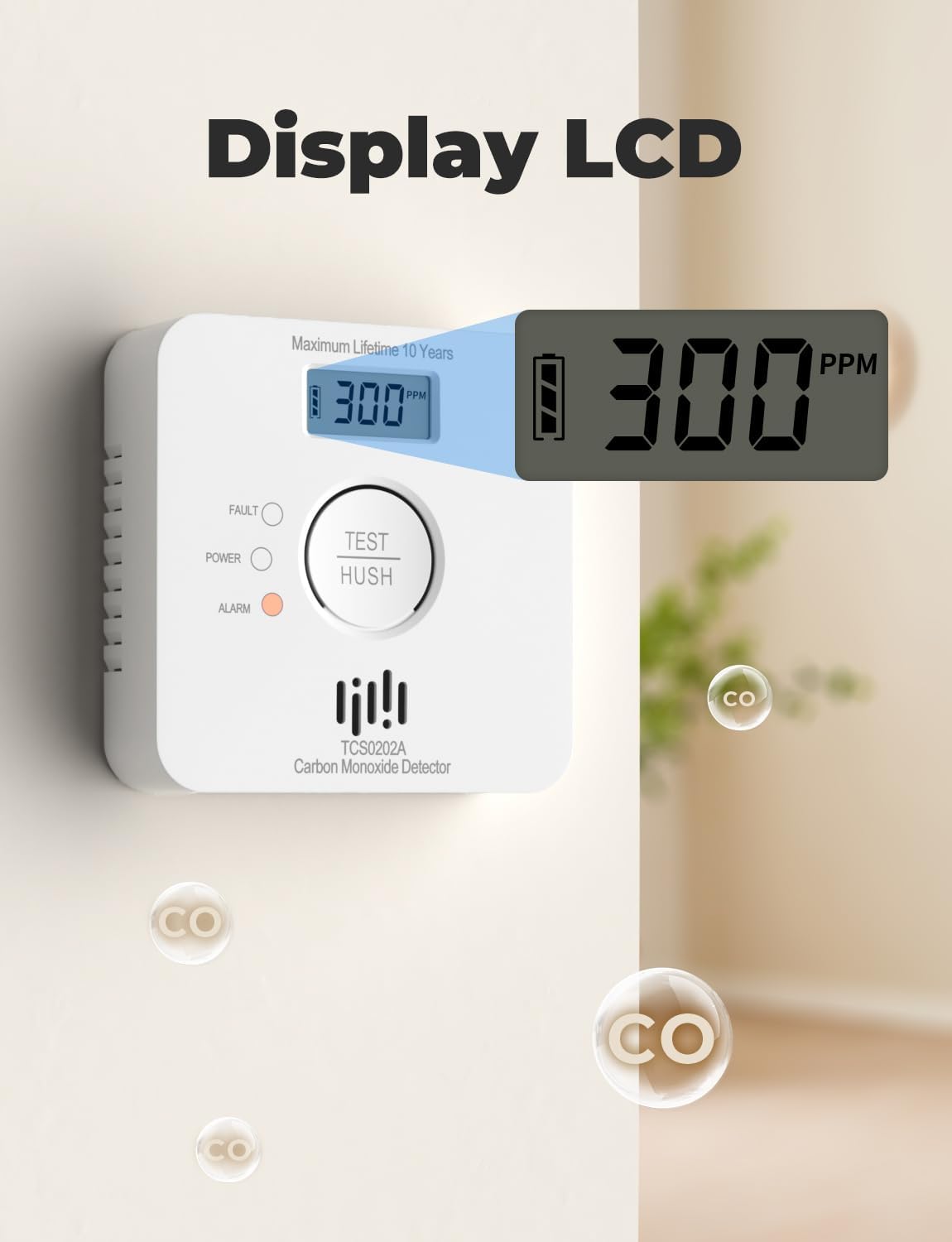
Image 5: The LCD display showing a detected CO level.
Alarm Conditions:
The detector is calibrated to trigger an alarm based on specific CO concentration levels and exposure times, in compliance with EN50291:
- 50 ppm: Alarm sounds within 60-90 minutes.
- 100 ppm: Alarm sounds within 10-40 minutes.
- 300 ppm: Alarm sounds within 3 minutes.
When an alarm is triggered, the red LED will flash rapidly, and an audible alarm of 85 dB will sound. The alarm will continue until the CO concentration drops to a safe level.

Image 6: Visual guide to CO alarm response levels and times.
Test/Hush Button:
The large central button labeled "TEST/HUSH" allows you to test the detector's functionality and silence an alarm temporarily.
- To Test: Press and hold the button briefly. The detector will emit a series of beeps and flash its LEDs, indicating it is working correctly.
- To Hush (Silence): In case of a non-emergency alarm (e.g., brief exposure to low CO levels), pressing the button can temporarily silence the alarm for a short period. The detector will continue to monitor CO levels. If CO levels remain high, the alarm will reactivate.

Image 7: Demonstrating the use of the Test/Hush button.
5. Maintenance
Regular maintenance ensures the long-term reliability of your CO detector.
Battery Life:
The LIORQUE CO Detector features an integrated 10-year battery. This means you do not need to replace batteries frequently. The detector is designed to operate for its entire 10-year lifespan without battery replacement.
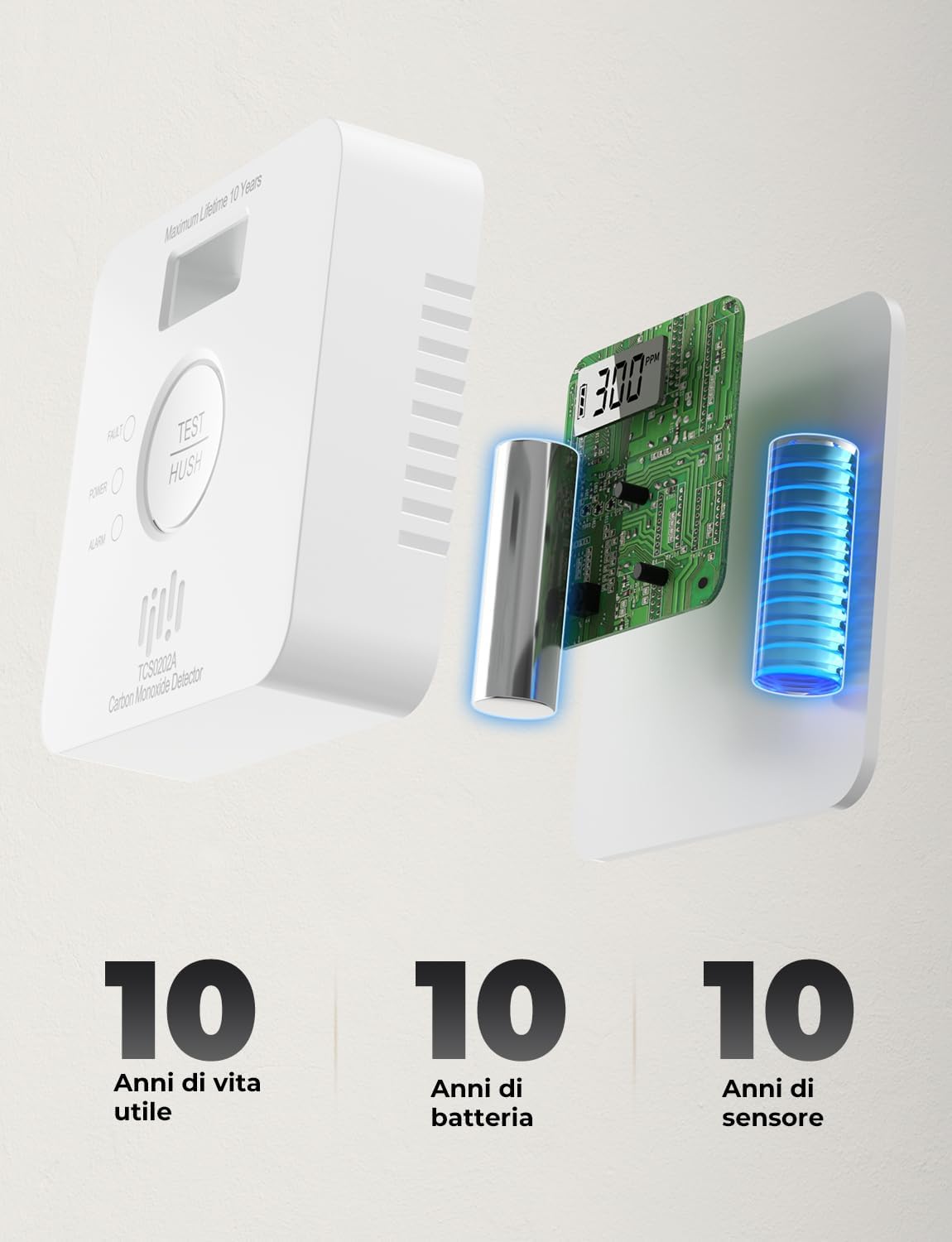
Image 8: Internal view highlighting the 10-year battery and sensor life.
Regular Testing:
It is crucial to test your CO detector weekly or monthly to ensure it is functioning correctly. Press the "TEST/HUSH" button as described in Section 4. If the alarm does not sound during the test, refer to the Troubleshooting section.
Cleaning:
Dust and debris can accumulate on the detector and affect its performance. Clean the detector regularly (e.g., monthly) by gently wiping the exterior with a soft, damp cloth. Do not use cleaning agents or solvents. Do not spray air fresheners or other aerosols near the detector.
6. Troubleshooting
This section addresses common issues you might encounter with your CO detector.
Alarm Sounds:
- If the alarm sounds: Immediately move to fresh air outdoors or open all doors and windows to ventilate the area. Do a head count to check that all persons are accounted for. Do not re-enter the premises until the alarm has stopped and the area has been thoroughly ventilated. Contact emergency services or a qualified technician to investigate the source of CO.
- False Alarms: Ensure the detector is not installed in restricted areas (e.g., near cooking fumes, in garages). If false alarms persist, contact customer support.
Fault Indicator (Yellow LED) On:
If the yellow LED is continuously lit or flashing, it indicates a fault with the detector. This could mean the sensor is malfunctioning or there is an internal error. In this case, the detector may not be able to detect CO effectively. It is recommended to replace the unit immediately.
Low Battery Indicator (White Indicator) On:
Although the detector has a 10-year battery, if a low battery indicator appears prematurely, it may indicate a defect. Contact customer support for assistance.
No Response During Test:
If the detector does not respond when the "TEST/HUSH" button is pressed, ensure the device is properly powered on. If the issue persists, the unit may be faulty and should be replaced.
7. Specifications
| Brand | LIORQUE |
| Model Number | TCS0202A |
| Product Dimensions | 11 x 5 x 11 cm |
| Item Weight | 150 grams |
| Power Source | Battery Powered (Integrated 10-year Lithium-ion battery) |
| Alarm Type | Audible (85 dB) |
| Sensor Type | Electrochemical |
| Compliance | EN50291 |

Image 9: Product dimensions of the LIORQUE Carbon Monoxide Detector.
8. Warranty and Support
For warranty information or technical support, please refer to the product packaging or contact LIORQUE customer service directly. Contact details are typically provided on the manufacturer's website or within the product documentation included in the box.
