
Introduction
This manual provides essential instructions for the safe and efficient use of your LEXiBOOK Harry Potter Wireless Earbuds (Model: HPBT05HP). Please read this manual thoroughly before using the product and retain it for future reference.
What's in the Box
- 1 pair of LEXiBOOK Harry Potter Wireless Earbuds
- 1 Charging Case
- 1 USB-C Charging Cable
- 1 Instruction Manual (this document)
Product Overview
The LEXiBOOK Harry Potter Wireless Earbuds are designed for children aged 8 and above, featuring a volume limit of 85 dB for hearing protection. They offer touch controls for audio playback and call management, and come with a portable charging case.

Image 1: The Harry Potter themed charging case open, revealing the two earbuds inside. The case features the Hogwarts crest and house emblems.

Image 2: A side view of the open charging case with earbuds, highlighting the compact design and house emblems.
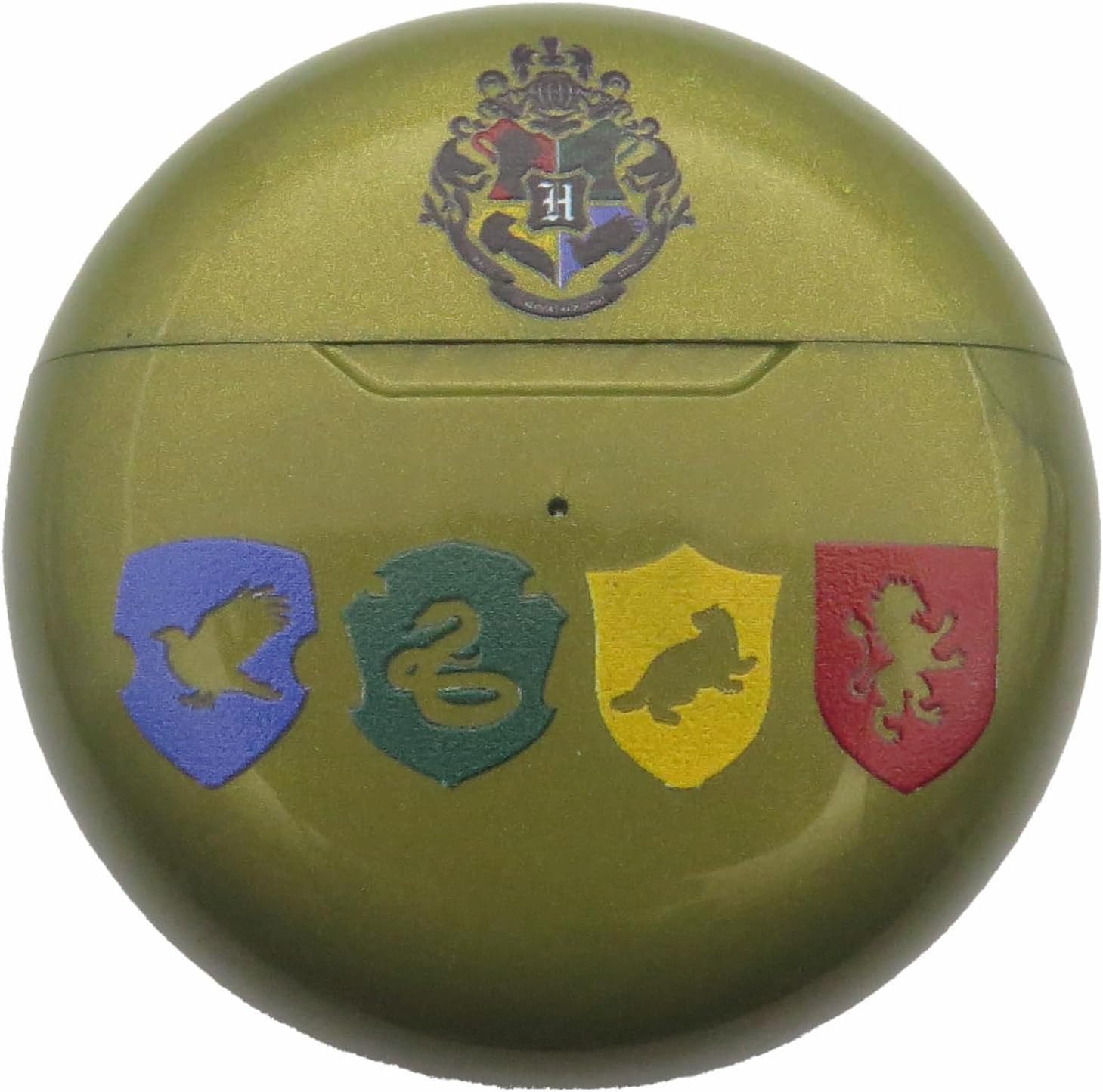
Image 3: A top-down view of the closed charging case, showcasing the Hogwarts crest on the lid and the four house emblems on the front.

Image 4: The two individual earbuds, showing their design and the "H" logo on the stems.
Controls:
The earbuds feature touch controls for various functions:
- Play/Pause: Tap once on either earbud.
- Next Track: Double-tap the right earbud.
- Previous Track: Double-tap the left earbud.
- Answer/End Call: Tap once on either earbud during an incoming call.
- Reject Call: Press and hold either earbud for 2 seconds during an incoming call.
- Activate Voice Assistant: Triple-tap either earbud (if supported by your device).
Setup
1. Charging the Earbuds and Case:
- Place both earbuds into the charging case.
- Connect the provided USB-C cable to the charging port on the case and to a compatible USB power source (e.g., computer, wall adapter).
- The indicator light on the case will show charging status. A full charge typically takes approximately 1-2 hours.
- Once fully charged, disconnect the cable.
Note: Ensure the charging case is sufficiently charged to power the earbuds.
2. Pairing with a Bluetooth Device:
- Ensure the earbuds are charged.
- Open the charging case. The earbuds will automatically enter pairing mode, indicated by a flashing LED light on the earbuds.
- On your device (smartphone, tablet, etc.), go to the Bluetooth settings.
- Search for available devices and select "HPBT05HP" from the list.
- Once connected, the LED indicator on the earbuds will stop flashing or show a solid light, depending on the model.
- If prompted, confirm the pairing.
The earbuds will automatically reconnect to the last paired device when removed from the case, if Bluetooth is enabled on the device.
Operating Instructions
Wearing the Earbuds:
Gently insert the earbuds into your ears, ensuring a comfortable and secure fit. The left earbud is marked 'L' and the right earbud 'R'.
Audio Playback:
- Play/Pause: Tap once on either earbud.
- Next Track: Double-tap the right earbud.
- Previous Track: Double-tap the left earbud.
Phone Calls:
- Answer/End Call: Tap once on either earbud during an incoming call.
- Reject Call: Press and hold either earbud for 2 seconds during an incoming call.
Volume Control:
The volume is limited to 85 dB for child safety. Adjust the volume directly on your connected device.
Maintenance
- Clean the earbuds and charging case regularly with a soft, dry cloth.
- Avoid using abrasive cleaners or solvents.
- Do not expose the product to extreme temperatures, humidity, or direct sunlight.
- Store the earbuds in their charging case when not in use to protect them and keep them charged.
- The earbuds are rated as "Waterproof" but this typically refers to resistance against splashes, not submersion. Avoid prolonged exposure to water.
Troubleshooting
| Problem | Solution |
|---|---|
| Earbuds not turning on. | Ensure the earbuds and charging case are fully charged. |
| Cannot pair with device. |
|
| No sound or low volume. |
|
| Earbuds disconnect frequently. |
|
Specifications
| Feature | Detail |
|---|---|
| Model Name | HPBT05HP |
| Connectivity Technology | Wireless (Bluetooth) |
| Bluetooth Version | 5.0 |
| Bluetooth Range | Up to 10 meters |
| Battery Life | 3 to 4 hours (continuous listening) |
| Charging Port | USB-C |
| Control Method | Touch |
| Integrated Microphone | Yes |
| Volume Limit | 85 dB (Child Safe) |
| Compatible Devices | Smartphones, Tablets, Laptops, Desktops, and Other Media Players with Bluetooth |
| Material | Plastic |
| Item Weight | 1.28 ounces |
| Product Dimensions | 1.97 x 1.97 x 0.83 inches |
| Water Resistance Level | Waterproof |
| Age Range (Description) | 8+ |
Official Product Video
Video 1: An official product video showcasing the LEXiBOOK Harry Potter Wireless Earbuds, highlighting key features such as child-safe volume, touch controls, and Harry Potter themed design.
Warranty and Support
For warranty information and customer support, please refer to the official LEXiBOOK website or contact your retailer. Keep your proof of purchase for any warranty claims.
Visit the official LEXiBOOK Store on Amazon for more products and information.