
1. Introduction
Thank you for choosing the Rampage KB-RX63 ATOM Mini Gaming Keyboard. This compact mechanical keyboard is designed for gaming enthusiasts and users seeking a minimalist yet powerful input device. Featuring a 63-key layout, RGB backlight, and durable Brown mechanical switches, it offers a responsive and customizable typing experience. This manual provides essential information for setting up, operating, maintaining, and troubleshooting your new keyboard.
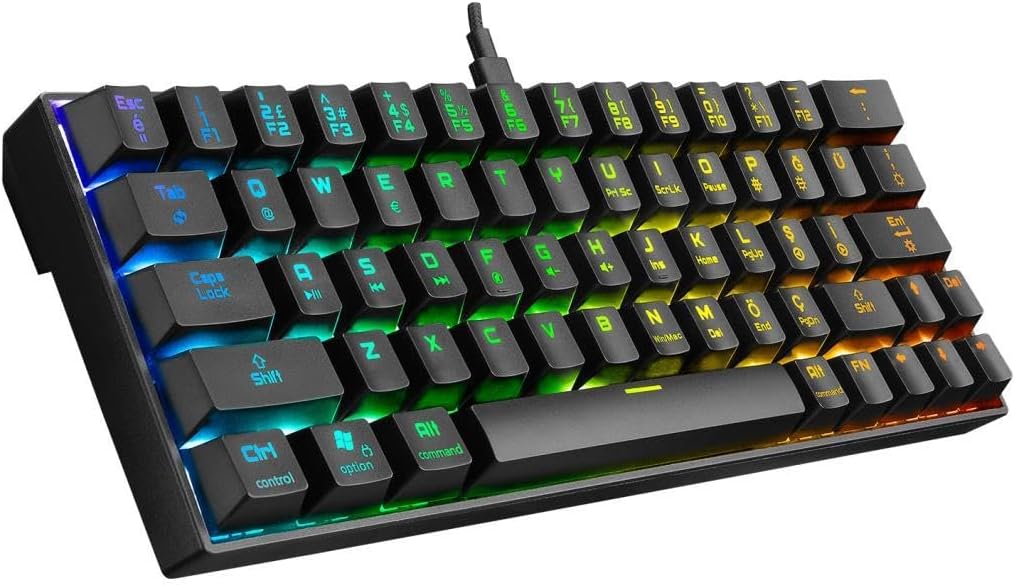
Figure 1.1: Overview of the Rampage KB-RX63 ATOM Mini Gaming Keyboard with RGB lighting.
2. Safety Information
Please read the following safety precautions carefully before using your keyboard to ensure safe operation and prevent damage.
- Do not expose the keyboard to liquids, humidity, or extreme temperatures.
- Avoid dropping or subjecting the keyboard to strong impacts.
- Do not attempt to disassemble or modify the keyboard. This will void the warranty.
- Keep the keyboard away from strong magnetic fields.
- Use only the provided Type-C cable for connection.
3. Package Contents
Verify that all items are present in the package:
- Rampage KB-RX63 ATOM Mini Gaming Keyboard
- USB Type-C to USB-A Cable
- User Manual (this document)
4. Setup
Follow these steps to set up your Rampage KB-RX63 ATOM keyboard:
- Connect the Cable: Insert the USB Type-C end of the provided cable into the Type-C port on the keyboard.
- Connect to Computer: Plug the USB-A end of the cable into an available USB port on your computer.
- Driver Installation: The keyboard is plug-and-play and does not require specific driver installation for basic functionality. Your operating system will automatically detect and install the necessary drivers.
- Ready for Use: Once detected, the keyboard's RGB lighting will illuminate, indicating it is ready for use.
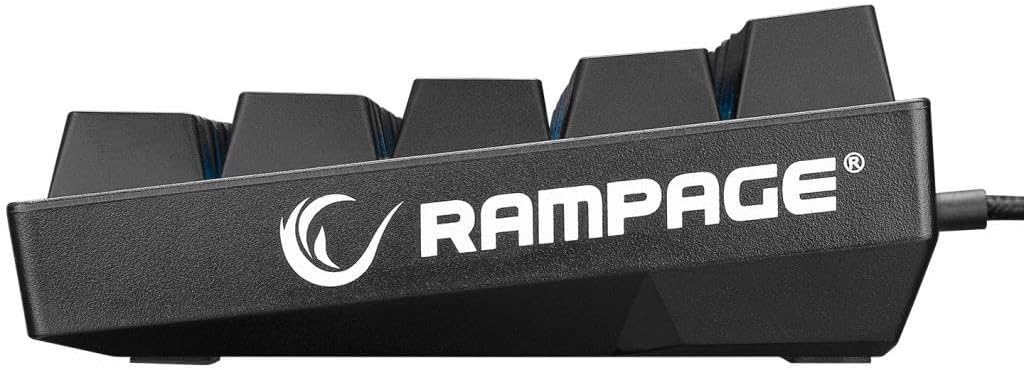
Figure 4.1: Side profile of the keyboard, highlighting the Type-C connection port.
5. Operating Instructions
The Rampage KB-RX63 ATOM features a compact 63-key layout. Many functions are accessed via the Fn (Function) key combined with other keys.
5.1. Basic Key Functions
All standard alphanumeric and symbol keys function as labeled. Due to the compact layout, some keys have secondary functions.
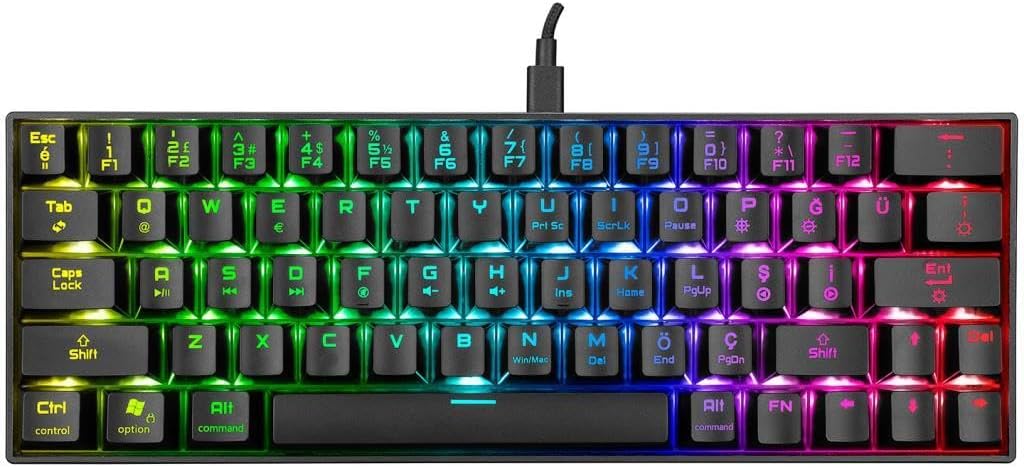
Figure 5.1: Top-down view of the keyboard layout, showing primary and secondary key legends.
5.2. RGB Backlight Control
The keyboard features dynamic RGB backlighting. Use the following Fn key combinations to control the lighting effects:
- Fn + \ |: Cycle through different RGB lighting modes.
- Fn + [ {: Decrease backlight brightness.
- Fn + ] }: Increase backlight brightness.
- Fn + ; :: Decrease lighting effect speed.
- Fn + ' ": Increase lighting effect speed.
- Fn + . >: Change backlight color (for static modes).

Figure 5.2: The keyboard displaying its customizable RGB backlight effects.
5.3. Multimedia and Function Keys
Access multimedia and system functions by pressing Fn in combination with the corresponding keys:
| Key Combination | Function |
|---|---|
| Fn + Q | Switch to Mac OS layout (if applicable) |
| Fn + W | Switch to Windows OS layout (if applicable) |
| Fn + A | Previous Track |
| Fn + S | Play/Pause |
| Fn + D | Next Track |
| Fn + F | Volume Down |
| Fn + G | Volume Up |
| Fn + H | Mute |
| Fn + J | Open My Computer |
| Fn + K | Open Calculator |
| Fn + L | Open Browser |
| Fn + P | Print Screen |
| Fn + ; : | Home |
| Fn + ' " | End |
| Fn + , < | Page Up |
| Fn + . > | Page Down |
| Fn + / ? | Insert |
| Fn + Right Shift | Delete |
| Fn + Right Ctrl | Arrow Keys (Up, Down, Left, Right) |
6. Maintenance
Proper maintenance ensures the longevity and optimal performance of your keyboard.
- Cleaning:
- Disconnect the keyboard from your computer before cleaning.
- Use a soft, lint-free cloth slightly dampened with water or a mild cleaning solution to wipe the keycaps and surface.
- Do not spray cleaners directly onto the keyboard.
- Use compressed air to remove dust and debris from between the keycaps.
- Storage: Store the keyboard in a cool, dry place away from direct sunlight and extreme temperatures when not in use for extended periods.
7. Troubleshooting
If you encounter issues with your Rampage KB-RX63 ATOM keyboard, refer to the following common problems and solutions:
| Problem | Possible Solution |
|---|---|
| Keyboard not responding / Not detected by computer. |
|
| RGB lighting is not working or stuck. |
|
| Certain keys are not responding. |
|
8. Specifications
| Feature | Detail |
|---|---|
| Model | Rampage KB-RX63 ATOM |
| Key Count | 63 Keys |
| Switch Type | Brown Mechanical Switches |
| Backlight | RGB Backlight |
| Connectivity | Wired, USB Type-C |
| Layout | Q (Turkish QWERTY, based on product title) |
| Color | Black |
| Compatibility | Windows, macOS (via Fn key functions) |
9. Warranty and Support
Rampage products are designed for durability and performance. This product comes with a standard manufacturer's warranty against defects in materials and workmanship. Please refer to your purchase receipt or the official Rampage website for specific warranty terms and conditions applicable in your region.
For technical support, warranty claims, or further assistance, please contact Rampage customer service through their official website or the retailer from whom you purchased the product.
Official Website: www.rampage.com.tr (Please note: URL is an example and may vary)