
1. Introduction
This manual provides detailed instructions for the installation, operation, and maintenance of your ANNKE 6MP 8-Channel Power over Ethernet (PoE) Network Video Recorder (NVR) with a pre-installed 6TB Hard Disk Drive (HDD). This NVR supports up to 8 IP cameras for high-definition surveillance, offering 24/7 recording capabilities and remote access. Please read this manual thoroughly before using the product to ensure proper setup and functionality.
2. What's in the Box
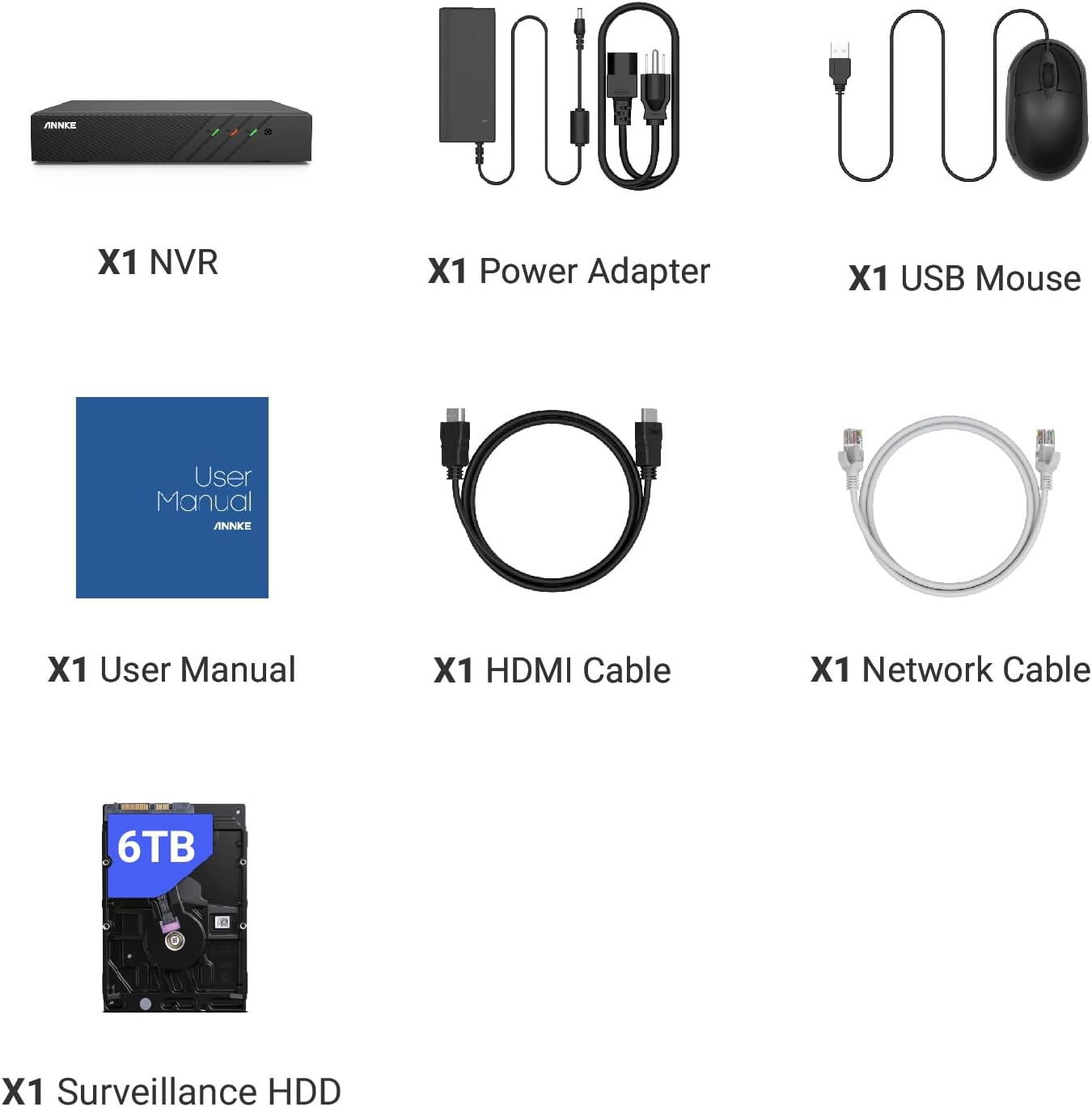
Verify that all items listed below are included in your package:
- 1 x 8-Channel 6MP NVR with 6TB Hard Drive
- 1 x USB Mouse
- 1 x Power Adapter
- 1 x User Manual for NVR
- 1 x 1.8m HDMI Cable
- 1 x Network Cable
3. Product Overview
The ANNKE N48PBB NVR is designed for reliable and efficient video surveillance. It features advanced H.265+ video compression for optimized storage and supports up to 8 PoE IP cameras for high-resolution recording.
3.1 Key Features
- 6MP High-Definition Streaming: Supports up to 8 PoE IP security cameras for 6MP live stream, playback, and recording.
- Advanced H.265+ Video Compression: Utilizes H.265+ coding for efficient storage, reducing HDD space requirements by up to 75% compared to H.264.
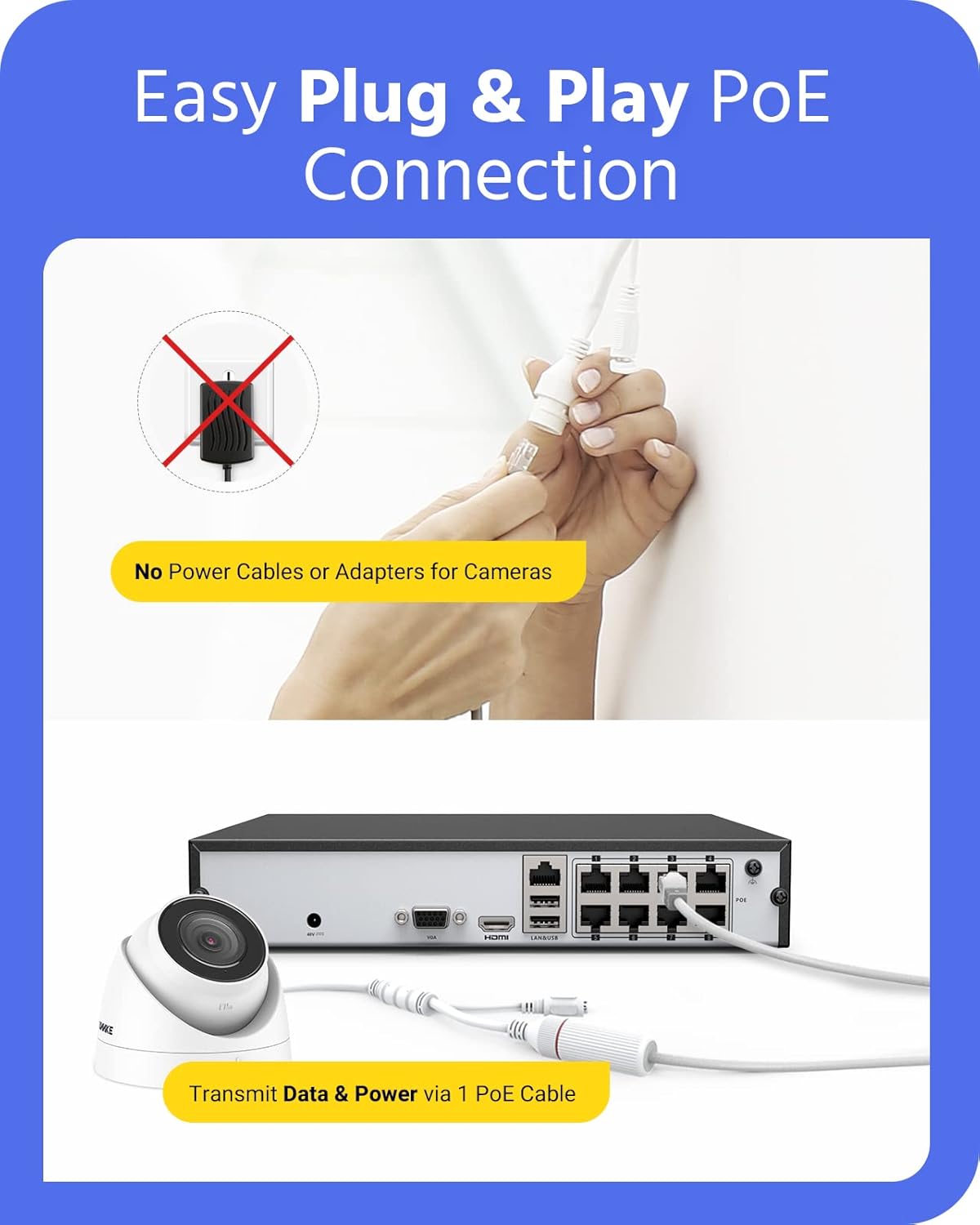
- Plug-and-Play PoE Connection: Simplifies installation by transmitting both data and power through a single network cable to compatible PoE cameras.
- Email Alerts & App Pushes: Provides instant notifications for unusual activity, with smart playback to locate vital motion videos.
- Secure Encryption: Features ANNKE private protocols and multi-level encryptions, including activation passwords and verification codes, to protect data transmission and privacy.
3.2 NVR Ports and Indicators
The NVR unit includes various ports for connectivity and operation:
- Video Output: HDMI and VGA ports support up to 1080P resolution for local display.
- USB Ports: Two USB 2.0 ports for mouse, external storage, or backup.
- Network Interface: RJ45 (10/100 M) for network connection.
- PoE Ports: 8 PoE ports, each providing up to 25.5W for connected cameras.
- Power Input: DC48V for NVR power supply.

4. Setup
Follow these steps to set up your ANNKE PoE NVR system:
4.1 Hardware Connection
- Connect Cameras: Connect your PoE IP cameras to the NVR's PoE ports using Ethernet cables. A single cable provides both power and data.
- Connect to Monitor: Connect the NVR to a TV or monitor using the HDMI or VGA cable.
- Connect USB Mouse: Plug the included USB mouse into one of the NVR's USB ports.
- Connect to Network (Optional for Remote Access): Connect the NVR's network interface to your router using an Ethernet cable for remote viewing capabilities.
- Power On: Connect the power adapter to the NVR and then to a power outlet. The NVR will power on automatically.
4.2 Initial Configuration
Upon first boot, the NVR will guide you through an initial setup wizard. This typically includes:
- Setting up an activation password for the NVR.
- Configuring network settings (DHCP is usually sufficient).
- Initializing the pre-installed 6TB HDD for recording.
- Setting date and time.
5. Operating the NVR
5.1 Live View and Recording
Once cameras are connected and configured, you can view live feeds on the connected monitor. The NVR is pre-configured for 24/7 continuous recording to the 6TB HDD. You can also configure motion-triggered recording.
5.2 Playback
Access recorded footage through the NVR's menu. The smart playback feature allows you to quickly locate specific events, such as motion detection recordings.
5.3 Motion Detection and Alerts
The NVR supports customizable motion detection areas. You can define specific zones within the camera's view to trigger alerts, reducing false alarms.

When motion is detected, the NVR can send instant email alerts with snapshots, push notifications to your mobile app, or trigger an NVR buzzer warning.

5.4 Remote Access
Access your NVR remotely via the ANNKE mobile app (available on App Store and Google Play) or desktop software. This allows you to view live feeds, play back recordings, and receive alerts from anywhere with an internet connection.

5.5 Video Compression (H.265+)
The NVR utilizes H.265+ video compression technology. This advanced compression significantly reduces file sizes without compromising video quality, allowing for longer recording times and more efficient use of the 6TB HDD.

5.6 Security Protocols
ANNKE security solutions incorporate private protocols and multi-level encryptions to safeguard your surveillance data. Access to the device requires a correct login password, and live streams are protected by a preset verification code.

6. Maintenance
6.1 Hard Drive Management
The 6TB HDD is pre-installed. Periodically check the HDD status in the NVR settings. If the HDD becomes full, the NVR will typically overwrite the oldest footage. You may also manually format the HDD if needed (this will erase all recordings).
6.2 Firmware Updates
Check the ANNKE official website for the latest firmware updates. Keeping your NVR's firmware updated ensures optimal performance, security, and access to new features. Follow the instructions provided with the firmware update carefully.
6.3 Cleaning
Clean the exterior of the NVR unit with a soft, dry cloth. Do not use liquid cleaners or aerosols. Ensure proper ventilation around the NVR to prevent overheating.
7. Troubleshooting
- No Video Output: Ensure the HDMI/VGA cable is securely connected to both the NVR and the monitor. Verify the monitor input source is correct.
- No Camera Image: Check if the PoE cameras are properly connected to the NVR's PoE ports. Ensure the Ethernet cables are not damaged. Verify the camera is powered on and functioning.
- No Network Connection: Confirm the Ethernet cable is connected from the NVR to your router. Check your router's status and ensure the NVR has obtained an IP address (check NVR network settings).
- Cannot Access Remotely: Ensure the NVR is connected to the internet. Verify network settings and port forwarding (if required by your network configuration). Check that the ANNKE app/software is correctly configured with the NVR's details.
- Recording Issues: Check the HDD status in the NVR settings. Ensure the HDD is initialized and has sufficient space. Verify recording schedules are correctly set.
For more detailed troubleshooting, refer to the ANNKE support website or contact customer service.
8. Specifications
| Feature | Specification |
|---|---|
| Brand | ANNKE |
| Model Number | N48PBB |
| Connectivity Technology | PoE |
| Video Capture Resolution | 6MP |
| Number of Channels | 8 |
| Memory Storage Capacity | 6 TB (Pre-installed) |
| Power Source | PoE |
| Total USB Ports | 2 |
| Video Input | HDMI, USB, VGA |
| Item Dimensions | 10.43 x 8.86 x 1.89 inches |
| Operating Temperature | 14 °F ~ 131 °F (-10 °C ~ +55 °C) |
| Video Compression | H.265+/H.265/H.264+/H.264 |
9. Warranty Information
ANNKE products typically come with a limited warranty. Please refer to the warranty card included in your package or visit the official ANNKE website for specific warranty terms and conditions, including duration and coverage details. Keep your proof of purchase for warranty claims.
10. Support
For technical assistance, product inquiries, or further support, please visit the official ANNKE website:
ANNKE Official Store on Amazon
You may also find FAQs, software downloads, and contact information for customer service on their website.


