
ALONEFIRE X77
Contents
ALONEFIRE X77 LED Mini Flashlight User Manual
Model: X77
1. Introduction
Thank you for choosing the ALONEFIRE X77 LED Mini Flashlight. This compact and powerful flashlight is designed for everyday carry (EDC), outdoor activities, and emergency use. This manual provides detailed instructions for the safe and effective operation, maintenance, and troubleshooting of your new flashlight. Please read this manual thoroughly before use and retain it for future reference.
2. Product Overview

The ALONEFIRE X77 LED Mini Flashlight, showcasing its compact design, USB-C charging port, and the powerful LED chip.
2.1. What's in the Box
- ALONEFIRE X77 LED Mini Flashlight
- Rechargeable Battery (pre-installed)
- USB-C Charging Cable

The ALONEFIRE X77 flashlight and its accompanying USB-C charging cable.
3. Key Features
- Super Bright LED: Utilizes a high-powered LED for concentrated, stable, and long-reaching illumination.
- 5 Light Modes: Offers High, Medium, Low, Strobe, and Super Bright modes for versatile use.
- Compact & Lightweight: Constructed from durable aluminum alloy, weighing only 47 grams, ideal for portability.
- Adjustable Focus (Zoom): Allows seamless transition between a focused beam and a wide flood beam.
- USB-C Rechargeable: Convenient and reversible USB-C charging port with a charging indicator.
- Strong Tail Magnet: Integrated powerful magnet for hands-free attachment to ferrous surfaces.
- Pocket Clip: Removable clip for easy attachment to hats, clothing, or backpacks.

The ALONEFIRE X77 flashlight measures a total length of only 90mm, highlighting its compact size.
4. Setup
4.1. Initial Charge
Your ALONEFIRE X77 flashlight comes with a rechargeable battery pre-installed. For optimal performance, it is recommended to fully charge the flashlight before its first use.
- Locate the USB-C charging port on the flashlight body.
- Connect the provided USB-C cable to the flashlight's charging port.
- Plug the other end of the USB-C cable into a compatible USB power source (e.g., computer USB port, wall adapter, power bank).
- The charging indicator light will provide feedback on the charging status. Once fully charged, the indicator will change (refer to the charging section for details).
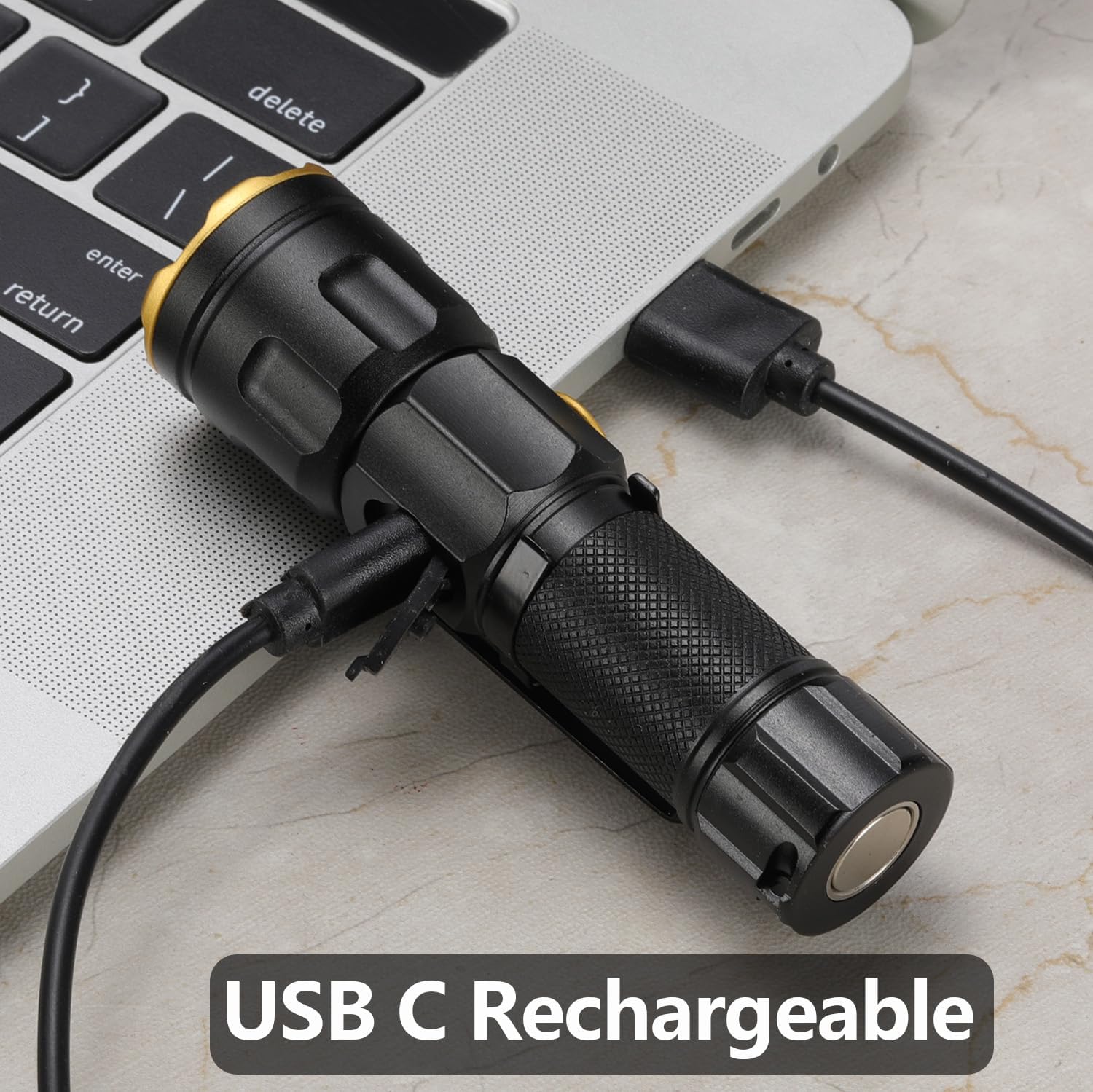
The ALONEFIRE X77 flashlight being charged via its USB-C port, connected to a laptop.
5. Operating Instructions
5.1. Power and Light Modes
The flashlight features a single button for controlling power and cycling through light modes.
- Turn On/Off: Press the button once to turn the flashlight on. If the light has been on for 6 seconds or more, a single press will turn it off. If it has been on for less than 6 seconds, a single press will cycle to the next mode.
- Cycle Modes: With the flashlight on, press the button repeatedly to cycle through High → Medium → Low.
- Super Bright Mode: From any mode, double-click the button quickly to activate Super Bright mode.
- Strobe Mode: Press and hold the button for approximately 1.5 seconds to activate Strobe mode.

Visual representation of the five distinct lighting modes available on the ALONEFIRE X77 flashlight.
5.2. Adjustable Focus (Zoom)
The ALONEFIRE X77 features an adjustable head that allows you to change the beam pattern.
- To adjust the focus, gently push or pull the head of the flashlight.
- Pushing the head forward will narrow the beam for a more focused, long-range spotlight.
- Pulling the head backward will widen the beam for a broader floodlight, illuminating a larger area.

Illustration demonstrating the zoom functionality of the ALONEFIRE X77 flashlight, allowing adjustment between a focused and flood beam.
5.3. Magnetic Tail Cap and Pocket Clip
- Magnetic Tail Cap: The powerful magnet at the tail end allows the flashlight to securely attach to any iron-containing material, providing convenient hands-free lighting.
- Pocket Clip: The removable pocket clip enables easy attachment to your hat, belt, pocket, or backpack, enhancing its utility for various situations. The clip can be flipped to open on either end.

The ALONEFIRE X77 flashlight's strong magnetic tail cap securely holds it to a metal surface, freeing your hands.
6. Maintenance
- Cleaning: Wipe the flashlight body with a soft, damp cloth. Do not use abrasive cleaners or solvents.
- Battery Care: To prolong battery life, avoid fully discharging the battery frequently. Recharge the flashlight regularly, especially if it has not been used for an extended period.
- Storage: Store the flashlight in a cool, dry place away from direct sunlight and extreme temperatures.
- Water Resistance: The flashlight is water-resistant, but it is not designed for submersion. Avoid exposing it to heavy rain or prolonged water contact.
7. Troubleshooting
| Problem | Possible Cause | Solution |
|---|---|---|
| Flashlight does not turn on. | Battery is depleted. | Charge the flashlight using the provided USB-C cable. |
| Flashlight does not charge. | USB-C cable not properly connected or damaged. | Ensure the USB-C cable is fully inserted. Try a different USB-C cable or power source. Note: Some USB-C cables with thick housing around the connector may not fit the recessed port. Use the included cable or one with a slim connector. |
| Light output is dim. | Low battery. | Recharge the flashlight. |
| Cannot adjust zoom/focus. | Head is stiff. | Gently but firmly push or pull the head. It may be stiff initially but will loosen with use. |
| Flashlight gets hot on High mode. | Normal operation for high output. | This is normal for high-powered LEDs. If it becomes excessively hot, reduce the brightness mode. |
8. Specifications

A detailed view of the White Light LED chip, the core light source of the ALONEFIRE X77 flashlight.
| Feature | Detail |
|---|---|
| Model Number | X77 |
| Light Source Type | LED |
| Power Source | Battery Powered |
| Battery Type | Lithium Ion (included) |
| Material | Aluminum |
| Item Weight | 47 Grams (1.66 ounces) |
| Dimensions | Approx. 90mm (Length) |
| Special Features | Long Range, Lightweight, Adjustable Light Modes, Adjustable Focus, Rechargeable, Magnetic Tail, Pocket Clip |
| Water Resistance Level | Water Resistant |
9. Warranty and Support
Specific warranty information and detailed support contacts are not provided within this manual. For warranty claims, technical support, or further inquiries, please refer to the product listing page on the retailer's website or contact ALONEFIRE customer service directly through their official channels. You may find additional information on the ALONEFIRE Brand Store on Amazon.
Documents and downloads
Ask a question about this manual
Ask about setup, troubleshooting, compatibility, parts, safety, or missing instructions. Manuals+ will review the question and use this page’s manual context to help answer it.