
1. Introduction
Thank you for choosing the Diymore Plug in Digital Thermostat Temperature Controller. This device is designed to precisely control temperature for various applications, offering both heating and cooling modes, along with advanced timing functions. Please read this manual carefully before operation to ensure proper use and to maximize the product's lifespan.
2. Safety Information
- Ensure the power supply voltage matches the device's specifications (250V, 15A, 2900W max).
- Do not immerse the unit or the temperature probe in water or other liquids.
- Avoid operating the device in excessively humid or dusty environments.
- Do not disassemble or modify the device. Refer all servicing to qualified personnel.
- Keep out of reach of children.
- Always unplug the device from the power outlet before cleaning or when not in use for extended periods.
3. Product Features
- 5 Temperature Controller Modes: Includes cycle timer, countdown ON, countdown OFF, and countdown ON/OFF modes.
- Precise Digital Control: Temperature range of -40°C to 120°C with ±1% accuracy.
- Timing Settings: Cycle timing and countdown functions (0-99 hours, 59 minutes). Note: Thermostat and timer functions cannot be used simultaneously.
- HD LED Display: Backlit display for clear visibility in various lighting conditions.
- Data Storage: Saves all set parameters after power loss.
- Temperature Calibration: Supports calibration for enhanced accuracy.
- Reset Function: Allows for easy restoration of default settings.

Figure 3.1: Overview of product features and functionalities.
4. Package Contents
Please check the package for the following items:
- 1 x Diymore Plug in Digital Thermostat Temperature Controller
- 1 x Temperature Probe (1.7m cable)
- 1 x User Manual
5. Setup
- Connect the Temperature Probe: Insert the temperature probe connector into the designated port on the side of the thermostat unit. Ensure it is securely connected.
- Position the Probe: Place the metal tip of the temperature probe in the area where you wish to measure and control the temperature. Ensure it is not directly exposed to heat sources or drafts that could skew readings.
- Plug in the Thermostat: Insert the thermostat unit into a standard 3-prong grounded electrical outlet. The display will illuminate.
- Connect Appliance: Plug your heating or cooling appliance (e.g., heater, fan, refrigerator) into the outlet on the front of the thermostat unit.
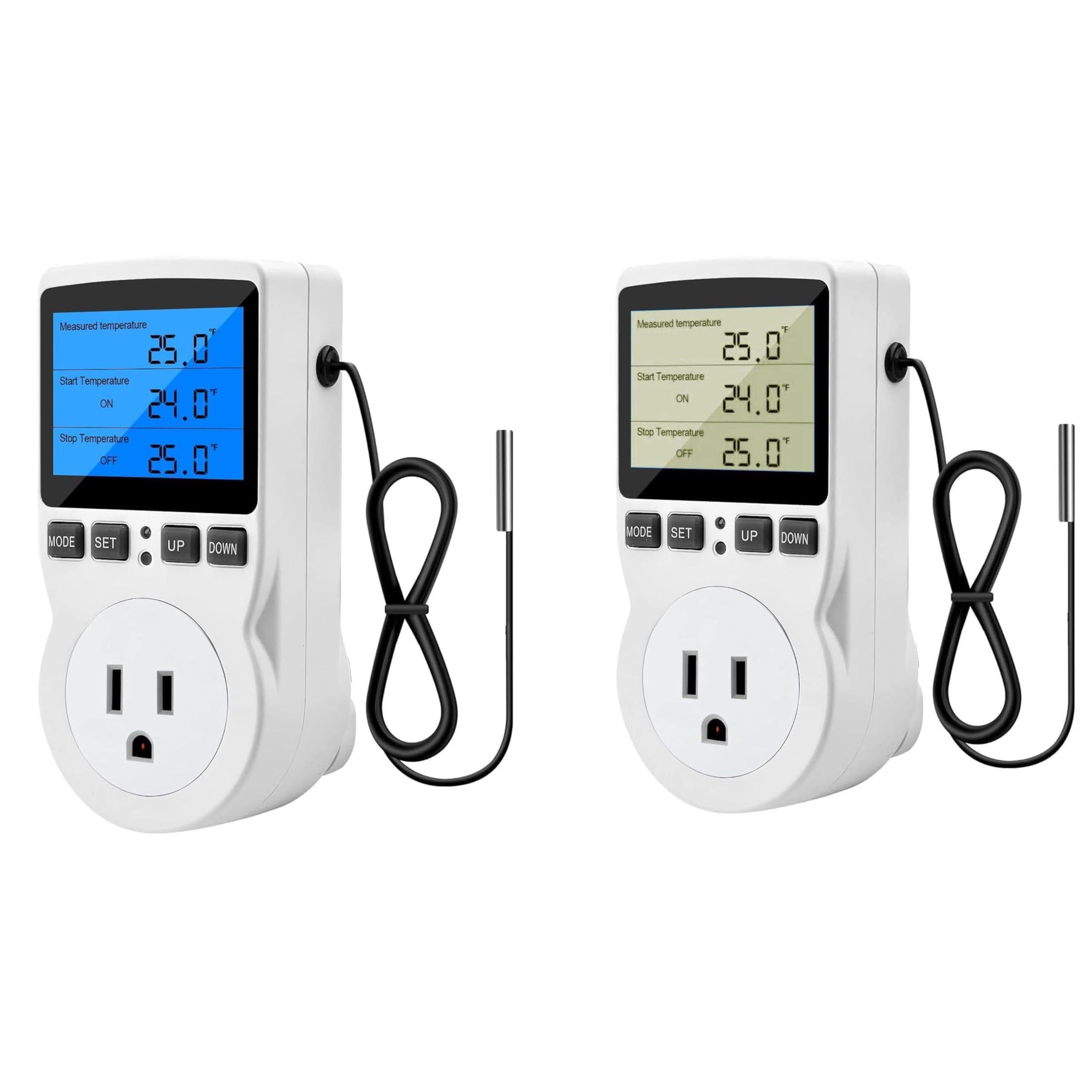
Figure 5.1: Thermostat unit with temperature probe connected.
6. Operating Instructions
6.1. Basic Operation and Display
Upon plugging in, the backlit LED display will show the measured temperature, along with the set start (ON) and stop (OFF) temperatures. The unit has four buttons: MODE, SET, UP, and DOWN.
- MODE: Cycles through different operating modes (Temperature Control, F01-F04 Timer Modes).
- SET: Enters setting mode for the currently selected mode.
- UP/DOWN: Adjusts values when in setting mode.
6.2. Temperature Control Mode
This is the default mode for regulating temperature. The display shows the current measured temperature, the temperature at which the appliance turns ON, and the temperature at which it turns OFF.
- Set Start Temperature (ON): Press the SET button once. The 'ON' temperature will flash. Use UP or DOWN buttons to adjust the desired start temperature.
- Set Stop Temperature (OFF): Press SET again. The 'OFF' temperature will flash. Use UP or DOWN buttons to adjust the desired stop temperature.
- Confirm Settings: Press SET a third time or wait a few seconds for the settings to be saved automatically.
- Heating/Cooling Mode: The device automatically determines heating or cooling based on your set ON/OFF temperatures. If ON temperature < OFF temperature, it's heating mode. If ON temperature > OFF temperature, it's cooling mode.
- Temperature Calibration: In Temperature Control Mode, press and hold SET for 3 seconds to enter calibration. Use UP or DOWN to adjust the offset. Press SET to confirm.

Figure 6.1: Display showing temperature settings.
6.3. Timer Modes (F01-F04)
Press the MODE button repeatedly to cycle through the timer modes (F01, F02, F03, F04). Note that the thermostat function and timer functions cannot be used simultaneously.
- F01 Cycle Timer Mode: Sets a repeating cycle of ON and OFF times. Press SET to adjust ON duration (hours/minutes) and OFF duration (hours/minutes) using UP/DOWN.
- F02 Countdown ON Mode: The appliance will turn ON after a set countdown period. Press SET to adjust the countdown duration (hours/minutes) using UP/DOWN.
- F03 Countdown OFF Mode: The appliance will turn OFF after a set countdown period. Press SET to adjust the countdown duration (hours/minutes) using UP/DOWN.
- F04 Countdown ON and Countdown OFF Mode: Combines F02 and F03. The appliance will turn ON after a set countdown, then turn OFF after another set countdown. Press SET to adjust both countdown durations using UP/DOWN.
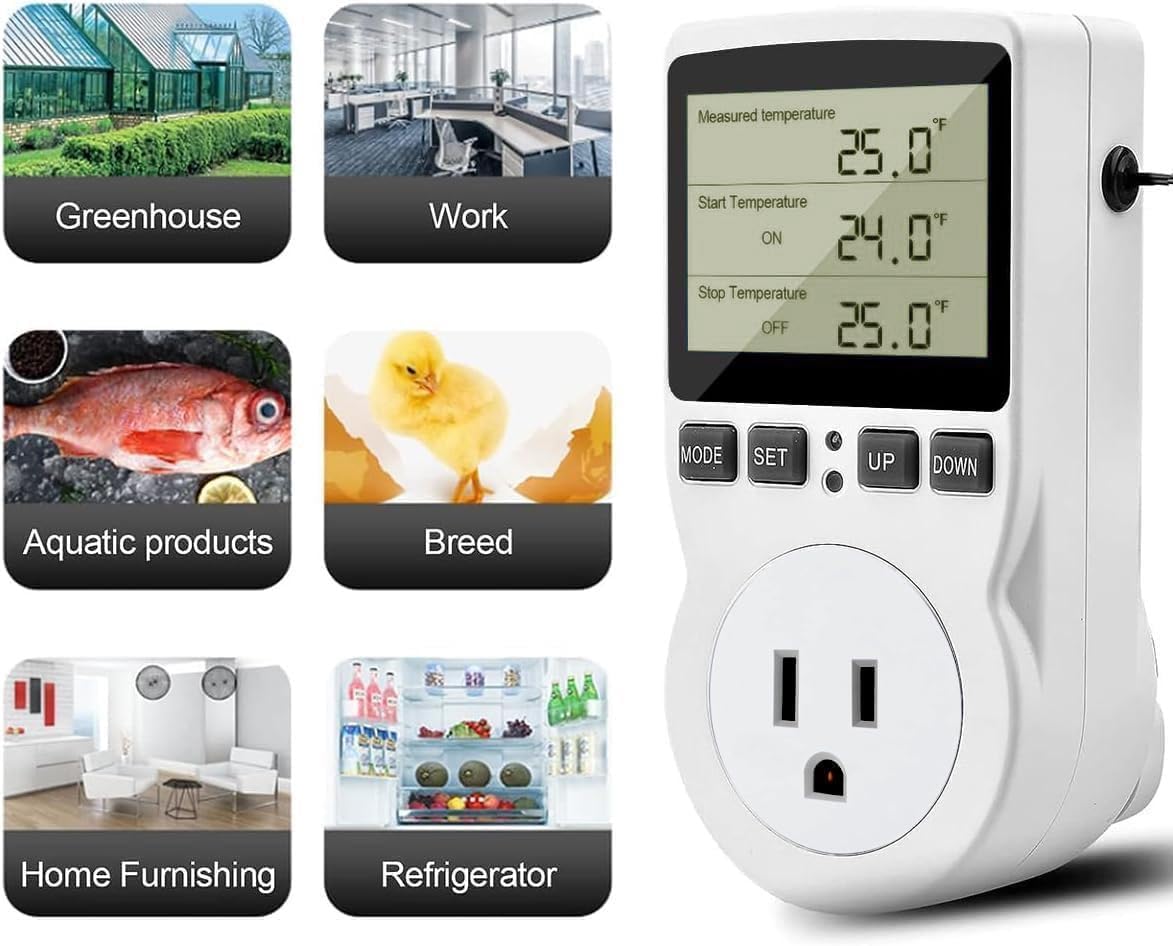
Figure 6.2: Overview of the 5 operating modes.
6.4. Data Storage and Reset
The device features a data storage function, automatically saving all set parameters even after a power outage. To reset the device to factory default settings, locate the small reset button (often a pinhole) and press it with a thin object (e.g., a paperclip) until the display briefly flashes or resets.
7. Maintenance
- Cleaning the Unit: Wipe the thermostat unit with a soft, dry cloth. Do not use abrasive cleaners or solvents. Ensure the unit is unplugged before cleaning.
- Probe Care: Keep the temperature probe clean and free from debris. Avoid bending or damaging the probe cable.
- Storage: When not in use for extended periods, store the thermostat in a cool, dry place, away from direct sunlight and extreme temperatures.
8. Troubleshooting
| Problem | Possible Cause | Solution |
|---|---|---|
| Display is blank | No power; loose connection | Ensure the unit is securely plugged into a live outlet. Check the power source. |
| Incorrect temperature reading | Probe not connected properly; probe damaged; calibration needed | Check probe connection. Inspect probe for damage. Perform temperature calibration (Section 6.2). |
| Appliance not turning ON/OFF | Incorrect temperature settings; appliance not working; timer mode active | Verify ON/OFF temperature settings. Test the appliance directly. Ensure the unit is in Temperature Control Mode if not using timer functions. |
| Settings not saving | Settings not confirmed | Ensure you press SET to confirm changes or wait for auto-save. |
9. Specifications
- Brand: diymore
- Model: B0D5YBKTDL
- Voltage: 250 Volts
- Max Load: 15A / 2900W
- Temperature Control Range: -40°C to 120°C (-40°F to 248°F)
- Temperature Accuracy: ±1%
- Control Type: Button Control
- Display: HD LED with Backlight
- Probe Cable Length: 1.7 meters
10. Warranty and Support
This Diymore product is covered by a standard manufacturer's warranty. For specific warranty details, technical support, or assistance with troubleshooting beyond what is covered in this manual, please contact Diymore customer service through your purchase platform or the official Diymore website. Please have your model number (B0D5YBKTDL) and purchase information ready when contacting support.


