
1. Introduction
This manual provides essential information for using your new Tecno Spark 20C smartphone. It covers device setup, basic operations, maintenance tips, and troubleshooting common issues. Please read this manual carefully to ensure proper and safe use of your device.
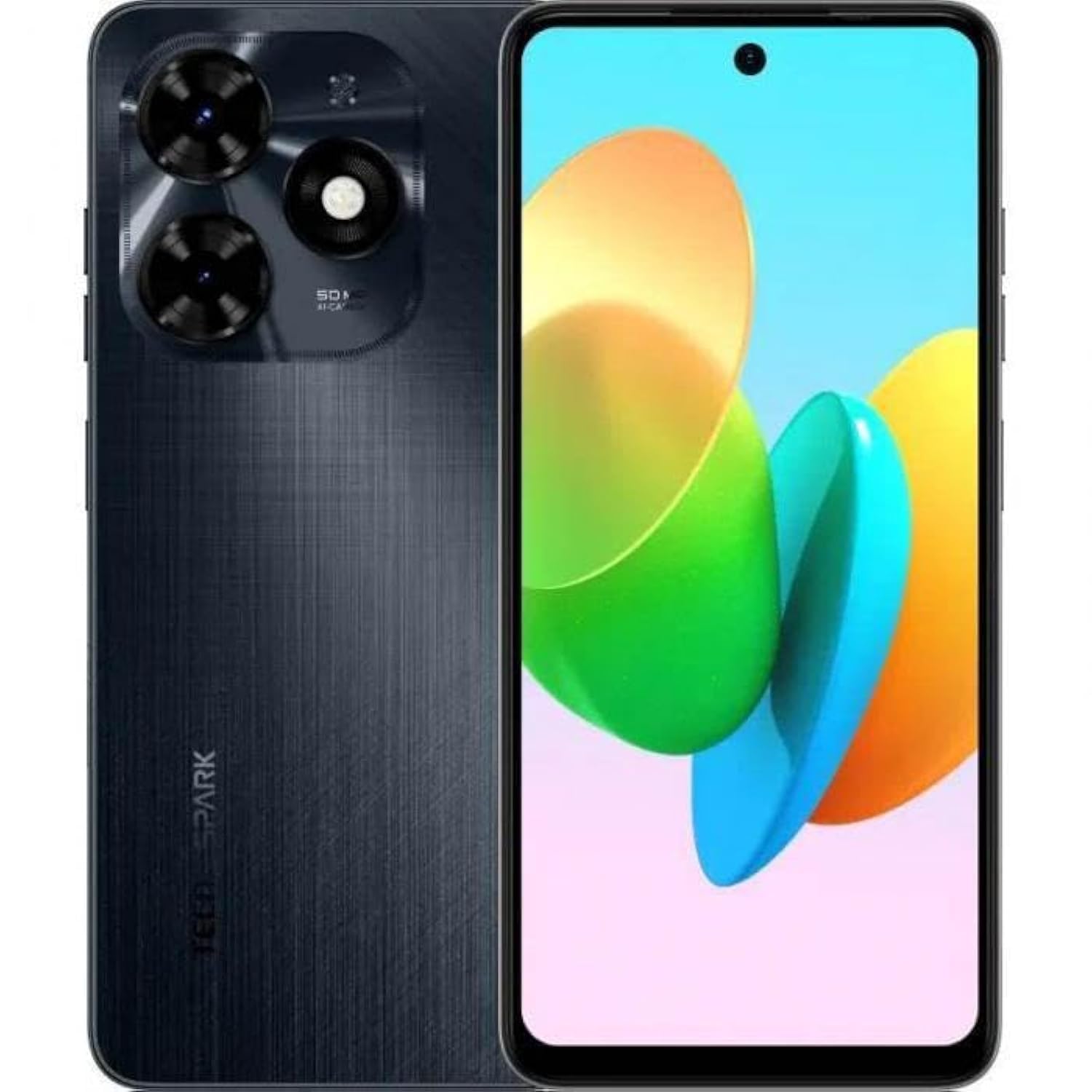
Image 1.1: Front view of the Tecno Spark 20C smartphone.
2. Package Contents
Upon unboxing your Tecno Spark 20C, please verify that the following items are included:
- Tecno Spark 20C Smartphone
- Power Adapter
- USB Charging Cable
- SIM Ejector Tool
- Quick Start Guide
- Warranty Card
3. Device Overview
The Tecno Spark 20C features a 6.6-inch HD+ display. The device is equipped with a 50-megapixel main camera on the rear and an 8-megapixel front camera. Physical buttons typically include power/lock and volume controls. Ports usually include a USB charging port and a 3.5mm audio jack.
4. Setup
4.1. Installing SIM and MicroSD Cards
- Locate the SIM card tray on the side of your device.
- Insert the SIM ejector tool into the small hole next to the tray and press gently until the tray pops out.
- Place your Nano-SIM card(s) and/or MicroSD card into the designated slots on the tray. Ensure the gold contacts face downwards.
- Carefully reinsert the tray into the device.
4.2. Initial Power On and Configuration
- Press and hold the Power button until the Tecno logo appears.
- Follow the on-screen prompts to select your language, region, connect to a Wi-Fi network, and set up your Google account.
- You may also be prompted to set up a screen lock (PIN, pattern, or fingerprint).
4.3. Charging the Device
Connect the USB cable to the charging port on your phone and the other end to the power adapter. Plug the adapter into a wall outlet. The battery icon on the screen will indicate charging status. For optimal battery life, use the provided charger and cable.
5. Operating
5.1. Basic Navigation
Your Tecno Spark 20C uses a touchscreen interface. Common gestures include:
- Tap: To open apps, select items, or confirm actions.
- Swipe: To scroll through screens, lists, or pages.
- Pinch: To zoom in or out on images and web pages.
- Long Press: To access contextual menus or move app icons.
5.2. Making Calls and Sending Messages
To make a call, open the Phone app, enter the number, and tap the call icon. To send a message, open the Messages app, tap the new message icon, enter the recipient's number or select from contacts, and type your message.
5.3. Using the Camera
Open the Camera app. The Tecno Spark 20C features a 50-megapixel main camera with AI image processing algorithms and an 8-megapixel front camera. Tap the shutter button to take a photo. Swipe to switch between photo, video, and other modes like panorama. AI features can automatically optimize settings for different scenes.
5.4. Internet Connectivity
Access the internet via Wi-Fi or mobile data (4G). To connect to Wi-Fi, go to Settings > Network & internet > Wi-Fi, turn Wi-Fi on, and select your desired network. To enable mobile data, go to Settings > Network & internet > Mobile network and toggle Mobile data on.
5.5. NFC for Contactless Payments
The Tecno Spark 20C includes an NFC module. To use contactless payments, ensure NFC is enabled in Settings > Connected devices > NFC. Set up your preferred payment app and hold your phone near a compatible payment terminal.
6. Maintenance
6.1. Cleaning Your Device
Use a soft, lint-free cloth to gently wipe the screen and body of your phone. Avoid using harsh chemicals or abrasive materials, which can damage the device's finish or screen coating.
6.2. Battery Care
To prolong battery life, avoid exposing your phone to extreme temperatures. It is recommended to keep the battery charge between 20% and 80% for daily use. Avoid completely draining the battery frequently.
6.3. Software Updates
Regularly check for software updates to ensure your device has the latest features, security patches, and performance improvements. Go to Settings > System > System update to check for and install available updates.
7. Troubleshooting
This section addresses common issues you might encounter with your Tecno Spark 20C.
- Device not powering on: Ensure the battery is charged. Connect the charger and wait a few minutes before attempting to power on again. If it still doesn't turn on, try a forced restart by holding the Power button for about 10-15 seconds.
- Screen unresponsive: If the screen is frozen, perform a forced restart. If the issue persists, ensure your hands are clean and dry, and the screen is free of debris.
- Network issues (no signal/Wi-Fi): Check if Airplane mode is off. For mobile data, ensure your SIM card is properly inserted and mobile data is enabled in settings. For Wi-Fi, try forgetting the network and reconnecting, or restart your router.
- Apps crashing or freezing: Try clearing the app's cache and data in Settings > Apps > [App Name] > Storage & cache. If the problem continues, uninstall and reinstall the app. Ensure your device's software is up to date.
8. Specifications
Key technical specifications for the Tecno Spark 20C:
| Operating System | Android T |
| Processor | Octa-core |
| Network | 4G |
| Screen Size | 6.6 Inches HD+ |
| Resolution | 720*1612 |
| Installed RAM | 4 GB |
| Internal Storage | 256 GB |
| Battery Capacity | 5000 mAh (as per product description) |
| Connectivity Technology | 4G, GSM |
| Wireless Carrier | Unlocked for All Carriers |
| Product Dimensions | 16.3 x 8 x 0.8 cm; 410 g |
9. Warranty and Support
Your Tecno Spark 20C smartphone comes with a limited warranty. Please refer to the warranty card included in your package for detailed terms and conditions, including coverage period and service procedures. For technical support or further assistance, please visit the official Tecno website or contact their customer service.


