
Camelion NL111
Camelion 4-in-1 Plug-in Power Failure Night Light User Manual
Model: NL111
1. Introduction
Thank you for choosing the Camelion 4-in-1 Plug-in Power Failure Night Light. This versatile device is designed to provide illumination and safety in various situations, functioning as a night light, motion-activated guide light, emergency power failure light, and a portable flashlight. Please read this manual carefully before use to ensure proper operation and to maximize the product's lifespan.
2. Safety Information
- For indoor use only. Do not expose to water or high humidity.
- Do not disassemble or attempt to repair the unit. Refer all servicing to qualified personnel.
- Ensure the electrical outlet is easily accessible for disconnection.
- Keep away from children. This is not a toy.
- Do not cover the light or sensors when in use.
- The built-in battery is not replaceable.
3. Package Contents
- Camelion 4-in-1 Plug-in Power Failure Night Light (3 units)
- User Manual
4. Product Features
The Camelion 4-in-1 light combines multiple functionalities for convenience and safety:
- Night Light: Provides a soft, constant illumination.
- Motion-Activated Guide Light: Activates upon detecting movement in low light conditions.
- Emergency Power Failure Light: Automatically turns on during power outages.
- Portable Flashlight: Detachable from the wall for handheld use.
- Tabletop Light: Can be placed on a flat surface for ambient lighting.
- Intelligent Sensors: Features both light and motion sensors for efficient operation.

Image: The Camelion 4-in-1 night light showing its side with the 3-position switch for light settings. The diagram indicates "Auto-dimming with motion sensing", "On/Off with motion sensing", and "Off" modes.
5. Setup
- Unpack: Carefully remove the night light from its packaging.
- Plug In: Insert the night light directly into a standard 110V AC wall outlet. Ensure it is securely plugged in.

Image: A Camelion night light plugged into a standard wall outlet, illustrating its compact design.
- Initial Charge: For optimal performance, allow the unit to charge for at least 24 hours after initial plug-in. The internal rechargeable battery will charge while the unit is plugged into an active outlet.
6. Operating Modes
The night light features a 3-position switch on its side to select the desired operating mode:
- Auto-dimming with Motion Sensing (Top Position):
In this mode, the light sensor detects ambient light. When the room is dark, the night light will emit a soft, dim glow. If motion is detected in the dark, the light will brighten to full intensity for a short period, then return to a dim glow after motion ceases.

Image: Illustration of the auto-dimming mode, where the light provides a dim glow in darkness and brightens with motion.
- On/Off with Motion Sensing (Middle Position):
In this mode, the light remains off when the room is bright. When the room is dark, the light will only turn on to full brightness when motion is detected. It will turn off automatically after a period of no motion.

Image: Illustration of the motion sensing mode, where the light activates only when motion is detected in dark conditions.
- Off (Bottom Position):
The light remains off regardless of ambient light or motion. This mode is useful for conserving battery life if the unit is unplugged and not in use as a flashlight.
7. Portable Use (Flashlight & Tabletop Light)
The Camelion night light can be easily removed from the wall outlet and used as a portable light source.
- As a Flashlight:
Unplug the unit from the wall. The electrical prongs can be folded into the unit for a comfortable grip. The front LED panel will illuminate, providing a bright, directed light. This is ideal for navigating dark areas or during power outages.

Image: A person using the Camelion light as a handheld flashlight to illuminate a circuit breaker panel.
- As a Tabletop Light:
When unplugged, the unit can be placed on any flat surface. The light will provide ambient illumination, suitable for reading or general lighting in a room.
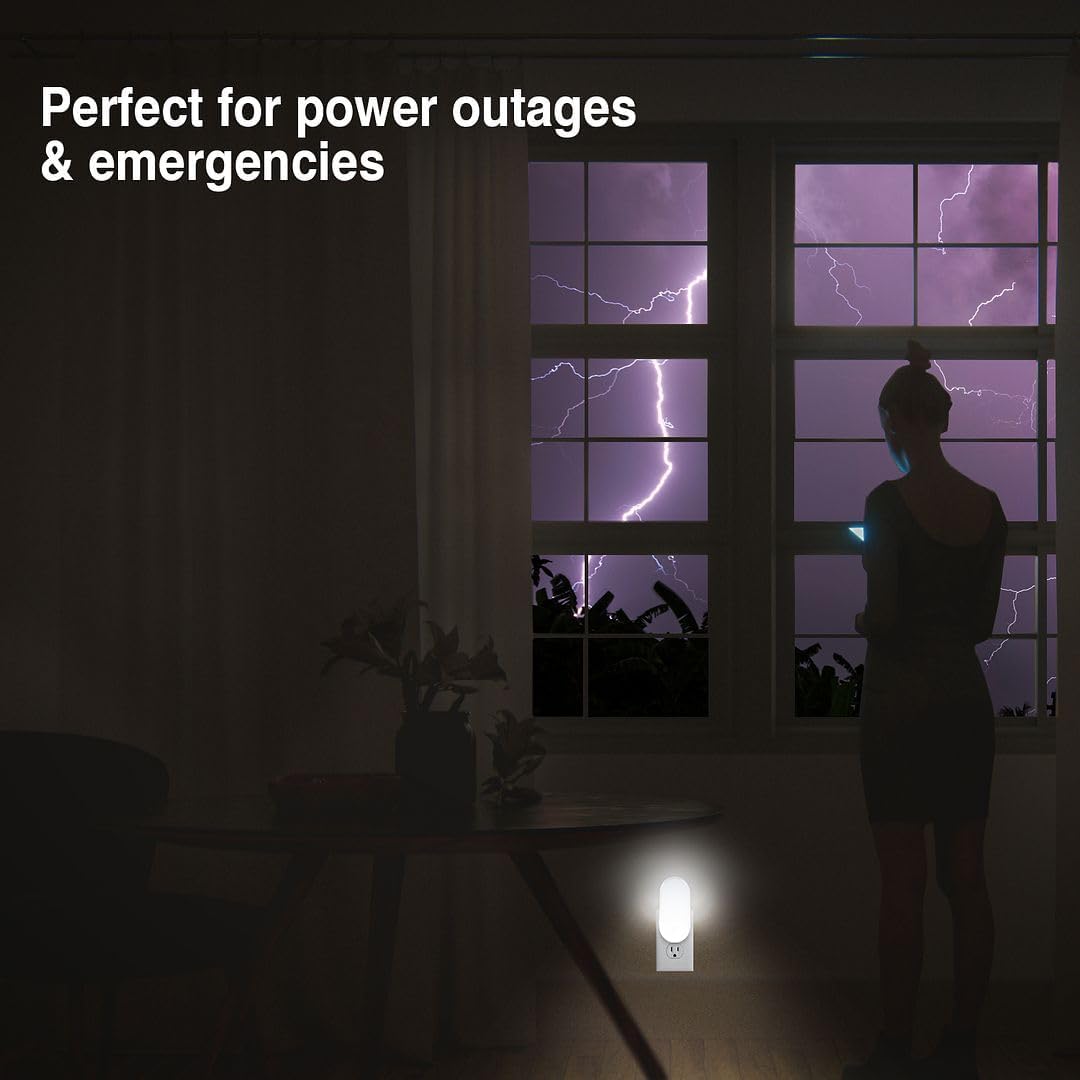
Image: Two Camelion lights placed on a table, providing soft ambient light for a person working on a laptop.
8. Power Failure Functionality
One of the primary features of this device is its automatic power failure detection.
- When the unit is plugged into an active outlet and a power outage occurs, the light will automatically turn on, regardless of the selected switch position.
- The built-in rechargeable battery provides up to 6 hours of illumination during a power failure.
- During a power failure, if the unit is in a motion-sensing mode, it will activate to full brightness when motion is detected, helping to conserve battery life.

Image: A Camelion night light plugged into an outlet, providing light in a dark room during a power outage, with lightning visible through a window.
9. Maintenance
- Cleaning: Unplug the unit before cleaning. Wipe the surface with a soft, dry cloth. Do not use abrasive cleaners or solvents.
- Storage: If storing the unit for an extended period, ensure it is fully charged and store in a cool, dry place. Recharge every 3-6 months to maintain battery health.
10. Troubleshooting
| Problem | Possible Cause | Solution |
|---|---|---|
| Light does not turn on when plugged in. |
|
|
| Motion sensor not activating. |
|
|
| Light does not turn on during power outage. |
|
|
| Short battery life when unplugged. |
|
|
11. Specifications
| Feature | Detail |
|---|---|
| Model Number | NL111 |
| Power Source | Plug-in (110V AC) |
| Light Source Type | LED |
| Special Features | 3 night light modes, Automatic on/off, Motion and dusk-to-dawn sensing, Emergency power light, Flashlight |
| Battery Life (Emergency/Portable) | Up to 6 hours |
| Dimensions (D x W x H) | 0.79" x 2.16" x 4.56" |
| Item Weight | 10.6 ounces (per unit, approximate) |
| Material | Polyamide Imide, Plastic |
| Indoor/Outdoor Usage | Indoor |
| Color | White |
12. Warranty and Support
Warranty: Camelion offers a 1-year warranty against defects in materials and workmanship from the date of original purchase. Please retain your proof of purchase for warranty claims.
For support or warranty inquiries, please contact Camelion customer service. Refer to the product packaging or the official Camelion website for contact details.
Ask a question about this manual
Ask about setup, troubleshooting, compatibility, parts, safety, or missing instructions. Manuals+ will review the question and use this page’s manual context to help answer it.