
Altec Lansing HYDRAMINI 2.0 (IMW1002)
Altec Lansing HYDRAMINI 2.0 Portable Bluetooth Speaker
User Manual
Model: IMW1002
1. Introduction
Thank you for purchasing the Altec Lansing HYDRAMINI 2.0 Portable Bluetooth Speaker. This manual provides essential information for setting up, operating, and maintaining your speaker. Please read it thoroughly before use to ensure optimal performance and longevity of your device.
The HYDRAMINI 2.0 is designed for portability and durability, featuring IP67 waterproof, dustproof, and shockproof ratings, a magnetic base, and a carabiner clip for versatile attachment. Enjoy superior sound quality and extended playtime wherever you go.
2. What's in the Box
Verify that all items are present in your package:
- Altec Lansing HYDRAMINI 2.0 Portable Bluetooth Speaker
- USB-C Charging Cable
- Carabiner Clip
- Magnetic Base (integrated)
- User Manual (this document)
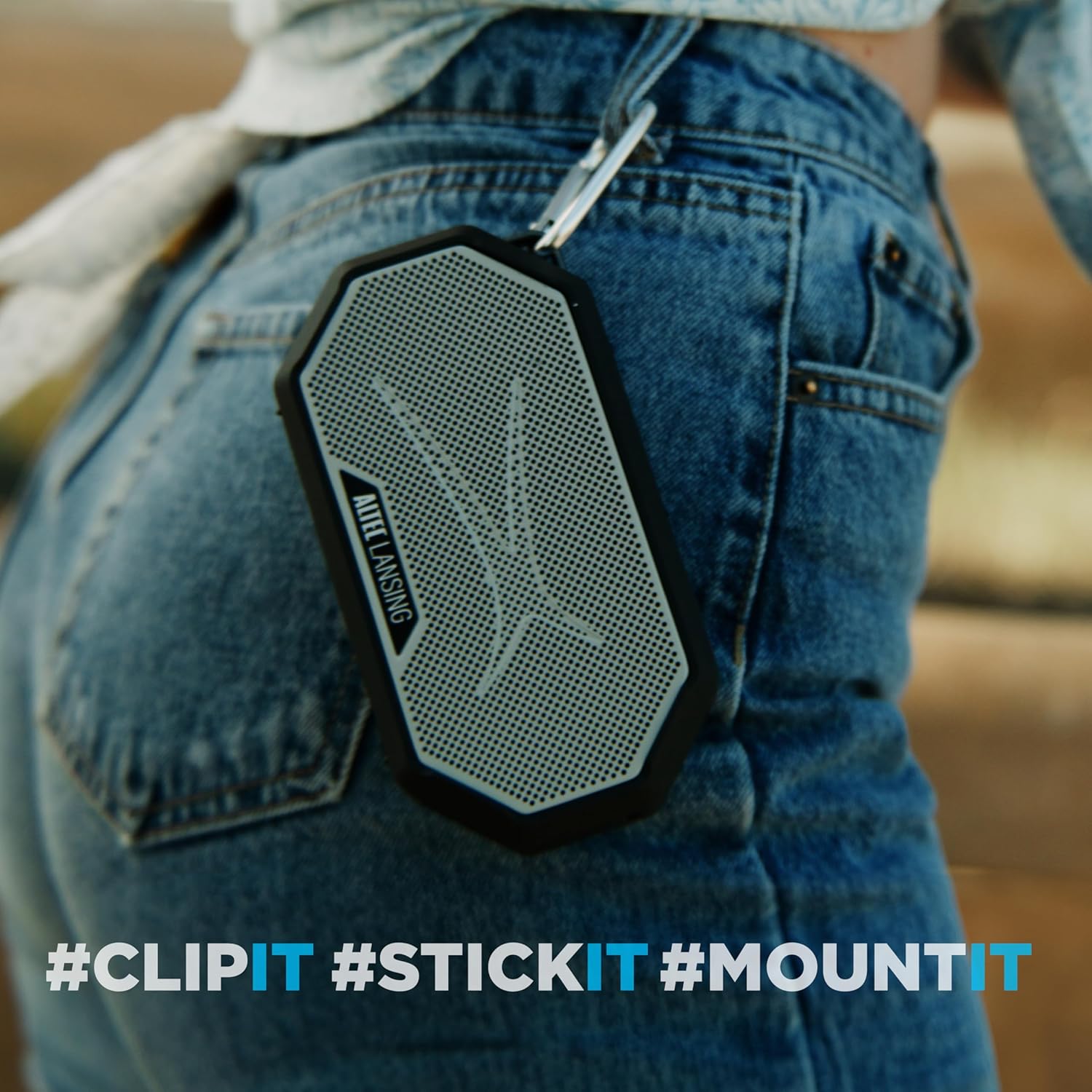
Image: The Altec Lansing HYDRAMINI 2.0 speaker shown with its included carabiner clip and an optional mount, highlighting its portability and attachment options.
3. Key Features
- Superior Sound Quality: 8W RMS output power with 2" Neo full-range drivers for rich, immersive audio.
- Extended Playtime: Up to 12 hours of continuous playback on a single charge with a 400mAh battery.
- Seamless Connectivity: Bluetooth wireless technology with a range of up to 100 feet. Supports True Wireless Stereo (TWS) pairing for two speakers.
- Durable Design: IP67 rated waterproof, dustproof, and shockproof. The speaker floats in water.
- Versatile Attachment: Integrated magnetic base for sticking to metal surfaces and a mountable carabiner clip for easy portability.
- Quick Charging: USB-C port for fast charging, fully charged in approximately 3 hours.
- Voice Assistant Integration: Hands-free control with Siri or Google Assistant.
- Built-in Microphone: For hands-free calls.

Image: The Altec Lansing HYDRAMINI 2.0 speaker in purple and white, surrounded by water splashes, demonstrating its waterproof capability.
4. Controls and Indicators
Familiarize yourself with the control buttons located on the top of the speaker:

Image: A detailed diagram illustrating the control buttons on the Altec Lansing HYDRAMINI 2.0 speaker, including On/Off, Volume Down, Voice Assistant, Volume Up, and Pairing.
- Power Button (⏻): Press and hold to turn the speaker On/Off.
- Volume Down Button (−): Press to decrease volume.
- Voice Assistant Button (🎤): Press to activate your device's voice assistant (Siri, Google Assistant).
- Volume Up Button (+): Press to increase volume.
- Pairing Button (↻): Press and hold to enter Bluetooth pairing mode. Short press to play/pause music or answer/end calls.
5. Setup Guide
5.1 Charging the Speaker
Before first use, fully charge your HYDRAMINI 2.0 speaker. The charging port is located on the side, protected by a waterproof flap.
- Open the waterproof flap covering the USB-C charging port.
- Connect the provided USB-C cable to the speaker's charging port and the other end to a USB power adapter (not included) or a computer's USB port.
- The charging indicator light will illuminate. A full charge takes approximately 3 hours.
- Once fully charged, disconnect the cable and ensure the waterproof flap is securely closed to maintain water resistance.

Image: A close-up view of the Altec Lansing HYDRAMINI 2.0 speaker's USB-C charging port, with the protective flap open.
5.2 Powering On/Off
- To turn on: Press and hold the Power button (⏻) for 2-3 seconds. You will hear an audible prompt.
- To turn off: Press and hold the Power button (⏻) for 2-3 seconds. You will hear an audible prompt.
5.3 Bluetooth Pairing
Pair your speaker with a Bluetooth-enabled device:
- Ensure the speaker is powered on. It will automatically enter Bluetooth pairing mode if no device is connected, indicated by a flashing LED.
- If already connected, press and hold the Pairing button (↻) for 2-3 seconds to enter pairing mode.
- On your device (smartphone, tablet, laptop), enable Bluetooth and search for available devices.
- Select "HYDRAMINI 2.0" from the list of found devices.
- Once connected, the speaker will provide an audible confirmation, and the LED indicator will turn solid.
5.4 True Wireless Stereo (TWS) Pairing
You can pair two HYDRAMINI 2.0 speakers together for a true wireless stereo experience:
- Ensure both HYDRAMINI 2.0 speakers are powered on and not connected to any Bluetooth device.
- On one speaker (this will be your primary speaker), press and hold the Pairing button (↻) for 5 seconds until you hear a tone, indicating it's searching for another speaker.
- The second speaker will automatically connect to the primary speaker. You will hear a confirmation tone once connected.
- Now, connect your Bluetooth device to the primary speaker as described in Section 5.3. Audio will play in stereo across both speakers.
6. Operating Instructions
6.1 Music Playback
- Play/Pause: Short press the Pairing button (↻).
- Volume Up: Short press the Volume Up button (+).
- Volume Down: Short press the Volume Down button (−).
- Next Track: Press and hold the Volume Up button (+).
- Previous Track: Press and hold the Volume Down button (−).
6.2 Hands-Free Calling
- Answer Call: Short press the Pairing button (↻) when a call comes in.
- End Call: Short press the Pairing button (↻) during a call.
- Reject Call: Press and hold the Pairing button (↻) when a call comes in.
6.3 Voice Assistant Activation
Activate your smartphone's voice assistant (Siri or Google Assistant) through the speaker:
- Short press the Voice Assistant button (🎤).
- Speak your command clearly into the speaker's microphone.
6.4 Using the Magnetic Base and Carabiner Clip
The HYDRAMINI 2.0 offers versatile mounting options:
- Magnetic Base: The integrated strong magnet allows you to securely attach the speaker to most metal surfaces, such as refrigerators, metal poles, or gym equipment.
- Carabiner Clip: Use the included carabiner clip to attach the speaker to backpacks, belt loops, tents, or other gear for easy portability.

Image: The Altec Lansing HYDRAMINI 2.0 speaker magnetically attached to a metal pole, demonstrating its strong magnetic base feature.

Image: The Altec Lansing HYDRAMINI 2.0 speaker clipped to the belt loop of a pair of jeans, showcasing its portability with the carabiner clip.
7. Maintenance and Care
- Cleaning: Wipe the speaker with a soft, damp cloth. Do not use harsh chemicals or abrasive cleaners.
- Water Resistance: Ensure the USB-C port cover is securely closed before exposing the speaker to water. While IP67 rated, avoid prolonged submersion or high-pressure water jets.
- Storage: Store the speaker in a cool, dry place when not in use. Avoid extreme temperatures.
- Battery Care: To preserve battery life, charge the speaker regularly, even if not in frequent use. Avoid fully discharging the battery for extended periods.

Image: The Altec Lansing HYDRAMINI 2.0 speaker lying on a dirt surface, illustrating its dustproof and rugged design.
8. Troubleshooting
| Problem | Possible Cause | Solution |
|---|---|---|
| Speaker does not turn on. | Battery is depleted. | Charge the speaker fully using the USB-C cable. |
| Cannot pair with Bluetooth device. | Speaker is not in pairing mode; Bluetooth is off on device; Device is out of range. | Ensure speaker is in pairing mode (flashing LED). Turn on Bluetooth on your device. Move device closer to speaker (within 100ft). Forget "HYDRAMINI 2.0" on your device and try pairing again. |
| No sound or low volume. | Volume too low on speaker or device; Speaker not connected. | Increase volume on both the speaker and your connected device. Ensure the speaker is successfully paired. |
| Audio cuts out or skips. | Device is too far from speaker; Interference. | Move device closer to speaker. Avoid obstacles between speaker and device. Move away from other wireless devices. |
| True Wireless Stereo (TWS) pairing fails. | Speakers are already connected to a device; Incorrect pairing procedure. | Ensure both speakers are disconnected from any Bluetooth devices. Follow TWS pairing steps precisely (Section 5.4). |
9. Specifications
| Feature | Detail |
|---|---|
| Model Name | HydraMini 2.0 |
| Model Number | IMW1002 |
| Output Power | 8 Watts RMS |
| Speaker Drivers | 2" Neo full-range drivers |
| Connectivity | Bluetooth Wireless Technology |
| Bluetooth Range | Up to 100 feet (30 meters) |
| Battery Life | Up to 12 hours |
| Battery Capacity | 400 mAh Lithium Ion |
| Charging Time | Approximately 3 hours (via USB-C) |
| Water Resistance Rating | IP67 (Waterproof, Dustproof, Floats) |
| Special Features | Built-in Microphone, Shockproof, Magnetic Base, Carabiner Clip |
| Product Dimensions (D x W x H) | 6.3" x 2.3" x 4.9" |
| Item Weight | 1.15 pounds |
| Color | Purple/White |
10. Warranty and Support
The Altec Lansing HYDRAMINI 2.0 Portable Bluetooth Speaker comes with a Limited Warranty. For specific warranty terms and conditions, please refer to the warranty card included with your product or visit the official Altec Lansing website.
For technical support, troubleshooting assistance, or to inquire about replacement parts, please contact Altec Lansing Customer Service. Contact information can typically be found on the product packaging or on the official Altec Lansing website:
Related documentsHYDRAMINI 2.0 (IMW1002)


Ask a question about this manual
Ask about setup, troubleshooting, compatibility, parts, safety, or missing instructions. Manuals+ will review the question and use this page’s manual context to help answer it.