
Introduction
Thank you for choosing the Altec Lansing HYDRAMINI 2.0 Portable Bluetooth Speaker. This manual provides essential information for setting up, operating, and maintaining your speaker to ensure optimal performance and longevity. Please read these instructions carefully before use.

Image: The Altec Lansing HYDRAMINI 2.0 speaker, designed for use in wet environments.
Package Contents
Verify that all items are present in your package:
- Altec Lansing HYDRAMINI 2.0 Portable Bluetooth Speaker
- USB-C Charging Cable
- Carabiner Clip
- Mount (for bicycle or similar attachment)
- User Manual (this document)
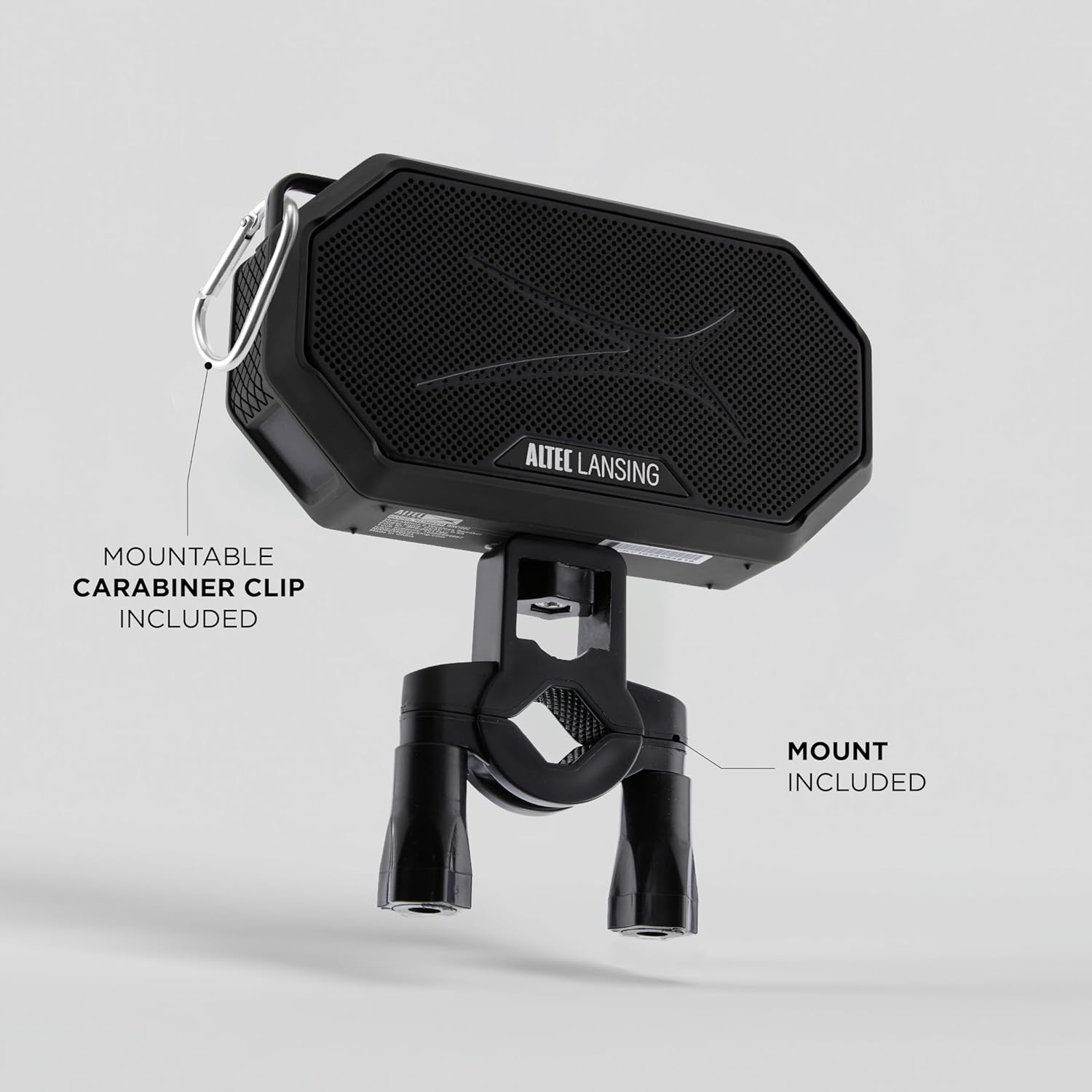
Image: The HYDRAMINI 2.0 speaker shown with its carabiner clip and universal mount.
Product Overview
Familiarize yourself with the speaker's controls and features:

Image: Detailed view of the speaker's control panel.
- On/Off Button: Press and hold to power the speaker on or off.
- Volume Down Button: Press to decrease volume.
- Voice Assistant Button: Press to activate your device's voice assistant (Siri or Google Assistant).
- Volume Up Button: Press to increase volume.
- Pairing Button: Press and hold to enter Bluetooth pairing mode.
- Magnetic Base: Located on the back, allows attachment to metal surfaces.
- Carabiner Clip Attachment Point: For securing the speaker with the included clip.
Setup
1. Charging the Speaker
Before first use, fully charge your HYDRAMINI 2.0 speaker. A full charge takes approximately 3 hours.
- Connect the supplied USB-C charging cable to the speaker's charging port.
- Connect the other end of the cable to a USB power adapter (not included) or a computer's USB port.
- The charging indicator light will illuminate during charging and turn off when fully charged.
2. Powering On/Off
- To power on, press and hold the On/Off button until you hear an audible cue.
- To power off, press and hold the On/Off button again until you hear an audible cue.
3. Bluetooth Pairing
To connect your speaker to a Bluetooth-enabled device:
- Ensure the speaker is powered on and within 100 feet of your device.
- Press and hold the Pairing button on the speaker to enter pairing mode. The Bluetooth indicator light will flash.
- On your device, navigate to the Bluetooth settings and select "Altec HYDRAMINI 2.0" from the list of available devices.
- Once connected, the Bluetooth indicator light will become solid, and you will hear a confirmation tone.
Operation
1. Controlling Playback
- Volume Adjustment: Press the Volume Up (+) or Volume Down (-) buttons to adjust the playback volume.
- Voice Assistant: Press the Voice Assistant button to activate Siri or Google Assistant on your paired smartphone.
2. True Wireless Stereo (TWS) Pairing
You can pair two HYDRAMINI 2.0 speakers together for a true wireless stereo sound experience.
- Ensure both speakers are powered on and not connected to any other Bluetooth devices.
- On one speaker (this will be your primary speaker), press and hold the Pairing button until it enters pairing mode.
- On the second speaker, quickly double-press the Pairing button. It will search for the primary speaker.
- Once connected, both speakers will emit a confirmation tone, and their indicator lights will synchronize.
- Now, connect your device to the primary speaker via Bluetooth as described in the "Bluetooth Pairing" section.

Image: Multiple HYDRAMINI 2.0 speakers in an outdoor setting, illustrating the TWS feature.
3. Mounting and Placement
The HYDRAMINI 2.0 offers versatile mounting options:
- Carabiner Clip: Attach the included carabiner clip to the designated loop on the speaker. This allows you to clip the speaker to backpacks, belt loops, or other secure points.

Image: Speaker clipped to clothing using the carabiner.
- Magnetic Base: The speaker features a strong magnetic base, allowing it to securely attach to most metal surfaces like refrigerators, metal poles, or vehicle panels.

Image: Speaker attached to a metal surface via its magnetic base.
- Universal Mount: Use the included mount to attach the speaker to bicycle handlebars, railings, or other compatible structures.

Image: Speaker mounted on bicycle handlebars.
4. Waterproof and Floating Features
The HYDRAMINI 2.0 is IP67 rated, meaning it is waterproof, dustproof, and shockproof. It is designed to float, making it suitable for use around water without sinking.
Maintenance
1. Cleaning
To clean your speaker, use a soft, damp cloth. Avoid using harsh chemicals, solvents, or abrasive cleaners, as these can damage the speaker's finish and seals.
2. Storage
When not in use for extended periods, store the speaker in a cool, dry place away from direct sunlight and extreme temperatures. Ensure the speaker is clean and fully charged before storage.
3. Battery Care
To maximize battery life:
- Avoid fully discharging the battery frequently.
- Charge the speaker regularly, even if not in frequent use.
- Do not expose the speaker to extreme heat or cold, as this can degrade battery performance.
Troubleshooting
If you encounter issues with your HYDRAMINI 2.0 speaker, refer to the following common solutions:
| Problem | Possible Solution |
|---|---|
| Speaker does not power on. | Ensure the battery is charged. Connect the speaker to a power source using the USB-C cable. |
| Cannot pair with Bluetooth device. | Make sure the speaker is in pairing mode (flashing indicator light). Ensure Bluetooth is enabled on your device and it is within range. Forget the speaker from your device's Bluetooth list and try pairing again. |
| No sound or low volume. | Check the volume levels on both the speaker and your connected device. Ensure the speaker is not muted. |
| Poor sound quality. | Move the speaker closer to your Bluetooth device to reduce interference. Ensure there are no obstructions between the speaker and the device. |
| Battery life is shorter than expected. | Battery performance can vary with volume levels and usage. Ensure the speaker is fully charged before use. Avoid extreme temperatures. |
| TWS pairing fails. | Ensure both speakers are fully charged and not connected to any other devices. Follow the TWS pairing steps carefully, ensuring one speaker is designated as primary. |
Specifications
Key technical specifications for the Altec Lansing HYDRAMINI 2.0 speaker:
- Model Name: HydraMini 2.0
- Brand: Altec Lansing
- Speaker Type: Portable Bluetooth Speaker
- Connectivity Technology: Wireless (Bluetooth)
- Bluetooth Range: Up to 100 feet (30 meters)
- Audio Output Mode: Stereo (with TWS pairing)
- Speaker Maximum Output Power: 8 Watts RMS
- Woofer Diameter: 2 Inches
- Power Source: Battery Powered
- Battery Type: 1 Lithium Ion battery (included)
- Battery Capacity: 400 mAh
- Playtime: Up to 12 hours (varies with volume and content)
- Charging Time: Approximately 3 hours (via USB-C)
- Waterproof Rating: IP67 (Waterproof, Dustproof, Shockproof, Floats)
- Special Features: Built-in Microphone, Voice Assistant Integration, Magnetic Base, Carabiner Clip, Universal Mount
- Product Dimensions: 6.3"D x 2.3"W x 4.9"H
- Item Weight: 1.15 pounds
- Material: Metal
Warranty and Support
Altec Lansing products are designed for quality and reliability. For specific warranty information regarding your HYDRAMINI 2.0 speaker, please refer to the warranty card included in your product packaging or visit the official Altec Lansing website.
For technical support, troubleshooting assistance beyond this manual, or customer service inquiries, please contact Altec Lansing customer support through their official website or the contact information provided in your product documentation.