
Introduction
Thank you for choosing the Candy Fresco 300 CNCQ2T618EX Combi Refrigerator. This manual provides essential information for the safe and efficient use of your appliance. Please read these instructions carefully before installation and operation, and keep them for future reference.
Safety Information
Always follow basic safety precautions when using electrical appliances to reduce the risk of fire, electric shock, and personal injury.
- Ensure the appliance is properly grounded.
- Do not damage the refrigerant circuit.
- Keep ventilation openings clear of obstruction.
- Do not use mechanical devices or other means to accelerate the defrosting process, other than those recommended by the manufacturer.
- Do not use electrical appliances inside the food storage compartments, unless they are of the type recommended by the manufacturer.
- This appliance is not intended for use by persons (including children) with reduced physical, sensory or mental capabilities, or lack of experience and knowledge, unless they have been given supervision or instruction concerning use of the appliance by a person responsible for their safety.
Setup and Installation
Unpacking
Carefully remove all packaging materials. Inspect the refrigerator for any damage during transit. Report any damage to your retailer immediately.
Placement
Place the refrigerator on a firm, level surface. Ensure adequate ventilation around the appliance. Maintain a minimum distance from walls and other appliances as specified in the installation guide to allow for proper heat dissipation.
- Dimensions (H x W x D): 185 x 59.5 x 66.7 cm
- Avoid direct sunlight or proximity to heat sources.
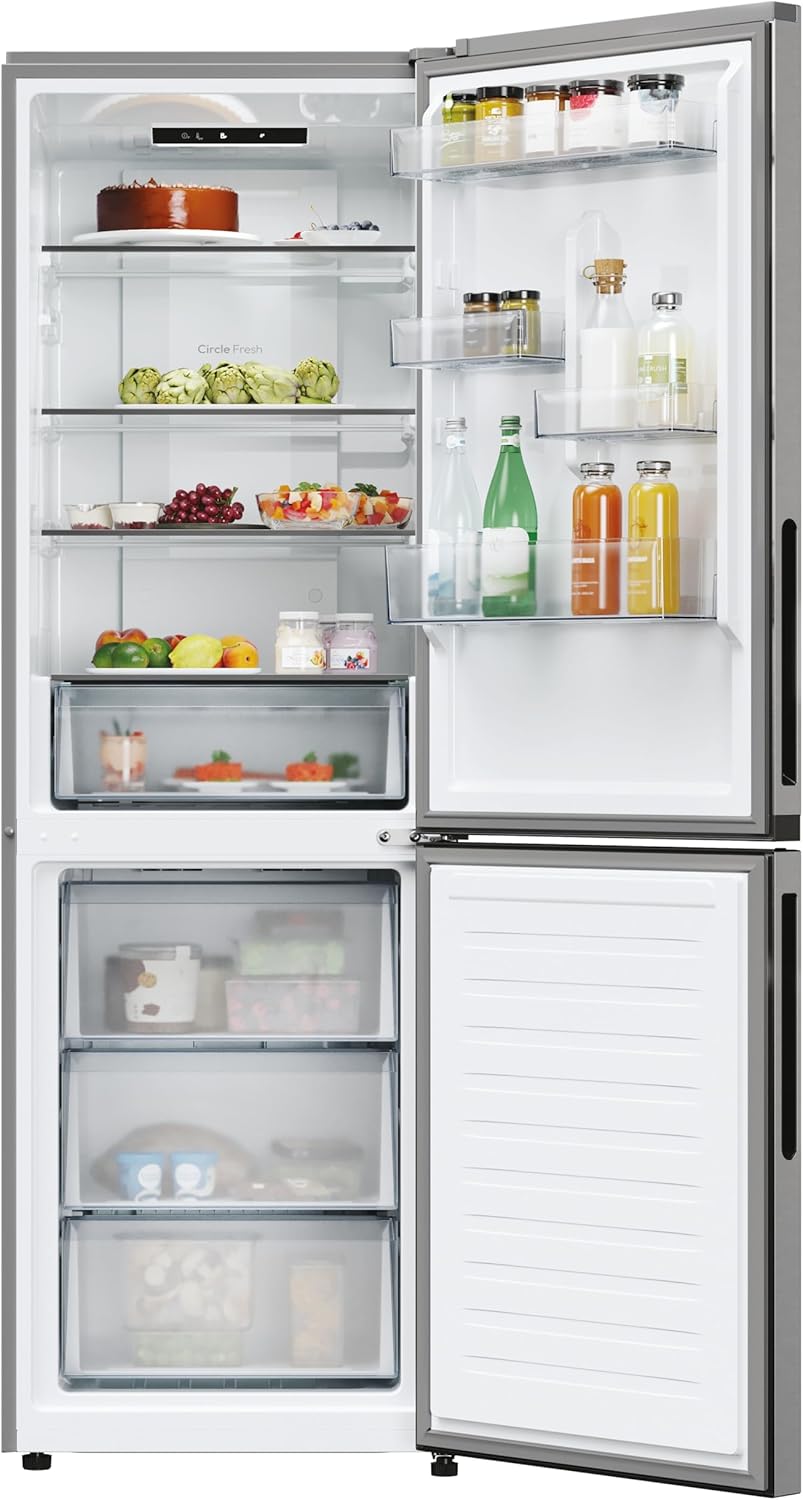
Image: The Candy Fresco 300 CNCQ2T618EX refrigerator with both doors open, displaying the spacious interior of the fridge and freezer compartments, including shelves and drawers.
Door Reversibility
The refrigerator features a reversible door, allowing it to open from either the left or right side to suit your kitchen layout. Refer to the detailed installation instructions provided with your appliance for the door reversal procedure.
Initial Cleaning
Before first use, clean the interior and all accessories with lukewarm water and a mild detergent. Dry thoroughly.
Power Connection
Connect the appliance to a properly grounded electrical outlet. Ensure the voltage matches the rating label on the appliance. The power plug is Type F - 2 pin (German and Spanish standard).
Initial Startup
After connecting to power, allow the refrigerator to run for a few hours (typically 2-4 hours) before loading it with food. This allows the internal temperature to stabilize.
Operating Instructions
Electronic Temperature Control
Your refrigerator is equipped with electronic temperature control, allowing precise adjustment of the internal temperature. Use the control panel located inside the refrigerator compartment to set your desired temperature.

Image: A close-up view of the electronic control panel with LED display, located at the top of the refrigerator compartment, used for temperature settings.
Total No Frost Circle+ Technology
The Total No Frost Circle+ system prevents ice formation in both the refrigerator and freezer compartments, eliminating the need for manual defrosting. It ensures uniform cold air distribution, keeping food fresh for longer.

Image: The interior of the refrigerator compartment, highlighting the 'Circle Fresh' air circulation system with blue light effects, ensuring even cooling.
LED Interior Lighting
The refrigerator is equipped with energy-efficient LED lighting, providing clear visibility of your food items without affecting the internal temperature.
Specialized Storage Compartments
- Fresh 0°C Area: This dedicated drawer maintains a temperature close to 0°C, ideal for storing fresh meat, fish, and delicate foods to preserve their freshness and nutrients for longer.
- Verdolino Drawer: A specialized drawer designed to optimize humidity levels for fruits and vegetables, keeping them crisp and fresh.
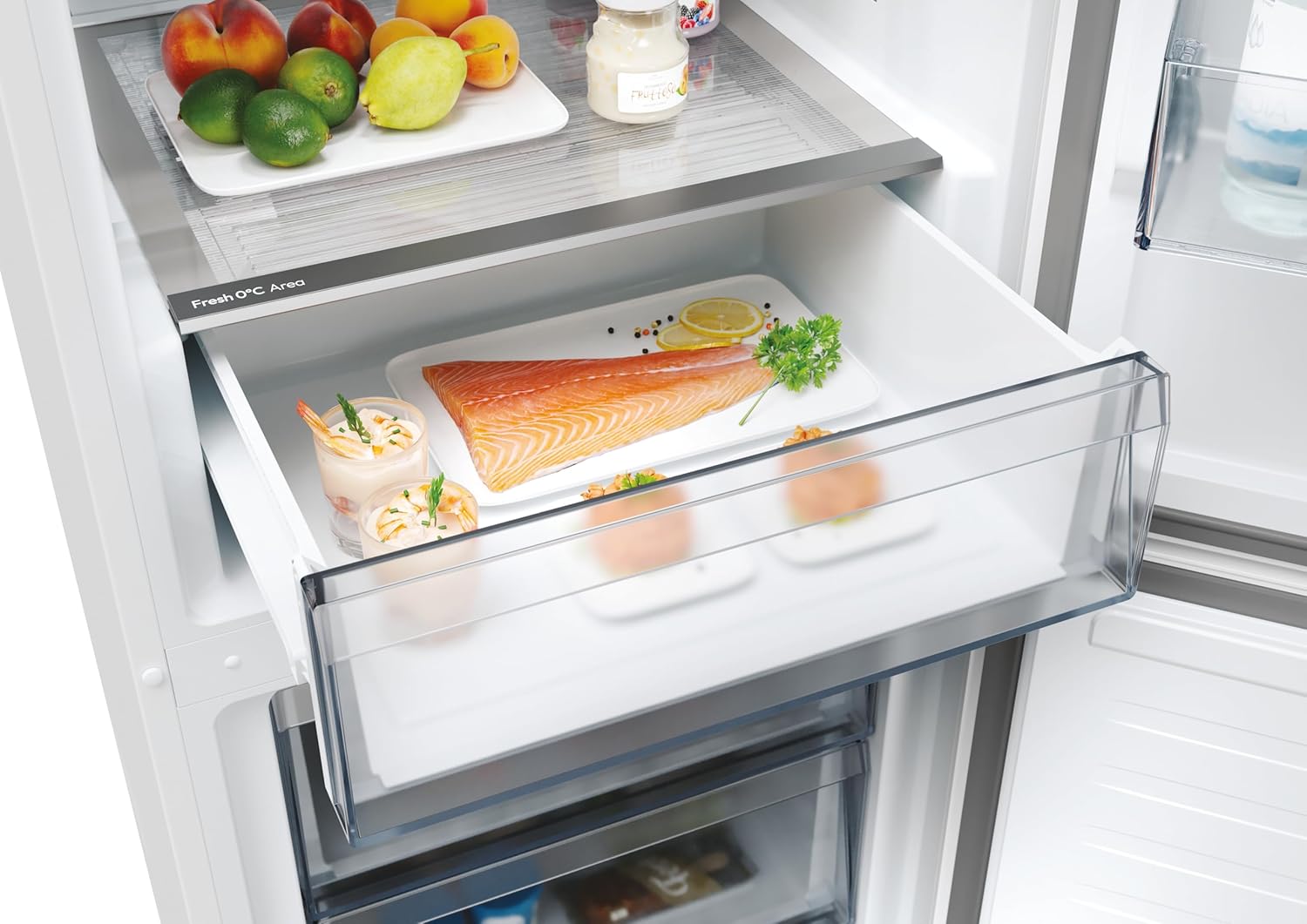
Image: A pull-out Fresh 0°C Area drawer in the refrigerator, containing fresh salmon and other delicate food items, demonstrating its specialized storage function.

Image: The three transparent freezer drawers, providing organized storage for frozen goods.
Storage Recommendations
- Store cooked foods and dairy products on upper shelves.
- Raw meat and fish should be stored in the Fresh 0°C Area or on the lowest shelf to prevent dripping onto other foods.
- Fruits and vegetables belong in the Verdolino drawer.
- Bottles and condiments can be stored in the door balconies.
Maintenance
Cleaning the Interior
Regularly clean the interior of your refrigerator. Unplug the appliance before cleaning. Use a soft cloth with a solution of lukewarm water and a mild, non-abrasive detergent. Avoid harsh chemicals or abrasive cleaners. Rinse and dry thoroughly.
Cleaning the Exterior
Wipe the exterior surfaces with a soft, damp cloth. For stainless steel finishes (Inox), use a specialized stainless steel cleaner. Keep the condenser coils at the back of the appliance clean to ensure efficient operation.
Defrosting
Thanks to the Total No Frost Circle+ technology, manual defrosting of both the refrigerator and freezer compartments is not required.
Power Outage Guidelines
In case of a power outage, keep the refrigerator doors closed to maintain the internal temperature for as long as possible. Avoid opening the doors unnecessarily. Food can remain safely stored for several hours depending on the duration of the outage.
Troubleshooting
Before contacting customer service, please check the following common issues and solutions:
| Problem | Possible Cause | Solution |
|---|---|---|
| Refrigerator not cooling | Power cord unplugged; thermostat set too high; door not closed properly. | Check power connection; adjust thermostat to a lower setting; ensure door is fully closed. |
| Unusual noises | Appliance not level; items vibrating inside; compressor noise (normal). | Level the appliance; rearrange items; normal compressor operation may produce a humming sound. |
| Water on floor/inside | Drain hole blocked; door left open. | Clear the drain hole; ensure door is closed properly. |
| LED light not working | Light bulb failure; power issue. | Contact service for LED light replacement; check power supply. |
Technical Specifications
| Feature | Specification |
|---|---|
| Brand | CANDY |
| Model Name | CNCQ2T618EX |
| Product Dimensions (D x W x H) | 66.7P x 59.5l x 185H cm |
| Total Capacity | 355 Liters |
| Refrigerator Net Capacity | 235 Liters |
| Freezer Net Capacity | 120 Liters |
| Configuration | Bottom Freezer |
| Color | Inox |
| Special Features | Total No Frost (Circle+), Fresh 0°C Area, Electronic Temperature Control, LED Interior Lighting, Reversible Door |
| Installation Type | Freestanding |
| Defrost System | Frost-free |
| Voltage | 230 Volt |
| Annual Energy Consumption | 270 Kilowatt hours per year |
| Item Weight | 68 Kilograms |
| Number of Shelves | 4 (Glass) |
| Number of Door Racks | 4 |
| Included Components | Combi Refrigerator, 3 + 1 glass shelves, 2+2 door balconies, 1 Fresh 0°C Area drawer, 3 freezer drawers |
Warranty Information
This product comes with a manufacturer's warranty:
- Private Consumers: 2 years
- Businesses: 1 year
Please retain your proof of purchase for warranty claims. The warranty covers manufacturing defects under normal use conditions.
Customer Support
For technical assistance, spare parts, or any questions not covered in this manual, please contact Candy customer service. Refer to the contact information provided with your purchase documentation or visit the official Candy website for support details in your region.