
Dpofirs Dpofirs17kc0sefn2
Dpofirs 16MP 1080P Digital Camera User Manual
Model: Dpofirs17kc0sefn2
1. Safety Information
Please read all safety instructions carefully before using the camera. Keep this manual for future reference.
- Do not expose the camera to water or moisture.
- Avoid extreme temperatures and direct sunlight.
- Keep out of reach of children.
- Use only specified batteries (3 x AAA, not included).
- Do not attempt to disassemble or modify the camera.
2. Product Overview
2.1 Package Contents
- 1 x Dpofirs Digital Camera
- 1 x Charging Cable (USB)
- Note: AAA batteries and memory card are not included.
2.2 Camera Components
Familiarize yourself with the camera's main parts and controls.

Image 2.2.1: Top and back view of the camera. The top shows the lens and power button. The back features the 2.4-inch LCD screen and control buttons.
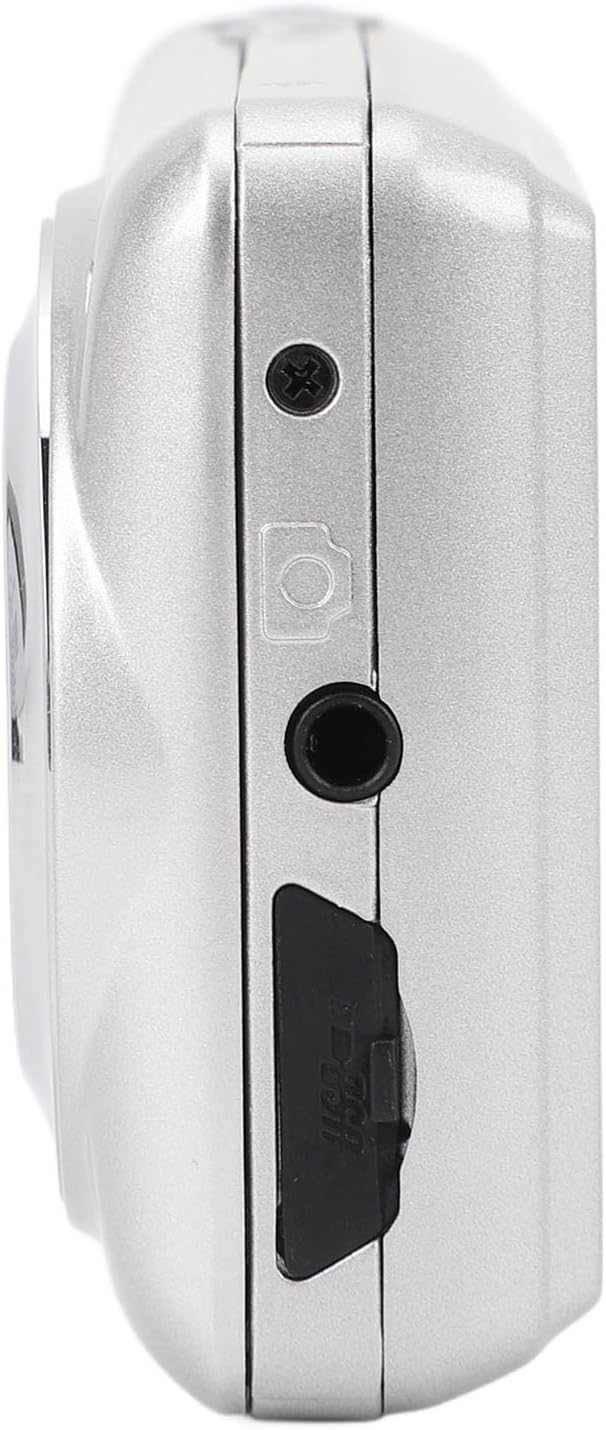
Image 2.2.2: Side view of the camera, highlighting the USB port for charging/data transfer and the memory card slot.
Video 2.2.1: This video demonstrates handling the Dpofirs digital camera, showing its compact size and the location of the lens and rear controls. It also briefly shows the camera being powered on.
3. Setup
3.1 Installing Batteries
- Locate the battery compartment cover on the camera.
- Open the battery compartment cover.
- Insert 3 AAA batteries (not included) according to the positive (+) and negative (-) poles indicated inside the compartment.
- Close the battery compartment cover securely.
3.2 Inserting a Memory Card
The camera supports memory cards up to 128GB (not included).
- Locate the memory card slot on the side of the camera (refer to Image 2.2.2).
- Insert a compatible memory card into the slot until it clicks into place. Ensure the card is inserted in the correct orientation.
- To remove, gently push the card in until it springs out.
4. Operating Instructions
4.1 Power On/Off
- To power on: Press and hold the Power button.
- To power off: Press and hold the Power button again.
4.2 Taking Photos
- Turn on the camera.
- Frame your shot using the 2.4-inch LCD display.
- Press the Shutter button (usually located on top or near the power button) to capture a photo.
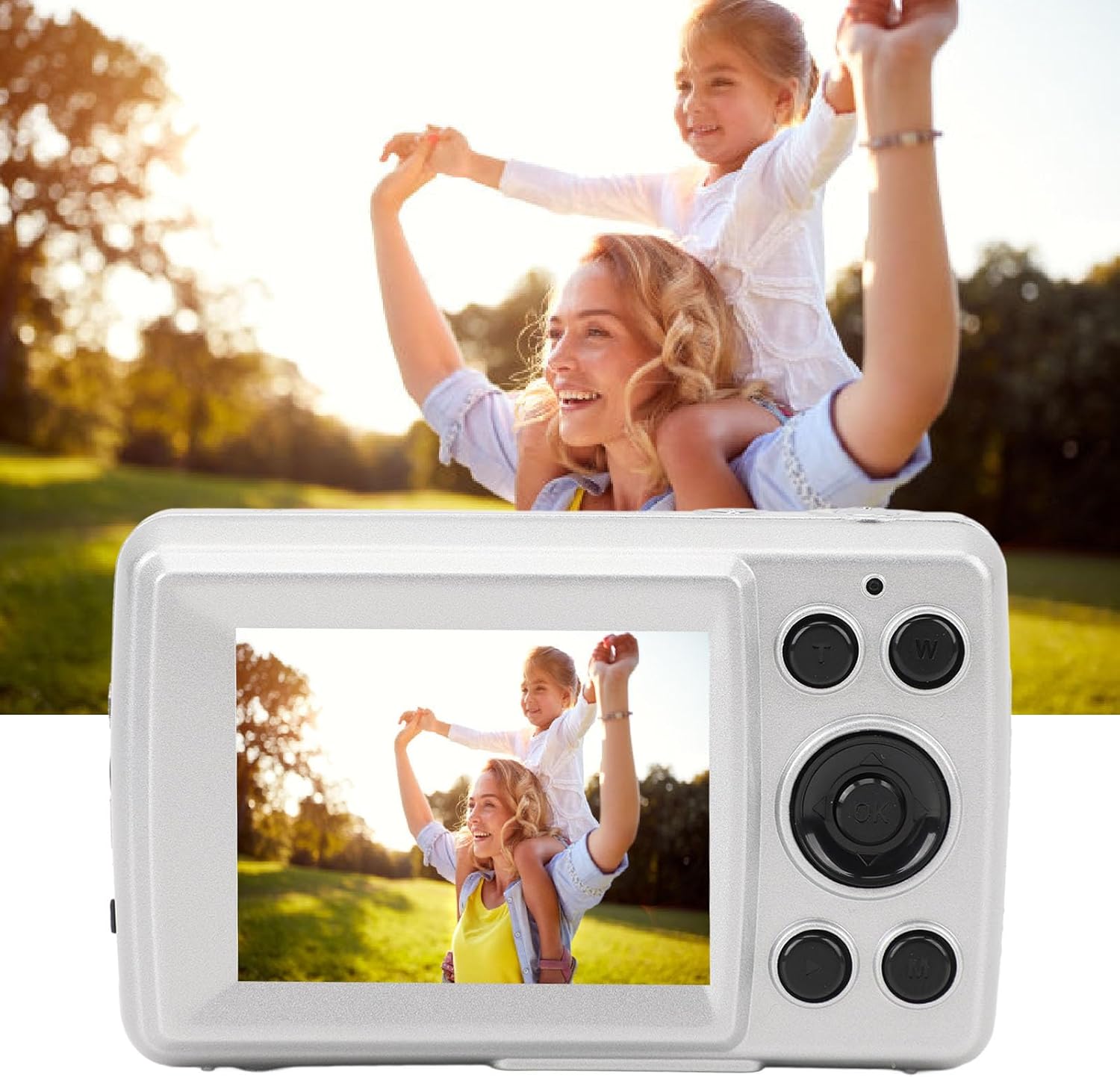
Image 4.2.1: The camera displaying a captured image on its 2.4-inch LCD screen, demonstrating photo viewing.
4.3 Recording Videos
- Turn on the camera.
- Switch to video mode (if applicable, usually via a mode button or menu setting).
- Press the Record button (often the same as the Shutter button, or a dedicated video button) to start recording.
- Press the Record button again to stop recording.

Image 4.3.1: The camera displaying a video scene on its 2.4-inch LCD screen, illustrating video capture capability.
4.4 Playback Mode
- Enter playback mode (usually via a dedicated button or menu option).
- Use the navigation buttons (up/down/left/right) to browse through your photos and videos.
- Press the OK button to view a selected item or play a video.
4.5 Settings Menu
Access the settings menu to adjust various camera parameters.
- Press the Menu button.
- Use navigation buttons to select options like photo resolution, video resolution, date/time, etc.
- Press OK to confirm selections.
- Press Menu again to exit.
5. Maintenance
5.1 Cleaning the Camera
- Use a soft, dry cloth to clean the camera body.
- For the lens, use a specialized lens cleaning cloth and solution.
- Do not use harsh chemicals or abrasive materials.
5.2 Storage
- Store the camera in a cool, dry place away from direct sunlight.
- Remove batteries if the camera will not be used for an extended period.
6. Troubleshooting
| Problem | Solution |
|---|---|
| Camera does not power on. |
|
| Cannot take photos/videos. |
|
| Images are blurry. |
|
7. Specifications
| Feature | Detail |
|---|---|
| Pixels | 16MP |
| Screen Type | 2.4 Inch LCD display |
| Storage | Memory Card, Support up to 128GB (Not Included) |
| Video Resolution | 1080P (1920 x 1080), 720P (1280 x 720), VGA (640 x 480) |
| Photo Resolution | 16MP (4032 x 4032), 12MP (4032 x 3024), 10MP (4032 x 2520), 8MP (3800 x 2160), 5MP (3200 x 1800), 3MP (2560 x 1440), 2MP (1920 x 1080), 1MP (1280 x 720) |
| Battery Information | 3 x AAA (Batteries Not Included) |
| Item Weight | Approx. 138g / 4.9oz |
| Connectivity Technology | USB |
| Form Factor | Compact |
8. Warranty and Support
For warranty information or technical support, please refer to the documentation included with your purchase or contact Dpofirs customer service.
Keep your purchase receipt as proof of purchase for any warranty claims.
Ask a question about this manual
Ask about setup, troubleshooting, compatibility, parts, safety, or missing instructions. Manuals+ will review the question and use this page’s manual context to help answer it.