
1. Introduction
Thank you for choosing the AROEVE MK07 Air Purifier. This device is designed to improve indoor air quality by filtering various airborne particles and odors. It features smart sensing technology, multi-layer filtration including activated carbon and a pre-filter, and UV technology for enhanced air purification. Please read this manual thoroughly before operating the device to ensure proper use and maintenance.
2. Safety Instructions
- Always unplug the air purifier before moving, cleaning, or performing any maintenance.
- Do not operate the device with a damaged cord or plug. If the cord or plug is damaged, contact customer support.
- Keep the power cord away from heated surfaces.
- Do not use the air purifier in wet or humid environments, such as bathrooms.
- Do not insert fingers or foreign objects into the air inlets or outlets.
- Ensure the air inlets and outlets are not blocked.
- This appliance is not intended for use by persons (including children) with reduced physical, sensory or mental capabilities, or lack of experience and knowledge, unless they have been given supervision or instruction concerning use of the appliance by a person responsible for their safety.
- Children should be supervised to ensure that they do not play with the appliance.
- Use only genuine AROEVE replacement filters for this model.
3. Package Contents
Please check the package contents upon unboxing. If any items are missing or damaged, contact customer support.
- AROEVE MK07 Air Purifier Unit
- Pre-installed Filter (ensure plastic packaging is removed before use)
- User Manual
4. Product Overview
Familiarize yourself with the main components of your AROEVE MK07 Air Purifier.
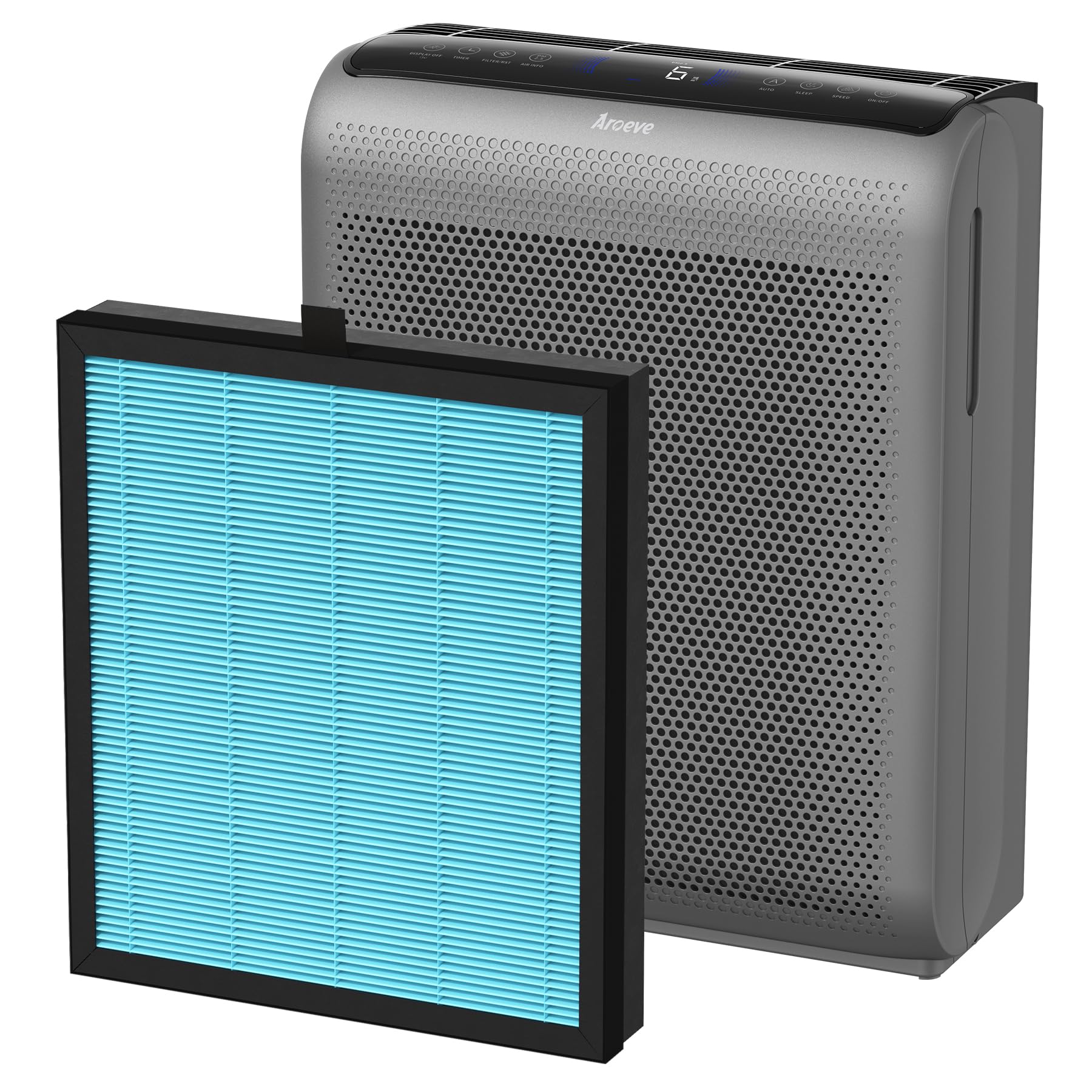
Image: Front view of the AROEVE MK07 Air Purifier. This image displays the overall design of the unit, including the air intake grille and the top control panel.
- Control Panel: Located on the top of the unit, featuring a smart touchscreen for operation.
- Air Inlet: Located on the sides and/or back of the unit, where air is drawn in for filtration.
- Air Outlet: Located on the top of the unit, where purified air is released.
- Filter Compartment: Accessible from the bottom or back, housing the multi-layer filter.
- Air Quality Display: Integrated into the control panel, showing real-time air quality readings.
5. Setup
- Unpack the Air Purifier: Carefully remove the air purifier from its packaging.
- Remove Filter Packaging:
- Locate the filter compartment, typically at the bottom or back of the unit.
- Open the cover and remove the filter.
- Remove all plastic packaging from the filter.
- Reinsert the filter into the unit, ensuring it is seated correctly.
- Close the filter compartment cover securely.
- Placement:
Place the air purifier on a firm, level surface. Ensure there is at least 15 inches (38 cm) of space around all sides of the unit for optimal air circulation. Avoid placing it near heat sources, in direct sunlight, or in areas with high humidity.

Image: AROEVE MK07 Air Purifier placed in a room, demonstrating proper clearance for air intake and output.
- Power Connection: Plug the power cord into a standard electrical outlet. The unit will enter standby mode.
6. Operating Instructions
The AROEVE MK07 features a smart touchscreen for easy control.
- Power On/Off: Touch the power button on the control panel to turn the unit on or off.
- Air Quality Display:
The integrated display provides real-time air quality readings, including PM1 levels. The color of the indicator light or display will change to reflect the current air quality:

Image: Visual representation of the air quality display, showing different PM2.5 levels and corresponding air quality ratings (Very Good, Good, Moderate, Bad).
- Green/Blue: Very Good/Good Air Quality
- Orange: Moderate Air Quality
- Red: Bad Air Quality
- Auto Mode: Touch the "Auto" button. In this mode, the purifier automatically adjusts fan speed based on the detected air quality.
- Fan Speed Adjustment: Touch the "Fan Speed" button repeatedly to cycle through different fan speeds (e.g., Low, Medium, High).
- Sleep Mode: Touch the "Sleep" button. The unit will operate at the lowest fan speed and dim the display lights for quiet operation during sleep.
- UV Function: Touch the "UV" button to activate or deactivate the UV light feature. This provides an additional layer of purification.
7. Maintenance
Regular maintenance ensures optimal performance and extends the lifespan of your air purifier. Always unplug the unit before cleaning or replacing filters.
- Filter Replacement:
- The non-washable filter should be replaced every 4-8 months, depending on usage and air quality.
- A filter indicator light on the control panel may illuminate when a replacement is due.
- To replace, open the filter compartment, remove the old filter, and insert a new, genuine AROEVE MK07 replacement filter.
- After replacing, reset the filter life indicator (refer to specific instructions on the control panel, usually by pressing and holding a button).
- Important: Use only genuine AROEVE MK07 replacement filters to avoid damage and ensure proper filtration.
- Washable Pre-filter Cleaning:
- The pre-filter, which captures larger particles like pet hair, is washable.
- Regularly check and clean the washable pre-filter to maintain efficiency.
- Remove the pre-filter and rinse it under running water. Allow it to air dry completely before reinserting.
- Exterior Cleaning:
- Wipe the exterior of the air purifier with a soft, dry cloth.
- Do not use abrasive cleaners, waxes, or solvents.
- Clean the air inlet and outlet grilles with a soft brush or vacuum cleaner attachment to remove dust.
8. Troubleshooting
| Problem | Possible Cause | Solution |
|---|---|---|
| Unit does not turn on. | Not plugged in; power outlet malfunction; power cord damaged. | Ensure the power cord is securely plugged into a working outlet. Check the power cord for damage. |
| Airflow is weak or purification is ineffective. | Filter is dirty or clogged; air inlets/outlets are blocked; filter packaging not removed. | Check if the filter's plastic packaging has been removed. Clean or replace the filter. Ensure no obstructions are blocking air inlets or outlets. |
| Unusual noise during operation. | Filter not installed correctly; foreign object inside; unit not on a level surface. | Ensure the filter is securely in place. Check for any foreign objects. Place the unit on a stable, level surface. |
| Air quality reading seems inaccurate. | Sensor is dirty; high dust levels in the immediate vicinity. | Gently clean the air quality sensor (refer to specific location in product diagram if available, usually a small opening). Allow time for the sensor to adjust to the environment. |
9. Specifications
| Brand | AROEVE |
| Model | MK07 |
| Control Method | Touch, Button Control |
| Filter Type | Multi-layer Filter (HEPA, Activated Carbon, Pre-filter) |
| Coverage Area | Up to 1504 Sq Ft (approximate) |
| Special Features | Smart Sensing (PM1, PM2.5), UV Technology, Washable Pre-filter |
10. Warranty and Support
AROEVE provides a standard warranty for this product. For detailed warranty information, please refer to the warranty card included with your purchase or visit the official AROEVE website.
If you encounter any issues or have questions regarding your AROEVE MK07 Air Purifier, please contact AROEVE customer support for assistance.
- Customer Support: Refer to your product packaging or the AROEVE official website for contact details.
- Online Resources: Visit the AROEVE Store on Amazon