
1. Introduction
This manual provides comprehensive instructions for the installation, operation, and maintenance of your ATOTO AC-HD04LR HD1080P Backup Camera. This camera is designed to enhance your driving experience by providing a clear rear view, reducing blind spots, and assisting with parking maneuvers. It is exclusively compatible with selected ATOTO P5 and P9 series head units.

Image: The ATOTO AC-HD04LR HD1080P Backup Camera, designed to provide a clear rear view for safer driving.
2. Safety Information
Please read all safety instructions before installing and operating the camera. Failure to follow these instructions may result in injury or damage to the product or vehicle.
- Ensure the vehicle's power is off before beginning installation to prevent electrical hazards.
- Consult a professional if you are unsure about any part of the installation process.
- Do not obstruct the driver's view or interfere with vehicle controls during installation.
- This camera is an aid and should not replace careful driving and observation.
3. Package Contents
Verify that all items are present in the package:
- ATOTO AC-HD04LR Backup Camera
- 8m/26ft Extension Cable
- USB-C Plug

Image: The package includes the AC-HD04LR Backup Camera, an 8m/26ft Extension Cable, and a USB-C Plug.
4. Installation Guide
The ATOTO AC-HD04LR backup camera is designed for self-installation. Follow these steps for proper setup:
- Compatibility Check: Ensure your head unit is an ATOTO P5 or P9 series. This camera is not compatible with ATOTO PND or third-party products.
- Mounting the Camera: Choose a suitable location at the rear of your vehicle, typically above the license plate, to ensure a clear and unobstructed view. Secure the camera using the provided mounting hardware.
- Routing the Cable: Connect the camera to the 8m/26ft extension cable. Carefully route the extension cable from the camera's mounting location to the location of your ATOTO head unit. Ensure the cable is secured and protected from moving parts, heat, and sharp edges.
- Connecting to Head Unit: Connect the USB-C plug of the extension cable to the designated camera input port on your ATOTO P5 or P9 series head unit.
- Power Connection (Optional/If applicable): If your installation requires a trigger wire for automatic activation (e.g., when shifting into reverse), connect the thin white wire from the camera cable to your vehicle's reverse light power source. This will signal the head unit to display the camera feed when reverse gear is engaged.
- Testing: After installation, turn on your vehicle and head unit. Test the camera functionality by engaging reverse gear or manually activating the camera view on your head unit. Adjust the camera angle if necessary.

Image: Diagram illustrating the connection of the backup camera to an ATOTO P9 head unit using the adapter cable and extension cable.
5. Operating the Camera
5.1 HD 1080P Resolution and 168° Wide-Angle View
The AC-HD04LR camera provides a crisp HD 1080P resolution, capturing clear details and vibrant colors. Its 168° wide-angle lens offers an expansive rear view, effectively minimizing blind spots and enhancing situational awareness during parking and maneuvering.

Image: Illustration of the 168° wide viewing angle provided by the HD 1080P rear camera, showing a clear view behind the vehicle.
5.2 Live Rear View Function
The Live Rear View feature allows you to monitor the area behind your vehicle even when driving forward. This provides continuous awareness of your surroundings, which can be particularly useful in congested traffic or on highways, helping to maintain safe distances and prevent rear-end collisions.
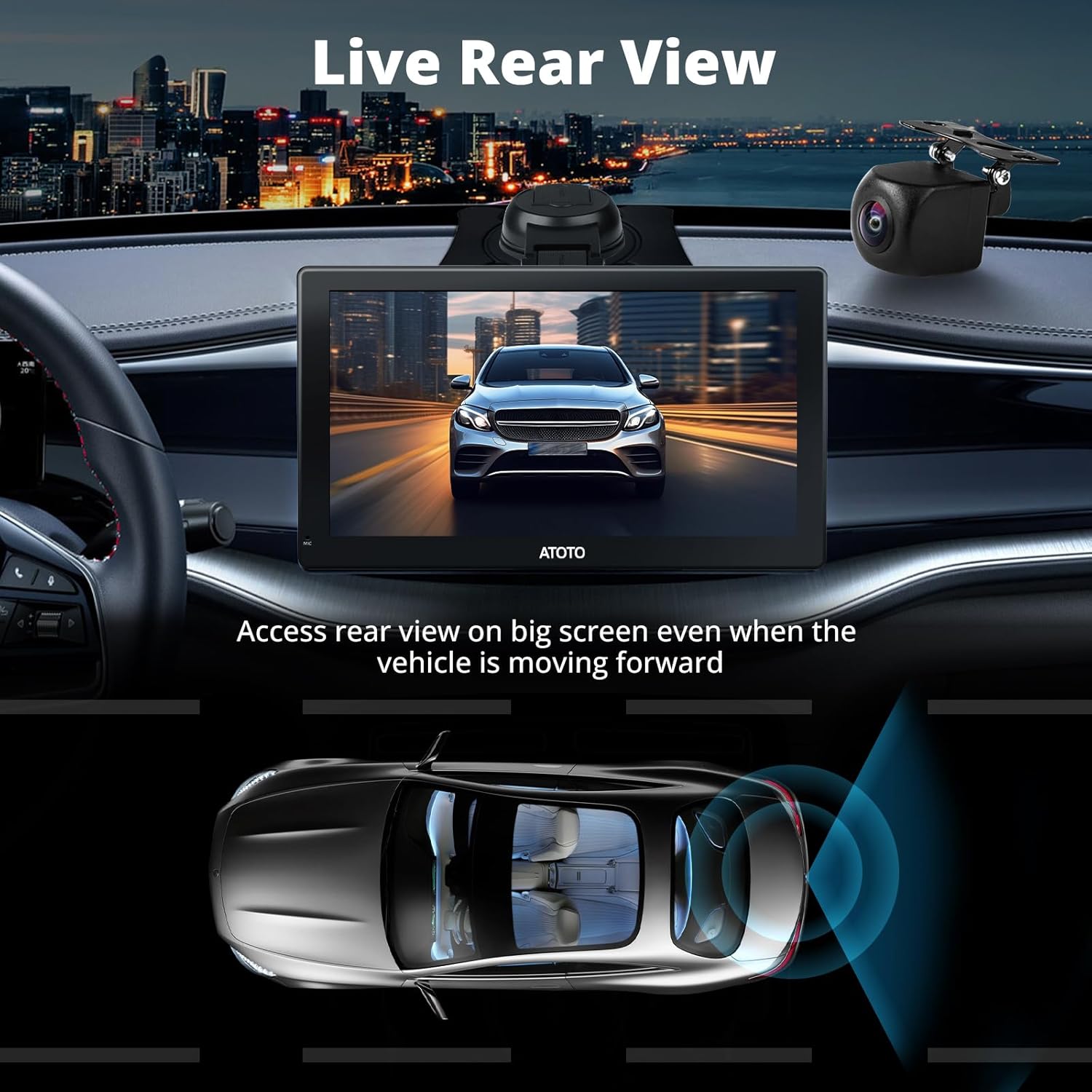
Image: A vehicle's dashboard display showing the live rear view from the camera while the car is moving forward.
5.3 Night Vision and Strong Light Suppression
The camera incorporates advanced night vision technology, providing clear visibility in low-light conditions and unlit areas. Additionally, its strong light suppression and Wide Dynamic Range (WDR) capabilities ensure a clear view even when exposed to bright headlights or other intense light sources, preventing glare and overexposure.

Image: Visual representation of the camera's performance in varying light conditions, highlighting Strong Light Suppression, Night Vision, and WDR features.

Image: Demonstrates how Wide Dynamic Range (WDR) and Strong Light Suppression contribute to clear visibility, showing details like license plates even with beaming lights.
5.4 IP67 Waterproof Rating
The AC-HD04LR camera features an IP67 waterproof rating, ensuring reliable operation in various weather conditions. It is protected against dust ingress and immersion in water up to 1 meter for 30 minutes, allowing it to withstand splashes, heavy rain, and snow.

Image: A car driving through water, symbolizing the IP67 waterproof capability of the camera, ensuring functionality in wet conditions.
6. Maintenance
To ensure optimal performance and longevity of your ATOTO AC-HD04LR backup camera, follow these simple maintenance guidelines:
- Regular Cleaning: Periodically clean the camera lens with a soft, damp cloth to remove dirt, dust, or water spots that may obstruct the view. Avoid abrasive cleaners.
- Cable Inspection: Occasionally check the extension cable for any signs of wear, damage, or loose connections. Ensure it remains securely routed and protected.
- Firmware Updates: If available, check the ATOTO official website or your head unit's settings for any firmware updates for the camera or head unit, which may improve performance or add features.
7. Troubleshooting
If you encounter issues with your ATOTO AC-HD04LR backup camera, refer to the following common troubleshooting steps:
- No Image Display:
- Ensure all cable connections (camera to extension cable, extension cable to head unit) are secure.
- Verify that the camera is correctly powered. If using a reverse trigger, check the connection to the reverse light.
- Confirm that your ATOTO head unit is set to the correct input source for the camera.
- Fuzzy or Distorted Image:
- Clean the camera lens to remove any dirt or debris.
- Check for any kinks or damage in the extension cable.
- Ensure the camera is securely mounted and not vibrating.
- Intermittent Signal:
- Inspect all connections for looseness or corrosion.
- Ensure the cable is not being pinched or damaged by vehicle components.
If these steps do not resolve the issue, please contact ATOTO customer support for further assistance.
8. Specifications
| Feature | Detail |
|---|---|
| Model | AC-HD04LR |
| Video Capture Resolution | 1080p |
| Actual Viewing Angle | 168 Degrees |
| Lens Type | Wide Angle |
| Waterproof Rating | IP67 |
| Compatible Devices | ATOTO P5/P9 Series (Selected) |
| Voltage | 24 Volts |
| Product Dimensions | 15 x 11.4 x 4.8 cm; 220 g |
| Installation Type | Wired |
| Optical Sensor Technology | CCD |
| Connector Type | Proprietary Connector (USB-C plug) |
9. Warranty Information
The ATOTO AC-HD04LR backup camera comes with a 12-month product care period from the date of purchase. This covers manufacturing defects and ensures product reliability. For specific warranty terms and conditions, please refer to the documentation provided with your ATOTO head unit or contact customer support.

Image: A shield icon indicating 12 months of product care from the date of purchase.
10. Customer Support
For any questions, technical assistance, or support regarding your ATOTO AC-HD04LR backup camera, please reach out to ATOTO customer service. We aim to respond to inquiries within 24 hours on business days.
You can typically find contact information through your order center or by visiting the official ATOTO website.