
BAOFENG UV-5R
Contents
BAOFENG UV-5R Ham Radio Handheld Walkie Talkie User Manual
Comprehensive guide for setup, operation, and maintenance of your BAOFENG UV-5R Ham Radio.
1. Introduction
The BAOFENG UV-5R is a versatile dual-band ham radio handheld walkie-talkie designed for reliable long-range communication. It features a robust build, high-gain antenna, and multiple functionalities suitable for various outdoor activities, emergency preparedness, and professional use. This manual provides detailed instructions to help you get started and make the most of your device.

Image: Two BAOFENG UV-5R radios with both standard and extended 14.96-inch high-gain antennas.
2. What's in the Box
Upon unboxing your BAOFENG UV-5R Ham Radio, please verify that all the following components are included:
- 2 x BAOFENG UV-5R radio units
- 2 x Original antennas
- 2 x 14.96-inch long high-gain antennas
- 2 x 1800mAh Li-Ion batteries
- 2 x Headsets
- 2 x Desktop chargers
- 2 x Belt clips
- 2 x Hand straps
- 1 x English user manual

Image: Visual representation of the package contents.
3. Product Overview
Familiarize yourself with the main components and controls of your UV-5R radio:

Image: Front view of the UV-5R radio with key components labeled.
- Antenna: For transmitting and receiving signals.
- Flashlight: Built-in LED light for illumination.
- Knob (On/Off, Volume): Rotates to power on/off and adjust volume.
- LCD Display: Shows frequency, channel, battery status, and other indicators.
- VFO/MR Button: Toggles between Frequency (VFO) mode and Channel (MR) mode.
- A/B Button: Switches between the upper and lower frequency/channel display.
- BAND Button: Switches between VHF and UHF bands.
- MENU Button: Accesses the radio's menu for settings and programming.
- EXIT Button: Exits menu or cancels current operation.
- Keypad: Numeric keys for frequency input and function selection.
- PTT (Push-to-Talk) Button: Located on the side, press and hold to transmit.
- SK-side key1/CALL: Programmable side key, often used for Call or Alarm.
- SK-side key2/MONI: Programmable side key, often used for Flashlight or Monitor.
- SP. & MIC: Speaker and Microphone ports.
- Belt Clip: Attaches to the back for carrying.
- Hand Strap: For secure handling.

Image: Side view of the UV-5R radio highlighting the PTT and side keys, along with the audio jack.
4. Setup
4.1. Attaching the Antenna
Carefully screw the desired antenna (either the original or the 14.96-inch high-gain antenna) clockwise onto the antenna connector at the top of the radio until it is finger-tight. Do not overtighten.

Image: Comparison of standard and high-gain antennas, highlighting the longer antenna for improved range.
4.2. Installing and Charging the Battery
- Align the battery pack with the grooves on the back of the radio.
- Slide the battery upwards until it clicks into place.
- To charge, place the radio (with battery attached) into the desktop charger. Ensure the charging contacts align.
- Plug the desktop charger into a power outlet. The indicator light on the charger will show charging status.

Image: Radio in charging dock with battery shown separately.
5. Operating Instructions
5.1. Power On/Off and Volume Adjustment
Rotate the top knob clockwise to power on the radio. Continue rotating to increase the volume. Rotate counter-clockwise to decrease volume and power off.
5.2. Selecting Frequency/Channel Mode
Press the VFO/MR button to switch between Frequency Mode (VFO) and Channel Mode (MR). In VFO mode, you can manually input frequencies. In MR mode, you can select pre-programmed channels.
5.3. Transmitting and Receiving
To transmit, press and hold the PTT (Push-to-Talk) button on the left side of the radio. Speak clearly into the microphone. Release the PTT button to receive.
5.4. Key Features
- VOX Function: Enables hands-free transmission by voice activation.
- Flashlight: Activate the built-in LED flashlight for convenience.
- SOS Alarm: Sends an emergency alert signal.
- CTCSS/DCS: Sub-tone settings for private communication within a channel.
- Keypad Lock: Prevents accidental key presses.
- Dual Band Dual Watch: Monitor two different frequencies simultaneously.
- 128 Memory Channels: Store your frequently used frequencies.
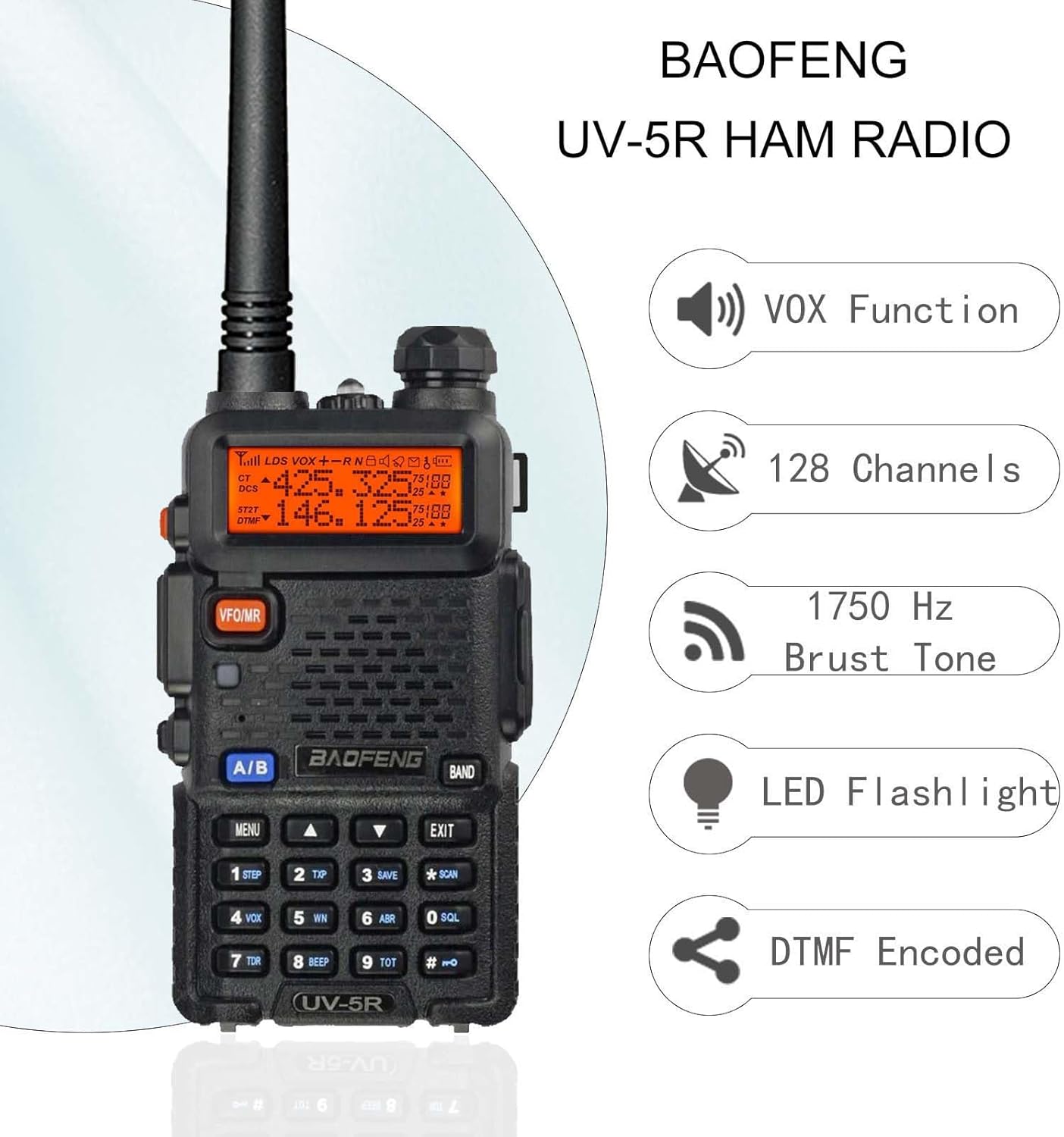
Image: Overview of the radio's main features.
6. Programming
The BAOFENG UV-5R is CHIRP compatible, allowing for easy programming of channels and settings via computer. While manual programming is possible through the keypad and menu, using CHIRP software is recommended for advanced configurations and bulk channel management.
Refer to the detailed programming instructions available online or in specialized ham radio guides for specific steps on setting up repeaters, CTCSS/DCS tones, and other advanced features.
7. Maintenance
- Keep the radio clean by wiping it with a soft, dry cloth.
- Avoid exposing the radio to extreme temperatures, direct sunlight, or moisture. The radio is not water resistant.
- Ensure the battery contacts are clean to maintain optimal charging and performance.
- Store the radio and accessories in a dry, cool place when not in use.
8. Troubleshooting
If you encounter issues with your BAOFENG UV-5R, consider the following common solutions:
| Problem | Possible Solution |
|---|---|
| No Power | Check battery installation, ensure battery is charged, or try a different battery. |
| Cannot Transmit | Verify PTT button is fully pressed, check frequency/channel settings, ensure antenna is properly attached. Confirm you are on a valid transmit frequency. |
| Poor Reception/Transmission Range | Check antenna connection, ensure battery is fully charged, try using the 14.96-inch high-gain antenna, or move to an area with fewer obstructions. |
| Static/Noise | Adjust squelch level, check for interference from other electronic devices, or move to a different location. |
9. Specifications
- Model: UV-5R
- Brand: BAOFENG
- TX Frequency Range: 144-148MHz, 420-450MHz
- Number of Channels: 128
- Talking Range Maximum: 3 Mile (approximate, varies by terrain)
- Battery: 1800mAh Li-Ion (included)
- Voltage: 7.4 Volts
- Dimensions: 10.2 x 9.4 x 2.3 inches (Product Dimensions)
- Item Weight: 1.94 pounds
- Color: Black
- Special Features: Long Range, Dual Band, Keypad Lock, CHIRP Compatible, SOS Alarm, Flashlight, CTCSS/DCS, VOX Hands Free, 9 Levels Squelch
- Water Resistance Level: Not Water Resistant
- FCC ID: 2AJGM-UV5R (Amateur Radio Certificated)
- Manufacturer: Fujian BAOFENG Electronics Co.,Ltd.
- Country of Origin: China
10. Warranty and Support
The BAOFENG UV-5R Ham Radio comes with a 6-month warranty from the date of purchase. This warranty covers manufacturing defects and malfunctions under normal use. Please retain your proof of purchase for warranty claims.
For technical support, troubleshooting assistance beyond this manual, or warranty inquiries, please contact BAOFENG customer service through their official channels or the retailer from whom you purchased the product.
For additional resources and community support, you may also refer to online forums and guides dedicated to the BAOFENG UV-5R, such as those related to CHIRP programming.
Documents and downloads
Ask a question about this manual
Ask about setup, troubleshooting, compatibility, parts, safety, or missing instructions. Manuals+ will review the question and use this page’s manual context to help answer it.