
1. Introduction
Thank you for choosing the Aigostar Rechargeable Headlamp AG-TD. This headlamp is designed for various outdoor activities and tasks, providing reliable illumination with multiple lighting modes and a motion sensor function. Please read this manual carefully before use to ensure proper operation and to maximize the lifespan of your device.
Key Features:
- Adjustable Brightness: Multi-LED design with a beam distance of up to 20 meters.
- 8 Lighting Modes: Versatile illumination for different scenarios, including an SOS flashing mode.
- Motion Sensor: Hands-free operation for convenient on/off switching.
- IPX4 Waterproof: Resistant to splashing water, suitable for outdoor use.
- 90° Pivoting Head: Adjust the light angle as needed.
- Rechargeable: Integrated battery with USB charging.
2. Package Contents
Please check the package for the following items:
- 1 x Aigostar Rechargeable Headlamp (Model: AG-TD)
- 1 x USB Charging Cable
- 1 x Belt Clip
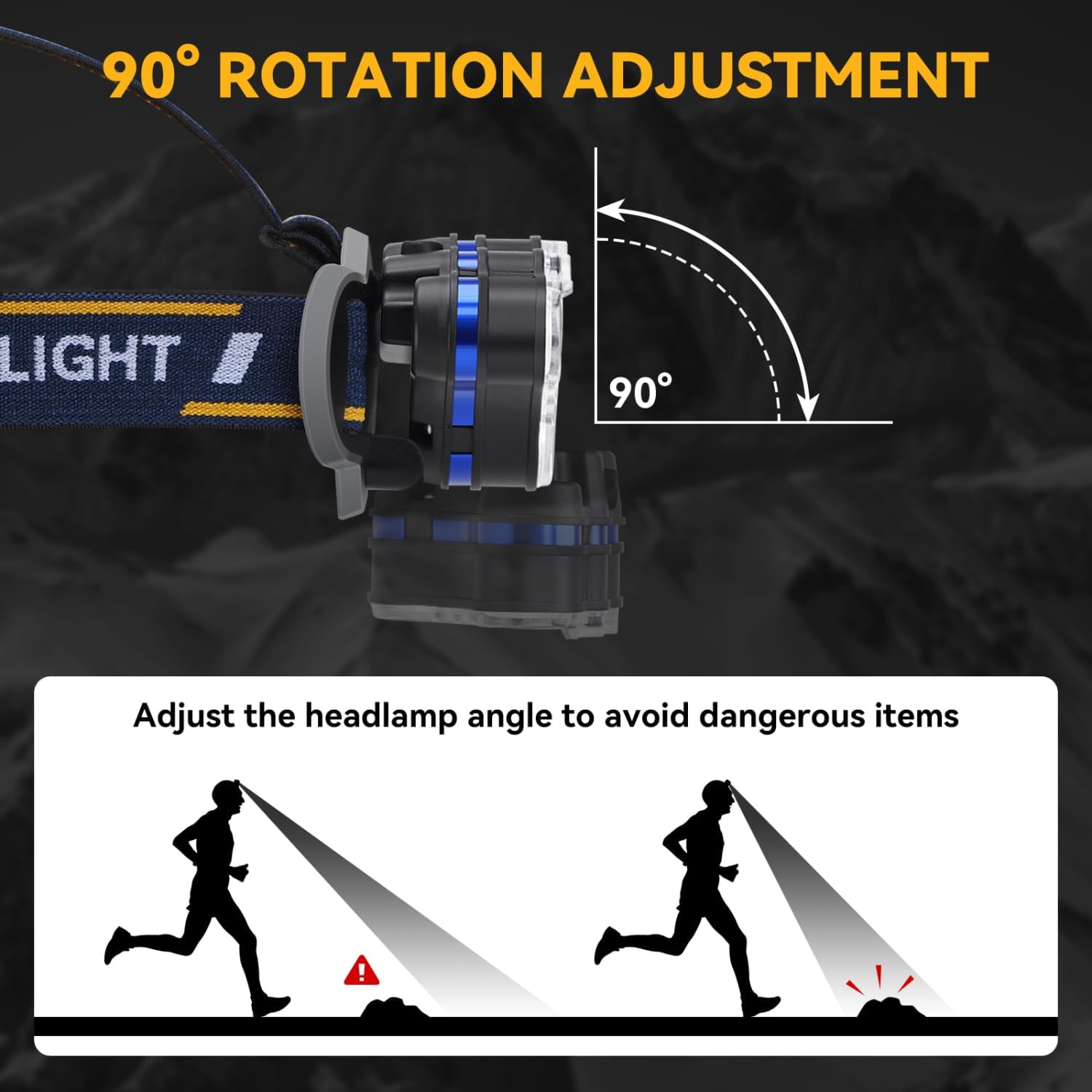
Image: The headlamp, USB cable, and various USB charging methods (USB socket, computer, power bank, car charge).
3. Product Overview
Familiarize yourself with the components of your Aigostar Headlamp:

Image: Detailed view of the headlamp showing the 2 Mode Buttons, Battery Indicator, USB Charging Port, Elastic Belt, 8 LED Bulbs, and Adjustable Headband.
- 2 Mode Buttons: Control different lighting modes and functions.
- Battery Indicator: Displays the current battery level.
- USB Charging Port: For recharging the internal battery.
- Elastic Belt: Adjustable strap for comfortable wear.
- 8 LED Bulbs: Provide powerful illumination.
- Adjustable Headband: Ensures a secure and comfortable fit.
4. Setup
4.1 Charging the Headlamp
Before first use, fully charge the headlamp. The headlamp features an integrated rechargeable battery.
- Locate the USB charging port on the headlamp unit.
- Connect the provided USB charging cable to the headlamp's port.
- Plug the other end of the USB cable into a compatible USB power source (e.g., USB wall adapter, computer USB port, power bank, or car charger).
- The battery indicator will show charging status. Allow sufficient time for a full charge.
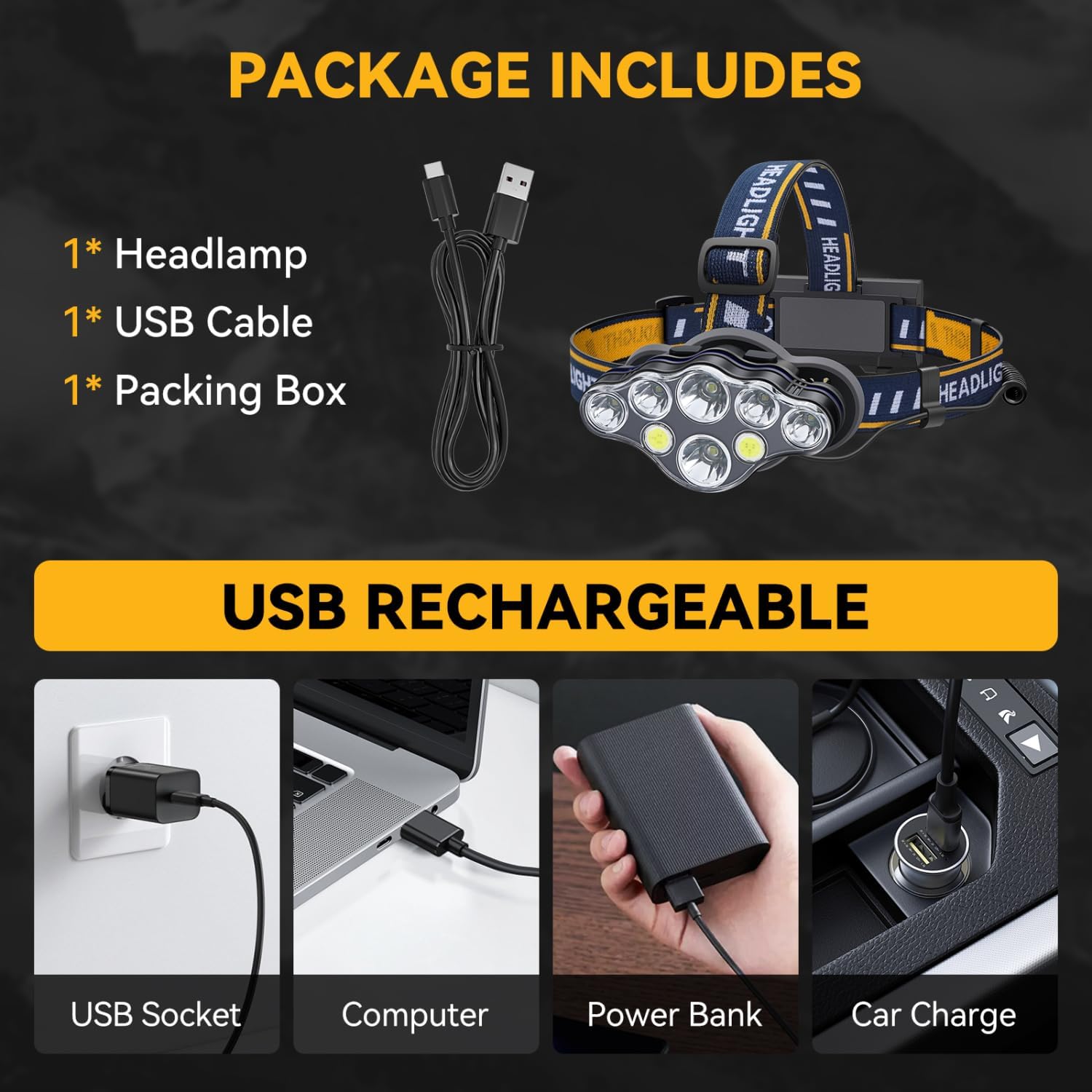
Image: A close-up view of the headlamp's USB charging port and the green battery indicator light.
4.2 Adjusting the Headband
The elastic headband is adjustable to fit various head sizes and can be worn over hats or helmets.
- Place the headlamp on your head.
- Adjust the elastic straps using the buckles until the headlamp feels secure and comfortable without being too tight.
- Ensure the headlamp unit is centered on your forehead.
5. Operating Instructions
5.1 Power On/Off and Lighting Modes
The headlamp features two mode buttons to cycle through various lighting options.
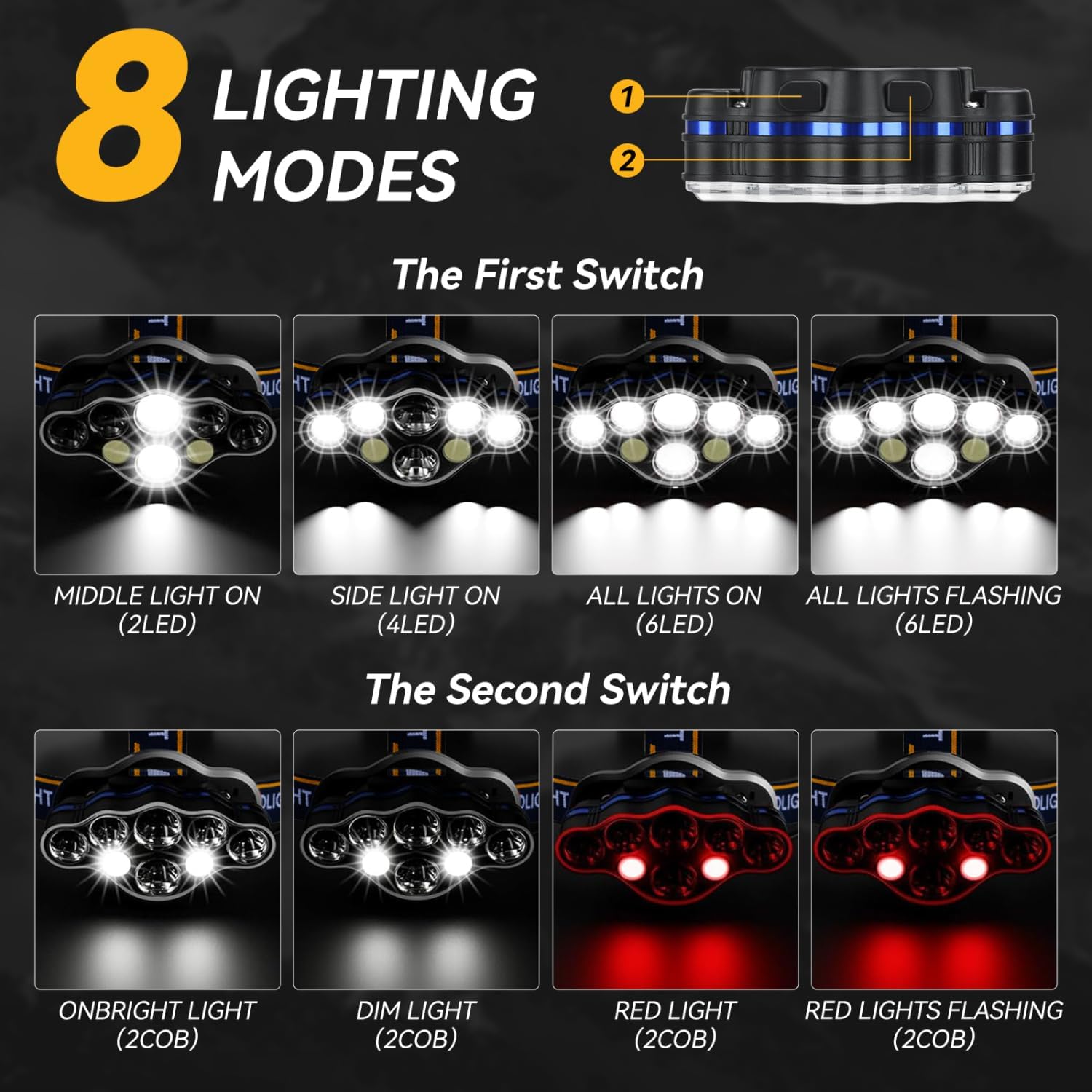
Image: Diagram illustrating the 8 lighting modes controlled by two separate switches.
First Switch (Main LEDs):
- Press once for Middle Light On (2 LEDs).
- Press again for Side Light On (4 LEDs).
- Press again for All Lights On (6 LEDs).
- Press again for All Lights Flashing (6 LEDs - SOS mode).
- Press again to turn off.
Second Switch (COB LEDs & Red Lights):
- Press once for Onbright Light (2 COB LEDs).
- Press again for Dim Light (2 COB LEDs).
- Press again for Red Light (2 COB LEDs).
- Press again for Red Lights Flashing (2 COB LEDs).
- Press again to turn off.
5.2 Motion Sensor Function
The headlamp is equipped with a motion sensor for hands-free control.
- To activate the motion sensor mode, ensure the headlamp is on in your desired lighting mode.
- Wave your hand approximately 10cm in front of the headlamp to switch the light ON or OFF.
- This feature is useful when your hands are dirty or occupied.
5.3 Pivoting Head Adjustment
The headlamp unit can be adjusted up to 90 degrees to direct the light precisely where needed.

Image: Diagram showing the headlamp unit rotating 90 degrees downwards to adjust the light angle.
Gently tilt the headlamp unit up or down to achieve the desired angle. This allows you to illuminate your path or focus on close-up tasks without repositioning the entire headlamp.
5.4 Red Safety Tail Light
The battery pack located at the back of the headband features a red safety light.

Image: A person wearing the headlamp from behind, showing the red safety tail light on the battery pack. Also illustrates the 90-degree adjustable headlamp.
This red light can be switched to constant or flashing mode to enhance your visibility and safety, especially during night activities like running or cycling.
6. Maintenance
6.1 Cleaning
- Wipe the headlamp body with a soft, damp cloth. Do not use abrasive cleaners or solvents.
- Ensure the USB charging port cover is securely closed to maintain IPX4 water resistance.
- The elastic headband can be hand-washed with mild soap and water if it becomes dirty. Allow it to air dry completely before reattaching or using.
6.2 Storage
- Store the headlamp in a cool, dry place away from direct sunlight and extreme temperatures.
- If storing for an extended period, charge the battery to approximately 50% every 3-6 months to preserve battery health.
7. Troubleshooting
If you encounter issues with your Aigostar Headlamp, please refer to the following common solutions:
- Headlamp does not turn on:
- Ensure the battery is fully charged.
- If this is the first use and the headlamp does not power on after charging, check if there are any protective plastic discs or films inside the battery compartment that need to be removed.
- Light is dim or flickers:
- The battery level may be low. Recharge the headlamp.
- Motion sensor is not responding:
- Ensure the motion sensor mode is activated.
- Make sure your hand is within the approximate 10cm sensing distance.
- Clean the sensor area to remove any obstructions.
- Water ingress:
- While IPX4 rated, the headlamp is not designed for submersion. If water enters the unit, turn it off immediately and allow it to dry completely before attempting to use it again.
8. Specifications
| Feature | Specification |
|---|---|
| Model Number | AG-TD |
| Brand | Aigostar |
| Light Source | LED |
| Wattage | 5.00 W |
| Item Weight | 3.52 ounces (approx. 100g) |
| Material | Plastic |
| Water Resistance | IPX4 (Splash-proof) |
| Power Source | Battery Powered (Rechargeable via USB) |
| Included Components | Headlamp, USB Cable, Belt Clip |
9. Safety Information
- Do not look directly into the LED light, as it can cause temporary vision impairment.
- Keep the headlamp out of reach of children.
- Do not attempt to disassemble or modify the headlamp. This may void the warranty and pose a safety risk.
- Avoid exposing the headlamp to extreme heat or open flames.
- Dispose of the product and its battery responsibly according to local regulations.
10. Warranty and Support
For warranty information or technical support, please contact Aigostar customer service through the retailer where you purchased the product or visit the official Aigostar website. Please have your model number (AG-TD) and purchase details ready when contacting support.