1. Important Safety Instructions
Before using the TODO T3840-NEW Walking Pad Treadmill, please read all instructions carefully to ensure safe operation and prevent injury. Retain this manual for future reference.
- Always place the treadmill on a flat, stable surface.
- Ensure adequate clear space (at least 2 meters behind and 0.6 meters on each side) around the treadmill during use.
- Keep children and pets away from the treadmill during operation.
- Do not allow more than one person on the treadmill at a time.
- The maximum user weight capacity is 110 kg (242 lbs).
- Wear appropriate athletic footwear and clothing.
- If you experience dizziness, nausea, chest pain, or any other abnormal symptoms, stop your workout immediately and consult a physician.
- Unplug the treadmill from the power outlet when not in use, before cleaning, and before performing any maintenance.
- Do not operate the treadmill if it has a damaged cord or plug, if it is not working properly, or if it has been dropped or damaged.
- Use the safety key feature. Attach the safety clip to your clothing before starting your workout. If the safety key is detached, the treadmill will stop.
- Do not attempt to service the treadmill yourself. Contact qualified service personnel for repairs.
2. Package Contents
Carefully unpack all items from the box and ensure all components are present and undamaged. If any items are missing or damaged, please contact customer support.
- TODO Walking Pad Treadmill
- Remote Control
- Safety Key
- Power Cord
- User Manual (This document)
3. Product Overview
The TODO T3840-NEW is a compact under-desk walking pad treadmill designed for home and office use, offering adjustable speeds and a clear display for tracking your workout progress.
Key Features:
- Powerful Motor: Equipped with a 550W motor, providing smooth and consistent performance.
- Adjustable Speed: Speed range from 1 KM/H to 8 KM/H, suitable for walking and light jogging.
- High Weight Capacity: Supports users up to 110 kg (242 lbs).
- No Assembly Required: Ready to use right out of the box.
- LCD Display: Integrated screen displays time, speed, distance, and calories burned.
- Shock Absorption System: Features a 5-layer running belt and silica column support for comfortable use and reduced impact on joints.
- Compact and Portable: With a thickness of only 12 cm and built-in wheels, it is easy to move and store under a desk, bed, or sofa.
Components:

The image above shows the overall design of the walking pad, highlighting its low profile and integrated display panel. It demonstrates how the treadmill can be used for various activities, from a casual walk to a light jog, making it suitable for different fitness levels and environments.

This image provides a closer look at the treadmill's control panel, featuring a large LCD screen that displays essential workout data. The accompanying remote control allows for convenient adjustment of settings during your exercise session.

This diagram highlights the powerful 550W motor, emphasizing its low noise operation (under 45 dB), speed range of 1-8 KM/H, and a maximum bearing weight of 110 KGS (242 lbs). These features contribute to a quiet and robust workout experience.

This image details the treadmill's advanced shock absorption system, showcasing the multi-layered running belt and anti-slip pads. This design is engineered to minimize impact on your joints, providing a more comfortable and safer exercise experience.
4. Setup Instructions
The TODO T3840-NEW Walking Pad Treadmill requires no assembly. Follow these simple steps to begin your workout:
- Placement: Choose a flat, stable surface for the treadmill. Ensure there is sufficient clear space around the unit for safe operation.
- Power Connection: Plug the power cord into the treadmill's power input, then plug the other end into a standard electrical outlet.
- Safety Key: Attach the safety key to the designated slot on the treadmill's console. Clip the other end of the safety key to your clothing. The treadmill will not operate without the safety key in place.
- Power On: Press the power button on the treadmill or the remote control to turn on the unit. The LCD display will illuminate.
5. Operating Instructions
The treadmill is controlled primarily by the included remote control. The LCD display provides real-time feedback on your workout.
5.1 Remote Control Functions:
- Start/Stop Button: Press to start or stop the treadmill belt.
- Speed Up (+): Press to increase the walking speed.
- Speed Down (-): Press to decrease the walking speed.
- Mode Button: (If applicable) Press to cycle through different display modes (e.g., time, distance, calories).
5.2 LCD Display:
The integrated LCD screen provides the following workout data:
- Time: Duration of your workout.
- Speed: Current walking/running speed in KM/H.
- Distance: Total distance covered during your workout.
- Calories: Estimated calories burned.
5.3 Starting a Workout:
- Ensure the treadmill is plugged in and the safety key is attached.
- Step onto the treadmill belt.
- Press the "Start" button on the remote control. The treadmill will typically start at a low speed.
- Use the "+" and "-" buttons on the remote to adjust the speed to your desired level.
- Begin walking or jogging.
5.4 Ending a Workout:
- Gradually decrease the speed using the "-" button until the treadmill comes to a complete stop.
- Alternatively, press the "Stop" button on the remote control.
- For an emergency stop, pull the safety key from its slot. The treadmill will stop immediately.
- Once the belt has stopped, step off the treadmill.
- Unplug the power cord when not in use.

This image illustrates the practical application of the walking pad in a home office environment, demonstrating how it can be used under a standing desk to integrate physical activity into a workday.
6. Maintenance
Regular maintenance ensures the longevity and optimal performance of your treadmill.
6.1 Cleaning:
- Always unplug the treadmill before cleaning.
- Wipe down the treadmill's surface with a damp cloth. Do not use abrasive cleaners or solvents.
- Keep the area around the running belt clean and free of dust and debris.
6.2 Lubrication:
The running belt requires periodic lubrication to reduce friction and extend its lifespan. The frequency depends on usage:
- Light use (less than 3 hours/week): Lubricate every 5-6 months.
- Moderate use (3-5 hours/week): Lubricate every 3-4 months.
- Heavy use (more than 5 hours/week): Lubricate every 1-2 months.
Procedure:
- Unplug the treadmill.
- Carefully lift the edge of the running belt.
- Apply a small amount of silicone lubricant (not included) evenly under the center of the belt.
- Run the treadmill at a low speed (e.g., 1 KM/H) for 5 minutes to distribute the lubricant.
6.3 Belt Adjustment:
If the running belt becomes off-center or slips, it may need adjustment. Refer to the specific instructions in the full user manual or contact customer support for guidance.
6.4 Storage:
Thanks to its compact design and built-in wheels, the treadmill is easy to store.
- Unplug the treadmill and ensure it is completely off.
- Use the integrated wheels to roll the treadmill to your desired storage location.
- Its slim profile (12 cm thick) allows it to be stored under a bed, sofa, or standing desk.
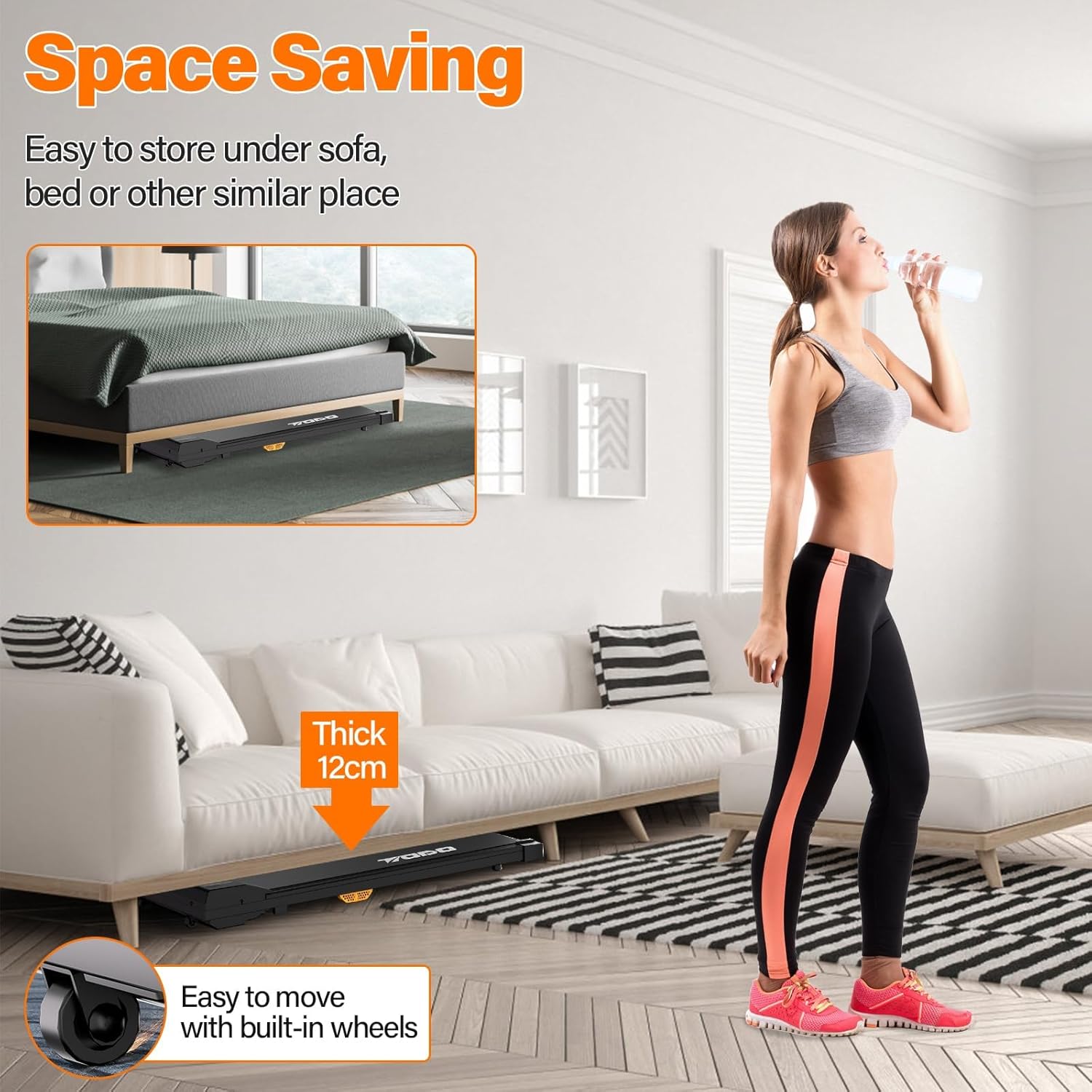
This image demonstrates the treadmill's space-saving capabilities, showing how it can be easily stored under furniture like a sofa. The illustration also points out the built-in wheels, which facilitate effortless movement and storage.
7. Troubleshooting
If you encounter any issues with your TODO T3840-NEW Walking Pad Treadmill, refer to the table below for common problems and solutions.
| Problem | Possible Cause | Solution |
|---|---|---|
| Treadmill does not power on. |
|
|
| Treadmill starts but belt does not move. |
|
|
| Running belt slips or is off-center. |
|
|
| Remote control unresponsive. |
|
|
8. Product Specifications
| Specification | Detail |
|---|---|
| Model Number | T3840-NEW |
| Brand | TODO |
| Motor Power | 550W (equivalent to 2.25 HP) |
| Speed Range | 1 - 8 KM/H |
| Maximum User Weight | 110 KG (242 lbs) |
| Running Belt Dimensions | 104 cm x 39 cm |
| Product Dimensions (L x W x H) | 130 x 57 x 16 cm |
| Folded/Stored Dimensions (L x W x H) | 123 x 50 x 12 cm |
| Product Weight | 18.5 KG |
| Display Type | LCD |
| Display Metrics | Time, Speed, Distance, Calories |
| Frame Material | Metal |
| Color | Black |
| Special Features | Compact Design, Built-in Wheels, Shock Absorption (5-layer belt, silica column) |
| Included Components | Safety Key, Power Cord, User Manual, Remote Control |
9. Warranty and Support
This product comes with a standard manufacturer's warranty. For specific warranty details, including duration and coverage, please refer to the warranty card included with your purchase or contact TODO customer support.
For technical assistance, troubleshooting, or to inquire about replacement parts, please contact TODO customer service through the retailer where you purchased the product or visit the official TODO website for contact information.


