
Introduction
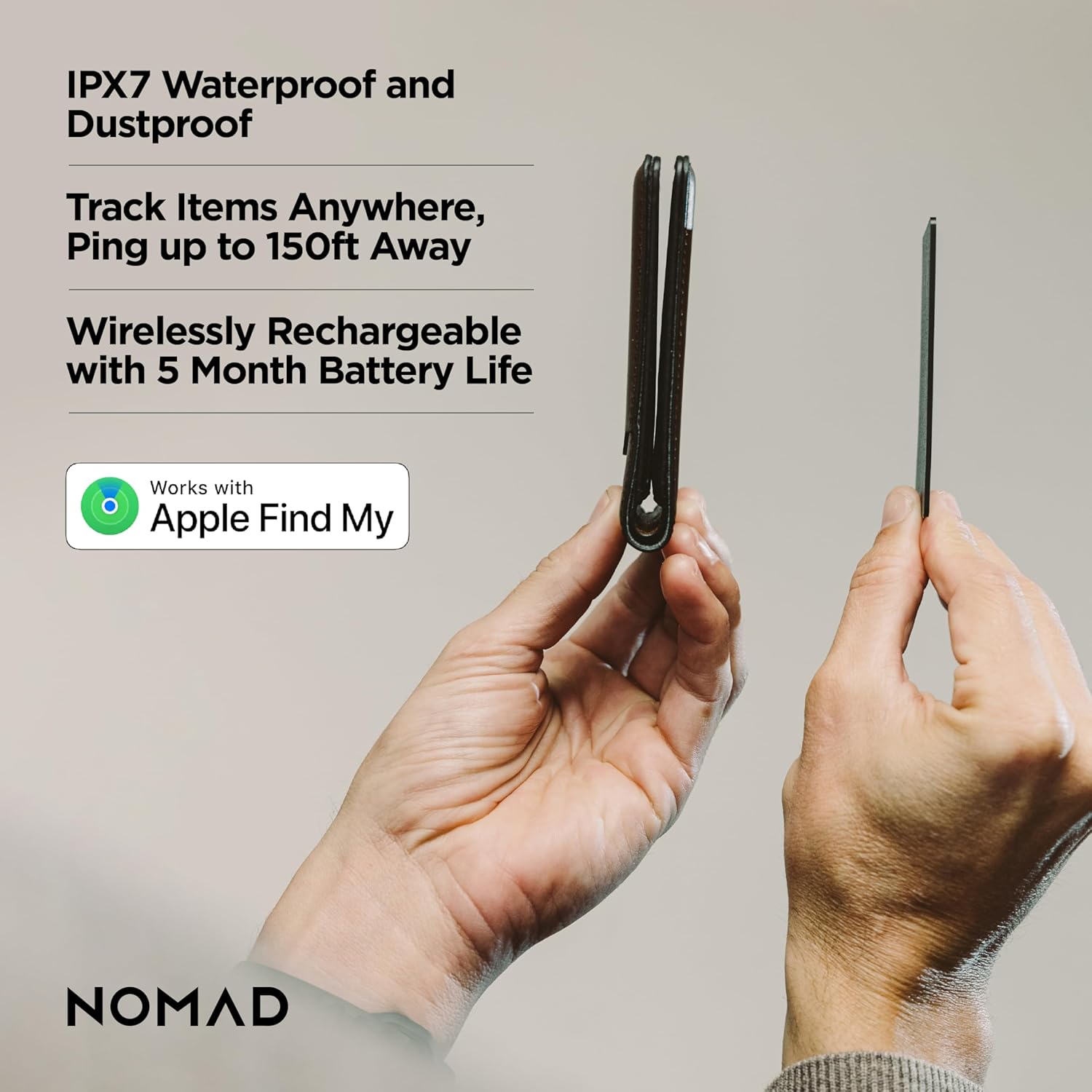
The NOMAD Tracking Card Air Carbide is a remarkably slim, waterproof, and dustproof item tracker designed to help you locate your valuables. Compatible exclusively with iOS devices, it integrates seamlessly with Apple's Find My app, offering a convenient solution for keeping track of your wallet, luggage, or other important items. Its rechargeable battery provides up to 5 months of use on a single charge, combining durability with long-lasting performance.

Video: Official NOMAD video highlighting the slim design and GPS tracking capabilities of the Tracking Card.
Setup Instructions
Follow these steps to pair your NOMAD Tracking Card with your iOS device:
- Power On: Press and hold the button on the Tracking Card for 5 seconds to turn it on.
- Open Find My App: On your iOS device, open the Apple Find My app.
- Add New Item: Navigate to the "Items" tab and tap "Add New Item" (+).
- Connect: Select "Add Other Item." When "Nomad Card" appears in the list, tap it to connect.
- Customize: Follow the on-screen prompts to set a custom name and icon for your Tracking Card.

Video: Official NOMAD video demonstrating the quick and easy setup process for the Tracking Card with the Apple Find My app.
Operating Instructions
Once paired, the NOMAD Tracking Card allows you to locate your items using the Apple Find My network.
- Locate Your Item: Open the Find My app on your iOS device. Select the "Items" tab and choose your Nomad Tracking Card from the list. The app will display its last known location on a map.
- Play Sound: If your item is nearby, tap "Play Sound" in the Find My app to make your Tracking Card emit an audible tune, helping you pinpoint its exact location.
- Lost Mode: If your item is lost or stolen, activate "Lost Mode" in the Find My app. You can leave a message and contact number for anyone who finds it. The Find My network will anonymously and securely help you locate your item.

Maintenance
The NOMAD Tracking Card features a long-lasting, rechargeable battery.
- Charging: The Tracking Card supports wireless charging. Place it on any Qi or MagSafe wireless charger, including upright MagSafe models. A small indicator light on the card will confirm charging status.
- Battery Life: A full charge provides up to 5 months of battery life. You will receive a low battery notification in the Find My app when charging is needed.
- Cleaning: Wipe the card with a soft, dry cloth. Avoid using harsh chemicals or abrasive materials.

Video: An "Inside Look" at the NOMAD Tracking Card, highlighting its design and features, including wireless charging.
Troubleshooting
If you encounter issues with your NOMAD Tracking Card, try the following steps:
- Factory Reset: Most issues can be resolved by performing a factory reset.
- Open the Find My app, navigate to the "Items" tab, and tap your Nomad Tracking Card.
- Scroll to the bottom of the Item Detail card, tap "Remove Item," and follow the instructions.
- On the Tracking Card, press the Find My button 5 times quickly and hold the button on the 5th press.
- Your Tracking Card will play a tune and perform the reset.
- Check Battery: Ensure the card is sufficiently charged. Low battery can affect connectivity and performance.
- iOS Compatibility: Confirm your iOS device is running a compatible version of iOS.
- Find My Network: Ensure your device has an active internet connection to utilize the Find My network.
Specifications
| Model Number | NM011321858 |
| Dimensions | 5.4 x 4.02 x 0.71 inches |
| Weight | 2.71 ounces |
| Battery Life | Up to 5 months (rechargeable) |
| Connectivity | Bluetooth, Wireless Charging |
| Water/Dust Resistance | IPX7 (Waterproof and Dust Proof) |
| Compatibility | iOS Only (Apple Find My app) |
| Material | Plastic |
| Color | Carbide |
Warranty and Support
For warranty information, product support, or to contact customer service, please visit the official NOMAD website or refer to the product packaging.
Online Resources:
- Official NOMAD Store: Visit the NOMAD Store on Amazon