
1. Introduction
This manual provides comprehensive instructions for the Aoleaby Smart Balancer JK BMS B2A24S, an advanced active battery equalizer designed for LiFePo4 and Li-ion battery systems. It ensures optimal battery performance and longevity through active balancing and comprehensive protection features. Please read this manual thoroughly before installation and operation.
2. Product Overview
The Aoleaby Smart Balancer JK BMS B2A24S is an intelligent active balancer equipped with Bluetooth connectivity, enabling real-time monitoring and configuration via a dedicated mobile application.
Key Features:
- JK Own Development APP: Features a dedicated mobile application with Bluetooth communication for precise real-time battery status display and advanced settings.
- JK Active Balance: Actively balances voltage differences between individual battery cells, significantly raising battery usage efficiency to 99% and extending battery life.
- Full Functionality Protection: Provides comprehensive protection against over-charge, over-discharge, over-current, and short circuits. Includes a low-temperature charging cutoff feature.
- Enhanced Safety: Designed for reliable protection, crucial for the longevity and safe operation of your battery system.
- Wide Compatibility: Supports 2S to 24S LiFePo4, Li-ion, and LTO battery systems with an active balance current range of 0.1A to 2A.
Package Contents:
The standard package typically includes:
- 1 x Aoleaby Smart Balancer JK BMS B2A24S unit
- 1 x Wiring harness (for cell connections)
- 1 x Instruction Manual (this document)
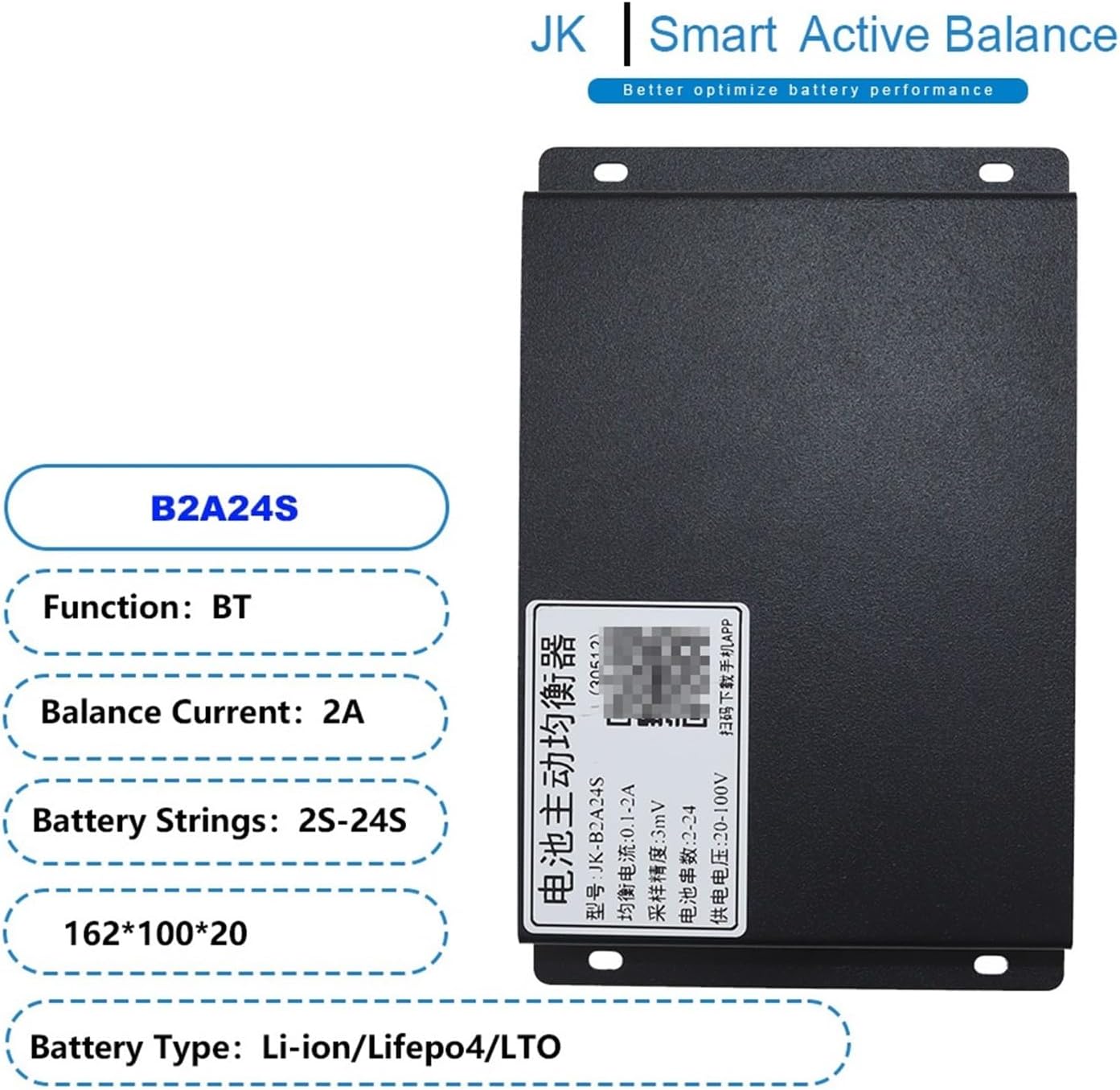
Figure 1: Aoleaby Smart Balancer JK BMS B2A24S unit. The label indicates model (JK-B2A24S), balance current (0.1-2A), sampling accuracy (3mV), battery strings (2-24S), and power supply voltage (20-100V), along with Bluetooth functionality and supported battery types.
3. Setup Instructions
Proper installation is crucial for the safe and effective operation of your Smart Balancer. Incorrect wiring can lead to damage to the device or battery pack.
Wiring Diagram and Connection:
Connect the balancer to your battery pack according to the following guidelines. Ensure all connections are secure and correctly polarized. Refer to the image below for visual guidance on connection ports.
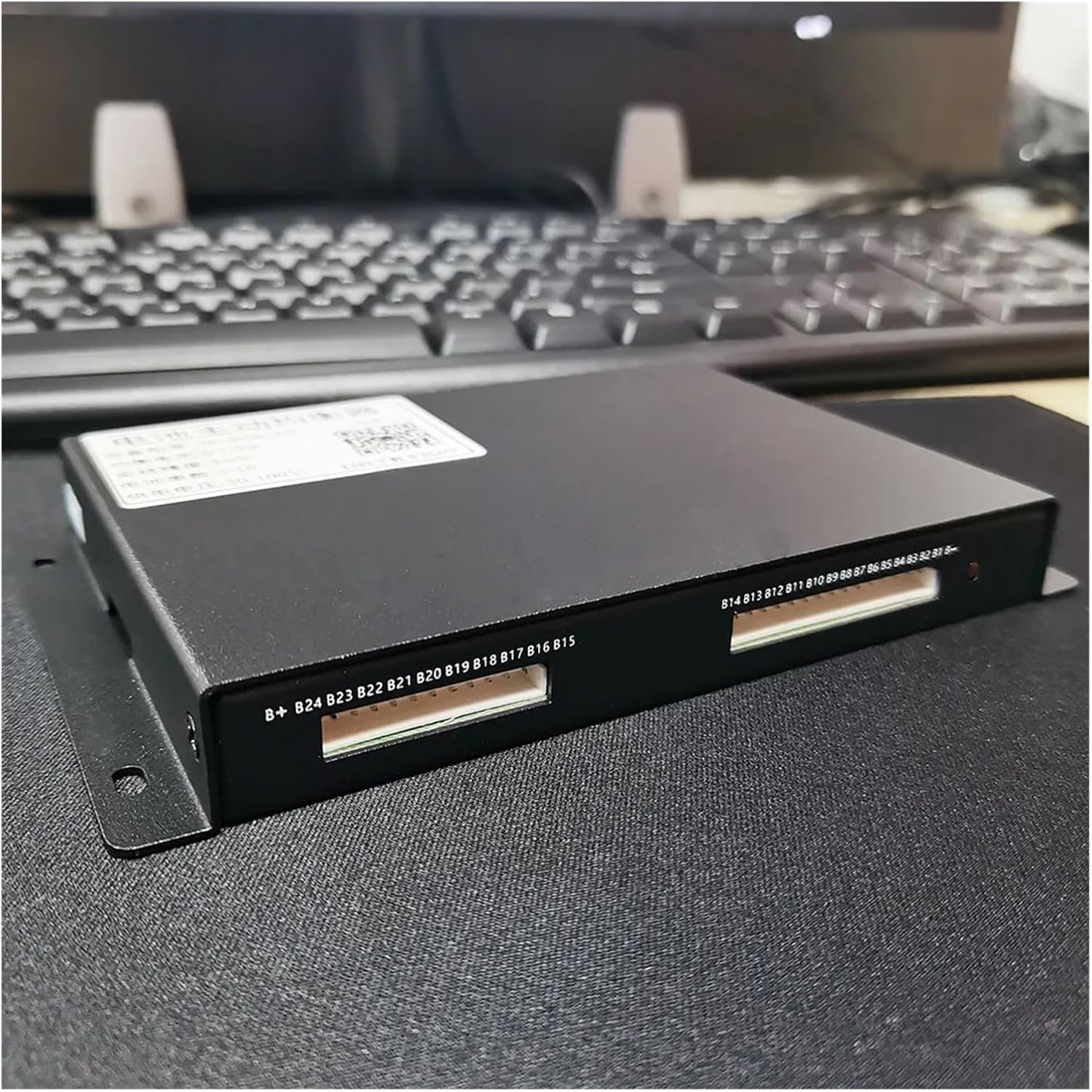
Figure 2: Side view of the Aoleaby Smart Balancer JK BMS B2A24S, showing labeled connection ports for individual battery cells (B1, B2, ..., B24) and main battery terminals (B+, B-).
- Prepare Battery Pack: Ensure your battery pack is completely disconnected from any loads or chargers before beginning the wiring process.
- Connect Cell Wires: Carefully connect the individual cell voltage sensing wires from your battery pack to the corresponding ports on the balancer. It is critical to connect them in the correct sequence, typically starting from B- (the main negative terminal of the battery pack) and proceeding sequentially to B+ (the main positive terminal). Refer to the wiring diagram provided with your battery pack or existing BMS for the exact pinout.
- Power Connection: Some balancer models may require a separate power connection. If applicable, connect the main power supply wires to the balancer as indicated in the product's specific wiring instructions. Many JK BMS models draw power directly from the balance leads.
- Initial Check: After all connections are made, meticulously double-check for correct polarity, secure connections, and proper wire routing before applying power to the battery system.
4. Operating the Smart Balancer
The Aoleaby Smart Balancer is primarily operated and monitored via its dedicated Bluetooth mobile application.
Mobile Application (APP) Usage:
- Download APP: Search for the official "JK BMS" application on your smartphone's app store (available for both iOS and Android devices).
- Enable Bluetooth: Ensure Bluetooth is enabled on your smartphone.
- Connect to Balancer: Open the JK BMS APP. The application should automatically detect nearby JK BMS devices. Select your balancer from the displayed list to establish a Bluetooth connection.
- Monitor Status: Once connected, the APP will display real-time data, including individual battery cell voltages, overall battery voltage, balance current, temperature, and other critical battery status indicators.
- Configure Settings: The APP allows you to adjust various operational parameters such as the balance trigger voltage, maximum balance current, and other advanced settings to optimize performance for your specific battery pack. Refer to the in-app help or specific APP documentation for detailed configuration options.

Figure 3: Screenshots of the JK BMS mobile application interface. The left screen shows real-time cell voltage readings and cell wire resistance, while the right screen displays 'Basic Settings' and 'Advance Settings' for parameters like cell count, balance trigger voltage, and max balance current.
5. Maintenance
The Aoleaby Smart Balancer is designed for reliable operation with minimal maintenance. Adhering to these simple guidelines will help ensure its longevity.
- Regular Inspection: Periodically inspect all wiring connections to the balancer and battery pack for any signs of wear, corrosion, or looseness. Ensure all terminals are clean and secure.
- Cleanliness: Keep the balancer unit clean and free from dust, dirt, and moisture. Use a dry, soft, lint-free cloth for cleaning. Do not use liquid cleaners or solvents.
- Firmware Updates: Check the JK BMS APP periodically for any available firmware updates for your balancer. Installing updates can provide performance improvements, bug fixes, and new features.
- Environmental Conditions: Ensure the balancer operates within its specified temperature and humidity ranges. Avoid exposing the unit to extreme temperatures, direct sunlight, or high humidity, which can lead to damage.
6. Troubleshooting
If you encounter issues with your Smart Balancer, refer to the following common problems and their potential solutions.
- Balancer Not Connecting to APP:
- Ensure Bluetooth is enabled on your smartphone.
- Verify the balancer is powered on and correctly connected to the battery pack.
- Try restarting the APP or your smartphone.
- Ensure you are within close Bluetooth range of the balancer.
- Battery Cells Not Balancing:
- Check individual cell voltage differences via the APP. Balancing typically only activates when cell voltages exceed a set trigger voltage difference.
- Verify all cell sensing wires are correctly connected, secure, and not damaged.
- Ensure the balance current setting in the APP is appropriate for your battery pack.
- Error Messages in APP:
- Consult the APP's help section or the manufacturer's support documentation for specific error code meanings.
- Common errors may relate to over-voltage, under-voltage, over-current, or temperature warnings. Address the underlying battery issue indicated by the error.
- Device Not Powering On:
- Check the main power connections to the balancer.
- Ensure the battery pack has sufficient voltage to power the balancer.
7. Specifications
The following table outlines the technical specifications for the Aoleaby Smart Balancer JK BMS B2A24S and related models.

Figure 4: Comprehensive table of specifications for various JIKONG Smart Active Balancer models, including B2A24S.
General Product Specifications (Model B2A24S):
- Model: B2A24S
- Battery String Support: 2S-24S
- Battery Type Support: Li-ion, LiFePo4, LTO
- Active Balance Current: 0.1A - 2A
- Single Cell Voltage Range: 1V - 5V
- Balance Accuracy: ±3mV
- Voltage Difference After Balancing: ≤3mV
- Power Supply Range: 40V - 100V
- Working Temperature: -20°C to 70°C
- Dimensions: 162mm x 100mm x 20mm
- Weight: 595g
8. Warranty and Support
For warranty information and technical support regarding your Aoleaby Smart Balancer JK BMS B2A24S, please refer to the seller or manufacturer's official channels.
- Manufacturer: Aoleaby
- Seller: HANLing Technology Company (via Amazon)
- Return Policy: Please refer to the return policy provided at the time of purchase (e.g., 30 days via Amazon).
- Contact: For specific support or warranty claims, please refer to your purchase documentation or the seller's contact information on the platform where the product was purchased.