
1. Introduction
This manual provides essential information for the safe and efficient use of your Nubia Neo 2 5G smartphone. Please read this guide thoroughly before operating your device to ensure optimal performance and to prevent damage. Keep this manual for future reference.
2. Package Contents
Verify that your package contains the following items:
- Nubia Neo 2 5G Smartphone
- USB Type-C Cable
- Power Adapter (may vary by region)
- SIM Ejector Tool
- Quick Start Guide
- Safety Information and Warranty Card
If any items are missing or damaged, please contact your retailer.
3. Device Overview
Familiarize yourself with the physical components of your Nubia Neo 2 5G smartphone.
3.1 Front View
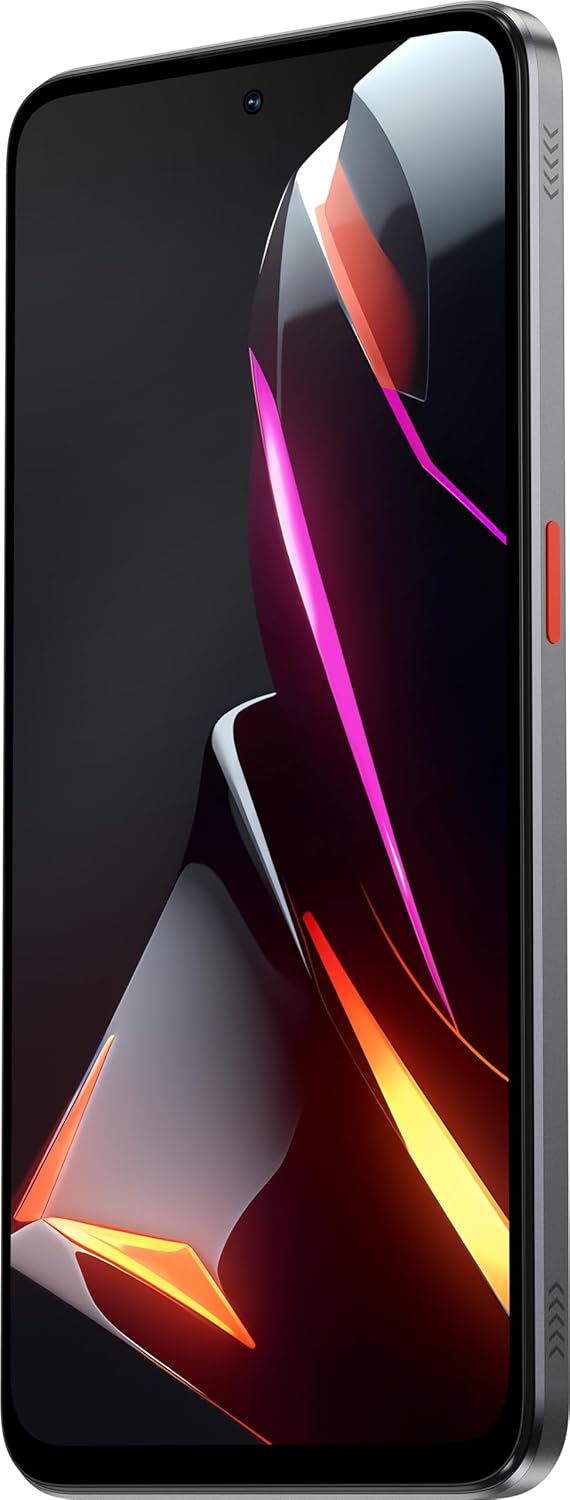
Image: Front view of the Nubia Neo 2 5G, showcasing the large display and front camera cutout.
3.2 Side Views

Image: Right side of the Nubia Neo 2 5G, featuring the power button and volume rocker.
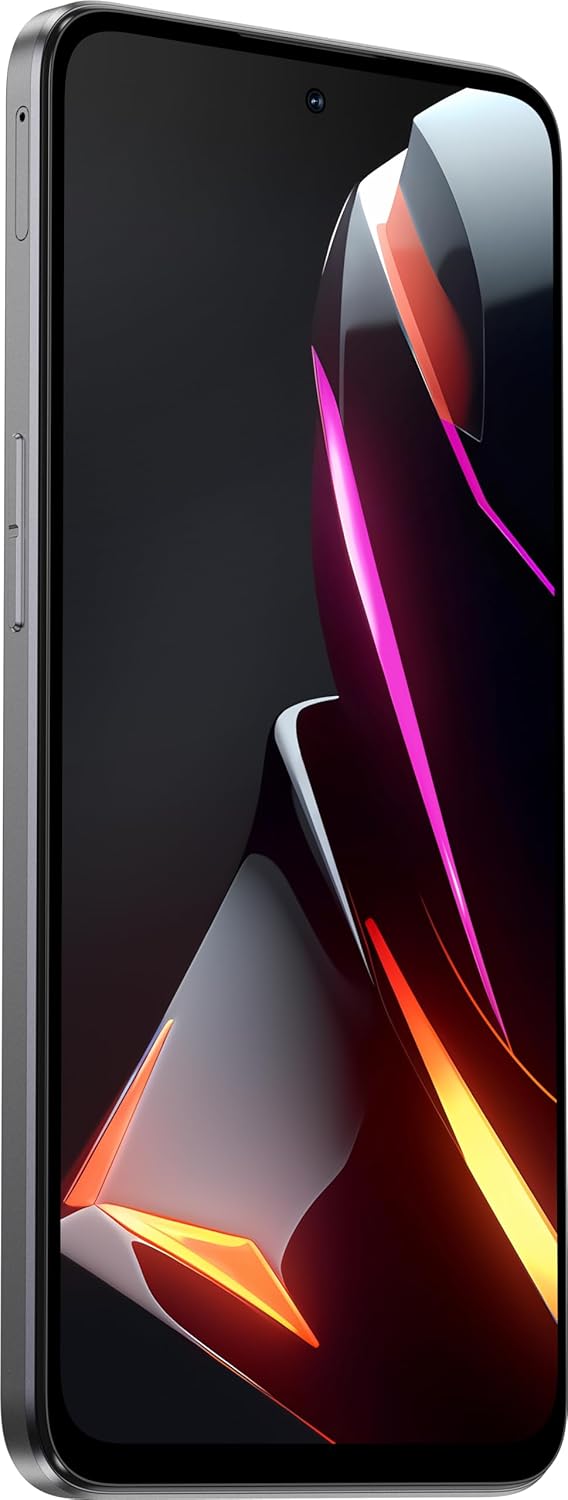
Image: Left side of the Nubia Neo 2 5G, showing the SIM card tray slot.
3.3 Bottom View

Image: Bottom edge of the Nubia Neo 2 5G, displaying the USB Type-C port and speaker grille.
3.4 Rear View

Image: Rear view of the Nubia Neo 2 5G, highlighting the dual camera setup and unique design elements.
4. Setup
4.1 SIM Card and microSD Card Installation
- Locate the SIM card tray on the left side of the device.
- Insert the SIM ejector tool into the small hole next to the tray and press firmly until the tray pops out.
- Place your Nano-SIM card(s) and/or microSD card into the tray with the gold contacts facing down, ensuring they are correctly aligned.
- Carefully push the tray back into the slot until it is flush with the phone's side.
4.2 Initial Power On
- Press and hold the Power button (located on the right side) until the Nubia logo appears.
- Follow the on-screen prompts to select your language, region, and agree to the terms and conditions.
4.3 Basic Setup
- Connect to Wi-Fi: Select your preferred Wi-Fi network and enter the password.
- Google Account: Sign in with your Google account or create a new one to access Google services like the Play Store and Gmail.
- Data Transfer: If you have a previous device, you may be prompted to transfer data.
- Security: Set up a screen lock (PIN, pattern, password, or fingerprint).
5. Operating Your Device
5.1 Navigation
- Home Screen: Swipe left or right to navigate between home screens.
- App Drawer: Swipe up from the bottom of the screen to access all installed applications.
- Notifications Panel: Swipe down from the top of the screen to view notifications and quick settings.
- Recent Apps: Swipe up and hold from the bottom (gesture navigation) or tap the square button (3-button navigation) to see recently used applications.
5.2 Calls and Contacts
- Making a Call: Open the Phone app, enter the number, and tap the call icon.
- Adding Contacts: Open the Contacts app, tap the '+' icon, and enter the contact details.
5.3 Messaging
Open the Messages app to send and receive SMS/MMS messages. Tap the '+' icon to compose a new message.
5.4 Camera Usage
The Nubia Neo 2 5G features a 50MP main camera. Open the Camera app to capture photos and videos.
- Switch Modes: Swipe left or right on the viewfinder to switch between photo, video, portrait, and other modes.
- Zoom: Pinch in or out on the screen, or use the zoom slider.
- Settings: Tap the gear icon to access camera settings for resolution, timer, and more.
5.5 Connectivity
- Wi-Fi: Go to Settings > Network & internet > Wi-Fi to connect to wireless networks.
- Bluetooth: Go to Settings > Connected devices > Bluetooth to pair with Bluetooth accessories.
- Mobile Data: Ensure mobile data is enabled in Settings > Network & internet > Mobile network for internet access via your SIM card.
5.6 Security Features
Protect your device and data using various security options:
- Fingerprint Unlock: Register your fingerprint(s) in Settings > Security > Fingerprint.
- Face Unlock: Set up face recognition for convenient unlocking.
- Screen Lock: Choose between PIN, pattern, or password for basic screen security.
6. Maintenance
6.1 Battery Care
- Avoid extreme temperatures, which can degrade battery life.
- Use the original charger and cable for optimal charging speed and safety.
- Do not leave the phone charging for extended periods after it reaches 100%.
6.2 Software Updates
Regularly check for software updates to ensure your device has the latest features, security patches, and performance improvements.
- Go to Settings > System > System update.
- Connect to a stable Wi-Fi network and ensure your battery is sufficiently charged before starting an update.
6.3 Cleaning Your Device
- Use a soft, lint-free cloth to clean the screen and body.
- Avoid using harsh chemicals, abrasive materials, or aerosol sprays.
- Do not expose the device to excessive moisture.
7. Troubleshooting
If you encounter issues with your device, try the following solutions:
- Device Not Turning On: Ensure the battery is charged. Connect the charger and wait a few minutes before attempting to power on again.
- Apps Crashing/Freezing: Close the problematic app from recent apps and reopen it. If the issue persists, restart your phone.
- Network Issues (No Signal/Wi-Fi): Check if Airplane Mode is off. Restart your device. For mobile data, ensure your SIM card is properly inserted and your plan is active. For Wi-Fi, try forgetting the network and reconnecting.
- Slow Performance: Close unnecessary background apps. Clear cache from apps in Settings > Apps > [App Name] > Storage & cache > Clear cache. Consider freeing up storage space.
- Battery Draining Quickly: Reduce screen brightness, disable unnecessary features like GPS or Bluetooth when not in use, and identify power-hungry apps in battery settings.
If problems persist, consider performing a factory reset (back up your data first) or contact customer support.
8. Specifications
| Feature | Specification |
|---|---|
| Model Name | Nubia Neo 2 |
| Operating System | Android 13.0 |
| Display | 6.72 inches FHD+ Hole Display, 2400 x 1080 Resolution, 120 Hz Refresh Rate |
| Processor | T820 Octa-Core (Up to 2.7GHz) |
| RAM | 8 GB (with 12 GB Dynamic RAM) |
| Internal Storage | 256 GB |
| Rear Camera | 50 MP AF + 2 MP FF |
| Battery | 5200 mAh, Supports 33W Fast Charging |
| Connectivity | Wi-Fi, Cellular (5G), Bluetooth |
| Ports | USB Type-C |
| Special Features | Dual SIM Support, Fast Charging |
| Color | Gray |
| Item Model Number | 123437401035 |
9. Safety Information
- Do not attempt to disassemble, repair, or modify the device yourself.
- Use only approved chargers and accessories.
- Avoid exposing the device to extreme temperatures, direct sunlight, or liquids.
- Dispose of the device and its battery responsibly according to local regulations.
- Maintain a safe distance from medical implants when using the device.
10. Warranty and Support
Your Nubia Neo 2 5G smartphone is covered by a limited warranty. Please refer to the warranty card included in your package for specific terms and conditions, including warranty period and coverage details.
For technical support, service, or further inquiries, please visit the official Nubia website or contact your local authorized service center. Keep your proof of purchase for warranty claims.


