
Introduction
This manual provides essential information for setting up, operating, and maintaining your Nubia Flip 5G smartphone. Please read this guide thoroughly to ensure proper use and to maximize the device's features. Keep this manual for future reference.
What's in the Box
Upon unboxing your Nubia Flip 5G, verify that all the following items are present:
- Nubia Flip 5G Smartphone
- USB Cable
- Power Adapter
- Headset
- SIM Ejector Tool
- Quick Start Guide (separate document, not included in this digital manual)
Device Layout
Familiarize yourself with the physical components and buttons of your Nubia Flip 5G.

Figure 1: Overview of the Nubia Flip 5G in various states and angles, highlighting its foldable design and external features.
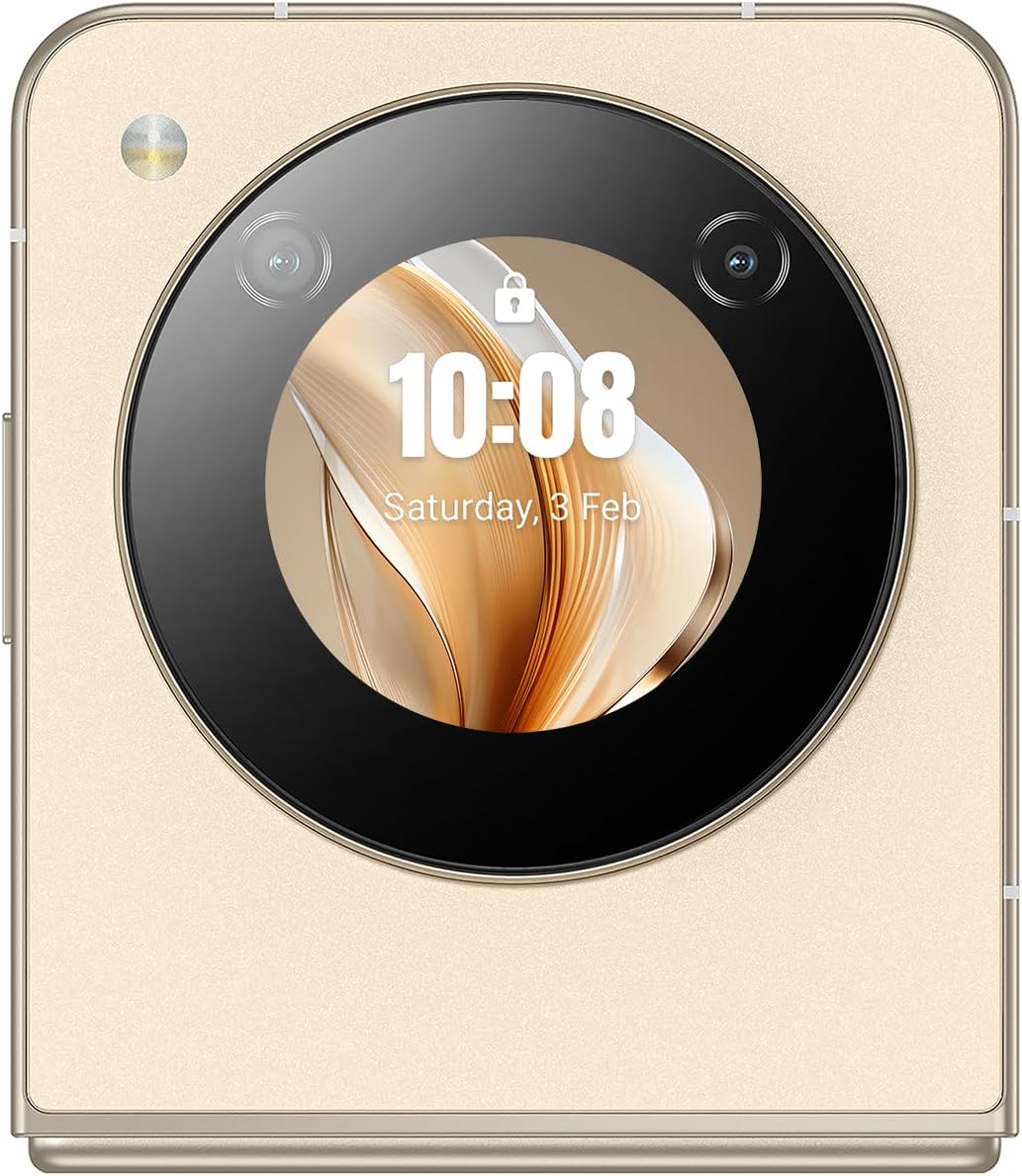
Figure 2: Detailed side view of the Nubia Flip 5G, illustrating the placement of the power button (which often integrates a fingerprint sensor), volume control buttons, and the USB-C charging/data port.
- Main Display: The primary 6.9-inch foldable screen.
- Cover Screen: A circular external display for quick information and interactions when folded.
- Power Button/Fingerprint Sensor: Located on the side, used to power on/off and unlock the device.
- Volume Buttons: Adjust media and call volume.
- USB-C Port: For charging and data transfer.
- SIM Card Tray: Slot for inserting Nano-SIM cards.
- Main Camera: High-resolution camera system on the rear.
- Front Camera: Camera located on the main display for selfies and video calls.
Setup
1. Insert SIM Card
- Locate the SIM card tray on the side of the device.
- Insert the SIM ejector tool into the small hole next to the tray to open it.
- Place your Nano-SIM card(s) into the tray with the gold contacts facing down. The Nubia Flip 5G supports Dual SIM functionality.
- Carefully push the tray back into the slot until it is flush with the device body.
2. Initial Power On
Press and hold the Power button until the Nubia logo appears on the screen. The device will boot up.
3. Basic Setup
Follow the on-screen prompts to complete the initial setup process. This typically includes:
- Selecting your language.
- Connecting to a Wi-Fi network.
- Signing in with your Google account.
- Setting up screen lock (PIN, pattern, password, or fingerprint).
- Reviewing and accepting terms and conditions.
Operating Your Device
1. Folding and Unfolding
The Nubia Flip 5G features a durable hinge mechanism designed for frequent folding and unfolding. Always unfold the device gently and avoid applying excessive pressure to the screen crease.

Figure 3: The Nubia Flip 5G in its fully unfolded state, ready for full-screen interaction.
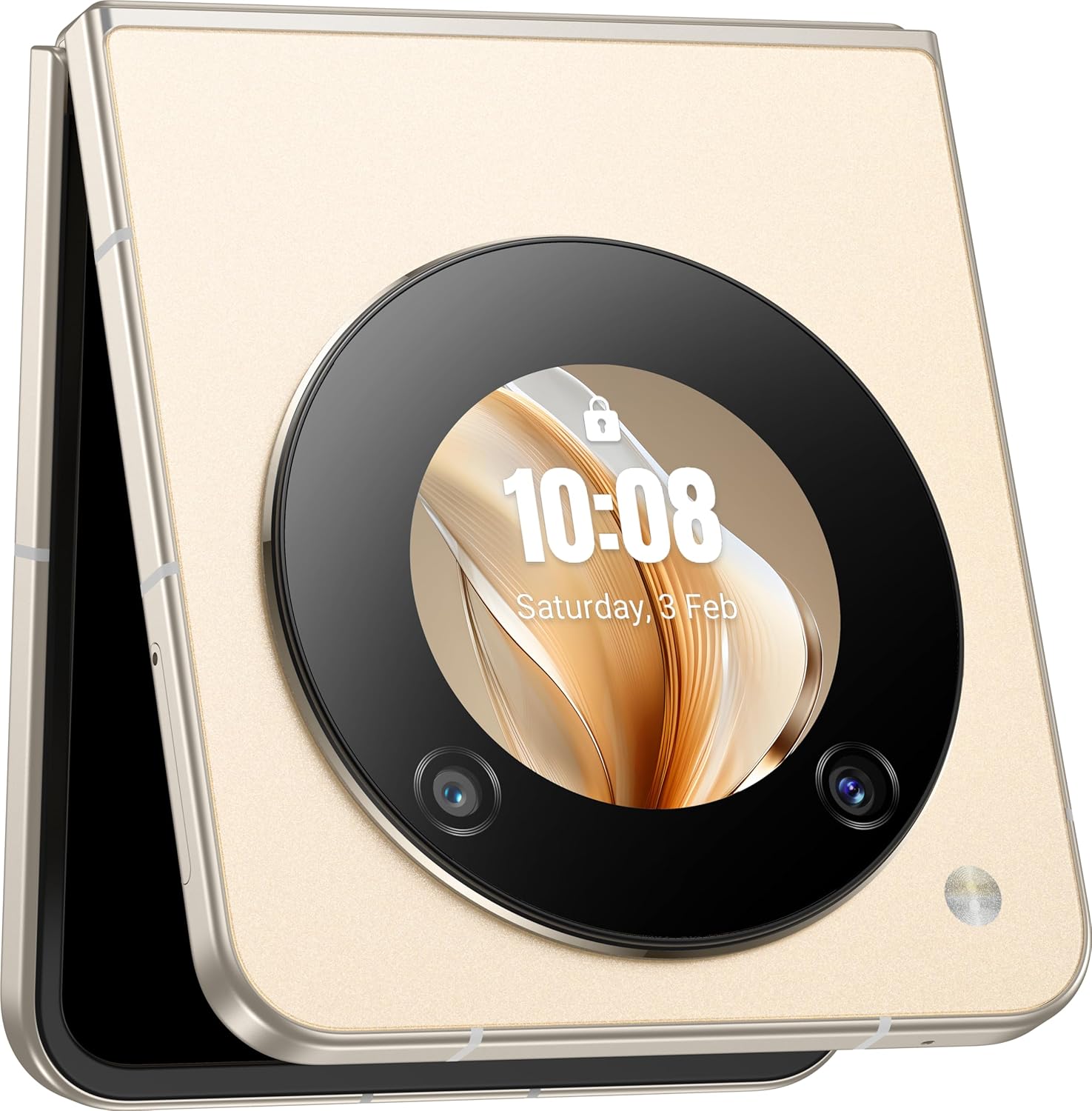
Figure 4: The Nubia Flip 5G in its compact, folded state, showcasing the functional cover screen.
2. Main Display Usage
When unfolded, the 6.9-inch FHD+ display provides a full smartphone experience. Navigate using touch gestures, access apps, browse the internet, and enjoy multimedia content.
3. Cover Screen Usage
The circular cover screen allows for quick access to notifications, time, date, and other widgets without unfolding the phone. It can also be used for quick selfies with the main camera.

Figure 5: The cover screen displaying a live preview for taking selfies using the high-resolution main camera.
4. Camera Functions
The device features a 50 MP main camera and a front camera. Access the camera app to capture photos and videos. Utilize various modes such as Portrait, Night, and Pro mode for enhanced photography.

Figure 6: The Nubia Flip 5G in a flexed position, demonstrating its utility for hands-free video calls or content viewing.
5. Connectivity
- 5G Network: Enjoy high-speed mobile data connectivity. Ensure your SIM card and plan support 5G.
- Wi-Fi: Connect to wireless networks for internet access. Go to Settings > Network & internet > Wi-Fi.
- Bluetooth: Pair with wireless headphones, speakers, and other Bluetooth devices. Go to Settings > Connected devices > Bluetooth.
- NFC: Use Near Field Communication for contactless payments and quick data sharing.
6. Battery Management
The Nubia Flip 5G is equipped with a 4310 mAh battery and supports 33W fast charging. To optimize battery life:
- Adjust screen brightness.
- Disable unused connectivity features (Wi-Fi, Bluetooth, GPS).
- Close background applications.
- Utilize battery saver modes.
Maintenance
1. Cleaning Your Device
Use a soft, lint-free cloth to clean the screen and body of your phone. Avoid abrasive materials or harsh chemicals. For the foldable screen, wipe gently from the center outwards.
2. Software Updates
Regularly check for and install software updates to ensure your device has the latest features, security patches, and performance improvements. Go to Settings > System > System update.
3. Storage Management
With 256 GB of internal storage, you have ample space for apps and media. Periodically review your storage usage and delete unnecessary files or apps to maintain optimal performance. Go to Settings > Storage.
Troubleshooting
Common Issues & Solutions
- Device not turning on: Ensure the battery is charged. Connect to the power adapter and try again.
- Apps crashing: Clear the app's cache (Settings > Apps > [App Name] > Storage & cache > Clear cache) or reinstall the app.
- Poor network signal: Check your SIM card insertion. Move to an area with better network coverage.
- Screen unresponsive: Restart the device by holding the Power button.
Factory Reset
Warning: A factory reset will erase all data from your device. Back up important data before proceeding.
To perform a factory reset, go to Settings > System > Reset options > Erase all data (factory reset).
Specifications
| Feature | Detail |
|---|---|
| Model Name | Nubia Flip |
| Model Number | 123434301000 |
| Operating System | Android 13.0 |
| Processor | Qualcomm Snapdragon 7 Gen1, Octa-Core, 2.4 GHz |
| RAM | 8 GB |
| Internal Storage | 256 GB |
| Main Display | 6.9 Inch FHD+ (1080 x 1920), 120 Hz Refresh Rate |
| Main Camera | 50 MP |
| Front Camera | 50M AF 2M FF |
| Battery Capacity | 4310 mAh |
| Charging | 33W Fast Charging Support |
| Connectivity | 5G, Wi-Fi, Bluetooth, NFC, USB-C |
| Dimensions (folded) | Approximately 8.5 x 7.55 x 1.4 cm (estimated from unfolded dimensions) |
| Dimensions (unfolded) | 17 x 7.55 x 0.7 cm |
| Weight | 209 g |
| Special Features | Dual SIM, Foldable Screen, Cover Screen |
Safety Information
Please observe the following safety guidelines to prevent damage to your device or injury to yourself:
- Do not expose the device to extreme temperatures, direct sunlight, or moisture.
- Avoid dropping or subjecting the device to severe impact.
- Use only approved chargers and accessories.
- Do not attempt to disassemble or repair the device yourself.
- Keep the device away from medical implants, as it contains magnets.
- Dispose of the device and its battery responsibly according to local regulations.
Warranty and Support
Your Nubia Flip 5G comes with a standard manufacturer's warranty. For detailed warranty terms and conditions, please refer to the warranty card included in your product packaging or visit the official Nubia website.
For technical support, troubleshooting assistance, or service inquiries, please contact Nubia customer support through their official channels. You may find contact information on the Nubia website or in your product documentation.
Online Resources: For additional support and FAQs, visit the official Nubia website.


