
LeMotech 19V 120W Charger (5.5x2.5mm)
LeMotech 19V 120W UL Listed Charger User Manual
Model: 19V 120W Charger (5.5x2.5mm)
1. Product Overview
The LeMotech 19V 120W UL Listed Charger is a high-quality, reliable power adapter designed to provide stable and efficient power to a variety of electronic devices. Featuring a 5.5mm x 2.5mm DC connector, it is compatible with many Mini PCs, laptops, monitors, projectors, and NAS storage systems. Its compact and lightweight design makes it ideal for both home and travel use, while built-in safety features ensure protection against common electrical issues.

Image 1.1: The LeMotech 19V 120W UL Listed Charger, showing the main adapter unit and its accompanying power cords.
2. Specifications
| Feature | Detail |
|---|---|
| Input Voltage | 100V-240V ~ 1.4A, 50-60Hz |
| Output Voltage | 19V --- 6.32A (19.5V 6.15A) |
| Max Wattage | 120W |
| Connector Type | 5.5mm x 2.5mm DC Plug |
| Dimensions (Adapter) | Approx. 3.7in (96mm) x 2.5in (64mm) x 0.8in (22mm) |
| Item Weight | Approx. 0.88lb (399.8g) |
| Certifications | UL Listed, RoHS, FCC, CE |
| Material | Premium ABS and PC |
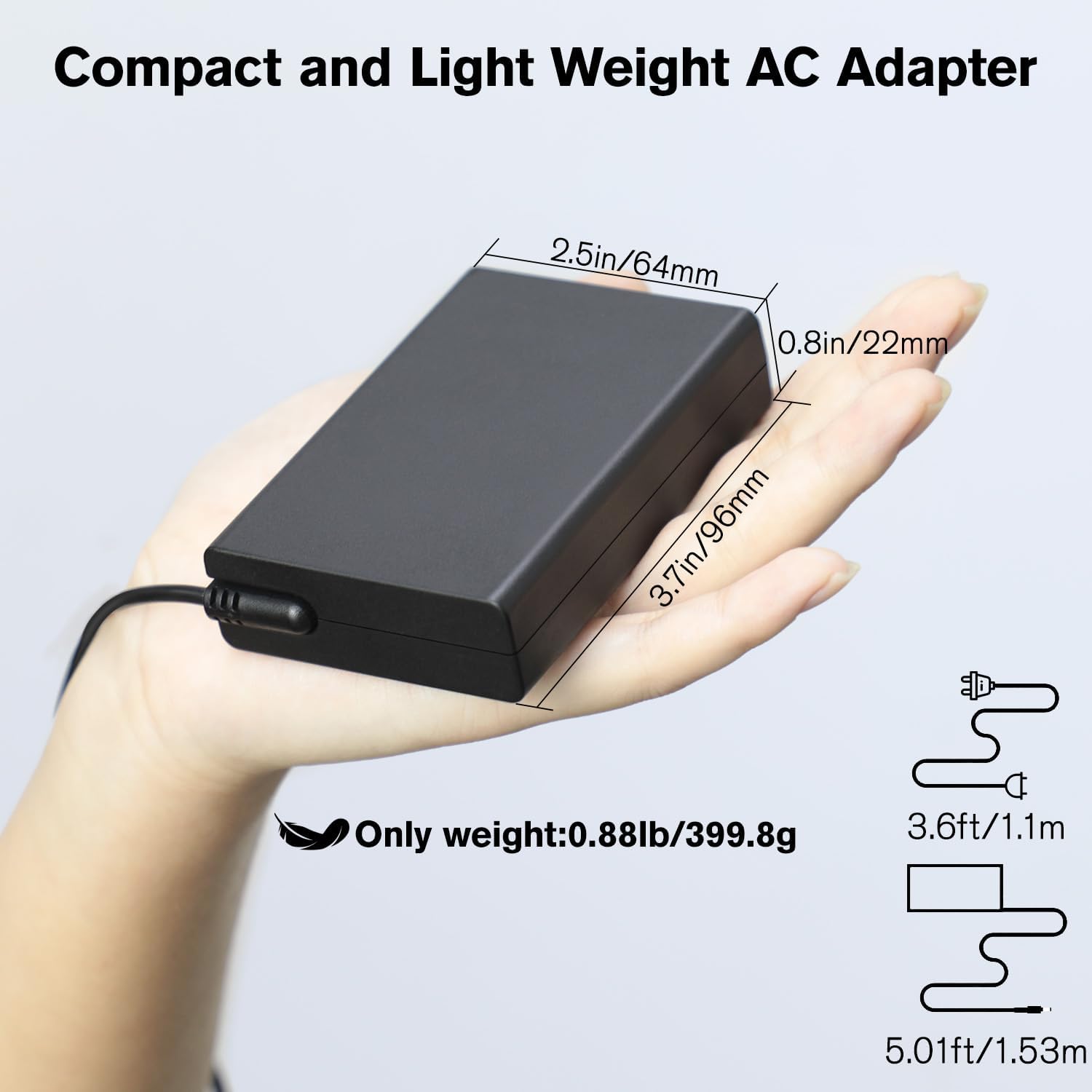
Image 2.1: Physical dimensions and weight of the LeMotech AC Adapter, highlighting its compact and lightweight design.
3. Setup and Connection
Follow these steps to properly set up and connect your LeMotech charger:
- Verify Compatibility: Before connecting, ensure your device requires a 19V-19.5V input and has a 5.5mm x 2.5mm DC power input port. This charger is designed for specific devices and may not be compatible with others.
- Connect to Device: Insert the DC output plug (5.5mm x 2.5mm) of the charger firmly into the power input port of your Mini PC, laptop, monitor, projector, or NAS storage device.
- Connect to Power Outlet: Plug the AC input cable into the charger's AC inlet, then plug the other end of the AC cable into a standard 100V-240V wall power outlet.
- Power On: Once connected, your device should begin charging or power on.

Image 3.1: Illustration of the 5.5mm x 2.5mm connector type, emphasizing its compatibility and distinguishing it from incompatible connector sizes.

Image 3.2: Visual representation of the charger's main compatibility with various devices such as Mini PCs, laptops, monitors, projectors, and NAS storage units.
4. Operating Instructions
The LeMotech charger operates automatically once connected. It provides a stable power supply to your compatible device. No manual adjustments are typically required for standard operation.
- Charging Indicator: Some devices may have an LED indicator to show charging status. Refer to your device's manual for details.
- Optimal Performance: For best performance, ensure the charger is placed in a well-ventilated area to prevent heat buildup.
- Disconnecting: Always disconnect the charger from the wall outlet before disconnecting it from your device, especially if the device is still powered on.

Image 4.1: Close-up details of the charger, illustrating its built-in connector for reduced wear, durable shell for fire resistance, and copper interface for stable current output.
5. Maintenance and Care
Proper maintenance ensures the longevity and safe operation of your charger:
- Cleaning: Use a soft, dry cloth to clean the charger. Do not use liquid cleaners or aerosols.
- Storage: When not in use, store the charger in a cool, dry place away from direct sunlight and extreme temperatures.
- Cable Care: Avoid bending or crimping the cables excessively. Do not place heavy objects on the cables.
- Safety: Do not attempt to disassemble or modify the charger. Keep it away from water and high humidity.
6. Troubleshooting
If you encounter issues with your LeMotech charger, refer to the following common problems and solutions:
- Charger Not Providing Power:
- Ensure both the AC input cable and DC output plug are securely connected to the charger and your device, respectively.
- Verify the wall outlet is functioning by testing it with another device.
- Check if the charger or device is overheating. Disconnect and allow to cool if necessary.
- Device Not Charging:
- Confirm that your device's power input specifications (voltage, amperage, connector size) match those of the LeMotech charger.
- Try restarting your device.
- If possible, test the charger with another compatible device to isolate the issue.
- Unusual Noises or Smells:
- Immediately disconnect the charger from the power outlet and your device. Do not use it again. Contact customer support.
The LeMotech charger is equipped with intelligent protection features to safeguard your devices and the charger itself:
- Overvoltage Protection: Prevents damage from excessive voltage input.
- Overcurrent Protection: Protects against damage from excessive current flow.
- Short Circuit Protection: Automatically shuts down in case of a short circuit.
- Overheating Protection: Prevents the charger from reaching unsafe temperatures.

Image 6.1: Diagram illustrating the intelligent protection features of the LeMotech charger, including overvoltage, overcurrent, short circuit, and overheating protection.
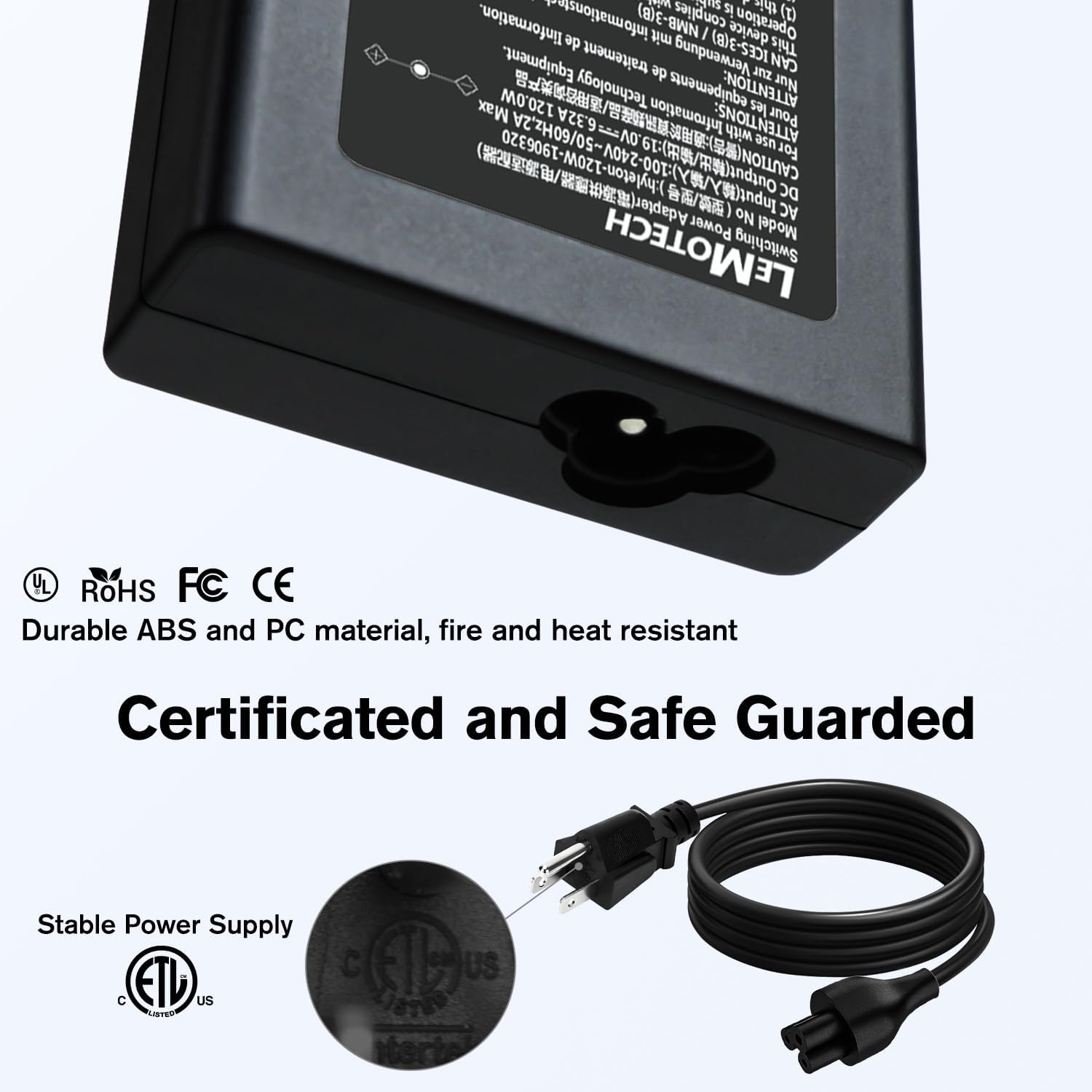
Image 6.2: Visual representation of the charger's certifications (UL, RoHS, FCC, CE), indicating its adherence to safety and quality standards.
7. Warranty and Support
LeMotech stands behind the quality of its products. For any issues or inquiries, please contact LeMotech customer support.
- Return Policy: This product is typically eligible for a 30-day return for refund or replacement, subject to the retailer's policy.
- Protection Plans: Extended protection plans may be available for purchase separately to cover your product beyond the standard return period. Please check with your retailer for options like 2-Year or 3-Year Protection Plans.
- Manufacturer: LeMotech
- Contact: Refer to the LeMotech official website or your purchase platform for direct customer support contact information.
Ask a question about this manual
Ask about setup, troubleshooting, compatibility, parts, safety, or missing instructions. Manuals+ will review the question and use this page’s manual context to help answer it.