
1. Introduction and Overview
The DEWENWILS 200W Low Voltage Landscape Transformer is designed to convert standard 120V AC household voltage to a safe 12V or 14V AC output, making it ideal for various outdoor lighting applications. This versatile and weatherproof unit features a photocell sensor and multiple timer modes to efficiently manage your landscape lighting, including spot lights, steplights, and garden lights. Its robust construction ensures durability against outdoor elements, while built-in circuit protection safeguards your lighting system.
2. Product Features
- Versatile & Safe: Converts 120V AC to 12V/14V AC, compatible with various 12/14V outdoor lighting fixtures. Includes a removable and replaceable photocell sensor with a 6.8ft cord for flexible installation.
- 5 Setting Modes: Offers Manual ON/OFF, Dusk to Dawn, Dusk ON/Countdown OFF (2/3/4/6/8 hours), Dusk ON/Timer OFF, and Timer ON/OFF modes. Features a clear LED screen and simple button operation for energy conservation.
- Circuit Protection & Memory Function: Built-in circuit protection disconnects during faults to protect lights. A memory function retains the last selected mode after power cycling.
- Durable & Weather-resistant: Constructed from sturdy, professional-grade PC material to withstand wind, rain, and sunlight. Features an internal toroidal coil for low energy consumption and noise, and fan heat treatment for prolonged lifespan.
- Easy Installation: Designed with built-in hanging holes for simple wall mounting. Includes a 3.3ft SJTW 18AWG 3/C power cord. Optimal mounting height is 12" to 48" (0.3m to 1.2m).
3. What's in the Box
- 1 x DEWENWILS 200W Low Voltage Landscape Transformer
- 1 x Photocell Sensor (pre-attached with 6.8ft cord)
- 1 x 3.3ft SJTW 18AWG 3/C Power Cord (pre-attached)
- Mounting Hardware (screws, anchors)
- Instruction Manual
4. Setup & Installation
Follow these steps for proper installation of your DEWENWILS landscape transformer:
4.1 Mounting the Transformer
The transformer should be mounted vertically on a wall or sturdy surface using the built-in hanging holes. Ensure the mounting height is between 12 inches (0.3m) and 48 inches (1.2m) from the ground for optimal performance and accessibility. Use the provided mounting hardware.
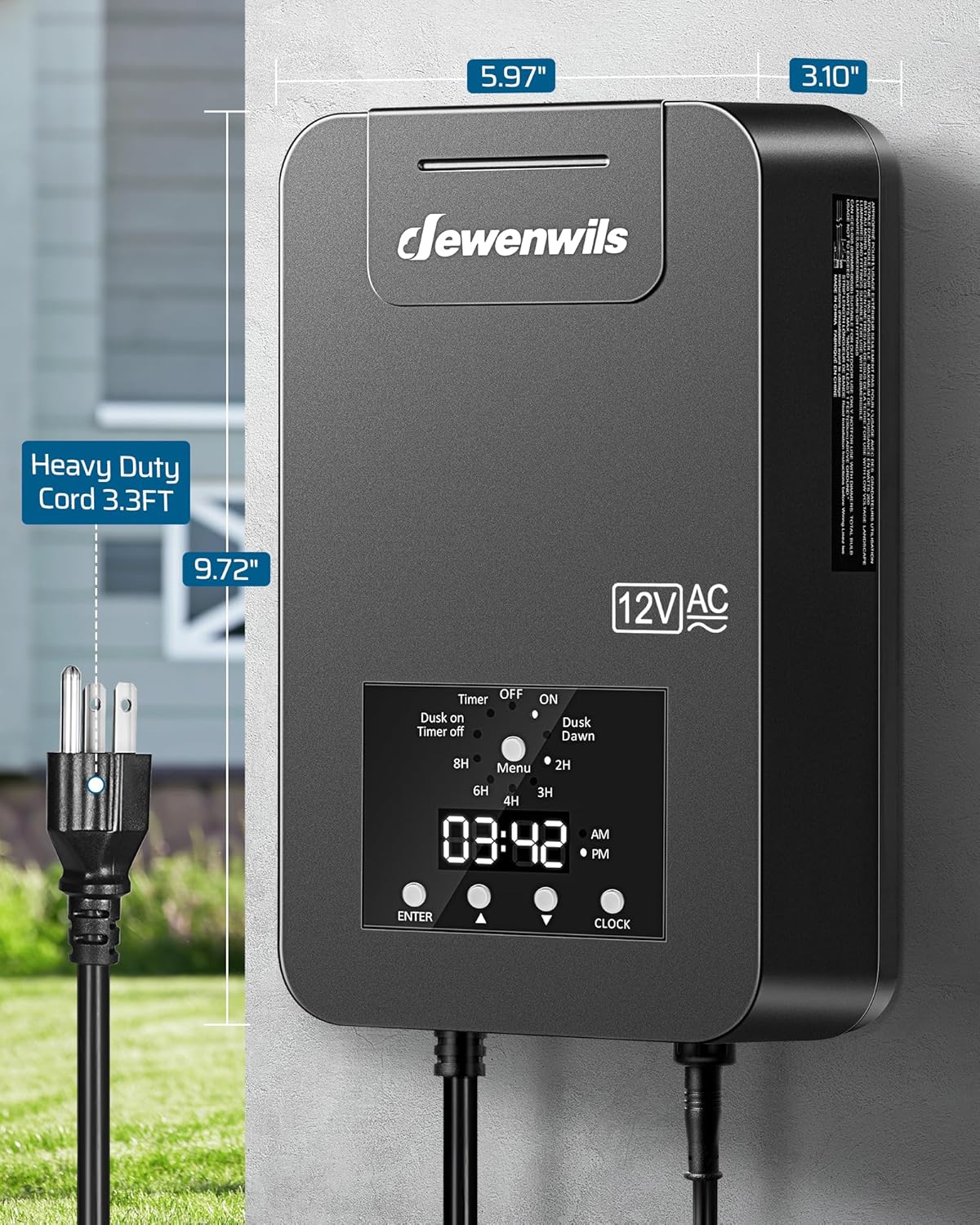
Figure 1: Transformer mounted on a wall, highlighting its dimensions and the attached 3.3ft heavy-duty power cord.

Figure 2: Step-by-step guide for connecting wires to the terminal blocks and mounting the transformer.
4.2 Wiring Connections
The transformer features two terminal output ends (COM, 12V, 14V) allowing for flexible wiring of your landscape lights. Connect the positive and negative poles of your lamps to the appropriate terminal blocks. Ensure all connections are secure and properly insulated.

Figure 3: Detailed view of the wiring connections, illustrating the common (COM), 12V, and 14V output terminals. The photocell sensor is also visible.
The transformer converts 120V AC input to a safe 12V/14V AC output for your low-voltage lighting system. This conversion protects your landscape lights from high voltage fluctuations.

Figure 4: Visual representation of the low voltage conversion process within the transformer.
4.3 Photocell Sensor Placement
The removable photocell sensor should be placed in an area that receives natural light, free from obstructions or artificial light sources that could interfere with its operation (e.g., porch lights, streetlights). This ensures accurate dusk-to-dawn detection.
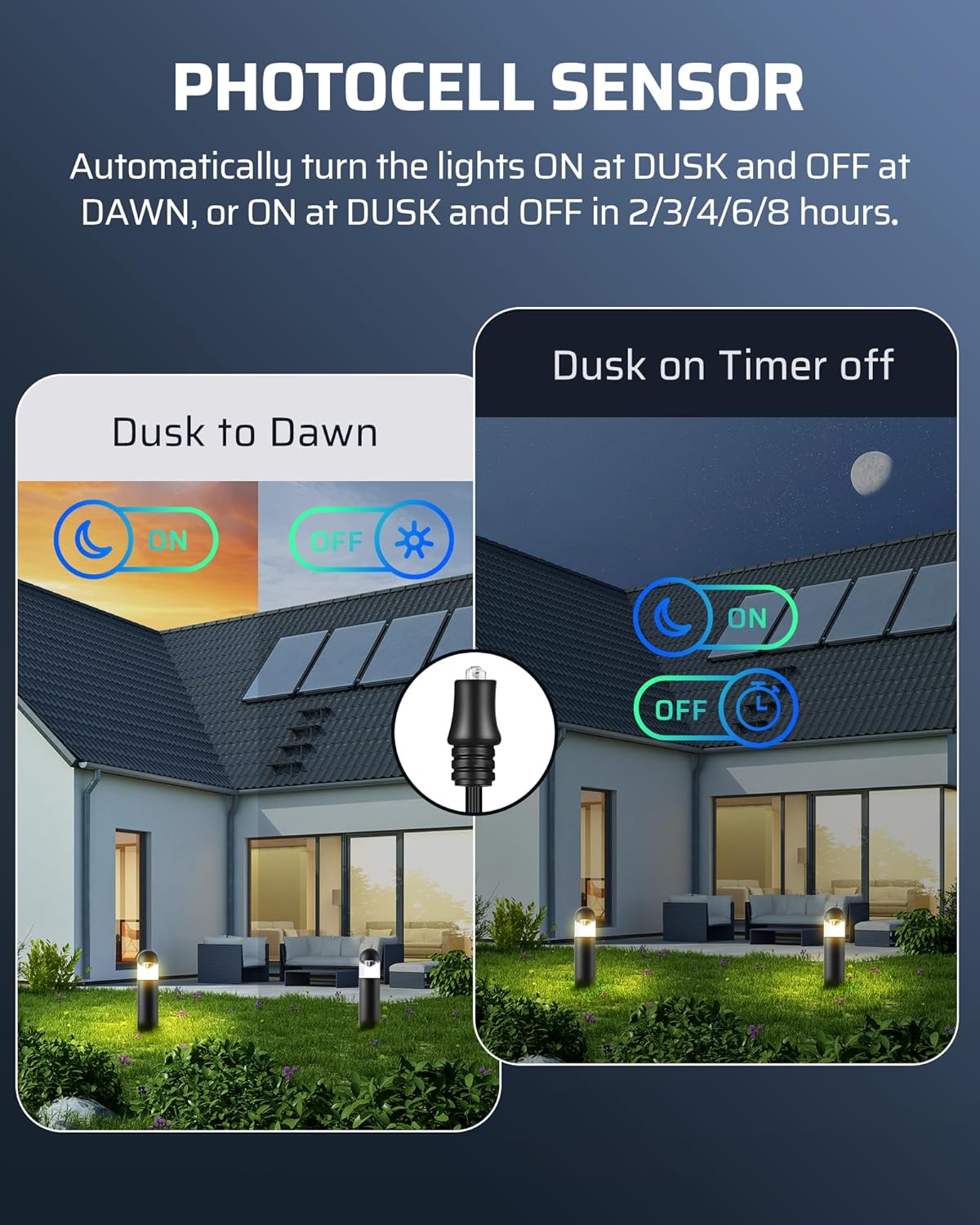
Figure 5: Illustration of the photocell sensor's operation for automatic light control.
No official product videos from the seller were available for direct embedding in this manual. Please refer to the detailed images and text instructions for setup and installation.
5. Operating Modes
The transformer offers five distinct operating modes to suit your lighting needs. Use the clear LED screen and simple buttons to navigate and select your preferred mode.

Figure 6: Overview of the five easy-to-operate modes available on the transformer.
- Manual ON/OFF: Manually turn your lights on or off as desired.
- Dusk to Dawn: Lights automatically turn on at dusk and off at dawn, controlled by the photocell sensor.
- Dusk ON/Countdown OFF: Lights turn on at dusk and automatically turn off after a set duration (2, 3, 4, 6, or 8 hours).
- Dusk ON/Timer OFF: Lights turn on at dusk and turn off at a specific time you set.
- Timer ON/OFF: Lights turn on and off at specific times you set, regardless of ambient light.
The memory function ensures that the transformer retains your last selected mode even after a power interruption, eliminating the need for frequent re-adjustment.
6. Specifications
| Attribute | Value |
|---|---|
| Model Number | HALT04A |
| Package Dimensions | 12.28 x 8.35 x 4.72 inches |
| Item Weight | 7.17 Pounds |
| Input Voltage | 120V AC |
| Output Voltage | 12V/14V AC |
| Max Power Rating | 200W |
| Power Source | AC |
| Mounting Type | Wall Mount |
| Frequency | 60 Hz |
| Manufacturer | DEWENWILS |
| Country of Origin | China |
7. Maintenance
The DEWENWILS transformer is designed for durability and minimal maintenance. To ensure optimal performance and longevity:
- Regular Cleaning: Periodically wipe down the exterior of the transformer with a damp cloth to remove dirt and debris. Ensure the photocell sensor is clean and free from obstructions.
- Connection Check: Annually inspect all wiring connections to ensure they remain tight and free from corrosion.
- Environmental Protection: While weatherproof, avoid prolonged submersion in water. Ensure proper drainage around the installation area.
8. Troubleshooting
If you encounter issues with your landscape lighting system, consider the following troubleshooting steps:
- No Power/Lights Not Turning On:
- Check the main power supply to the transformer.
- Verify that the circuit breaker on the transformer has not tripped. If it has, troubleshoot any short circuits in your lighting system, then reset the breaker.
- Ensure the photocell sensor is clean and exposed to sufficient light (for "Dusk to Dawn" or "Dusk ON" modes) or darkness (for "Timer ON" modes).
- Confirm that the selected operating mode is correct for your desired schedule.
- Lights Not Turning Off:
- In "Dusk to Dawn" mode, ensure the photocell sensor is receiving adequate light at dawn. Check for any artificial light sources illuminating the sensor.
- For timed modes, verify that the timer settings are correctly configured.
- Flickering Lights:
- Check for loose connections at the transformer terminals or at the light fixtures.
- Ensure the total wattage of your connected lights does not exceed the transformer's 200W capacity.
If issues persist after following these steps, please contact DEWENWILS customer support.
9. Warranty & Support
DEWENWILS products are designed for reliability and performance. For any questions, technical assistance, or warranty inquiries, please visit the official DEWENWILS store on Amazon or contact their customer support directly. Keep your purchase receipt for warranty claims.
For more information, visit the DEWENWILS Store.