
1. Introduction
This manual provides detailed instructions for the safe installation, operation, and maintenance of your Ensenior 6 Inch Gimbal LED Recessed Lights. Please read this manual thoroughly before installation and retain it for future reference. Proper installation and adherence to safety guidelines are crucial for optimal performance and user safety.
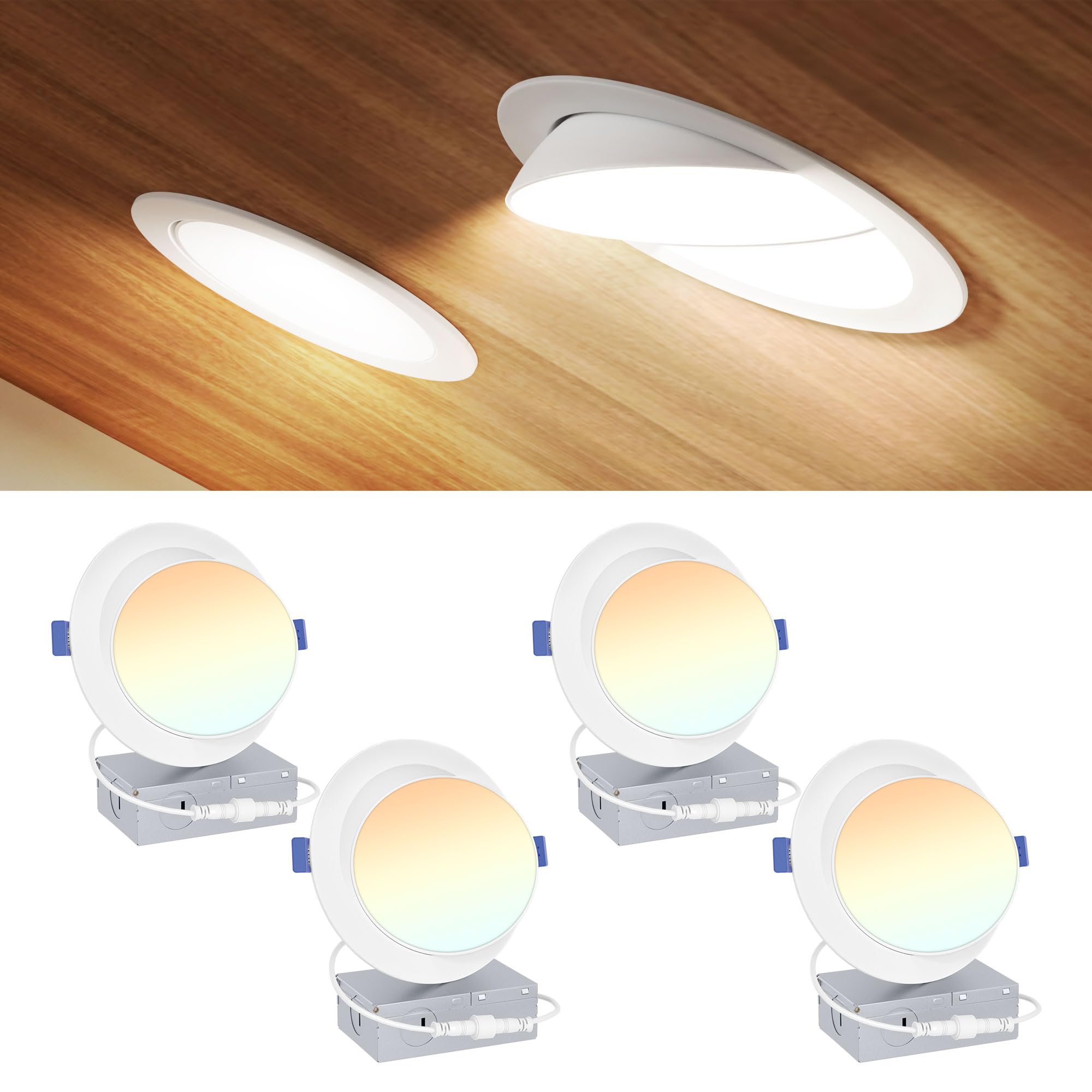
Figure 1: Ensenior 6 Inch Gimbal LED Recessed Light. This image shows the product in a typical living room setting, highlighting its adjustable beam angle, vertical rotation, and horizontal rotation capabilities.
2. Package Contents
Verify that all components are present before beginning installation:
- 4 x 6" LED Downlight units
- 4 x Junction Boxes
- 1 x Installation Template
- 1 x Instruction Manual (this document)
3. Safety Information
WARNING: Risk of electric shock. Disconnect power at the circuit breaker before installation or servicing. All wiring connections must be in accordance with local and national electrical codes (NEC). If you are unfamiliar with proper electrical wiring connections, consult a qualified electrician.
- Do not install in areas with direct water contact. This product is damp-rated, suitable for humid environments like bathrooms or outdoor soffits, but not for direct exposure to water.
- Ensure the supply voltage is 120V AC.
- Do not modify the fixture. Any modifications may void the warranty and create safety hazards.
- This product is ETL, FCC, and IC rated, ensuring compliance with safety and performance standards.

Figure 2: Product Certifications and Damp Location Suitability. This image displays the ETL, FCC, and IC ratings, indicating the product's safety and quality compliance. It also shows the damp location icon, confirming its suitability for humid environments.
4. Setup and Installation
Follow these steps for a quick and easy installation:
- Turn off power: Ensure the power supply to the installation area is turned off at the circuit breaker.
- Cut a hole: Use the provided template to mark and cut a 6.38-inch diameter hole in the ceiling.
- Connect wiring: Open the junction box and remove the appropriate knock-out. Connect the household electrical wires (live, neutral, ground) to the corresponding wires in the junction box using wire nuts. Ensure all connections are secure.
- Choose color temperature (CCT): Before pushing the light into the ceiling, select your desired color temperature (2700K, 3000K, 3500K, 4000K, or 5000K) using the switch located on the side of the junction box.
- Connect light panel: Connect the light panel to the junction box via the male/female connectors.
- Secure the light: Push up the spring clips on the light fixture and insert the light into the ceiling hole. The clips will hold the fixture firmly in place.
- Restore power: Turn the power back on at the circuit breaker.

Figure 3: Step-by-Step Installation Guide. This image illustrates the four main steps for installing the recessed light: cutting the hole, connecting the wiring to the junction box, connecting the light panel, and pushing the gimbal light into the ceiling.
Important Note: Use the included junction box. Using junction boxes from other brands may cause voltage issues or light failure. The light fixture dimensions are approximately 6.89"L x 6.89"W x 3.23"H, with a required ceiling cutout of 6.38 inches.

Figure 4: Detailed Product Dimensions. This diagram provides precise measurements of the recessed light fixture and its junction box, including overall length, width, height, and the required cutout size for installation.
Installation Video
Video 1: Ensenior 6 Inch Adjustable LED Gimbal Recessed Lighting. This video demonstrates the installation process and highlights the adjustable features of the Ensenior 6-inch gimbal LED recessed light.
5. Operating Instructions
Your Ensenior Gimbal LED Recessed Light offers versatile lighting options:
- 5CCT Selectable: The color temperature can be adjusted to 2700K (Warm White), 3000K (Soft White), 3500K (Neutral White), 4000K (Cool White), or 5000K (Daylight). This setting is chosen via a switch on the junction box during installation.
- 10%-100% Dimmable: The light is compatible with most standard LED dimmers, allowing for smooth dimming from 10% to 100% to create the desired ambiance.
- Adjustable Gimbal: The light features a 90° tilt rotation and a full 360° swivel, enabling you to direct the light precisely where needed.

Figure 5: 5CCT Color Temperature Options. This image illustrates the five selectable color temperatures (2700K, 3000K, 3500K, 4000K, 5000K) and their typical applications in different room settings.

Figure 6: Gimbal Adjustability. This image demonstrates the 105° beam angle, 90° vertical rotation, and 360° horizontal rotation capabilities of the gimbal light, allowing for flexible light direction.

Figure 7: Stepless Dimming Capability. This image visually represents the 10%-100% stepless dimming feature, indicating that the light can be adjusted without flicker or noise.
6. Maintenance
The Ensenior Gimbal LED Recessed Light requires minimal maintenance:
- Cleaning: Ensure power is off before cleaning. Wipe the fixture with a soft, dry, or slightly damp cloth. Do not use harsh chemicals or abrasive cleaners.
- Bulb Replacement: The LED chips are integrated and not user-replaceable. The fixture is designed for long-lasting performance.
7. Troubleshooting
If you encounter issues with your light, refer to the following common problems and solutions:
- Light does not turn on:
- Check if the power is on at the circuit breaker.
- Verify all wiring connections are secure and correct.
- Ensure the light panel is properly connected to the junction box.
- Light flickers or hums:
- Ensure the dimmer switch is compatible with LED fixtures. Refer to the dimmer compatibility guide.
- Check for loose wiring connections.
- Incorrect color temperature:
- Verify the CCT switch on the junction box is set to your desired color.
Dimmer Compatibility Guide

Figure 8: Dimmer Compatibility Guide. This chart lists various dimmer models from Lutron, Leviton, Kasa Smart, and Zooz, indicating their compatibility (Forward Phase Control or Reverse Phase Control) and rating with Ensenior lights. Note: This product does not include a dimmer.
8. Specifications
| Feature | Specification |
|---|---|
| Brand | Ensenior |
| Model Number | 769044669733 |
| Size | 6 Inch |
| Wattage | 12 Watts |
| Brightness | 1200 Lumens |
| Color Temperature | 5CCT Selectable (2700K/3000K/3500K/4000K/5000K) |
| Dimmability | 10%-100% (with compatible dimmers) |
| Adjustability | 90° Tilt Rotation, 360° Swivel |
| Voltage | 120 Volts |
| Material | Aluminum, Plastic |
| Water Resistance Level | Moisture Resistant (Damp Rated) |
| Certifications | ETL, FCC, IC Rated |
| CRI | 90+ |
| Installation Type | Recessed Mount, Flush Mount |
| Item Dimensions (L x W x H) | 6.89" x 6.89" x 3.23" |
9. Warranty and Support
Ensenior provides a 5-year coverage for this product, ensuring peace of mind against manufacturing defects and performance issues. For any questions, technical assistance, or warranty claims, please contact Ensenior customer support through the retailer's platform or visit the official Ensenior website for contact information.
Please have your model number (769044669733) and purchase date available when contacting support.


