
Introduction
Thank you for choosing the Ensenior 4 Inch Gimbal LED Recessed Light. This product is designed to provide versatile and efficient lighting for various indoor spaces. It features adjustable direction, multiple color temperature options, and a unique night light mode. Please read this manual thoroughly before installation and operation to ensure safe and proper use.
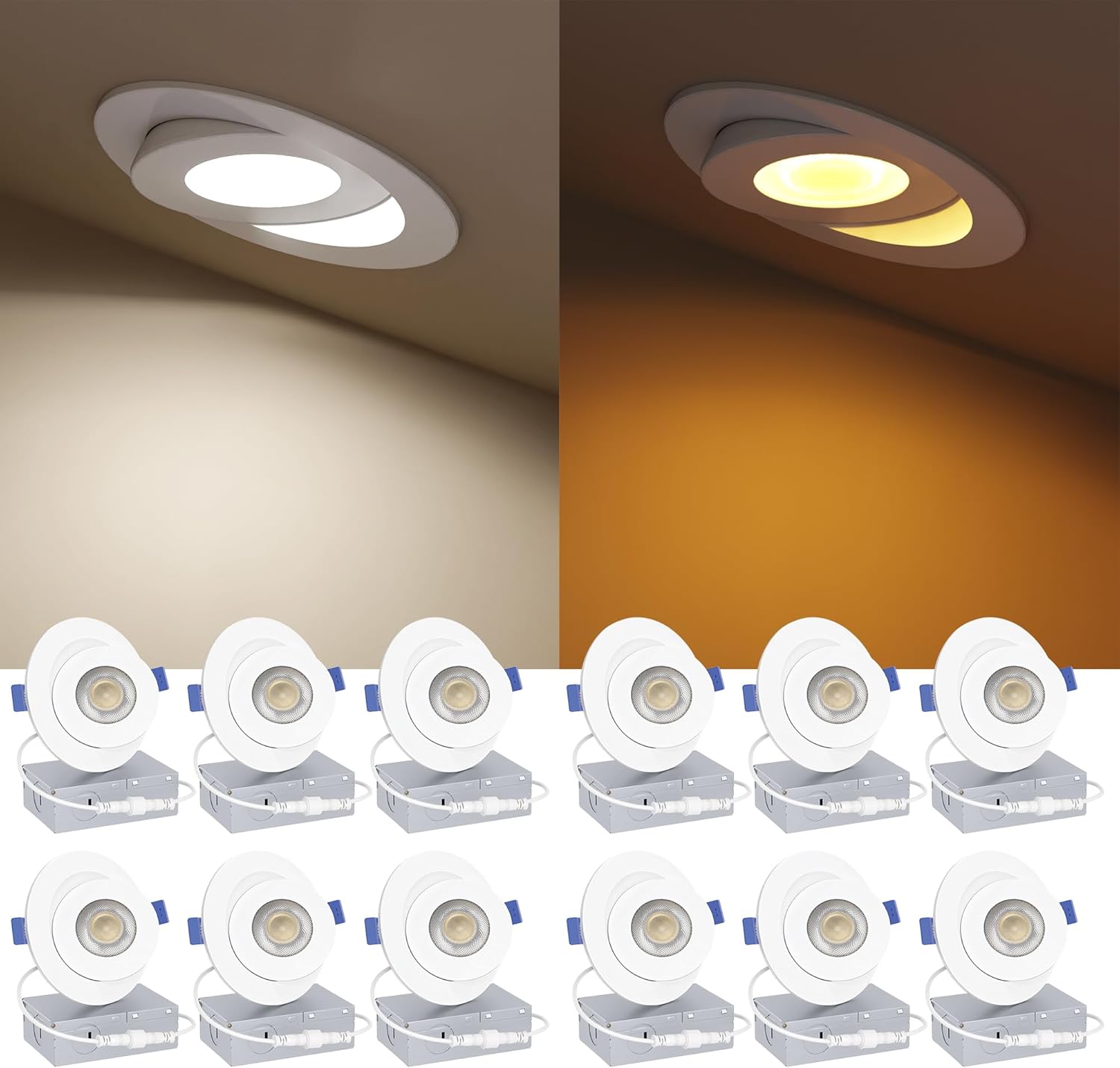
Image: A 12-pack of Ensenior 4-inch gimbal LED recessed lights, showcasing both the main light and night light modes in a ceiling installation.
Key Features
- Two Modes in One Light: Provides both a 2200K soft warm night light mode and a 5CCT (2700K/3000K/3500K/4000K/5000K) downlight mode, switchable via a standard wall switch.
- Synchronization Reset Function: Lights default to downlight mode upon power-on. If out of sync, turn off for 5 seconds and turn on again to re-synchronize.
- 5 Color Temperature Settings: Easily select your preferred color temperature from 2700K (Soft White), 3000K (Warm White), 3500K (Neutral White), 4000K (Cool White), or 5000K (Daylight) using a switch on the junction box.
- 90° Adjustable Directional Lighting: The gimbal design allows for 90° tilt rotation and a full 360° swivel, enabling precise light direction.
- High Brightness & Efficiency: Delivers 700LM of bright light at 9W, offering energy savings compared to traditional bulbs. High CRI (90+) ensures accurate color rendering.
- Smooth Dimming: Supports 10%-100% smooth dimming for both night light and downlight modes.
Installation Guide
These lights are designed for easy, canless installation. Always ensure power is off at the circuit breaker before beginning any electrical work.
- Prepare the Opening: Use the provided 1:1 cutting template to mark and cut a hole in your ceiling. Ensure the hole size is between 4.25 and 4.5 inches.
- Connect Wiring: Open the junction box and remove the appropriate knock-out. Connect the household electrical wires (live, neutral, ground) to the corresponding wires inside the junction box using wire nuts.
- Connect Light to Junction Box: Plug the cable from the recessed light fixture into the cable from the junction box. Ensure a secure connection.
- Select Color Temperature: Before inserting the light into the ceiling, use the switch on the side of the junction box to select your desired color temperature (2700K, 3000K, 3500K, 4000K, or 5000K).
- Secure the Light: Push up the spring clips on the sides of the light fixture and insert the light into the ceiling hole. The clips will secure the light in place.
- Adjust Direction: Once installed, you can adjust the light lens to tilt up to 90° and swivel 360° to direct the light as needed.

Image: A visual guide demonstrating the four steps for easy installation: cutting the hole, connecting wires in the junction box, connecting the light, and securing/adjusting the light.

Image: Detailed dimensions of the Ensenior 4-inch recessed light and its junction box, showing measurements for length, width, and height.
Operating Instructions
The Ensenior Gimbal LED Recessed Light offers flexible operation modes:
- Downlight Mode (5CCT): Turn the wall switch ON. The light will illuminate in the previously selected 5CCT mode.
- Night Light Mode (2200K): To activate the night light, quickly flip the wall switch OFF-ON within 5 seconds. The light will switch to the 2200K soft warm glow.
- Switching Between Modes: To toggle between downlight and night light modes, simply flip the wall switch ON-OFF-ON within 5 seconds.
- Dimming: These lights are 10%-100% dimmable. Use a compatible dimmer switch (refer to specifications for compatible brands like Lutron) to adjust brightness.

Image: Comparison of the bright downlight mode and the soft 2200K night light mode, illustrating the dual functionality of the fixture.

Image: A diagram showing how to use the wall switch to toggle between downlight mode and night light mode, with a note about the default reset to downlight mode after 5 seconds off.
Video: An official product video from Ensenior demonstrating the adjustable gimbal feature, color temperature selection, and dimming capabilities of the recessed lights.
Maintenance
These LED recessed lights require minimal maintenance. Ensure power is off before cleaning.
- Cleaning: Wipe the fixture with a soft, dry cloth. Do not use abrasive cleaners or solvents.
- Bulb Replacement: The LED chips are integrated and not user-replaceable. The product has a long lifespan of over 50,000 hours.
Troubleshooting
- Light Not Turning On:
- Check the circuit breaker to ensure power is supplied.
- Verify all wire connections in the junction box are secure.
- Ensure the light is properly plugged into the junction box.
- Lights Out of Sync (Different Modes):
- Turn off the wall switch for all affected lights for at least 5 seconds, then turn it back on. This should reset them to the default downlight mode.
- Flickering or Noise:
- Ensure you are using a compatible LED dimmer switch. Incompatible dimmers can cause flickering or humming.
- Check for loose wiring connections.
Specifications
| Feature | Detail |
|---|---|
| Model | MB3-4I-5CCT-WH-ZY-V001 |
| Size | 4 Inch |
| Wattage | 9W (Downlight Mode), 3W (Nightlight Mode) |
| Brightness | 700LM (Downlight Mode), 120LM (Nightlight Mode) |
| Color Temperature | 2700K, 3000K, 3500K, 4000K, 5000K (Downlight); 2200K (Nightlight) |
| CRI (Color Rendering Index) | 90+ |
| Dimming | 10%-100% Smooth Dimming |
| Adjustability | 90° Tilt, 360° Swivel |
| Voltage | 120V AC, 60Hz |
| Lifespan | 50,000+ Hours |
| Certifications | FCC Certified, Conforms to UL STD.1598, Certified to CSA STD.C22.2 NO.250.0 |
| Material | Plastic |
| Indoor/Outdoor Usage | Indoor Use Only |
| Operating Temperature | 14°F to 104°F |
Warranty and Support
Ensenior provides a 5-year coverage for this product, ensuring peace of mind. For any questions, technical assistance, or warranty claims, please contact Ensenior customer support through the retailer's platform or visit the official Ensenior website. Keep your purchase receipt as proof of purchase.
Additional protection plans may be available for purchase from the retailer:
- 3-Year Protection Plan
- 4-Year Protection Plan
- Complete Protect (monthly renewal option)
For more information, visit the Ensenior Store on Amazon.