
LongPlus X83
Contents
LongPlus 2K Battery Powered WiFi Security Camera User Manual
Your comprehensive guide to setting up, operating, and maintaining your LongPlus wireless outdoor security cameras.
Product Overview
The LongPlus 2K Battery Powered WiFi Security Camera system offers advanced home security with its 2K resolution, AI motion detection, and completely wire-free design. These cameras are built for both indoor and outdoor use, providing reliable surveillance with features like color night vision, two-way talk, and flexible storage options.

Image: LongPlus Wireless Indoor/Outdoor Security Camera system.
Key Features:
- AI Event Analysis: Identifies and differentiates between people, pets, vehicles, and packages to reduce false alarms.
- 3MP Color Night Vision: Captures vivid and clear color images in low light conditions up to 33ft.
- PIR Motion Detection & Siren Alarm: Triggers audio and strobe light alarms upon humanoid motion detection.
- Flexible Storage Solutions: Supports up to 128GB Micro SD storage (not included) and optional bank-level encrypted cloud storage.
- 2-Way Talk & Device Sharing: Communicate through the Vicohome app and share camera access with multiple users.
- 100% Wire-free & Easy Installation: Battery-operated design for quick and simple setup without complex wiring.
What's in the Box
Ensure all components are present before beginning installation:
- Security Camera with Bracket (2 units for 2-pack)
- Pack of Screws
- Reset Needle
- USB Cable
- Quick Start Guide
Setup and Installation
The LongPlus security cameras are designed for hassle-free, wire-free installation. Follow these steps for quick setup:
- Choose a Location: Select an optimal location for your camera, typically between 7 and 10 feet above the ground, to cover your desired area effectively. The cameras are waterproof (IP65 rated) and suitable for both indoor and outdoor environments.
- Mount the Bracket: Use the provided screws to securely mount the camera bracket to your chosen surface (wall or ceiling).
- Attach the Camera: Screw the camera onto the mounted bracket. The adjustable bracket allows you to maneuver the camera to achieve the desired viewing angle.
- Power On and Activate: Turn on the camera. Follow the instructions in the Quick Start Guide to connect the camera to your 2.4GHz Wi-Fi network and activate it via the Vicohome app.

Image: The camera's wire-free design allows for flexible placement and easy installation.
Video: Demonstrates the easy installation process of the LongPlus security camera. The video shows a user mounting the camera bracket and attaching the camera, highlighting the simplicity of the setup.
Operating Your Camera
Vicohome App Integration
Manage your cameras, view live feeds, and access recordings through the Vicohome app on your smartphone. The app provides a user-friendly interface for all camera functions.
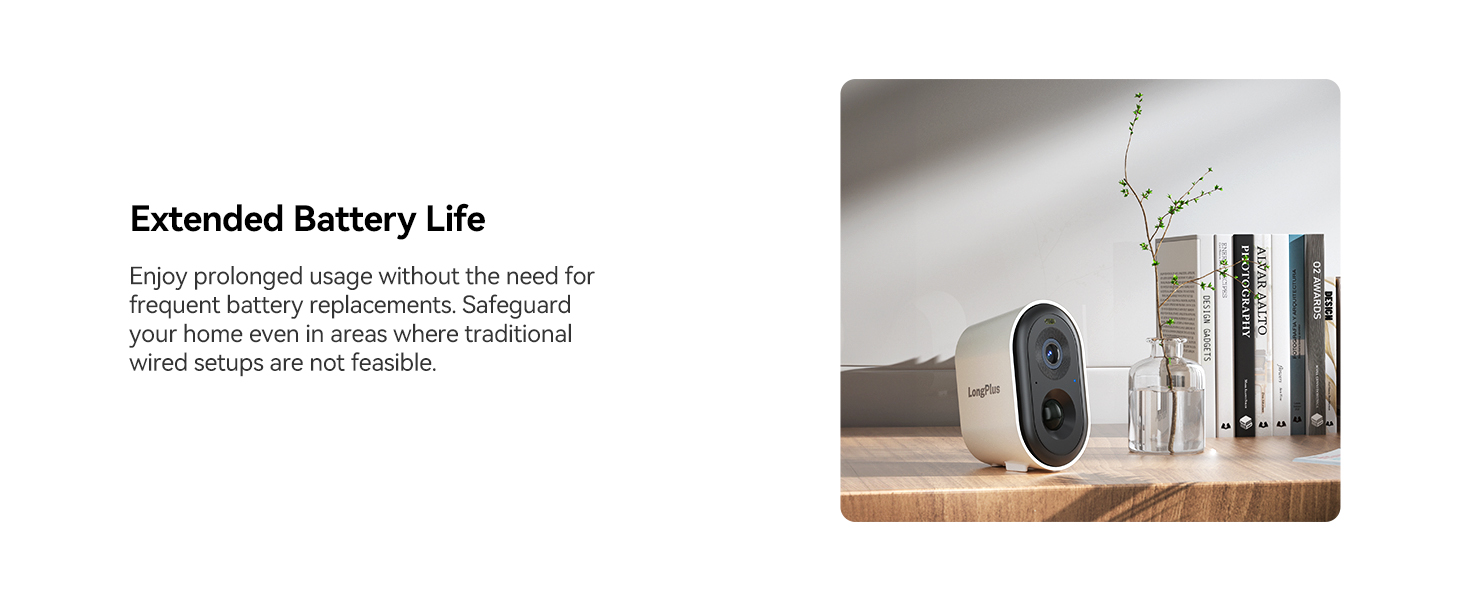
Image: The Vicohome app interface showing live camera feed and controls.
AI Motion Detection and Alerts
The camera utilizes advanced AI algorithms to accurately detect and classify motion, sending intelligent push alerts to your phone. This minimizes false alarms and ensures you are notified of relevant events.

Image: Visual representation of AI detection analysis, showing identification of people, packages, and vehicles.

Image: A smartphone displaying a real-time motion detection alert from the LongPlus camera.
Upon detection of humanoid motion, the camera can automatically trigger an audio and strobe light alarm to deter intruders.
2K Full HD and Color Night Vision
Experience clear and sharp video quality with 2K Full HD resolution. The cutting-edge color night vision technology ensures vivid and vibrant images even in low-light conditions, extending visibility up to 33 feet.

Image: Illustrates the 2K+ Full HD image quality, showing a clear view of a house.

Image: A mounted camera demonstrating its color night vision capability in a dark environment.
Two-Way Talk
The integrated 3D cancellation microphone and speaker allow you to listen and speak to anyone near the camera directly through the Vicohome app, providing convenient communication from anywhere.

Image: A person receiving a package, with a speech bubble indicating two-way communication via the camera.
Storage Options
The camera offers flexible storage solutions:
- Micro SD Card: Supports up to 128GB Micro SD card (not included) for cost-effective local storage.
- Cloud Storage: Optional bank-level encrypted cloud storage is available (30-day free trial included).
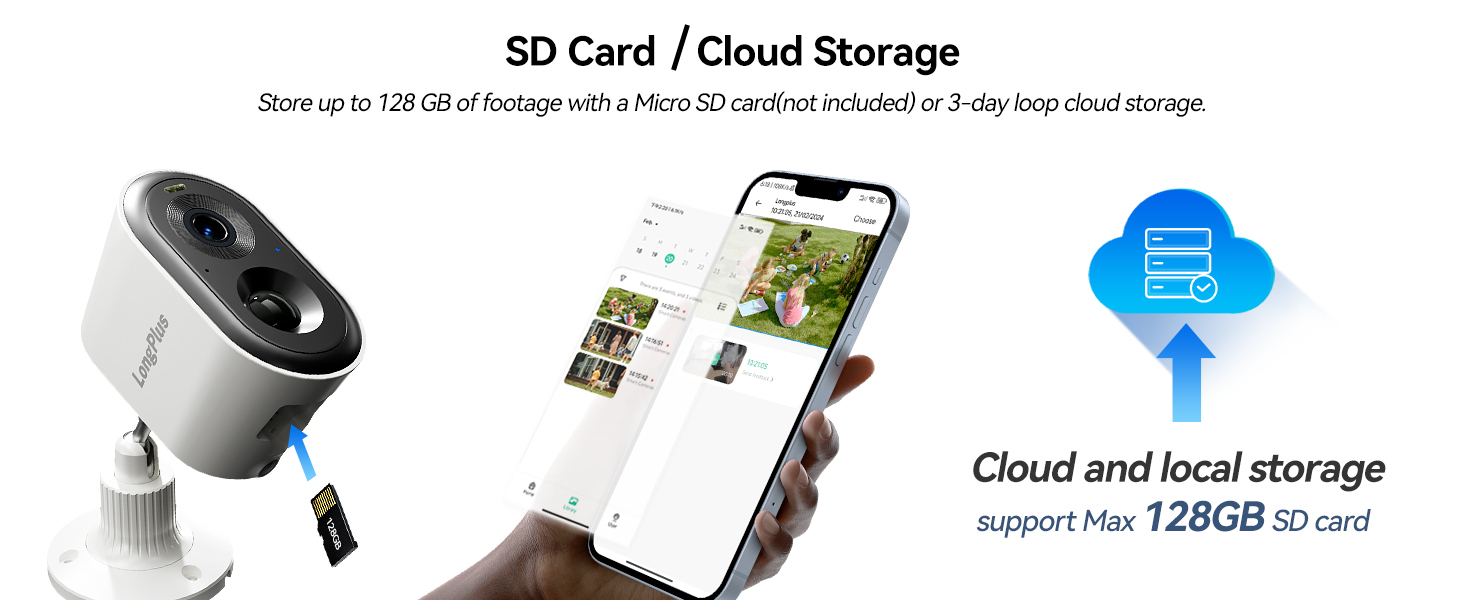
Image: Illustrates the camera's support for both Micro SD card and cloud storage solutions.
Smart Home Integration
The LongPlus cameras are compatible with smart home systems like Amazon Alexa, allowing for voice control and hands-free monitoring.

Image: A user interacting with an Alexa device to view the camera feed.
Maintenance
Battery Life and Charging
The cameras are powered by rechargeable batteries. For extended usage and reduced need for frequent recharging, consider pairing your camera with a compatible solar panel (sold separately) to keep it continuously charged.

Image: A camera on a desk, symbolizing its extended battery life.
Weather Resistance
With an IP65 international protection rating, the LongPlus cameras are designed to withstand various outdoor weather conditions, ensuring reliable performance year-round.

Image: A mounted camera in rainy conditions, highlighting its IP65 weatherproof rating.
Troubleshooting
If you encounter issues with your LongPlus security camera, consider the following common solutions:
- Connectivity Issues: Ensure your Wi-Fi network is 2.4GHz and the camera is within range. Try restarting your Wi-Fi router and the camera. If issues persist, try resetting the camera using the provided reset needle and re-pairing it with the app.
- Battery Not Charging/Draining Quickly: Verify the USB cable is securely connected and the power source is functioning. If using a solar panel, ensure it receives adequate direct sunlight. Extreme cold weather can affect battery performance; bring the camera indoors to charge if necessary.
- Playback Issues: Check your Micro SD card for proper insertion and ensure it's not full. If using cloud storage, verify your subscription status and internet connection.
- False Alarms: Adjust the AI detection sensitivity settings within the Vicohome app. You can also define specific activity zones to focus detection on critical areas and ignore irrelevant movements.
For further assistance, refer to the Quick Start Guide or contact LongPlus customer support.
Specifications
| Feature | Detail |
|---|---|
| Model Number | X83 |
| Indoor/Outdoor Usage | Outdoor, Indoor |
| Power Source | Battery Powered (2 Lithium Polymer batteries included) |
| Connectivity Protocol | Wi-Fi (2.4GHz) |
| Video Capture Resolution | 1440p (3 MP Effective Still Resolution) |
| Viewing Angle | 130 Degrees |
| Night Vision Range | 33 Feet |
| Storage Support | Micro SD (up to 128 GB), Cloud Storage |
| Water Resistance Level | IP65 (Waterproof) |
| Compatible Devices | Smartphone, Amazon Alexa |
| Product Dimensions | 3 x 2 x 3 inches |
| Item Weight | 1.58 pounds |
Warranty and Support
LongPlus offers customer support to assist with any product inquiries or issues. For immediate assistance, please refer to the contact information provided in your Quick Start Guide or visit the official LongPlus website.
Extended protection plans are available for purchase to provide additional coverage beyond the standard warranty. Please check Amazon product page for details on 2-Year and 3-Year Protection Plans.
24/7 Customer Service Online is available for your convenience.
Ask a question about this manual
Ask about setup, troubleshooting, compatibility, parts, safety, or missing instructions. Manuals+ will review the question and use this page’s manual context to help answer it.