
GRV 5060935561125
GRV No Bluetooth Pedometer Watch Fitness Tracker User Manual
Model: 5060935561125 | Brand: GRV
1. Introduction
Thank you for choosing the GRV No Bluetooth Pedometer Watch Fitness Tracker. This device is designed to help you monitor your daily activity, including steps, calories burned, and sleep patterns, without the need for a smartphone connection or complex applications. Its simple, independent operation makes it ideal for users seeking a straightforward fitness tracking solution. Please read this manual carefully to ensure proper use and maintenance of your device.
2. What's in the Box
- GRV Pedometer Watch
- User's Manual
3. Product Overview
The GRV Pedometer Watch features a clear digital display and a single touch button for navigation. It is designed for comfortable wear and provides essential fitness data at a glance.

Image: The GRV No Bluetooth Pedometer Watch in pink, displaying time, date, and battery level.
4. Setup
4.1 Charging the Device
Before first use, fully charge your pedometer watch. The device features a built-in USB charging port.
- Remove the band from the watch body by gently pulling.
- Locate the end of the watch body with the metal contact.
- Insert this end into any standard USB port (e.g., computer, USB wall adapter). Ensure the metal contacts align correctly. If no charging icon appears, flip the watch body over and try again.
A full charge takes approximately 1.5 to 2 hours and provides up to 5 days of use. It is recommended to charge the watch before the battery completely drains to avoid needing to reset settings.

Image: Step-by-step guide illustrating how to remove the band and insert the watch body into a USB port for charging.
4.2 Initial Settings
After charging, you will need to set the correct time, date, and personal information (height, weight, age) for accurate tracking. Use the touch button on the watch face to navigate through the settings menu and adjust values.

Image: The GRV Pedometer Watch display surrounded by icons representing various settings such as time, date, age, weight, and stride length.
5. Operating Instructions
5.1 Activity Tracking
Your GRV Pedometer Watch automatically tracks your daily steps, calculates calories burned, and estimates distance traveled. Wear the watch on your wrist during your daily activities for accurate data collection. Press the touch button to cycle through different display modes: time, steps, calories, distance, and sleep data.
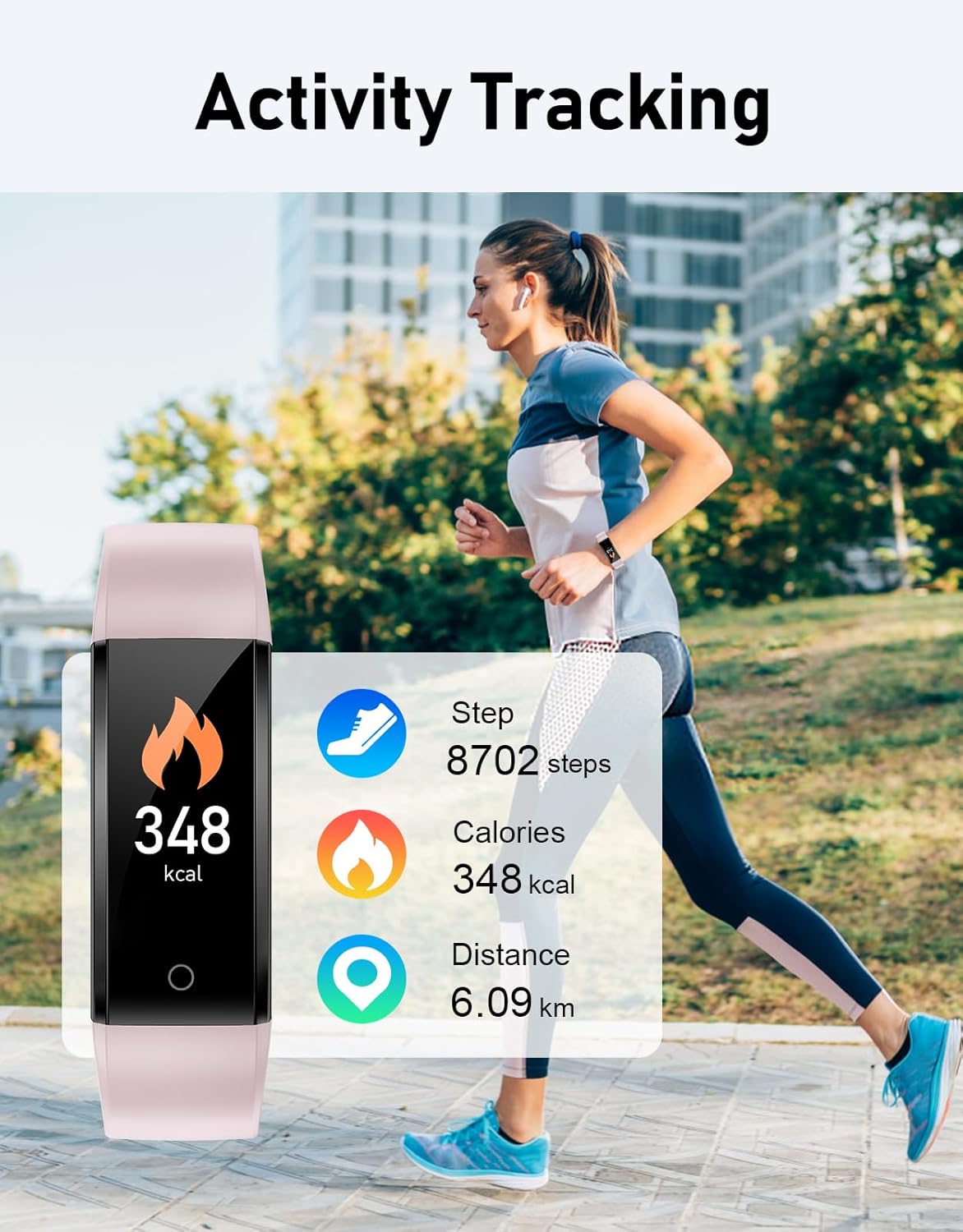
Image: A person running outdoors, with an overlay showing the GRV Pedometer Watch displaying step count, calories burned, and distance covered.
5.2 Sleep Monitoring
The watch can monitor your sleep patterns. Wear it to bed, and it will automatically track your sleep duration. View your sleep data on the watch display by cycling through the modes.

Image: The GRV Pedometer Watch displaying sleep duration, positioned in a bedroom setting with two individuals sleeping in the background.
5.3 Waterproof Feature
The GRV Pedometer Watch is rated IP68 waterproof, meaning it is resistant to dust and can withstand immersion in water up to 1.5 meters for 30 minutes. You can wear it while washing hands or in light rain, but it is not recommended for swimming or showering with hot water.

Image: The GRV Pedometer Watch submerged in water with bubbles, visually representing its IP68 waterproof capability.
6. Maintenance
6.1 Cleaning
Wipe the watch and strap regularly with a soft, damp cloth. Avoid using harsh chemicals or abrasive cleaners, as these can damage the device.
6.2 Battery Care
To prolong battery life and ensure consistent performance, charge the watch regularly and avoid letting the battery completely deplete. If the battery runs out entirely, you may need to re-enter your settings.
7. Troubleshooting
- Watch not turning on: Ensure the watch is fully charged. Reinsert the watch body into a USB port to confirm it is charging.
- Inaccurate step count: Ensure your personal information (height, weight, age) is correctly entered in the settings. Wear the watch snugly on your wrist.
- Display issues: If the screen is unresponsive or shows abnormal characters, try charging the device. If the issue persists, allow the battery to fully drain and then recharge.
- Battery drains quickly: Ensure the watch is fully charged. Battery life can vary based on usage and environmental factors.
8. Specifications
| Feature | Detail |
|---|---|
| Model Name | S1A-2 |
| Screen Size | 0.96 Inches |
| Connectivity Technology | USB |
| Battery Capacity | 300 Milliamp Hours |
| Battery Life | Up to 5 days (usage dependent) |
| Charging Time | 1.5 - 2 hours |
| Waterproof Rating | IP68 |
| Item Weight | 2 Grams (0.071 ounces) |
| Product Dimensions | 10.12 x 2.95 x 0.67 inches |
| Special Features | Activity Tracker, Sedentary Reminder |
9. Warranty and Support
For warranty information or technical support, please refer to the contact details provided with your purchase or visit the official GRV website. Keep your purchase receipt as proof of purchase.
Related documents5060935561125

Ask a question about this manual
Ask about setup, troubleshooting, compatibility, parts, safety, or missing instructions. Manuals+ will review the question and use this page’s manual context to help answer it.