
CHUNYE ARM-21N2
Contents
CHUNYE ARM-21N2 6DOF Robot Arm Kit User Manual
Model: ARM-21N2 | Brand: CHUNYE
1. Introduction
This manual provides essential information for the assembly, operation, and maintenance of your CHUNYE ARM-21N2 6DOF Robot Arm Kit. This kit is designed for enthusiasts and educators interested in robotics, offering a versatile platform for learning and experimentation. The robot arm features six degrees of freedom (6DOF) and is constructed from durable metal components, utilizing 25KG digital servos for precise movement.
2. Product Overview
The ARM-21N2 is an unassembled robotic arm kit, providing a hands-on experience in building and programming. Its design allows for various applications, from basic movement control to more complex programming tasks.
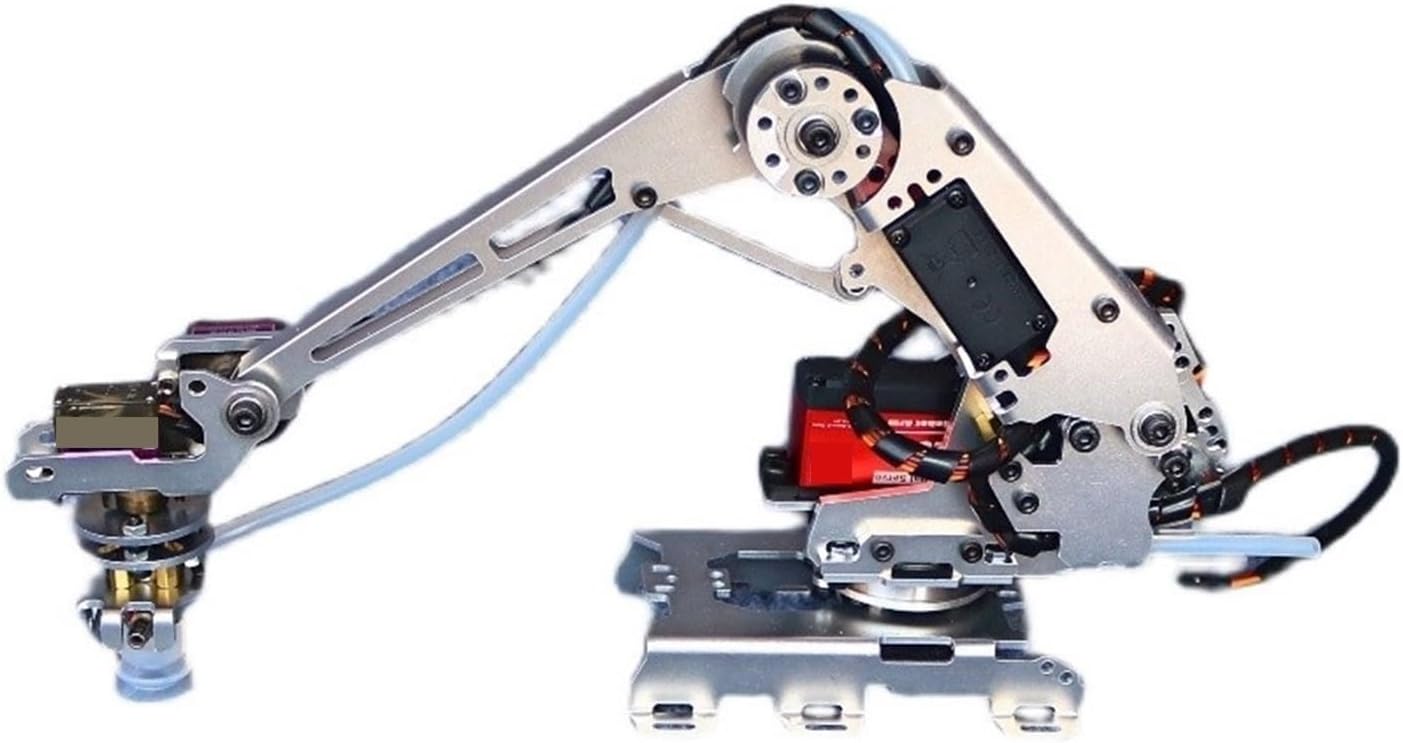
Figure 2.1: Assembled view of the CHUNYE ARM-21N2 6DOF Robot Arm Kit, showcasing its metal construction and servo placement.
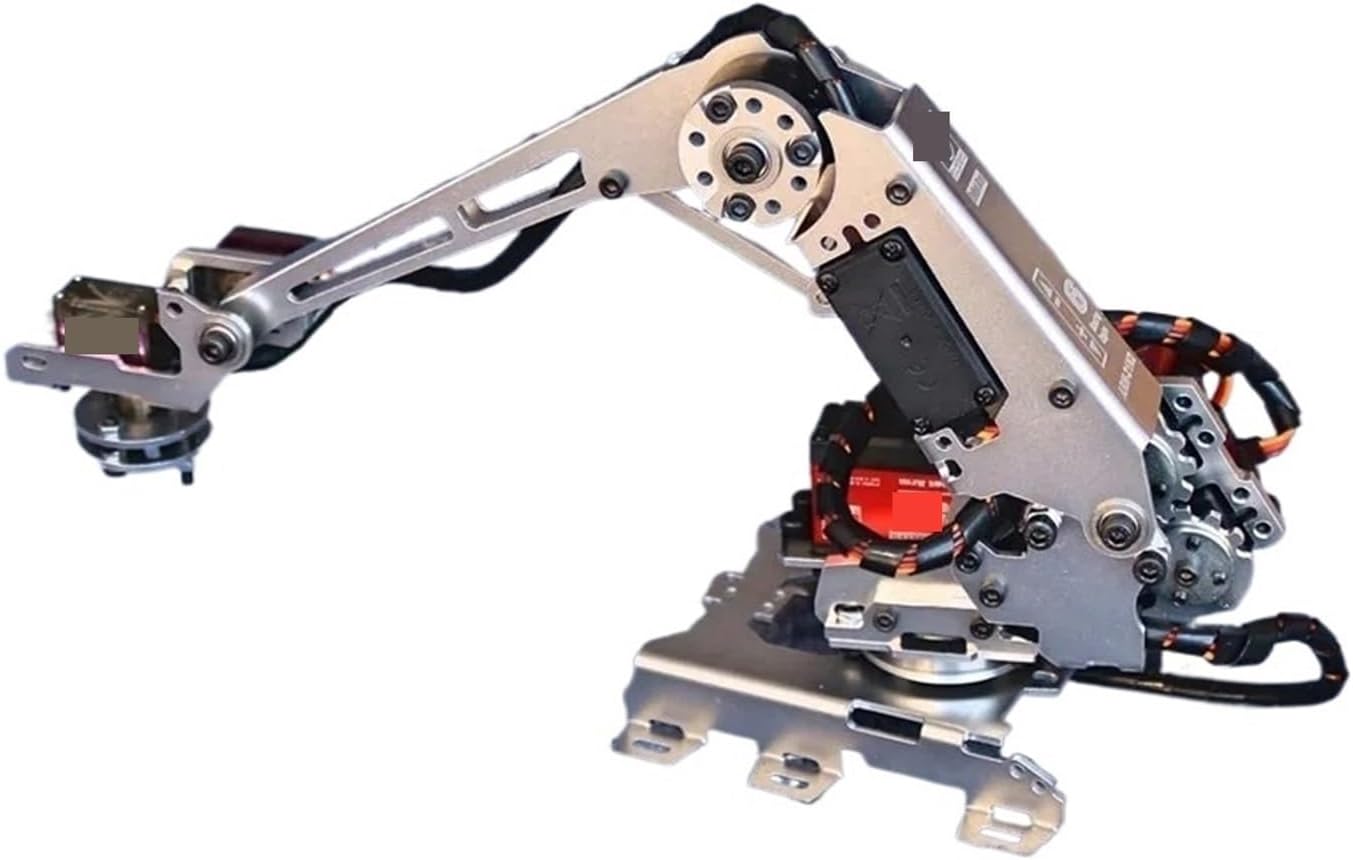
Figure 2.2: Side view of the robot arm, highlighting the articulation points and the base structure.
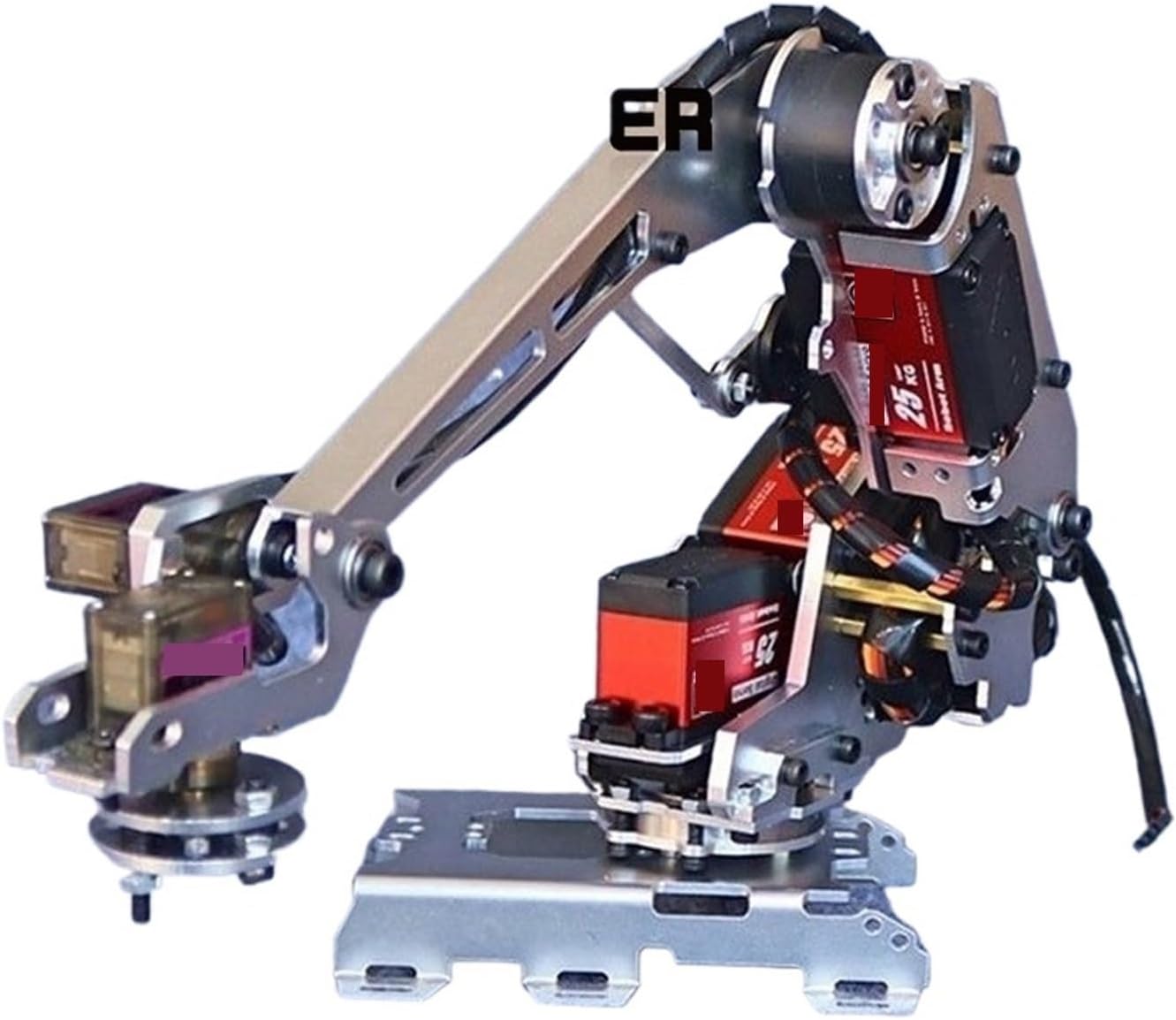
Figure 2.3: Close-up view of the robot arm's end effector area, designed to accommodate various grippers or tools.
3. Product Features
- 6 Degrees of Freedom (6DOF): Provides extensive movement capabilities, mimicking human arm motion.
- Durable Metal Construction: Ensures stability and longevity for repeated use.
- Bearing-Connected Joints: All movable joints are connected by bearings for smooth and precise operation.
- Versatile Gripper Holder: Designed to fit various end effectors such as suction cups, electromagnets, forks, or custom grippers.
- 25KG Digital Servos: Equipped with high-torque digital servos for powerful and accurate positioning.
- Educational Platform: Ideal for self-learning, drawing, imitating, and exploring programming ideas and coding studies.
- Multiple Control Methods: Supports various control interfaces for flexible operation.
4. Package Contents
The ARM-21N2 kit includes the following components:
- 1 x Set of Robot Arm (unassembled, with 25KG Digital Servos)
Note: Control circuits, suction cups, grippers, and other accessories are not included and must be acquired separately.
5. Setup and Assembly
The CHUNYE ARM-21N2 Robot Arm Kit requires assembly. Detailed assembly instructions are provided with the physical product. Please refer to these instructions carefully to ensure correct and safe construction of the robot arm. It is recommended to organize all components before beginning assembly and to follow the steps sequentially.
Key Assembly Considerations:
- Ensure all servo connections are secure and correctly oriented.
- Avoid over-tightening screws to prevent damage to metal parts or servo housings.
- Verify that all movable joints operate smoothly without binding after assembly.
6. Operating Instructions
After successful assembly, the robot arm can be operated using various control methods. This kit is designed to be compatible with external control circuits and programming environments (not included). Users typically connect the servos to a microcontroller (e.g., Arduino, Raspberry Pi) and program the desired movements.
Basic Operation Principles:
- Power Supply: Ensure a stable power supply within the specified voltage range (4.8-7.2V) for the servos. Insufficient power can lead to erratic behavior or damage.
- Servo Control: Each 25KG digital servo is controlled via a Pulse Width Modulation (PWM) signal. The pulse width (typically 500-2500usec) determines the servo's angular position (0-180°).
- Programming: Utilize a suitable programming language (e.g., C++, Python) and development environment to send control signals to the servos. Libraries for servo control are commonly available for popular microcontrollers.
- Calibration: It is recommended to calibrate the servo's neutral position (1500usec pulse width) and full range of motion after initial setup to ensure accurate movement.
7. Specifications
7.1. General Robot Arm Specifications
| Feature | Detail |
|---|---|
| Model Number | ARM-21N2 |
| Degrees of Freedom (DOF) | 6 |
| Material Type | Metal |
| Assembly Required | Yes |
| Head Length Limit | 66mm (2.6") |
| Forearm Length Limit | 156mm (6.1") |
| Upper Arm Length Limit | 131mm (5.2") |
| Recommended Age | 36 months - 18 years |
7.2. 25KG Digital Servo Specifications
| Feature | Detail |
|---|---|
| Servo Motherboard | Digital Controller |
| Dimensions | 40 x 20.5 x 40.5mm (1.6 x 0.8 x 1.6") |
| Weight | 62g ±5% (0.1lb ±5%) |
| Working Voltage | 4.8-7.2V (instant 8.2V) |
| Output Transmission | Metal Gears + Double Bearings |
| No-load Speed | 0.145-0.185 sec/60° |
| Stall Torque | 25.5kg.cm |
| Pulse Width Range | 500-2500usec |
| Rotation Angle | 180° |
| Dead Zone Width | 5usec |
| Midpoint Position | 1500usec |
| Output Shaft | 25T |
| Output Shaft Hole | M3 |
| Waterproof Level | Preliminary |
| Shell Material | Aluminum Alloy + Plastic |
8. Maintenance
Proper maintenance ensures the longevity and optimal performance of your robot arm kit.
- Regular Inspection: Periodically check all screws and connections for tightness. Vibrations during operation can loosen fasteners.
- Cleanliness: Keep the robot arm free from dust and debris. Use a soft, dry cloth for cleaning. Avoid using liquids or solvents that could damage electronic components or plastic parts.
- Lubrication: The metal gears and bearings are designed for durability. If any joint movement feels stiff over time, a small amount of appropriate lubricant (e.g., silicone grease for plastic/metal, light machine oil for metal-on-metal) can be applied sparingly, avoiding contact with electrical components.
- Storage: When not in use, store the robot arm in a dry, dust-free environment, away from direct sunlight and extreme temperatures.
9. Troubleshooting
This section addresses common issues you might encounter with your robot arm kit.
- Arm Not Moving/Erratic Movement:
- Check power supply: Ensure it provides sufficient voltage (4.8-7.2V) and current for all servos.
- Verify wiring: Confirm all servo connections to the control board are correct and secure.
- Review code: Check your programming for correct PWM signals and timing.
- Mechanical obstruction: Ensure no parts are binding or physically preventing movement.
- Servo Buzzing/Overheating:
- Overload: The servo might be trying to hold a position against too much force. Reduce the load or adjust the arm's posture.
- Binding: Check for mechanical binding in the joints.
- Continuous power: Ensure servos are not continuously powered at their stall torque. Implement a mechanism to reduce power when not actively moving.
- Inaccurate Positioning:
- Calibration: Re-calibrate servo positions and ensure the pulse width corresponds accurately to the desired angle.
- Backlash: Check for excessive play in gears or joints.
- Power fluctuations: A fluctuating power supply can affect servo accuracy.
10. Warranty and Support
CHUNYE is committed to providing quality products and support. While specific warranty details are not provided in this manual, we offer professional technical support to assist you with any issues or questions you may encounter during the use of your robot arm kit.
If you require assistance, please contact our technical support team. We aim to respond to inquiries within 24 hours.
For the most up-to-date warranty information and support resources, please refer to the official CHUNYE website or contact your retailer.
Documents and downloads
Ask a question about this manual
Ask about setup, troubleshooting, compatibility, parts, safety, or missing instructions. Manuals+ will review the question and use this page’s manual context to help answer it.