
1. Introduction
Thank you for choosing the Chefman 4-Quart Compact Air Fryer. This appliance is designed to provide a convenient and efficient way to prepare a variety of meals with less oil. Please read this manual thoroughly before operating the appliance to ensure safe and optimal performance. Keep this manual for future reference.
2. Important Safeguards
When using electrical appliances, basic safety precautions should always be followed to reduce the risk of fire, electric shock, and injury. Always ensure the appliance is used on a stable, heat-resistant surface.
- Do not touch hot surfaces. Use handles or knobs.
- To protect against electrical shock, do not immerse cord, plugs, or the main unit in water or other liquid.
- Close supervision is necessary when any appliance is used by or near children.
- Unplug from outlet when not in use and before cleaning. Allow to cool before putting on or taking off parts.
- Do not operate any appliance with a damaged cord or plug, or after the appliance malfunctions or has been damaged in any manner.
- The appliance features an automatic shut-off technology for added safety, turning off when cooking is finished or when the basket is removed.
- Ensure proper ventilation around the appliance during use.
3. Product Components
Familiarize yourself with the parts of your Chefman Air Fryer for proper operation.

Image 3.1: Overview of the Chefman 4-Quart Compact Air Fryer, showcasing its sleek black design, digital touch control panel, and the easy-view window on the front of the basket.
- Main Unit: Houses the heating element and fan.
- Control Panel: Digital touch screen for setting time, temperature, and selecting presets.
- Air Fryer Basket: Removable nonstick basket for holding food.
- Crisper Tray: Sits inside the basket to allow air circulation around food.
- Easy-View Window: Transparent section on the basket to monitor cooking progress.
4. Before First Use
Before using your air fryer for the first time, follow these steps:
- Unpack: Remove all packaging materials, stickers, and labels from the appliance.
- Clean Components: Wash the air fryer basket and crisper tray with hot, soapy water. Rinse thoroughly and dry completely. The basket and crisper tray are dishwasher safe (top rack recommended).
- Wipe Main Unit: Wipe the exterior of the main unit with a damp cloth. Do not immerse the main unit in water.
- Initial Run (Optional): To eliminate any manufacturing odors, you may run the air fryer empty for about 10 minutes at 350°F (175°C). Ensure the area is well-ventilated.
5. Operating Instructions
5.1 Control Panel Overview
The digital touch control panel allows for easy adjustment of settings.

Image 5.1: Detailed view of the air fryer's touch control panel, showing icons for Hi-Fry, temperature/time display, light, presets (Fish, Fries, Chicken, Meat), and control buttons for Start, Stop/Cancel, and Time/Temp adjustment.
- Power Button: Turns the unit on/off.
- Time/Temp Buttons (+/-): Adjust cooking time and temperature.
- Start Button: Begins the cooking cycle.
- Stop/Cancel Button: Pauses or cancels the cooking cycle.
- Preset Icons: One-touch settings for common foods (Fish, Fries, Chicken, Meat).
- Hi-Fry Button: Activates Hi-Fry Technology for extra crispness.
- Light Button: Turns on the internal light to view food through the Easy-View Window.
5.2 Basic Operation
- Place the air fryer on a stable, heat-resistant surface.
- Insert the crisper tray into the air fryer basket.
- Place food into the air fryer basket. Do not overfill.
- Slide the basket firmly into the main unit.
- Plug the power cord into an electrical outlet. The display will illuminate.
- Press the Power button to turn on the unit.
- Adjust the desired cooking temperature and time using the Time/Temp buttons.
- Press the Start button to begin cooking.
- The air fryer will automatically shut off when the timer reaches zero.
5.3 Preset Functions
The air fryer includes four convenient preset functions for quick, one-touch cooking:
- Fish: Optimized settings for cooking fish.
- Fries: Ideal for achieving crispy French fries.
- Chicken: Pre-set for cooking chicken pieces.
- Meat: Suitable for various meat preparations.
To use a preset, simply press the corresponding icon on the control panel after turning on the unit. The time and temperature will automatically adjust. You can manually override these settings if desired.
5.4 Hi-Fry Technology
Achieve an extra-crispy finish on your air-fried foods with Hi-Fry Technology.

Image 5.2: The Hi-Fry button on the control panel is illuminated, indicating its activation. The image also shows a visual representation of intense heat circulating around food inside the air fryer basket, emphasizing the crisping effect.
During the final two minutes of cooking, press the Hi-Fry button to increase the temperature to 450°F (232°C). This burst of high heat helps to create a golden-brown, extra-crispy texture, perfect for items like chicken tenders and French fries.
5.5 Easy-View Window
The integrated Easy-View Window allows you to monitor your food without opening the basket.

Image 5.3: A close-up of the air fryer basket's easy-view window, clearly showing French fries cooking inside, allowing users to check doneness without interrupting the cooking process.
Use the Light button on the control panel to illuminate the interior and check the cooking progress. This helps maintain consistent cooking temperatures and results.
5.6 Shake Notifications
For optimal crispness and even cooking, some foods benefit from being shaken or tossed halfway through the cooking cycle. The air fryer will provide an audible alarm to remind you to shake the basket. Carefully remove the basket, shake the contents, and reinsert it to resume cooking.
6. Cooking Guide
Here are some general tips for achieving the best results with your air fryer:
- Preheating: For best results, preheat the air fryer for 3-5 minutes at the desired temperature before adding food.
- Oil Usage: While air frying requires little to no oil, a light spray or toss with oil can enhance crispness and flavor for some foods.
- Batch Cooking: Avoid overcrowding the basket. Cook in smaller batches if necessary to ensure even cooking and crisping.
- Shaking/Tossing: For foods like fries or chicken wings, shake or toss the basket halfway through cooking to ensure all sides are evenly cooked and crispy.
- Food Size: Cut food into uniform pieces for consistent cooking.
- Doneness: Always ensure food is cooked to a safe internal temperature.
7. Care and Maintenance
Proper cleaning and maintenance will extend the life of your air fryer.
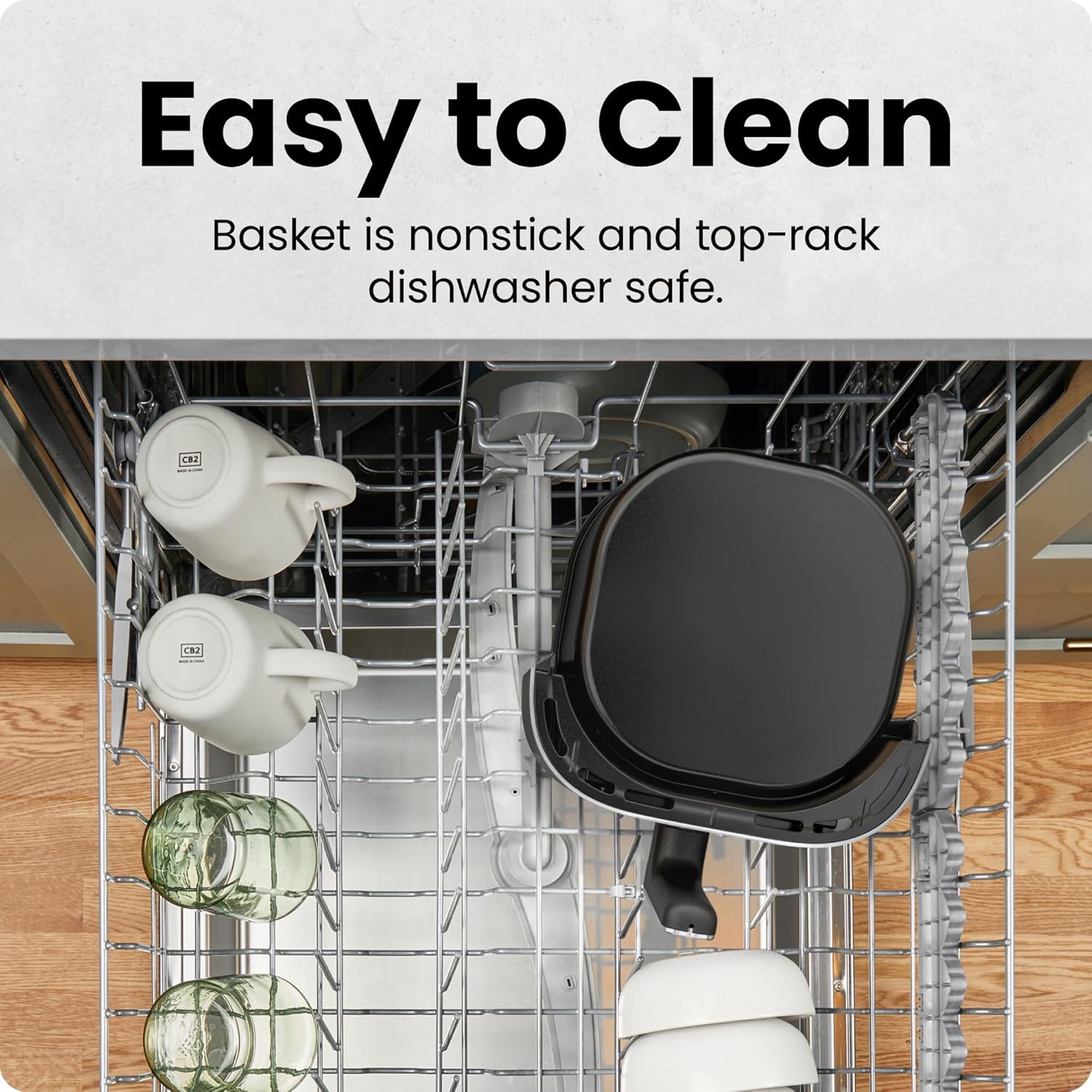
Image 7.1: The nonstick air fryer basket and crisper tray are shown placed in the top rack of a dishwasher, illustrating their dishwasher-safe feature for convenient cleaning.
- Unplug and Cool: Always unplug the air fryer and allow it to cool completely before cleaning.
- Basket and Tray: The 4-quart nonstick basket and crisper tray are dishwasher safe (top rack recommended). For hand washing, use warm, soapy water and a non-abrasive sponge.
- Exterior: Wipe the exterior of the main unit with a damp cloth. Do not use abrasive cleaners or scourers.
- Interior: If the interior of the main unit needs cleaning, wipe with a damp cloth. Do not immerse the unit in water.
- Storage: Ensure all parts are clean and dry before storing the air fryer in a cool, dry place.
8. Troubleshooting
If you encounter any issues with your air fryer, refer to the table below for common problems and solutions.
| Problem | Possible Cause | Solution |
|---|---|---|
| Air fryer does not turn on. | Not plugged in; power outlet malfunction; basket not fully inserted. | Ensure the power cord is securely plugged in. Check the power outlet. Push the air fryer basket completely into the unit until it clicks. |
| Food is not crispy. | Basket overcrowded; insufficient oil; temperature too low; cooking time too short. | Cook in smaller batches. Lightly spray or toss food with oil. Increase temperature or cooking time. Use Hi-Fry Technology for extra crispness. |
| White smoke coming from the unit. | Grease residue from previous use; fatty food cooking. | Clean the basket and crisper tray thoroughly after each use. For fatty foods, drain excess fat during cooking. |
| Food is unevenly cooked. | Basket overcrowded; food not shaken/tossed. | Cook in smaller batches. Shake or toss the food halfway through the cooking cycle. |
9. Product Specifications
Detailed technical information for your Chefman Air Fryer.
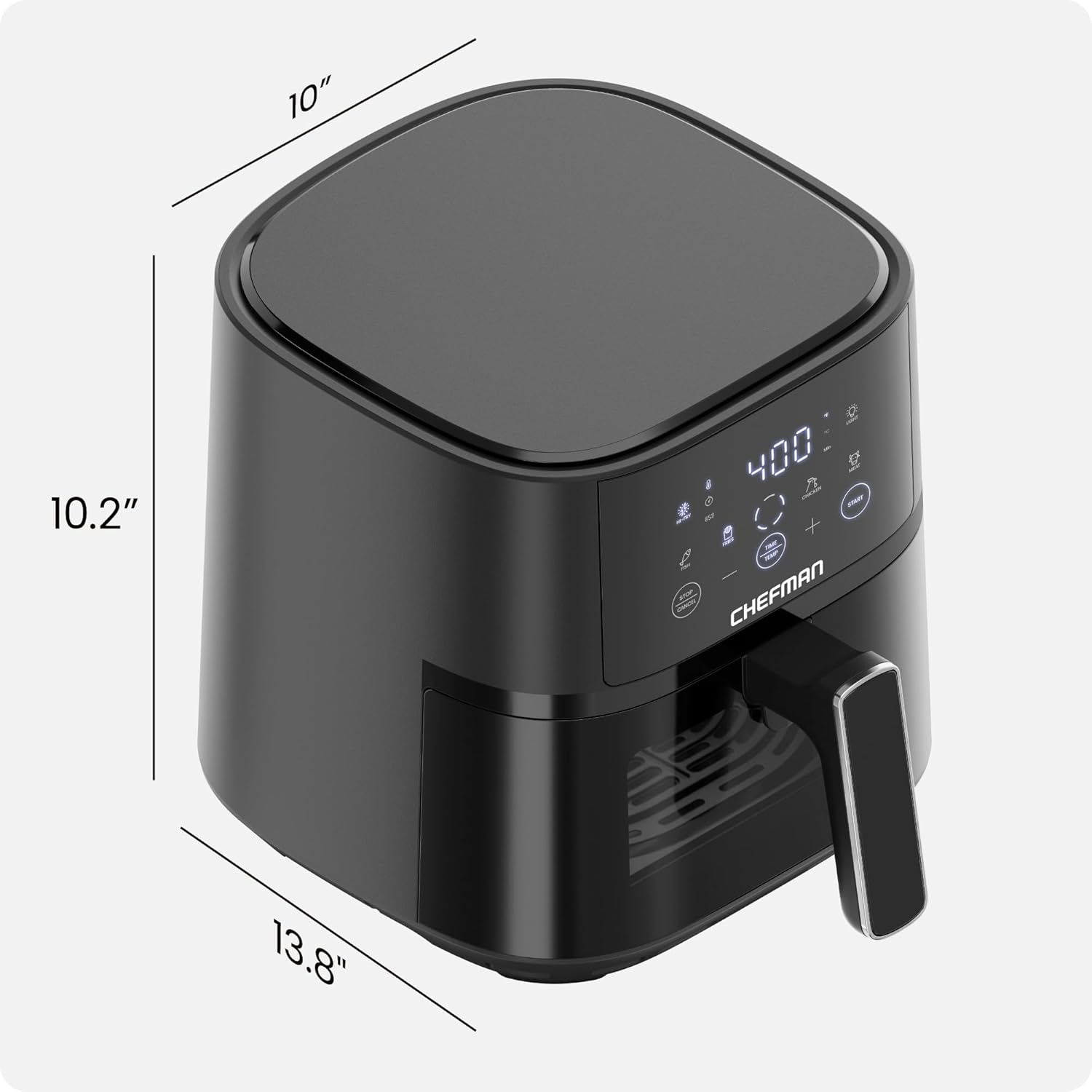
Image 9.1: An overhead view of the Chefman Air Fryer with its key dimensions clearly marked: 13.8 inches (depth), 10 inches (width), and 10.2 inches (height), providing a visual reference for its compact size.
- Model Name: TurboFry® Touch Easy-View
- Model Number: RJ38-4TW-BLACK
- Capacity: 4 Quarts
- Color: Black
- Material: Metal, Plastic
- Output Wattage: 1500 Watts
- Voltage: 120 Volts
- Control Method: Touch Control
- Min Temperature Setting: 93°C (200°F)
- Max Temperature Setting: 450°F (232°C)
- Special Feature: Automatic Shut-Off, Easy-View Window, Hi-Fry Technology, Shake Notifications
- Nonstick Coating: Yes
- Dishwasher Safe Parts: Basket and Crisper Tray
- Product Dimensions: 13.8"D x 10"W x 10.2"H
- Item Weight: 7.5 Pounds
- UPC: 810087847821
10. Warranty and Support
This Chefman Air Fryer is cETL approved with advanced safety technology for long-lasting durability and comes with a 1-year assurance provided by Chefman.
For warranty claims, technical support, or further assistance, please contact Chefman customer service. Refer to the official Chefman website or your purchase documentation for the most current contact information.


