
1. Product Overview
The REVODATA Gigabit Industrial 30W PoE+ Injector, Model PSE5502G, is designed to convert low voltage DC input (12-48V) into a standard 48V Power over Ethernet (PoE) output, delivering up to 30W. This device facilitates power and data transmission over a single Ethernet cable, supporting IEEE802.3af/at standards. It is suitable for various industrial applications requiring robust and flexible power solutions.
2. Key Features
- Low Voltage to High Voltage Conversion: Accepts DC input from 12V to 48V and converts it to a standard 48V PoE output, with a maximum power of 30W.
- Extended Transmission Distance: Supports data and power transmission up to 100 meters (328 feet) over Ethernet cable.
- Industrial Application Suitability: Designed for diverse power conditions, including solar power systems, vehicle power supplies (e.g., ambulances, buses, mining trucks), and battery-powered setups.
- IEEE802.3af/at PoE Standard: Complies with IEEE802.3af/at PoE standards, ensuring compatibility with various PoE-powered devices such as IP cameras, wireless access points (APs), and IoT devices.
- Safety Protection: Incorporates intelligent power supply detection to protect connected equipment from potential damage.
3. Package Contents
The package includes:
- 1 x REVODATA Industrial PoE Injector (Model PSE5502G)
4. Physical Description and Ports

This image displays the REVODATA PSE5502G PoE Injector, highlighting the Ethernet IN, DC IN, and PoE OUT ports. A detailed view of the 48V PoE output port is also provided.

This image illustrates the 'Split Design' of the injector, providing close-up views of the DC 5.5*2.1mm Input Port, the RJ45 Input Port (for Cat5 or better cable), and the RJ45 PoE Output Port (also for Cat5 or better cable).
Port Descriptions:
- DC IN Port: Connects to a DC power source (12-48V). This is a 5.5*2.1mm input port.
- Ethernet IN Port: Connects to a non-PoE network device such as a router or switch. Use a Cat5 or better Ethernet cable.
- PoE OUT Port: Connects to a PoE-powered device (PD) such as an IP camera or wireless access point. This port provides both data and 48V PoE power. Use a Cat5 or better Ethernet cable.
- LED Indicators:
- DC RUN: Indicates the status of the DC input power.
- PoE RUN: Indicates the status of the PoE output power.
5. Setup Instructions
- Mounting the Injector: The PSE5502G supports both DIN-Rail and wall mounting for flexible installation in various environments. Secure the injector using the appropriate mounting hardware (not included).
- Connect DC Power: Connect your DC power source (12-48V) to the DC IN port of the injector. Ensure the voltage is within the specified range.
- Connect Network Input: Connect an Ethernet cable (Cat5 or better) from your non-PoE network device (e.g., router, switch) to the Ethernet IN port on the injector.
- Connect PoE Device: Connect another Ethernet cable (Cat5 or better) from the PoE OUT port on the injector to your PoE-powered device (e.g., IP camera, wireless AP).
- Verify Operation: Check the DC RUN and PoE RUN LED indicators. A steady light typically indicates proper power supply and PoE output.
6. Operating Instructions
Once properly connected, the REVODATA PSE5502G injector will automatically detect the power requirements of the connected PoE device and supply the necessary 48V PoE power. Data transmission will occur simultaneously over the same Ethernet cable.
Indicator Lights:
- DC RUN LED: Illuminates when the injector receives valid DC input power.
- PoE RUN LED: Illuminates when the injector is successfully providing PoE power to a connected device.
7. Maintenance
To ensure optimal performance and longevity of your REVODATA PSE5502G PoE Injector, follow these maintenance guidelines:
- Cleaning: Periodically clean the exterior of the device with a soft, dry cloth. Do not use liquid or aerosol cleaners.
- Environmental Conditions: Ensure the device operates within its specified temperature range of -40°C to 75°C. Avoid exposing the device to excessive moisture, dust, or extreme temperatures outside this range.
- Cable Inspection: Regularly inspect all connected Ethernet and DC power cables for any signs of damage or wear. Replace damaged cables immediately.
- Ventilation: Ensure adequate airflow around the device to prevent overheating. The aluminum alloy casing aids in heat dissipation.
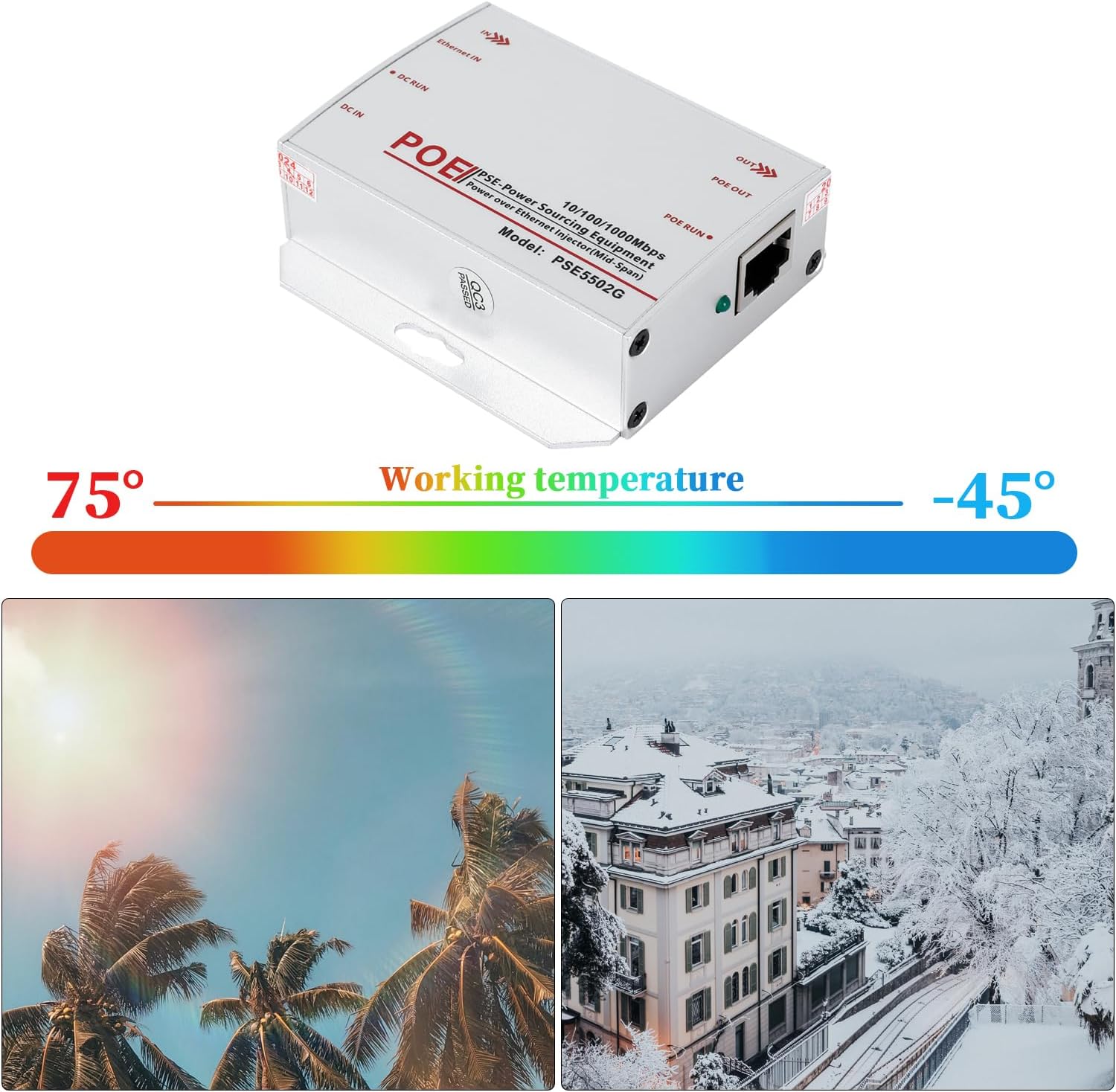
This image highlights the wide operating temperature range of the injector, from -45°C to 75°C, suitable for various environmental conditions.
8. Troubleshooting
If you encounter issues with your PoE Injector, refer to the following troubleshooting steps:
- No Power (DC RUN LED Off):
- Verify that the DC power source is connected correctly and is supplying power within the 12-48V range.
- Check the DC power cable for any damage or loose connections.
- No PoE Output (PoE RUN LED Off):
- Ensure the connected device is a PoE-powered device (PD) and is compatible with IEEE802.3af/at standards.
- Check the Ethernet cable connecting the injector's PoE OUT port to the PD for damage or improper connection.
- Confirm that the DC RUN LED is illuminated, indicating the injector is receiving input power.
- No Data Transmission:
- Verify that all Ethernet cables (Ethernet IN and PoE OUT) are securely connected and are Cat5 or better.
- Check the network connection to the Ethernet IN port (e.g., router, switch) for proper operation.
- Ensure the connected PoE device is functioning correctly.
9. Specifications

This image lists the technical specifications of the injector, including IEEE802.3af/at PoE standard, 48V PoE output (15.4W/30W), DC 12V-48V power input, 10/100/1000 Mbps transfer rate, supply core details, and an operating temperature range of -40°C to 75°C.

This image provides the dimensions of the injector (81mm x 77mm x 26mm) and states its material as aluminum, with a weight of 155g.
| Feature | Specification |
|---|---|
| Brand | REVODATA |
| Model Number | PSE5502G |
| Hardware Interface | Ethernet |
| Compatible Devices | Internet Protocol Camera |
| Product Dimensions (L x W x H) | 3.03" x 1.02" x 3.19" (77mm x 26mm x 81mm) |
| Data Link Protocol | Ethernet, IEEE 802.3, IEEE 802.3at |
| Data Transfer Rate | 1 Gigabits Per Second (10/100/1000 Mbps) |
| Item Weight | 0.15 Kilograms (155g) |
| Power Input | DC 12V-48V |
| PoE Output | 48V PoE, Max 30W (IEEE802.3af/at) |
| Operating Temperature | -40°C to 75°C |
| Material | Aluminum Alloy |
10. Warranty Information
The REVODATA Gigabit Industrial 30W PoE+ Injector (Model PSE5502G) comes with a 1-year warranty from the date of purchase. This warranty covers defects in materials and workmanship under normal use. Please retain your proof of purchase for warranty claims.
11. Support
For technical assistance, troubleshooting, or further information regarding your REVODATA product, please refer to the manufacturer's official website or contact their customer support. Contact details can typically be found on the product packaging or the manufacturer's website.