
Wokyo Charger + 2pcs 13 Batteries
Wokyo P13 Hearing Aid Battery Charger Station User Manual
Model: Charger + 2pcs 13 Batteries
1. Introduction
Thank you for choosing the Wokyo P13 Hearing Aid Battery Charger Station. This compact and convenient charger is designed to provide reliable power for your size 13 rechargeable hearing aid batteries, offering an environmentally friendly and economical alternative to disposable batteries. This manual provides essential information for the proper setup, operation, maintenance, and troubleshooting of your device.
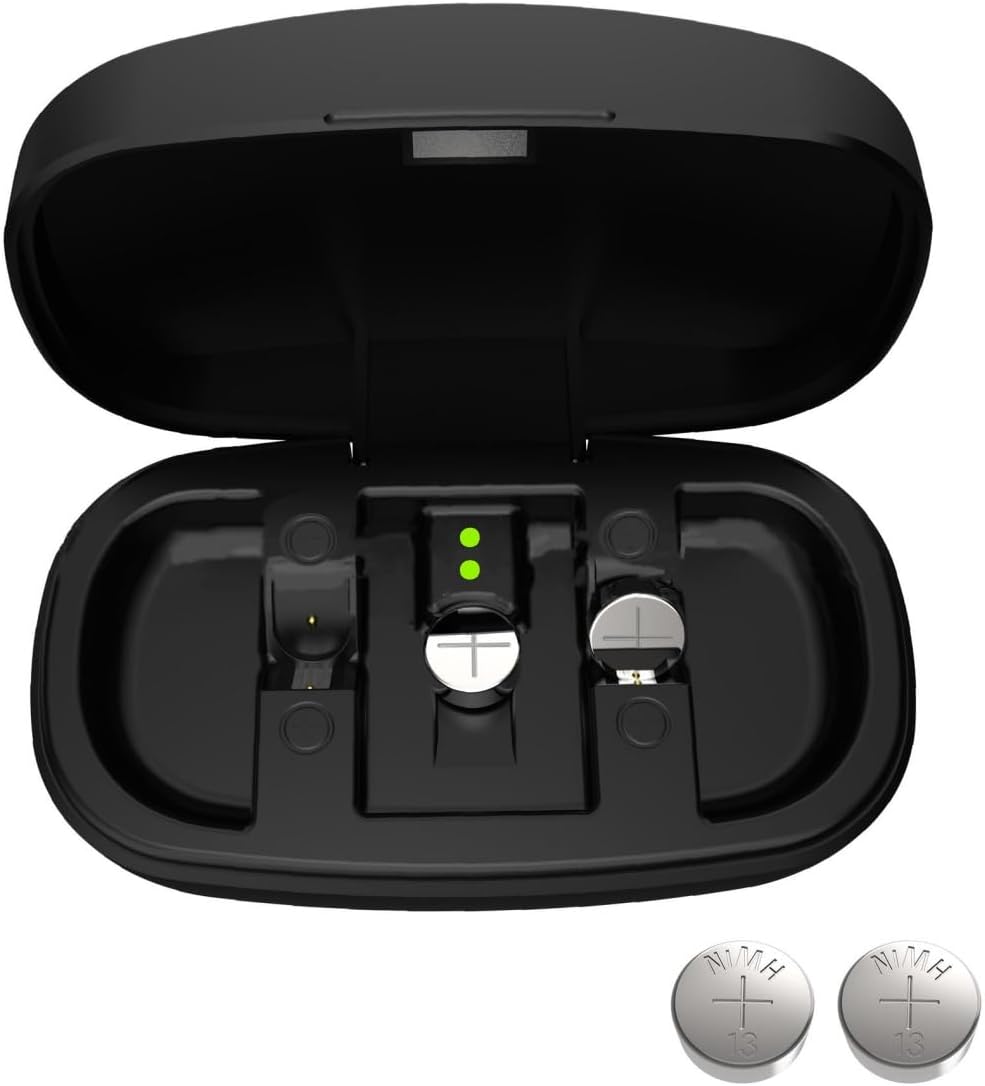
Figure 1: Wokyo P13 Hearing Aid Battery Charger Station with two size 13 rechargeable batteries.
2. Safety Information
- Keep the charger and batteries away from water and moisture.
- Do not attempt to disassemble or modify the charger or batteries.
- Use only the specified Type-C charging cable and a compatible power source (5V).
- Keep out of reach of children and pets.
- Dispose of old batteries according to local regulations.
- Avoid extreme temperatures.
3. Package Contents
- 1 x Wokyo P13 Hearing Aid Battery Charger Station
- 2 x 28maH Rechargeable Silver-Zinc Batteries (Size 13)
- 1 x USB Type-C Charging Cable
4. Product Overview
The Wokyo P13 charger station is designed for ease of use and portability. It features two charging slots for size 13 batteries and indicator lights to show charging status.

Figure 2: Key features of the Wokyo P13 Rechargeable Hearing Aid Batteries and Charger.
5. Setup and Initial Charge
5.1 Connecting the Charger
To begin, connect the provided USB Type-C charging cable to the charging port on the back of the charger station. Plug the other end of the USB cable into a compatible 5V power source (e.g., a USB wall adapter, computer USB port, or power bank).
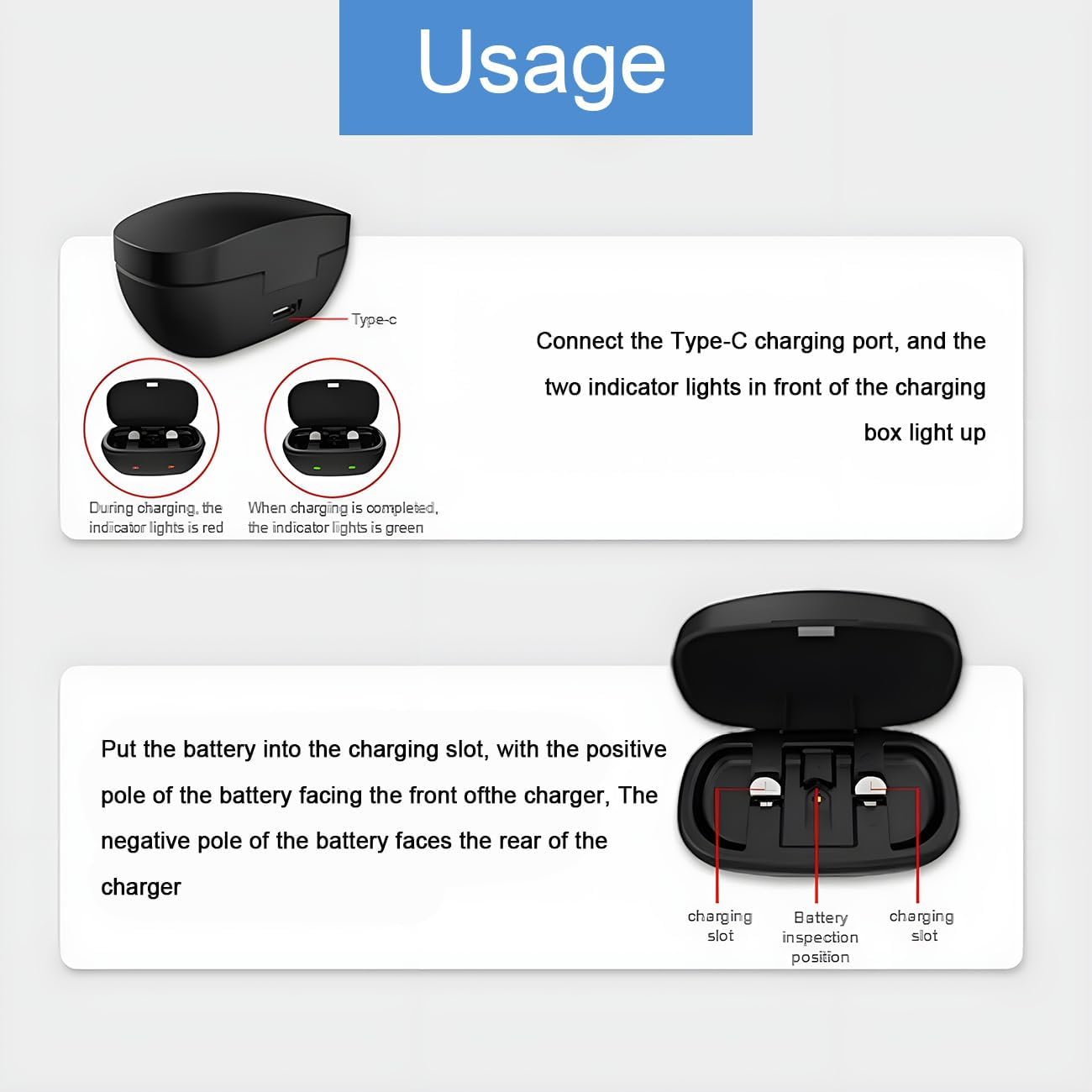
Figure 3: Location of the Type-C charging port and indicator light states.
5.2 Inserting Batteries
Carefully place the size 13 rechargeable batteries into the charging slots. Ensure the positive pole of the battery (marked with a '+' or flat side) faces the front of the charger, and the negative pole faces the rear. The two indicator lights on the front of the charging box will illuminate.
6. Operation
6.1 Charging Process
When the batteries are correctly inserted and the charger is connected to power, the indicator light for each battery will turn red, indicating that the battery is charging. A full charge typically takes approximately 6 hours. After 8 hours of full charge, the indicator lights will become green, signifying that the batteries are fully charged and ready for use.
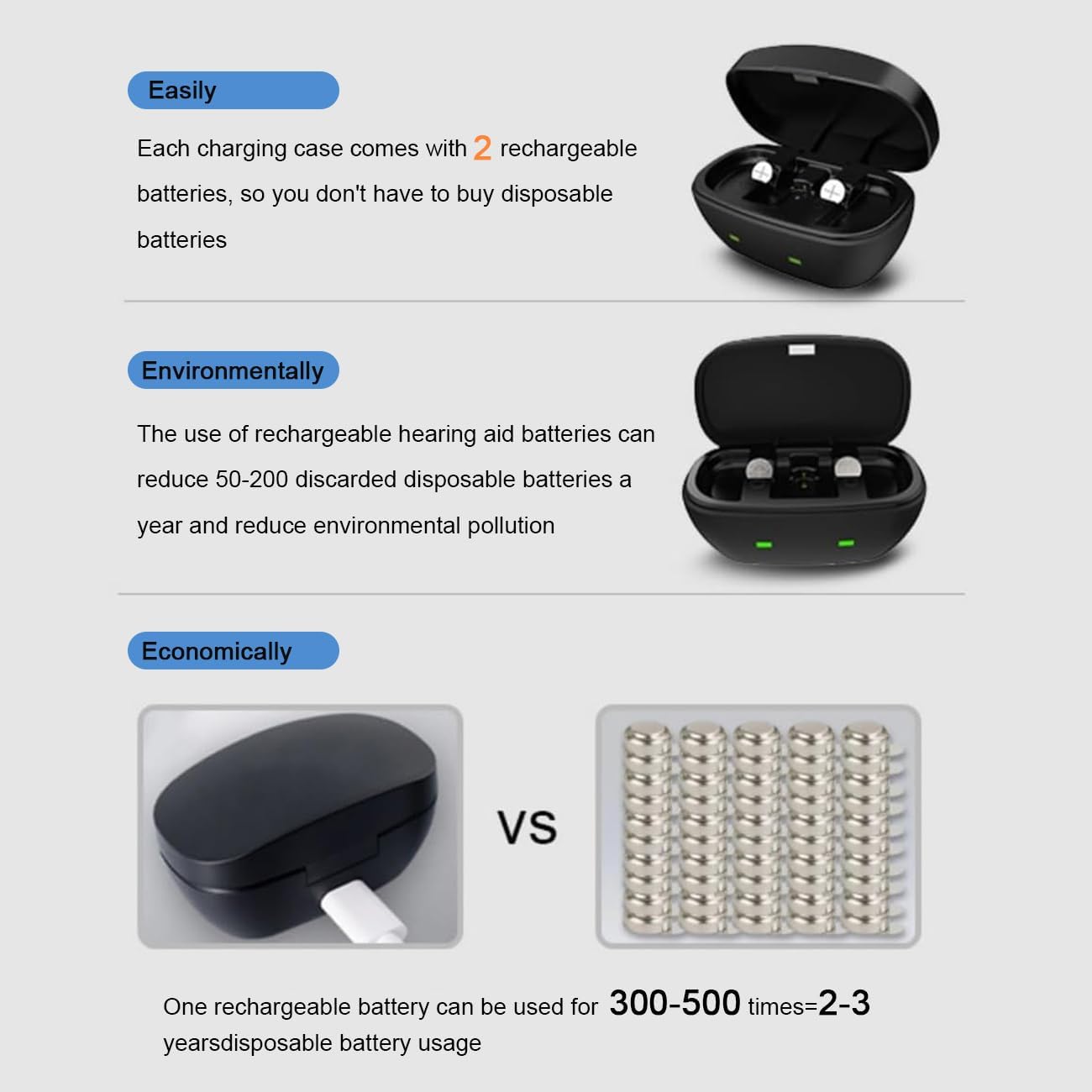
Figure 4: Battery insertion and indicator light status.
6.2 Battery Life
Each 28maH battery provides up to 25 hours of use for non-Bluetooth hearing aids on a 6-hour charge. For Bluetooth hearing aids, the battery life may be reduced to approximately 4 hours after a full charge.
7. Maintenance and Care
7.1 Cleaning
Wipe the charger station and batteries with a soft, dry cloth. Do not use liquid cleaners or abrasive materials.
7.2 Storage
Store the charger and batteries in a cool, dry place when not in use. Avoid prolonged exposure to direct sunlight or extreme temperatures.
7.3 Environmental Benefits and Longevity
One Wokyo rechargeable battery can be used for 300-500 charging cycles, which is equivalent to 2-3 years of disposable battery usage. By using rechargeable batteries, you can significantly reduce environmental pollution by avoiding the disposal of 50-200 single-use batteries per year.
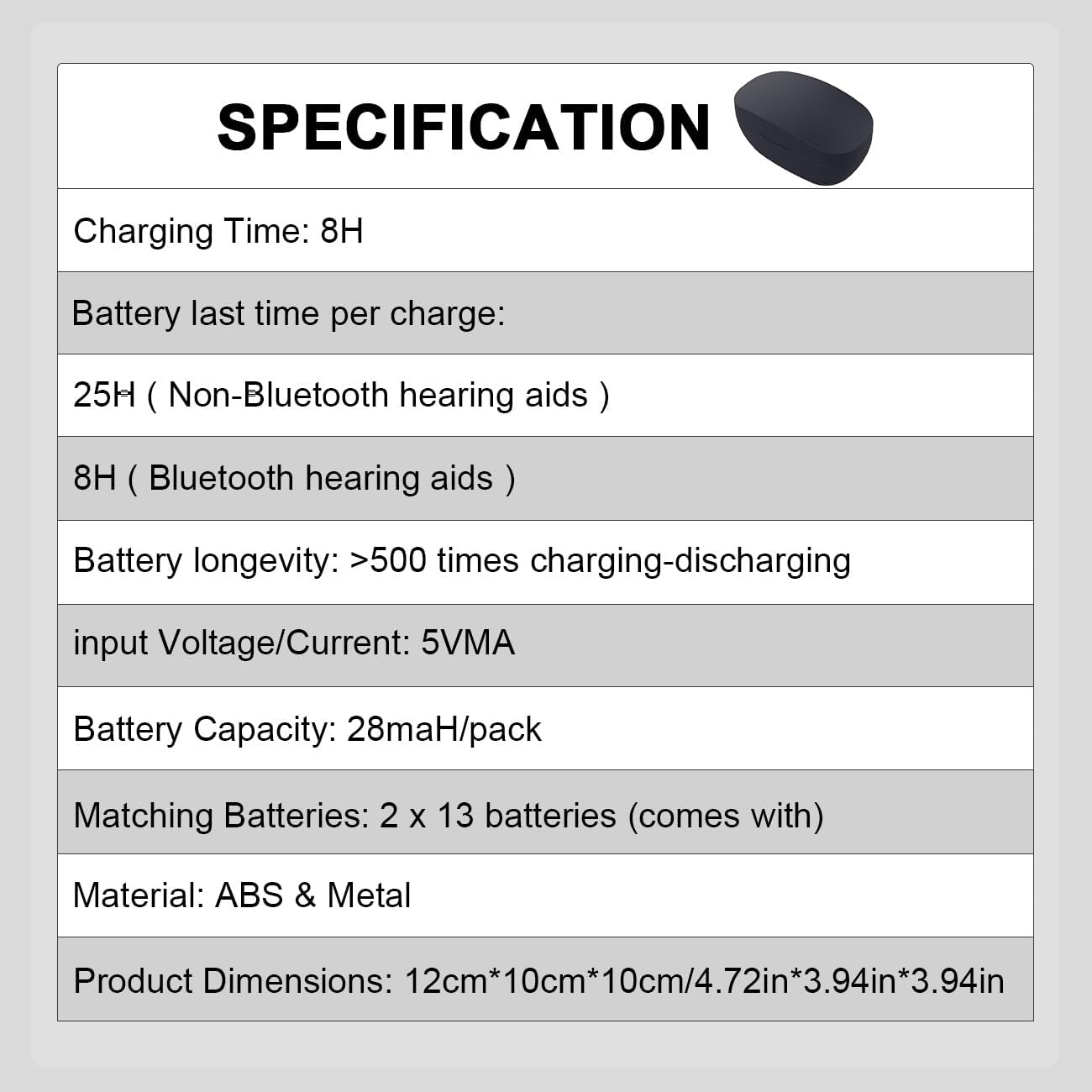
Figure 5: Environmental and economic advantages of Wokyo rechargeable batteries.
8. Troubleshooting
8.1 Battery Not Charging / Indicator Light Issues
If the battery does not appear to be charging (indicator light remains green when it should be red, or no light), it may be due to poor contact between the battery and the charger interface. In this case, please rotate or gently adjust the battery within the charging slot until the indicator light turns red.
Video 1: This video demonstrates how to properly insert batteries into the Wokyo P13 charger and troubleshoot common charging issues related to battery contact.
If the indicator light is green when you just put a partially charged battery on the charger, it means that the battery may be poorly exposed or not making proper contact. Re-adjust the battery.
8.2 Reduced Battery Life
If you experience significantly reduced battery life, ensure the batteries are fully charged (green indicator light). Battery performance can vary based on hearing aid model, usage patterns (e.g., Bluetooth streaming), and battery age. If issues persist, consider replacing the batteries after 300-500 cycles.
9. Specifications
| Feature | Detail |
|---|---|
| Brand | Wokyo |
| Model Number | Charger + 2pcs 13 Batteries |
| Battery Capacity | 28maH/pack |
| Matching Batteries | 2 x Size 13 (included) |
| Battery Cell Composition | Silver-Zinc |
| Charging Time | Approx. 6-8 hours for full charge |
| Battery Life (Non-Bluetooth HA) | Up to 25 hours per charge |
| Battery Life (Bluetooth HA) | Approx. 4 hours per charge |
| Battery Longevity | >500 charging-discharging cycles |
| Input Voltage/Current | 5V |
| Material | ABS & Metal |
| Product Dimensions | 12cm x 10cm x 10cm (4.72in x 3.94in x 3.94in) |
| Item Weight | 1.9 ounces |
| Recommended Use | Hearing Aid |
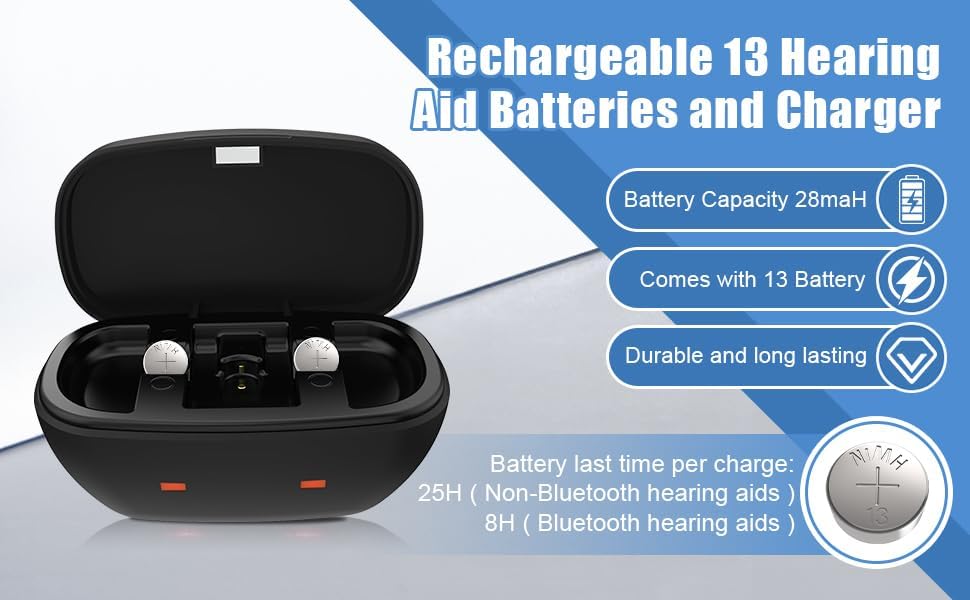
Figure 6: Detailed technical specifications.
10. Warranty and Support
For warranty information and customer support, please refer to the product packaging or contact Wokyo customer service through the retailer's platform where the product was purchased. Please retain your proof of purchase for any warranty claims.
Ask a question about this manual
Ask about setup, troubleshooting, compatibility, parts, safety, or missing instructions. Manuals+ will review the question and use this page’s manual context to help answer it.