
Introduction
This manual provides essential information for the safe and effective operation, setup, and maintenance of your wheelfun 1/14 Metal R946 Hydraulic Excavator. Please read this manual thoroughly before operating the model to ensure proper function and longevity.
Package Contents
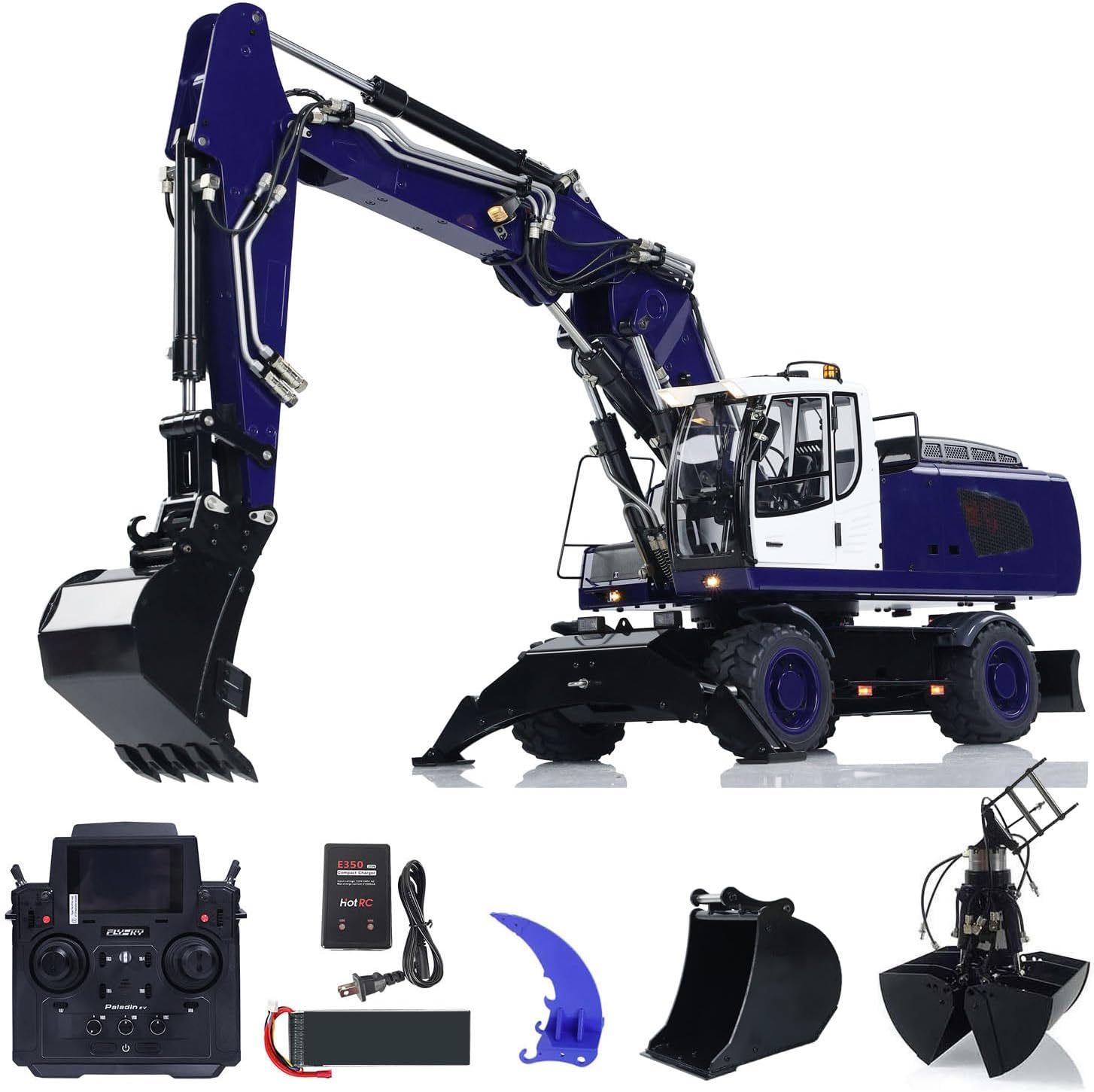
Included in Package:
- 1/14 Scale Hydraulic Excavator Model (Assembled and Painted)
- 3 x Metal Buckets
- 1 x Metal Ripper
- Flysky PL18EV RC Controller and Receiver
- Sound System (Pre-installed)
- Motor (Pre-installed)
- Servo (Pre-installed)
- ESC (Pre-installed)
- Lights (Pre-installed)
- Battery
- Charger
- Spare Parts: Screws, Shims, Connectors, Pipes, Rubber Rings
Not Included in Package:
- Light System (Note: Lights are pre-installed, this likely refers to additional or specific light accessories not included)
- Hydraulic Oil (Required for operation, must be purchased separately)
Specifications
| Feature | Detail |
|---|---|
| Scale | 1/14 |
| Color | Blue |
| Dimensions (L*W*H) | 831.7mm * 333.03mm * 259.15mm |
| Weight | 21 kg |
| Material | Stainless Steel, Aluminum, Copper (minimal plastic components) |
| Hydraulic Valves | 8-Way |
| Hydraulic Working Pressure | 4 Mpa |
| Body Rotation | Unlimited (Oil Ring Inside) |
| Drive System | 4 Wheels Drive |
| Steering System | Auto Middle Position |
| Display | Digital Hydraulic Pressure Gauge, LCD Display in Cab |
| Sound System | Included |
| Battery Space | 180mm × 60mm × 35mm |
| Recommended Battery | 3S Lipo with XT60 Connector |
| Recommended Age | 21 years and up |
Setup
Before operating your hydraulic excavator, follow these steps to ensure it is ready for use.
- Charge the Battery: Connect the provided battery to the charger and plug the charger into a suitable power outlet. Ensure the battery is fully charged before first use. Refer to the charger's specific instructions for charging times and indicators.
- Install Battery: Open the battery compartment on the excavator. Carefully insert the charged battery, ensuring the XT60 connector is properly aligned and connected. Secure the battery compartment cover.
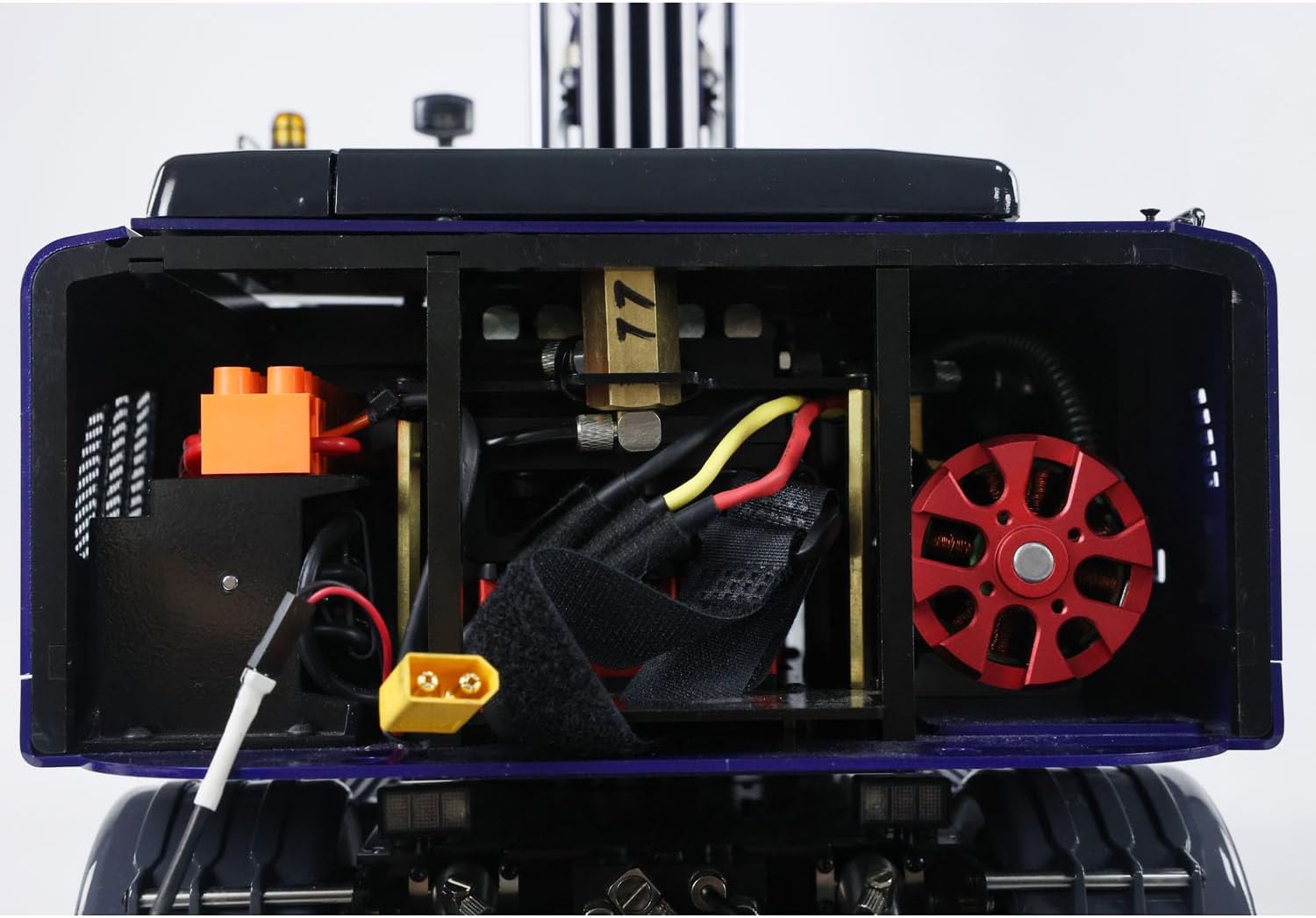
Image: An internal view of the excavator's chassis, highlighting the battery compartment and electronic speed controller (ESC) connections. - Fill Hydraulic System: The hydraulic system requires hydraulic oil, which is not included. Carefully fill the hydraulic reservoir with appropriate hydraulic oil according to the manufacturer's recommendations. Avoid overfilling.
- Controller Setup:
- Install batteries into the Flysky PL18EV RC Controller.
- Power on the controller.
- Power on the excavator. The controller and receiver should automatically bind. If not, refer to the Flysky PL18EV manual for binding procedures.
- Initial Checks: Before operation, perform a visual inspection:
- Ensure all connections are secure.
- Check for any visible damage to the model.
- Verify that the hydraulic cylinders move smoothly without obstruction.
Operating Instructions
Familiarize yourself with the controls of the Flysky PL18EV RC Controller before operating the excavator. The excavator features 8-way hydraulic valves for precise control.
Basic Controls:
- Driving: Use the designated joystick/lever on the controller to move the excavator forward, backward, left, and right. The 4-wheel drive system provides robust mobility.
- Arm and Bucket Movement: Utilize the hydraulic controls to manipulate the excavator arm, boom, and bucket. The 8-way hydraulic valves allow for complex and realistic movements.

Image: The excavator with its arm fully extended, demonstrating the reach of the hydraulic system. 
Image: The excavator with its arm retracted and bucket lowered, ready for digging operations. - Body Rotation: The excavator body can rotate 360 degrees without limit due to the internal oil ring design. Use the dedicated control for rotation.

Image: A side profile of the excavator, showcasing its robust construction and wheel design. 
Image: A rear three-quarter view of the excavator, highlighting the detailed cab and engine cover. - Sound System: The integrated sound system enhances realism. Refer to the controller manual for sound activation and volume adjustments.
- Digital Hydraulic Pressure Gauge: Monitor the hydraulic pressure via the digital gauge in the cab for optimal performance.
Safety Precautions:
- Operate in open areas, away from people, pets, and obstacles.
- Avoid operating in wet conditions or near water to prevent damage to electronics.
- Do not attempt to lift objects heavier than the excavator's capacity.
- Always turn off the excavator and controller when not in use.
Maintenance
Regular maintenance ensures the longevity and optimal performance of your wheelfun R946 Hydraulic Excavator.
- Cleaning: After each use, clean the excavator to remove dirt, dust, and debris. Use a soft brush or cloth. Avoid using water directly on electronic components.
- Hydraulic System:
- Regularly check the hydraulic oil level and refill as needed.
- Inspect hydraulic lines and connections for leaks or damage.
- Ensure hydraulic cylinders are clean and free of obstructions.
- Lubrication: Periodically lubricate moving parts, such as pivot points and gears, with appropriate RC-grade lubricant.
- Battery Care:
- Store batteries in a cool, dry place.
- Do not overcharge or over-discharge batteries.
- Disconnect the battery from the excavator when storing.
- General Inspection: Regularly inspect all screws, connectors, and mechanical parts for looseness or wear. Tighten or replace as necessary using the provided spare parts.
Troubleshooting
This section addresses common issues you might encounter with your excavator.
- Excavator Not Responding:
- Check if the excavator and controller are both powered on.
- Ensure the battery in the excavator is charged and properly connected.
- Verify that the controller and receiver are correctly bound. Refer to the Flysky PL18EV manual for binding instructions.
- Check for loose wiring connections.
- Hydraulic Functions Not Working:
- Check the hydraulic oil level and refill if low.
- Inspect hydraulic lines for kinks or blockages.
- Ensure the hydraulic pump is operating.
- Verify that the hydraulic valves are functioning correctly.
- Weak Performance / Slow Movement:
- The battery may be low; recharge it fully.
- Check for any mechanical obstructions or excessive friction in moving parts.
- Ensure the hydraulic system has sufficient oil and is free of air bubbles.
- Unusual Noises:
- Immediately stop operation.
- Inspect for loose gears, damaged motors, or obstructions in moving parts.
- If the noise persists, contact customer support.
Warranty and Support
wheelfun is committed to providing quality products and excellent customer service.
Damage Upon Arrival:
If your item arrives damaged out of the box, please contact us immediately. We use solid packaging for all items. We can resend a free replacement part if damage occurs during shipping.
Technical Support and Maintenance Services:
We have a professional after-sales team and a technical maintenance team. Our technicians can provide guidance in English through video or text for repairs and troubleshooting. For any queries or assistance, please contact wheelfun customer support.
You can visit the official wheelfun Store on Amazon for more information and contact options.
