1. Safety Information
Please read all instructions carefully before assembly and use. Retain this manual for future reference.
- Electrical Safety: Ensure all electrical connections are secure and comply with local electrical codes. Do not overload the power outlets. Keep liquids away from electrical components.
- Mirror Handling: The mirror is fragile. Handle with care during assembly. Do not apply excessive force.
- Stability: Ensure the vanity desk is assembled on a flat, stable surface. Do not place heavy objects on the desk that could compromise its stability.
- Children: Keep small parts and packaging materials away from children. This product is not a toy.
- Assembly: Follow assembly instructions precisely. Incorrect assembly can lead to instability and potential injury.
2. Package Contents
Verify that all components are present and undamaged before beginning assembly. If any parts are missing or damaged, please contact customer service.
- Vanity Desk Components
- LED Mirror
- Cushioned Stool
- Hardware Pack (screws, tools, etc.)
- Instruction Manual

Image 2.1: Overview of the JanflyHome Vanity Desk with its mirror and accompanying stool.
3. Assembly Instructions
Assembly is required for this product. Each part is clearly numbered to facilitate the process. It is recommended to assemble the desk on a soft, clean surface to prevent scratches.
- Unpack Components: Carefully remove all parts from the packaging and lay them out. Check against the parts list provided in the separate assembly guide.
- Assemble Desk Frame: Attach the metal legs to the main desk frame using the provided hardware. Ensure all screws are tightened securely.
- Install Drawer: Insert the rattan-front drawer into its designated slot. Ensure the slides operate smoothly.
- Attach Mirror: Securely attach the LED mirror to the desk top according to the specific instructions in the assembly guide.
- Assemble Stool: Attach the legs to the cushioned stool seat.
- Final Check: Verify that all connections are tight and the desk is stable before use.

Image 3.1: Detailed dimensions of the vanity desk and stool, useful for planning placement and assembly.
4. Operating Instructions
4.1 LED Mirror Operation
The integrated LED mirror features adjustable lighting to suit various needs.
- Power On/Off: Tap the touch switch on the mirror to turn the lights on or off.
- Change Color Mode: Short press the touch switch to cycle through the three available color modes: Warm Yellow, Warm White, and Cool White.
- Adjust Brightness: Long press the touch switch to continuously adjust the brightness level within the selected color mode. Release when the desired brightness is achieved.
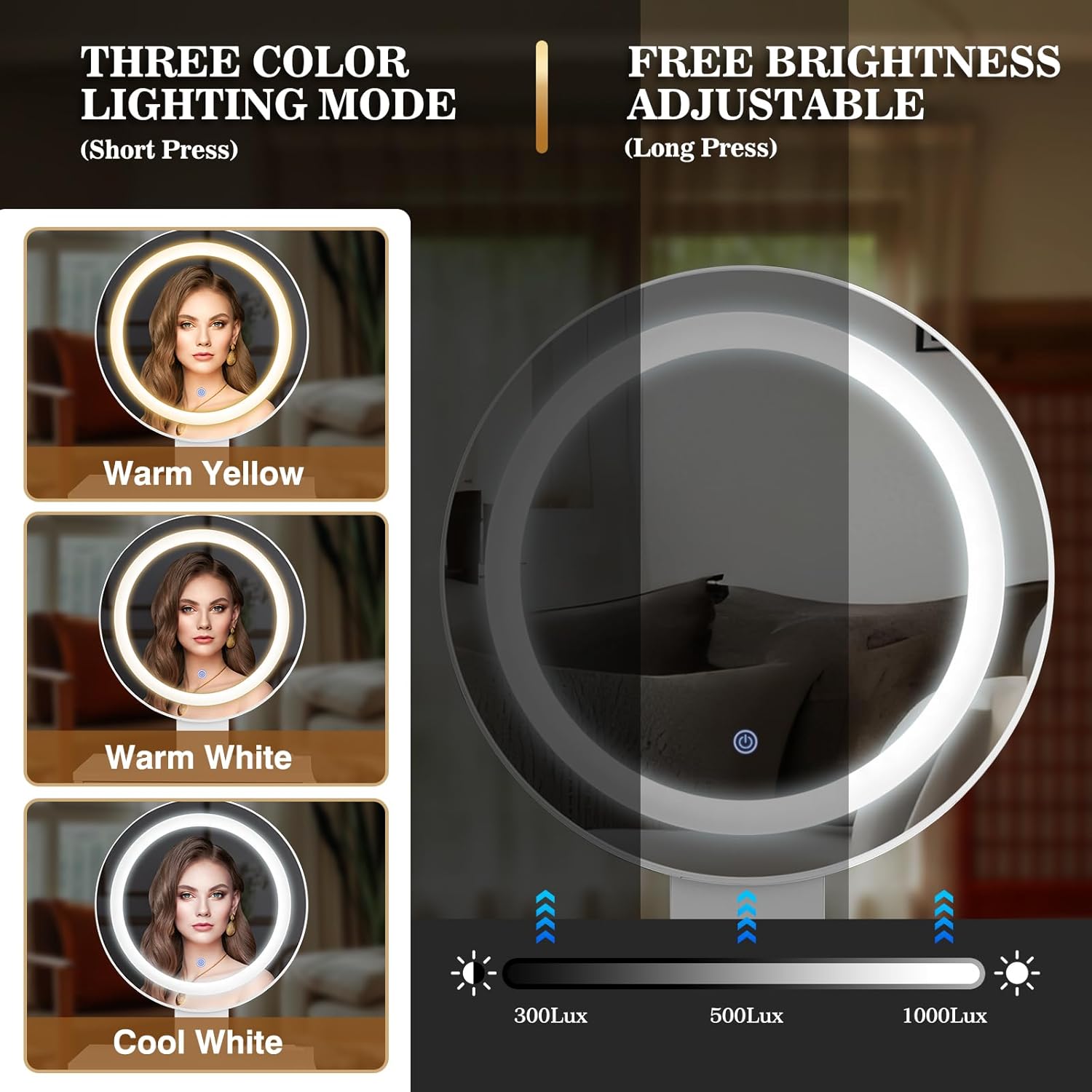
Image 4.1: Illustration of the LED mirror's three color modes (Warm Yellow, Warm White, Cool White) and the brightness adjustment function.
4.2 Built-in Charging Station
The vanity desk includes a convenient charging station for your electronic devices.
- AC Outlets: Two standard 125V/12A AC outlets are provided for powering devices such as hair dryers or curling irons.
- USB Ports: Two 5V/2A USB ports are available for charging smartphones, tablets, or other USB-powered devices.
- Power Cord: The charging station is powered by a 4.9-foot power cord. Ensure it is plugged into a suitable wall outlet.
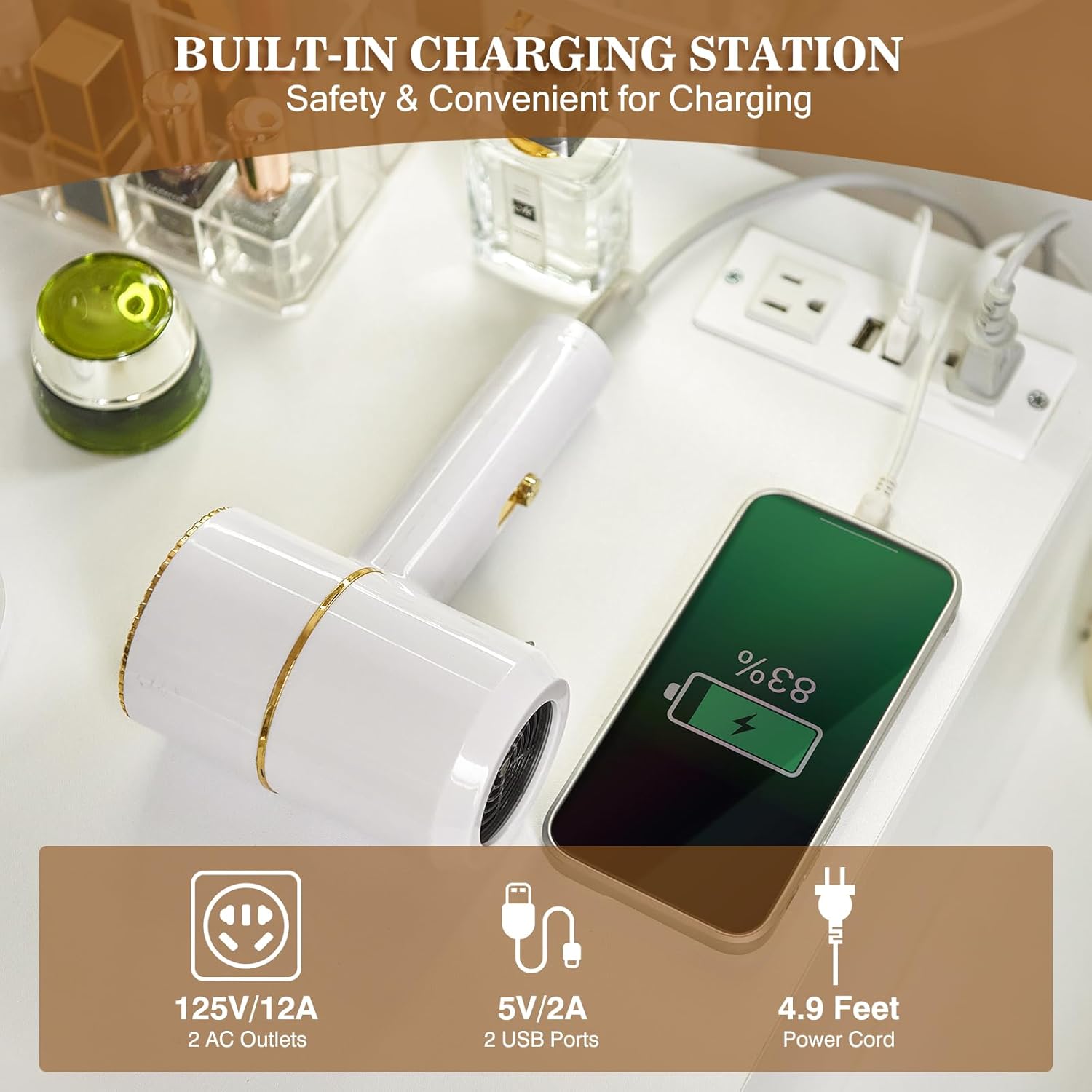
Image 4.2: Close-up view of the built-in charging station, highlighting the AC outlets and USB ports for convenient device charging.
5. Maintenance
Proper care will ensure the longevity of your vanity desk.
- Cleaning Surfaces: Wipe the desk surfaces with a dry cloth for general dusting. For spills or marks, use a damp cloth and mild soap, then dry immediately. Avoid harsh chemicals or abrasive cleaners.
- Mirror Cleaning: Use a soft, lint-free cloth and a glass cleaner specifically designed for mirrors. Do not spray cleaner directly onto the mirror; apply it to the cloth first.
- Electrical Components: Ensure the charging station and mirror wiring are not damaged. If any damage is observed, discontinue use and contact customer service.
- Drawer Slides: Periodically check drawer slides for smooth operation. If they become stiff, a small amount of silicone lubricant can be applied.
- Stool Cushion: Spot clean the stool cushion with a mild fabric cleaner as needed.
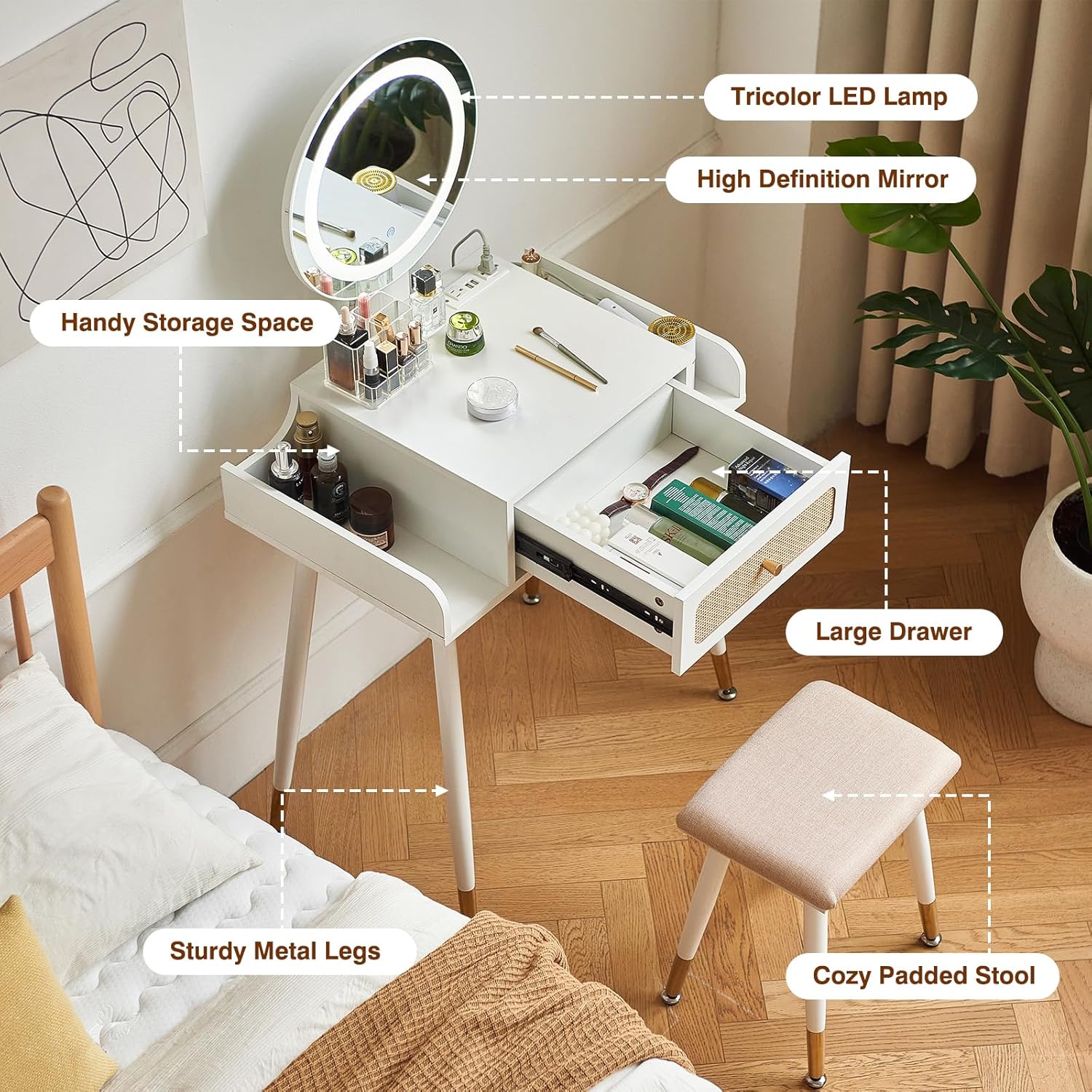
Image 5.1: An annotated image showcasing the key features of the vanity desk, such as the LED lamp, high-definition mirror, handy storage, large drawer, sturdy metal legs, and cozy padded stool.
6. Troubleshooting
Refer to this section for common issues and their solutions.
| Problem | Possible Cause | Solution |
|---|---|---|
| LED mirror lights do not turn on. | Power cord not plugged in; loose connection; faulty switch. | Ensure power cord is securely plugged into a working outlet. Check all connections. If issue persists, contact customer service. |
| Charging station (AC outlets/USB ports) not working. | Power cord not plugged in; circuit breaker tripped. | Verify the main power cord is plugged in. Check your home's circuit breaker. Test with another device. |
| Drawer is stiff or difficult to open/close. | Misalignment; debris in slides; dry slides. | Check for proper alignment during assembly. Clear any debris from the slides. Apply a small amount of silicone lubricant to the slides. |
| Desk feels unstable. | Loose connections; uneven surface. | Retighten all screws and bolts. Ensure the desk is placed on a level surface. |

Image 6.1: Detailed view of the rattan drawer design with its elegant metal handle, the smooth and silent drawer slides, and the thick, soft sponge cushion of the stool.
7. Specifications
| Feature | Detail |
|---|---|
| Model Number | JCZ-US67 |
| Brand | JanflyHome |
| Product Dimensions (L x W x H) | 27.6" x 18.02" x 50" |
| Item Weight | 41 pounds |
| Frame Material | Metal |
| Furniture Finish | Engineered Wood |
| Seat Material Type | Fabric |
| LED Mirror Lighting | 3 Color Modes (Warm Yellow, Warm White, Cool White), Adjustable Brightness |
| Charging Station | 2 AC Outlets (125V/12A), 2 USB Ports (5V/2A) |
| Power Cord Length | 4.9 Feet |
| Assembly Required | Yes |
8. Warranty and Support
JanflyHome is committed to 100% customer satisfaction. If you encounter any issues such as a broken mirror, missing parts, or other concerns, please do not hesitate to contact our customer service team.
- Customer Service: We offer 24-hour customer service to assist you with any product-related inquiries or support needs.
- Contact Information: Please refer to the contact details provided on your purchase receipt or the JanflyHome official website for support.

