
ALABS TIMESLIP Delay Pedal
Contents
ALABS TIMESLIP Delay Pedal User Manual
Model: TIMESLIP Delay Pedal
Brand: ALABS
1. Introduction
This manual provides comprehensive instructions for the ALABS TIMESLIP Delay Pedal and its accompanying guitar patch cables. The TIMESLIP pedal is a versatile stereo digital delay unit featuring 9 distinct delay effects, analog dry-through, true bypass, tap tempo, adjustable modulation, and multi-expression control. The included 1/4" right-angle guitar patch cables are designed for optimal signal transfer and space-saving on your pedalboard.
2. Product Features
- 9 Professional True Stereo Delays: Includes Tape Echo, Digital, Analog, Reverse, Warp, Granule, Octave, Sweeper, and Swell effects. Each effect type can be further enhanced by adjusting the Mod parameter.
- Ping Pong Stereo Mode and Analog Dry Pass: All effect types support true stereo or ping pong stereo modes. The analog dry-through circuit bypasses AD/DA conversion, preserving original signal characteristics and reducing noise. True bypass and analog buffer bypass ensure tonal integrity.
- 2 Tap Tempo Rhythms: Features a flexible built-in Tap Tempo setting with two optional rhythm modes: 1/4 and 3/8, allowing for precise control over delay timing.
- Multi-Expression Control: The pedal can memorize variation curves of TIME, REPEAT, MIX, and MOD parameters within a 5-second timeframe for playback, offering creative freedom.
- High-Quality Patch Cables: The included 1/4" Oxygen-Free Copper (OFC) conductor core patch cables reduce high-frequency losses, ensuring pure and unchanged guitar tone. Their flat metal right-angle plug design is durable and space-saving.
3. Setup
3.1 Connecting the TIMESLIP Delay Pedal
Follow these steps to connect your ALABS TIMESLIP Delay Pedal:
- Connect your guitar or previous effect pedal to the IN R (Right Input) or IN L (Left Input) jack on the TIMESLIP pedal using a standard 1/4" instrument cable. For mono operation, use IN R.
- Connect the OUT R (Right Output) or OUT L (Left Output) jack to your amplifier or next effect pedal. For mono operation, use OUT R. For stereo operation, connect both IN L/R and OUT L/R.
- Connect a 9V DC power supply (not included) to the power input jack. Ensure the power supply meets the pedal's specifications (center negative).


3.2 Using the Guitar Patch Cables
The included 1/4" right-angle patch cables are ideal for connecting multiple pedals on a pedalboard, saving space and ensuring a clean signal path. Their robust construction ensures durability and reliable performance.
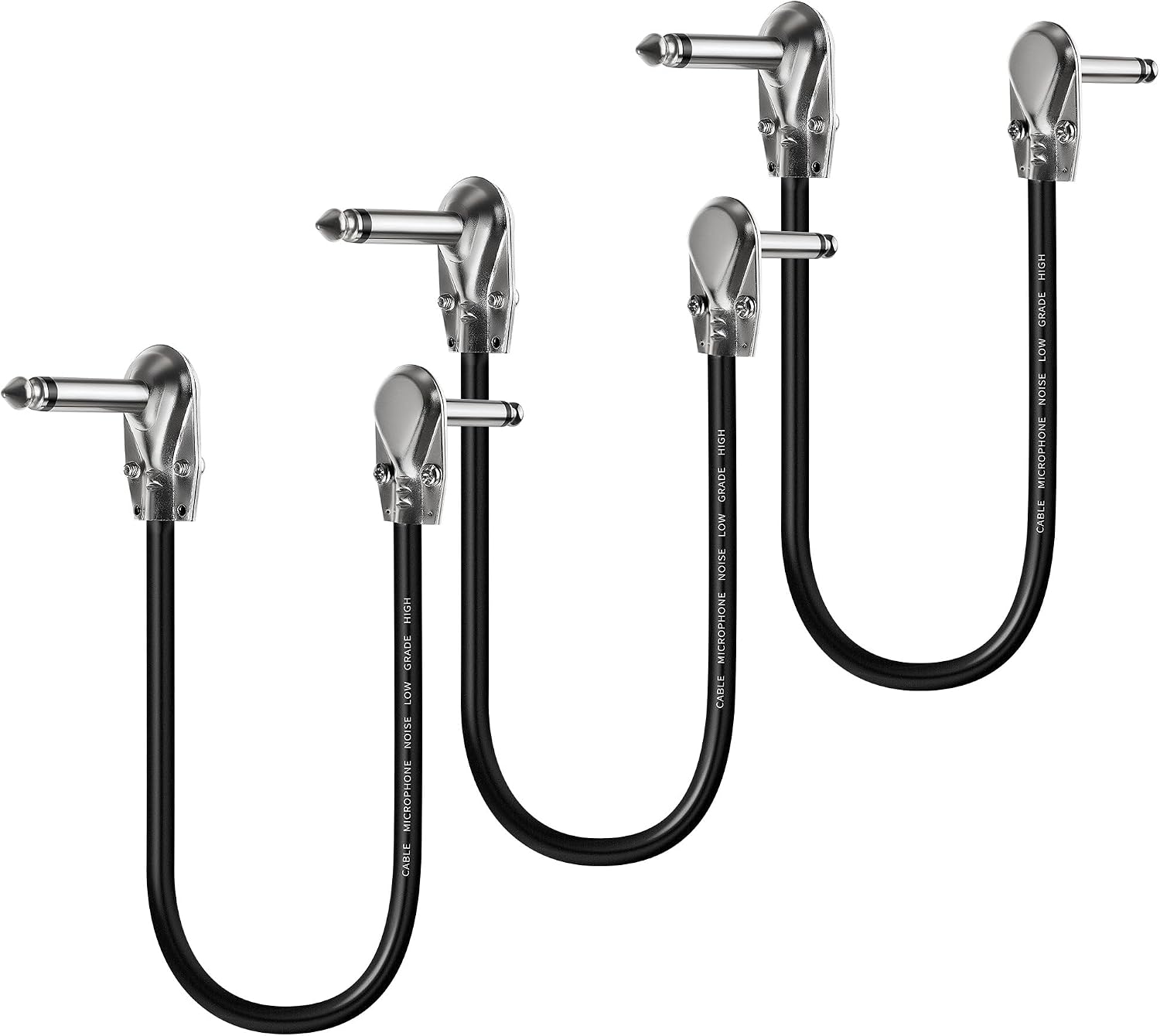


Connect the right-angle plugs between the input and output jacks of adjacent pedals. The flat design allows for closer placement of pedals, optimizing pedalboard space.
4. Operating Instructions
4.1 Controls Overview

| Control | Description |
|---|---|
| TIME | Adjusts the delay time. |
| REPEAT | Controls the number of delay repeats (feedback). |
| MIX | Blends the dry (unaffected) signal with the wet (effected) signal. |
| TONE | Adjusts the tone of the delay repeats. |
| MOD | Controls the modulation applied to the delay. |
| Effect Selector | Rotary switch to select one of the 9 delay effects. |
| TAP Footswitch | Used for tap tempo input and engaging/disengaging the effect. |
4.2 Delay Effects
The TIMESLIP pedal offers 9 distinct delay effects:
- Tape Echo: Simulates the warm, decaying repeats of vintage tape delays.
- Digital: Clean, pristine digital delay repeats.
- Analog: Emulates classic analog bucket-brigade delays with darker, decaying repeats.
- Reverse: Plays delay repeats in reverse.
- Warp: Creates unique, evolving delay textures.
- Granule: Granular delay effects for experimental sounds.
- Octave: Adds octave-shifted repeats.
- Sweeper: Delay with a sweeping filter effect.
- Swell: Creates volume swells with the delay repeats.
4.3 Tap Tempo
The Tap Tempo feature allows you to set the delay time by tapping the TAP footswitch. Tap the footswitch two or more times in rhythm to set the delay time. The pedal supports 1/4 and 3/8 rhythm modes.

4.4 Multi-Expression Control
The Multi-Expression Control allows you to record and playback parameter changes. This feature can memorize the variation curves of the TIME, REPEAT, MIX, and MOD parameters within a 5-second timeframe. Consult the full product documentation for detailed instructions on engaging and programming this feature.

5. Maintenance
- Cleaning: Use a soft, dry cloth to clean the pedal's exterior. Avoid abrasive cleaners or solvents.
- Storage: Store the pedal in a dry environment, away from extreme temperatures and direct sunlight.
- Cable Care: Avoid sharp bends or kinks in the patch cables. Store them neatly to prevent tangling and damage.
- Power Supply: Always use a compatible 9V DC center-negative power supply to prevent damage to the pedal.
6. Troubleshooting
| Problem | Possible Cause | Solution |
|---|---|---|
| No sound when pedal is engaged. | Incorrect cable connection; no power; pedal bypass mode. | Check all cable connections (input/output). Ensure power supply is connected and functional. Verify pedal is not in true bypass mode if expecting effect. |
| Unwanted noise or hum. | Ground loop; faulty cable; power supply interference. | Try a different power outlet or isolated power supply. Replace patch cables. Ensure proper grounding of all equipment. |
| Delay effect is not as expected. | Incorrect knob settings; wrong effect selected. | Adjust TIME, REPEAT, MIX, TONE, and MOD knobs. Confirm the correct delay effect is selected with the rotary switch. |
7. Specifications
| Feature | Detail |
|---|---|
| Brand | ALABS |
| Model | TIMESLIP Delay Pedal |
| Effect Types | 9 (Tape Echo, Digital, Analog, Reverse, Warp, Granule, Octave, Sweeper, Swell) |
| Signal Format | Analog Dry Through |
| Bypass Type | True Bypass / Analog Buffer Bypass |
| Power Source | Corded Electric (9V DC, center negative, not included) |
| Controls Type | Knob, Footswitch, Rotary Switch |
| Patch Cable Length | 12 inches (approx. 30 cm) |
| Patch Cable Conductor | Oxygen-Free Copper (OFC) |
8. Warranty and Support
For warranty information and technical support, please refer to the ALABS official website or contact their customer service directly. Keep your purchase receipt as proof of purchase for any warranty claims.
Visit the ALABS Store: ALABS Official Store
Ask a question about this manual
Ask about setup, troubleshooting, compatibility, parts, safety, or missing instructions. Manuals+ will review the question and use this page’s manual context to help answer it.