
Pulsar GD500N
Pulsar GD500N Inverter Generator User Manual
Model: GD500N | Brand: Pulsar Products
Introduction
This manual provides essential information for the safe operation, maintenance, and troubleshooting of your Pulsar GD500N 5000W Portable Super-Quiet Inverter Generator. Please read this manual thoroughly before operating the generator to ensure proper use and to prevent injury or damage.
The Pulsar GD500N is a gasoline-powered inverter generator designed for portability and quiet operation, making it ideal for camping, residential backup power, and powering tools. It features 5000 peak watts and 4000 running watts, with RV-ready capabilities.
Important Safety Information
WARNING: Carbon Monoxide Hazard
Generators produce carbon monoxide, a colorless, odorless, poisonous gas. Operating a generator indoors can kill you in minutes. ALWAYS operate the generator outdoors in a well-ventilated area, far away from windows, doors, and vents.
- Read and understand all instructions before operating the generator.
- Keep children and pets away from the generator during operation.
- Do not operate the generator in rain or wet conditions.
- Ensure proper grounding of the generator before use.
- Always turn off the generator and allow it to cool before refueling.
- Use only fresh, clean, unleaded gasoline.
- Check oil level before each use. The generator features a Low Oil Shutdown to prevent engine damage.
- Do not overload the generator. It has Overload Protection and Resettable Circuit Breakers.
Components and Key Features
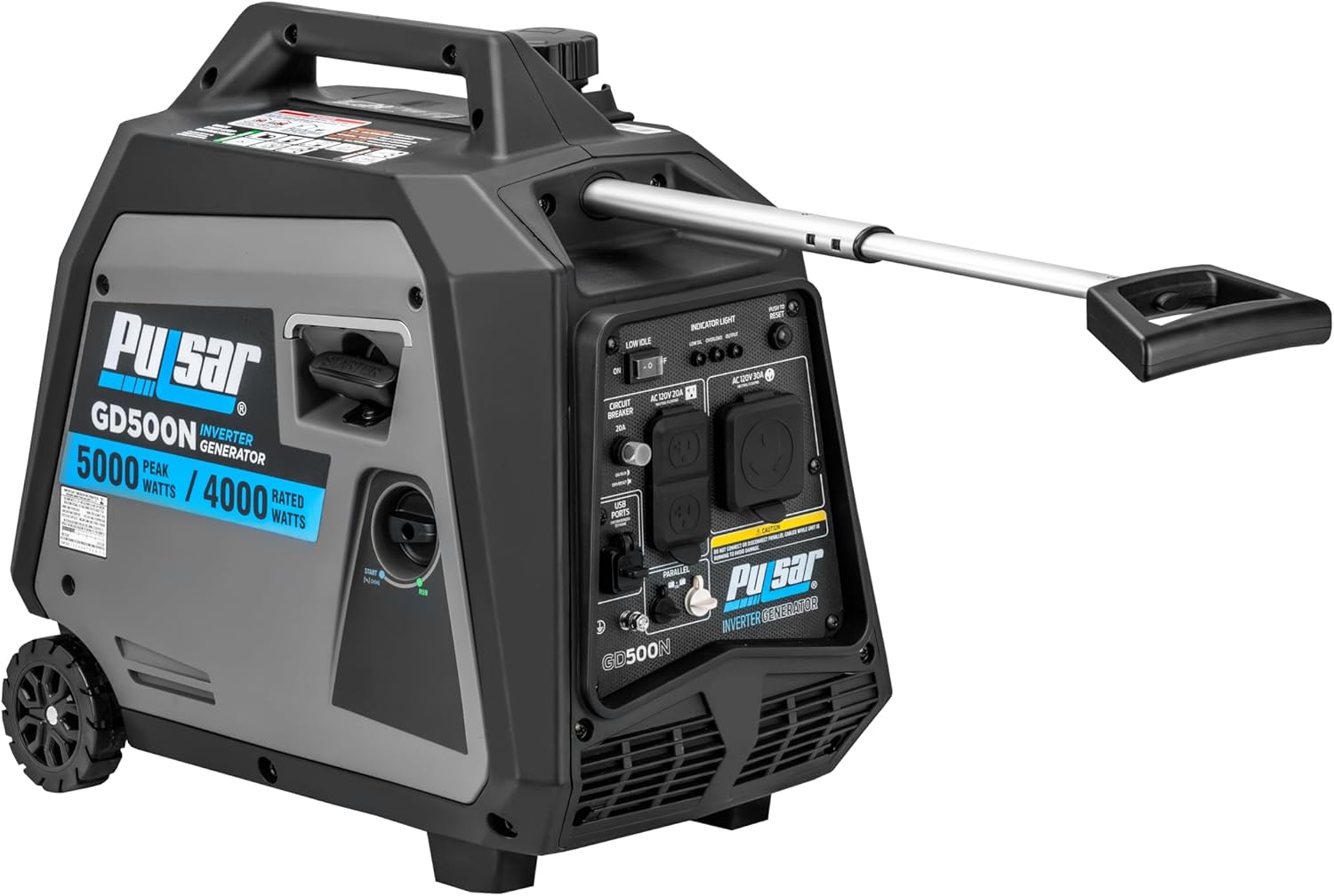
Front-side view of the Pulsar GD500N Inverter Generator, highlighting its compact design and control panel.

Rear view of the generator, displaying the various power outlets including the 3-Prong RV Plug and Duplex Plug.
Key Features:
- 5000 Peak Watts / 4000 Running Watts: Provides ample power for various applications.
- Super-Quiet Operation: Designed for reduced noise levels, ideal for sensitive environments.
- RV-Ready: Equipped with a 3-Prong RV Plug for direct connection to recreational vehicles.
- Low Oil Shutdown: Automatically shuts off the engine when oil levels are too low, preventing damage.
- Overload Protection & Resettable Circuit Breaker: Protects the generator and connected devices from power surges.
- Telescopic Handle: For easy portability and maneuverability.
- Parallel Ready: Allows connection of two compatible generators for increased power output.
- Multiple Outlets: Includes Duplex Plug, 3-Prong RV Plug, and USB A/USB C ports.
Setup and First Use
1. Unpacking and Inspection:
Carefully remove the generator from its packaging. Inspect for any shipping damage. Report any damage to your dealer immediately.
2. Add Engine Oil:
The generator is shipped without engine oil. Before first use, add the recommended amount of 10W-30 engine oil (Capacity: 0.45 L / 0.47 QT - 15.2 fl oz). Do not overfill. Refer to the oil fill cap for specific instructions.
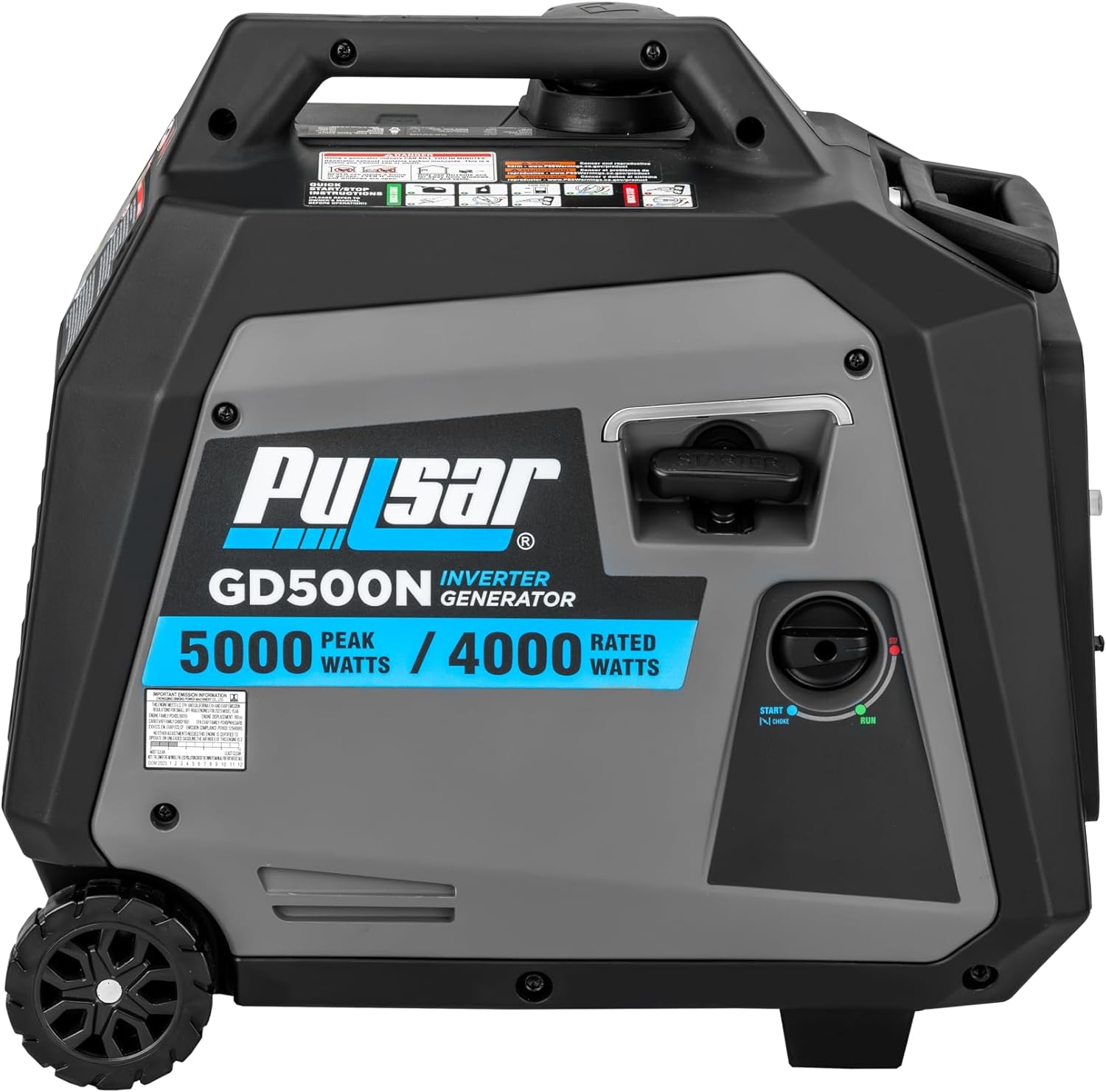
Side view of the generator, indicating the location for oil filling.
3. Add Fuel:
Use fresh, clean, unleaded gasoline with an octane rating of 87 or higher. The fuel tank capacity is approximately 1.18 Imperial Gallons. Do not fill above the maximum fill line. Ensure the fuel cap is securely tightened after filling.
CAUTION: Do not use E85 or any gasoline containing more than 10% ethanol.
4. Positioning the Generator:
Place the generator on a firm, level surface outdoors, away from any combustible materials and at least 20 feet from any building openings.
Operating Instructions
Starting the Engine:
- Ensure the generator is on a level surface and all electrical loads are disconnected.
- Turn the fuel valve to the "ON" position.
- Move the choke lever to the "CHOKE" position (if engine is cold).
- Turn the engine switch to the "ON" position.
- Pull the recoil start handle firmly and smoothly until the engine starts.
- Once the engine starts, gradually move the choke lever to the "RUN" position.
- Allow the generator to warm up for a few minutes before connecting electrical loads.
Connecting Electrical Loads:
- Plug in your appliances or extension cords into the appropriate outlets (e.g., Duplex Plug, 3-Prong RV Plug, USB ports).
- Do not exceed the generator's rated running wattage (4000 Watts) or peak wattage (5000 Watts).
- Monitor the On Indicator Light and Overload Protection indicator. If an overload occurs, the circuit breaker will trip. Reduce the load and reset the breaker.
Stopping the Engine:
- Disconnect all electrical loads from the generator.
- Allow the generator to run for a few minutes without load to cool down.
- Turn the engine switch to the "OFF" position.
- Turn the fuel valve to the "OFF" position.
Maintenance
Regular maintenance is crucial for the longevity and optimal performance of your generator. Always ensure the generator is off and cooled down before performing any maintenance.
Maintenance Schedule:
| Item | Frequency |
|---|---|
| Check Engine Oil Level | Before each use |
| Change Engine Oil | First 20 hours, then every 100 hours or annually |
| Clean Air Filter | Every 50 hours or more often in dusty conditions |
| Inspect Spark Plug | Every 100 hours or annually |
| Clean Fuel Filter | Every 100 hours or annually |
Storage:
For long-term storage, drain the fuel tank and carburetor, or use a fuel stabilizer. Store the generator in a clean, dry place.
Troubleshooting
| Problem | Possible Cause | Solution |
|---|---|---|
| Engine will not start | No fuel; Low oil level; Engine switch OFF; Choke not set correctly; Spark plug issue | Add fuel; Add oil; Turn engine switch ON; Adjust choke; Inspect/replace spark plug |
| No power output | Circuit breaker tripped; Overload; Loose connection | Reset circuit breaker; Reduce load; Check connections |
| Engine runs rough | Stale fuel; Clogged air filter; Dirty spark plug | Drain and refill with fresh fuel; Clean/replace air filter; Clean/replace spark plug |
| Low Oil Shutdown activates | Insufficient oil level | Add engine oil to the proper level |
If problems persist after attempting these solutions, please contact Pulsar customer support.
Technical Specifications
| Specification | Detail |
|---|---|
| Model Name | Pulsar GD500N |
| Peak Wattage | 5000 Watts |
| Running Wattage | 4000 Watts |
| Fuel Type | Gasoline |
| Voltage | 120 Volts |
| Frequency | 50 Hz |
| Engine Displacement | 208 Cubic Centimeters |
| Runtime (at half load) | 6 hours |
| Fuel Tank Volume | 1.18 Imperial Gallons |
| Item Weight | 59 Pounds |
| Product Dimensions (L x W x H) | 20.9"L x 12.2"W x 19.7"H |
| Total Power Outlets | 4 (including RV, Duplex, USB) |
| Special Features | Automatic Shut Down, Fuel Efficient, Lightweight, Low Oil Shutdown |
Reference Wattage for Common Appliances:

This table provides estimated running and starting wattages for common household appliances, useful for planning your generator usage.
Warranty and Customer Support
Your Pulsar GD500N Inverter Generator comes with a 2 Year Manufacturer Warranty. Please retain your proof of purchase for warranty claims.
For technical assistance, parts, or warranty inquiries, please visit the official Pulsar Products store or contact their customer support directly.
Visit the Pulsar Store on Amazon for more information.
Related documentsGD500N


Ask a question about this manual
Ask about setup, troubleshooting, compatibility, parts, safety, or missing instructions. Manuals+ will review the question and use this page’s manual context to help answer it.