
Introduction
Thank you for choosing the Cuifati Y13 Smart Sports Watch. This device is designed to help you monitor your fitness activities, receive notifications, and manage various functions directly from your wrist. This manual provides essential information for setting up, operating, and maintaining your smartwatch to ensure optimal performance.
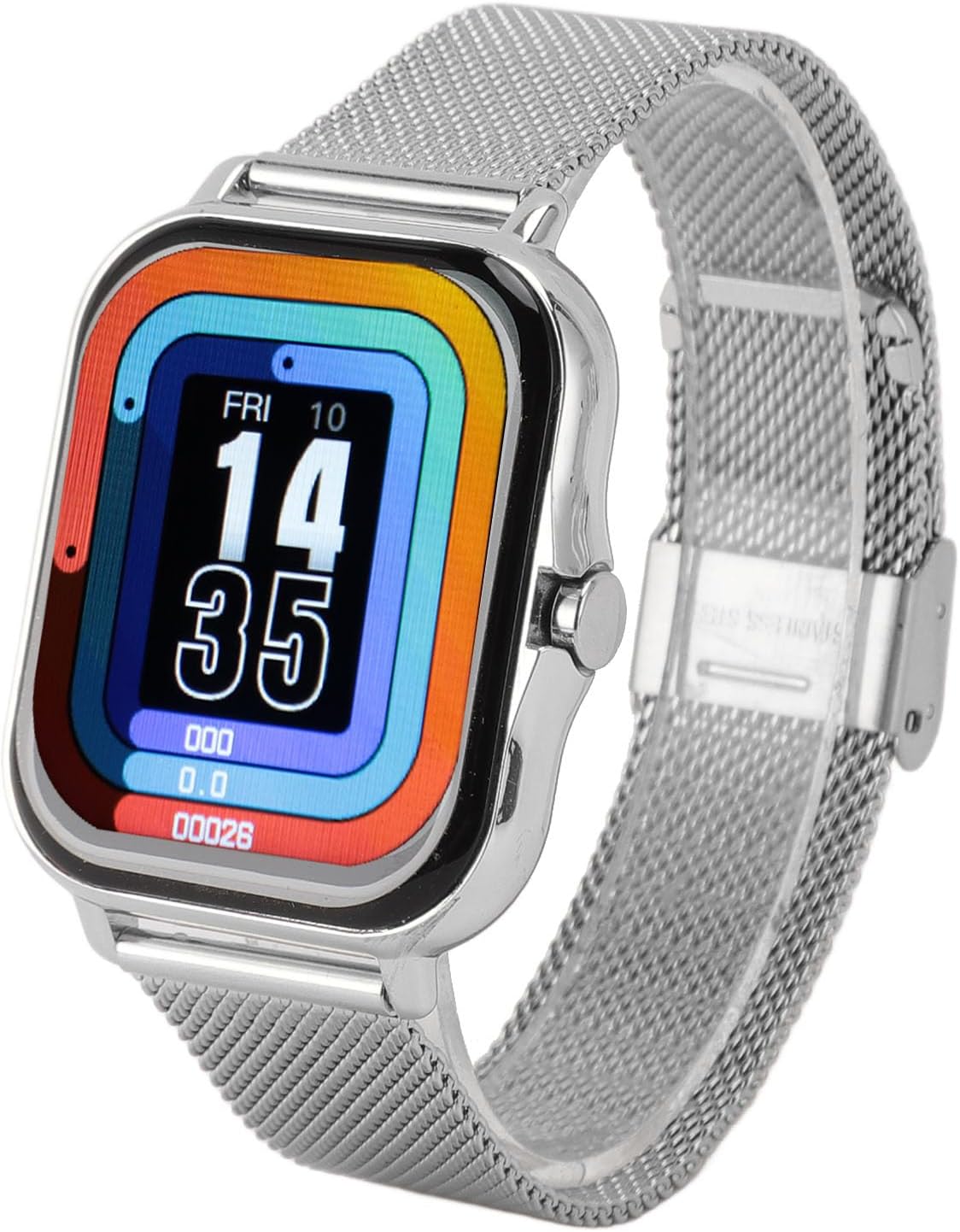
Image: Cuifati Y13 Smart Sports Watch, front view.
Package Contents
Please verify that all the following items are included in your package:
- 1 x Cuifati Y13 Smart Sports Watch
- 1 x Watch Strap (pre-installed or separate)
- 2 x Steel Pins (for strap attachment, if separate)
- 1 x Magnetic Charging Cable
- 1 x User Manual
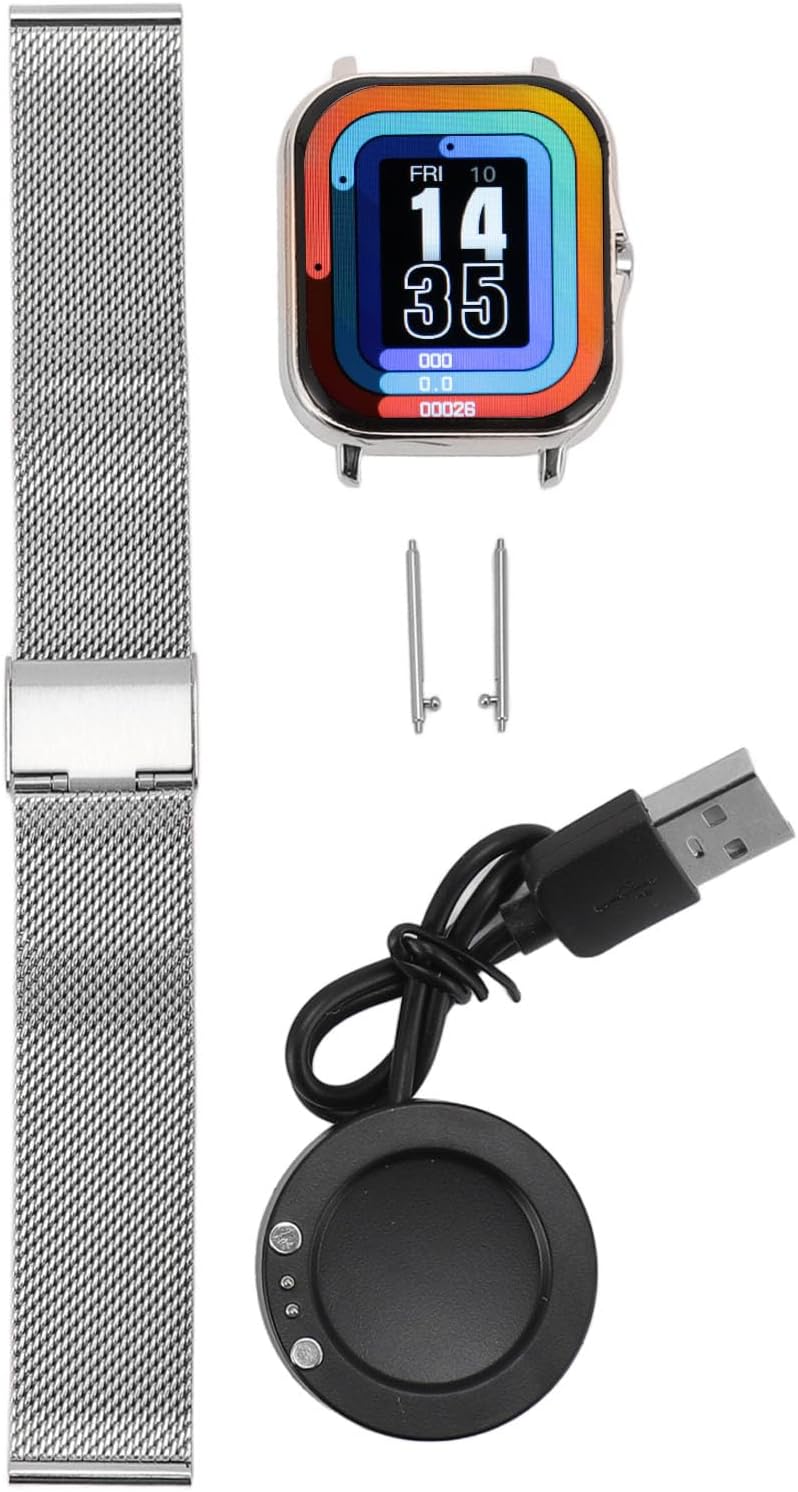
Image: All components included in the Cuifati Y13 Smart Sports Watch package.
Setup
1. Initial Charging
Before first use, fully charge your smartwatch. Connect the magnetic charging cable to the charging points on the back of the watch and plug the USB end into a power adapter (not included) or a computer's USB port. The watch display will indicate charging status.
2. Powering On/Off
- To Power On: Press and hold the side button until the screen lights up.
- To Power Off: Navigate to the settings menu on the watch, select 'Power Off', and confirm.
3. App Installation and Pairing
To unlock the full functionality of your smartwatch, you need to install the companion application on your smartphone. Refer to the user manual included in the package for the specific app name and QR code, or search for the recommended app in your phone's app store.
- Download and install the app on your smartphone.
- Ensure Bluetooth is enabled on your smartphone.
- Open the app and follow the on-screen instructions to create an account and pair your Y13 Smart Sports Watch. The watch uses Bluetooth 4.0 for connection.
- The watch is compatible with Android 5.0 and above, and iOS 9.0 and above devices.
Operating Instructions
Basic Navigation
The Cuifati Y13 Smart Sports Watch features a 1.69-inch full touchscreen display. Swipe left, right, up, or down to navigate through menus and functions. Tap to select items or confirm actions. The side button typically serves as a home button or to wake the screen.

Image: User interacting with the smartwatch and a close-up of the watch face.
Sports Modes
The watch supports 12 sports modes to accurately track your activities. These include walking, running, cycling, swimming, and more. Select your desired sport mode before starting an activity to record relevant data such as steps, calories, and distance.

Image: Icons illustrating the various sports modes.

Image: Examples of activities tracked by the smartwatch.
Notifications
Stay connected by receiving notifications for calls, messages, and social media alerts directly on your watch. Ensure the notification settings are enabled in the companion app on your smartphone.
Music Control
Control music playback on your smartphone directly from your watch. You can play, pause, skip tracks, and adjust volume without needing to take out your phone.
Remote Camera Control
Use your watch as a remote shutter for your smartphone camera. Simply shake your wrist lightly to take pictures, allowing for convenient photo capture.
Sleep Monitoring
The watch monitors your sleep patterns, recording different sleep stages throughout the night. This data can help you understand and improve your sleep habits for better rest.
Smart Alarm Clock
Set smart alarms that gently vibrate to wake you up, providing a more pleasant alternative to harsh alarm sounds.
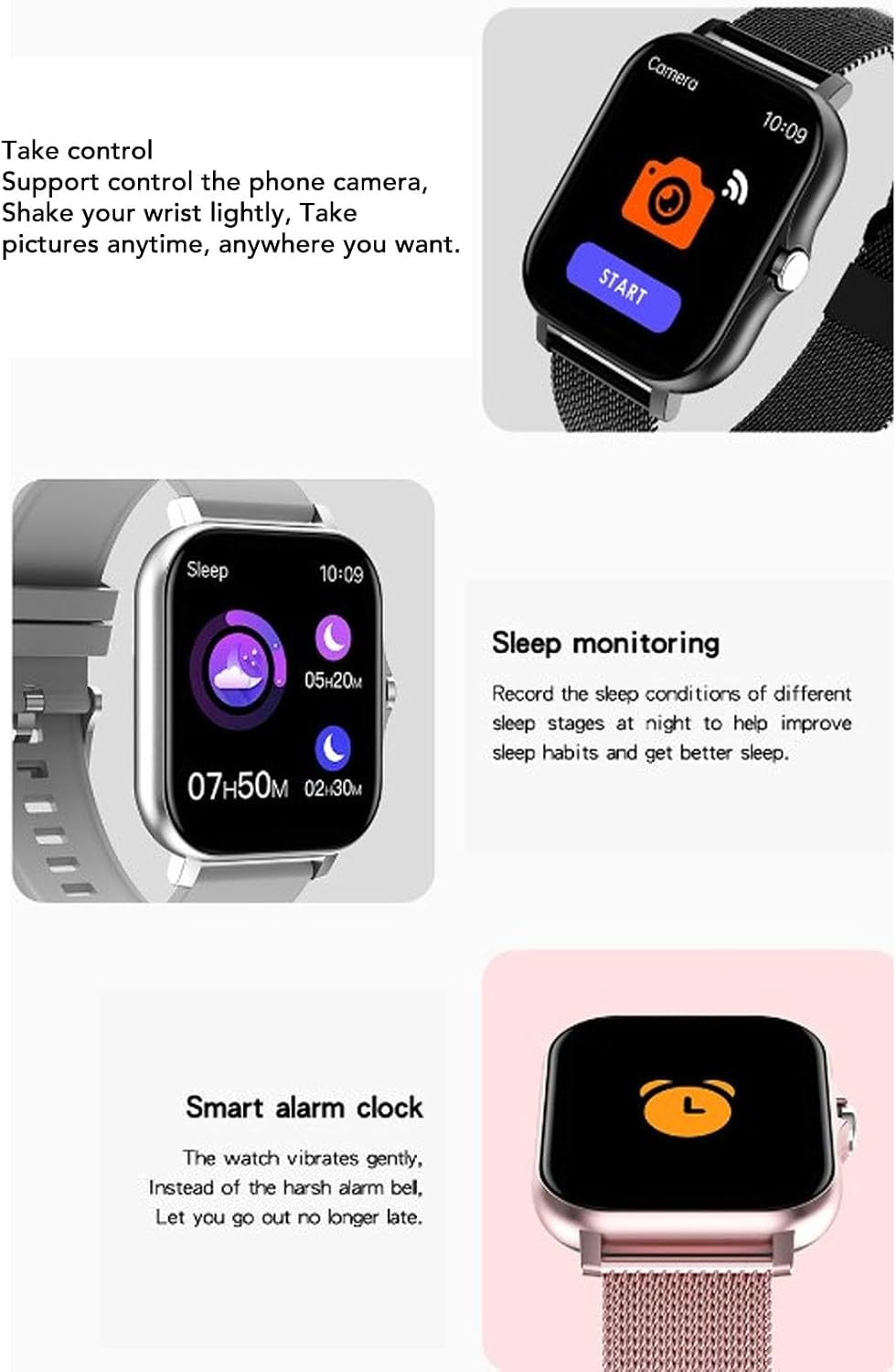
Image: Watch screens demonstrating camera control, sleep monitoring, and smart alarm features.
Watch Face Customization
Personalize your smartwatch by changing the watch face styles through the companion app to match your mood or preference.
Maintenance
Cleaning
Regularly clean your smartwatch and strap with a soft, dry cloth. If necessary, use a slightly damp cloth and mild soap, then dry thoroughly. Avoid harsh chemicals or abrasive materials.
Water Resistance
The Cuifati Y13 Smart Sports Watch is IP68 waterproof. This means it is resistant to dust and can withstand immersion in water up to 1.5 meters for 30 minutes. It is suitable for swimming, washing hands, and use in rain or during sweaty workouts. However, it is not recommended for hot showers, saunas, or diving, as steam and high pressure can compromise the seal.
Battery and Charging
The watch is equipped with a 180 mAh lithium-ion battery. A full charge typically provides 5-7 days of normal use and up to 15 days of standby time. Use only the provided magnetic charging cable. Avoid exposing the watch to extreme temperatures during charging or storage.

Image: Back of the smartwatch with sensors and charging points.
Troubleshooting
- Watch not turning on: Ensure the watch is fully charged. Connect it to the charger for at least 30 minutes.
- Cannot pair with smartphone: Make sure Bluetooth is enabled on your phone and the watch. Ensure the companion app is installed and running. Try restarting both the watch and your phone.
- Notifications not received: Check the notification settings within the companion app and your phone's system settings to ensure the app has permission to send notifications.
- Inaccurate activity tracking: Ensure the watch is worn snugly on your wrist. Calibrate the watch through the app if available.
- Screen unresponsive: Try restarting the watch by holding the side button. If unresponsive, allow the battery to drain completely and then recharge.
Specifications

Image: Visual representation of the smartwatch's key parameters.
| Feature | Detail |
|---|---|
| Model Number | Cuifatimov9ecgnat-14 |
| Item Type | Smart Sports Watch |
| Material | ABS+TPU+LCD |
| Screen Size | 1.69 inches |
| Display Resolution | 240 x 280 |
| Display Type | Digital |
| BT Version | 4.0 |
| Operation | Full Touchscreen |
| System Requirements | Android 5.0+ or iOS 9.0+ |
| Waterproof Level | IP68 (1.5 meters depth) |
| Battery Type | 180 mAh Lithium-ion Battery (built-in) |
| Battery Life (Usage) | 5-7 Days |
| Battery Life (Standby) | 15 Days |
| Charging Type | Magnetic |
| Strap Material Type | Plastic (likely referring to TPU for strap, or ABS for casing) |
| Special Features | Multisport Tracker |
| GPS | No GPS |
Warranty and Support
Specific warranty details and direct support contact information are not provided within the product data. Please refer to the documentation included with your purchase or contact your retailer for warranty claims and technical assistance.