Introduction
Thank you for choosing the Sandpoy Automatic Cat Feeder. This device is designed to provide a convenient and reliable feeding solution for your pets, allowing you to manage their meal schedules remotely via a smartphone application. Please read this manual thoroughly before operating the feeder to ensure proper use and maintenance.
Product Overview
The Sandpoy Automatic Cat Feeder is a 3-liter capacity, Wi-Fi enabled smart feeder. It features remote control via the "Smart Life" app, customizable feeding schedules, and a dual power supply system for reliability. The design prioritizes hygiene with a removable food tank and stainless steel bowl.
Key Features:
- Remote Smart APP Control: Manage feeding schedules and dispense food remotely using the "Smart Life" app on iOS or Android devices.
- Customizable Feeding Schedule: Program up to 10 meals per day, with 1-12 portions per meal (approximately 1/16 cup per portion).
- Health and Hygiene: Features a removable food tank and stainless steel bowl for easy cleaning. A built-in desiccant bag helps keep food fresh.
- Dependable Dual Power Supply: Operates on a DC 5V power adapter with 4 AA batteries (not included) as backup in case of power outages.
- Compact Design: Space-saving design suitable for various home environments.
Package Contents
Please check the package for the following items:
- Automatic Pet Feeder (Main Unit)
- Food Bowl (Stainless Steel)
- Lid with Desiccant Compartment
- Power Adapter and Cords
- User Manual (This document)
Setup
- Unpack and Assemble: Carefully remove all components from the packaging. Assemble the feeder by placing the food tank onto the base unit. Ensure it is securely seated.

Image: The assembled feeder showing the food tank, base, and stainless steel bowl.
- Install Desiccant: Open the lid and place the desiccant bag (if not already installed) into its designated compartment to keep food fresh. Close the lid securely.

Image: Close-up of the feeder's lid with the desiccant compartment.
- Fill Food Tank: Open the lid and fill the food tank with dry kibble. The feeder is compatible with dry kibble ranging from 5-10mm (0.2-0.4 inches) in size. Do not use wet pet food or kibble with a diameter over 10mm.
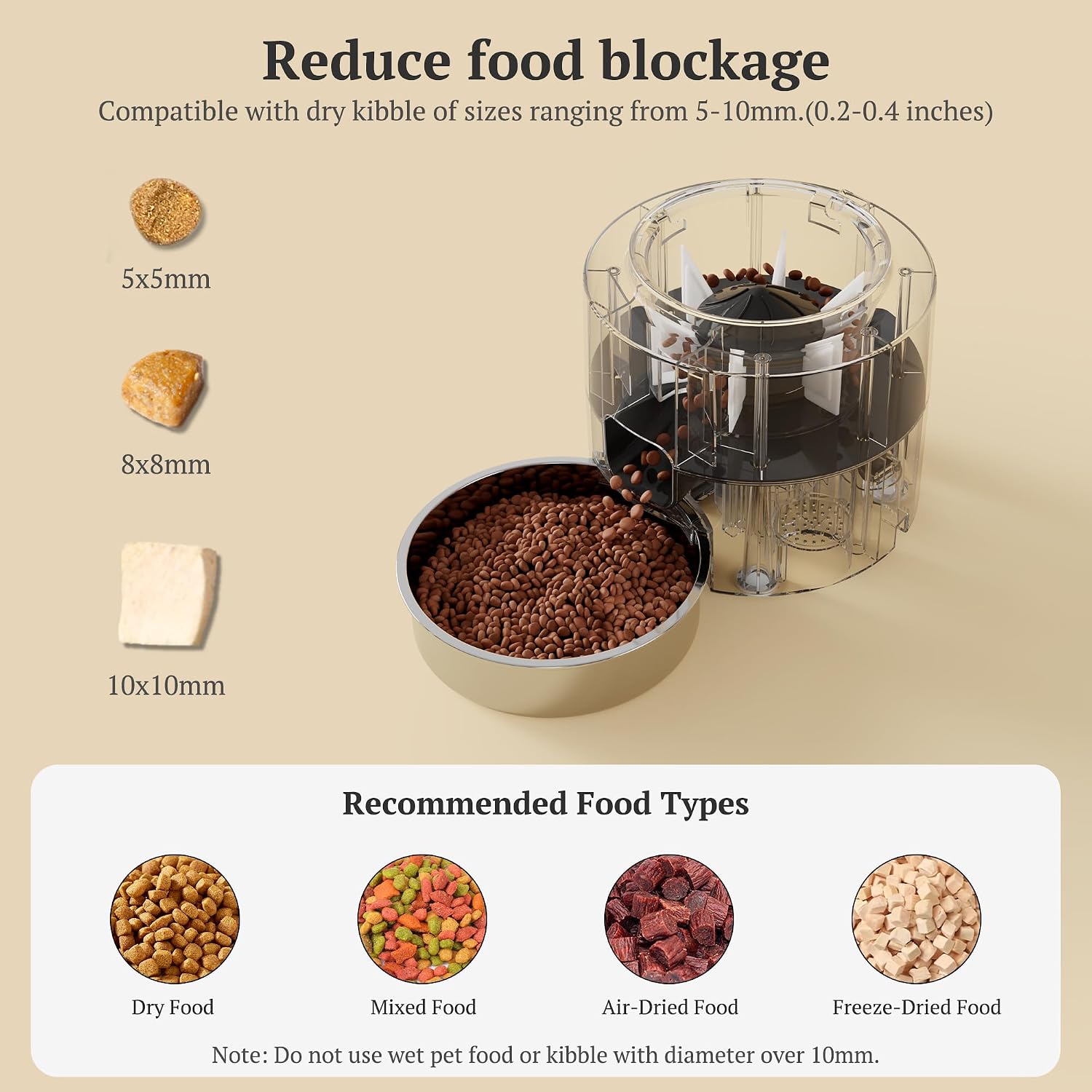
Image: Visual guide for recommended kibble sizes (5x5mm, 8x8mm, 10x10mm).
- Connect Power: Connect the DC 5V power adapter to the feeder and plug it into a wall outlet. For backup power, insert 4 AA batteries (not included) into the battery compartment at the bottom of the unit.

Image: Illustration of the feeder's dual power supply system, including the power adapter and battery compartment.
- Download App: Download the "Smart Life" app from your smartphone's app store (available for iOS and Android).
- Pair with App: Follow the in-app instructions to pair your feeder with your Wi-Fi network. Ensure your Wi-Fi is 2.4GHz.
Operating Instructions
Scheduling Meals:
- Open the "Smart Life" app and select your Sandpoy Automatic Cat Feeder.
- Navigate to the scheduling section.
- Set desired meal times (up to 10 meals per day).
- For each meal, specify the number of portions (1-12 portions). Each portion is approximately 1/16 cup or 15g.
- Save your schedule. The feeder will now dispense food automatically at the programmed times.
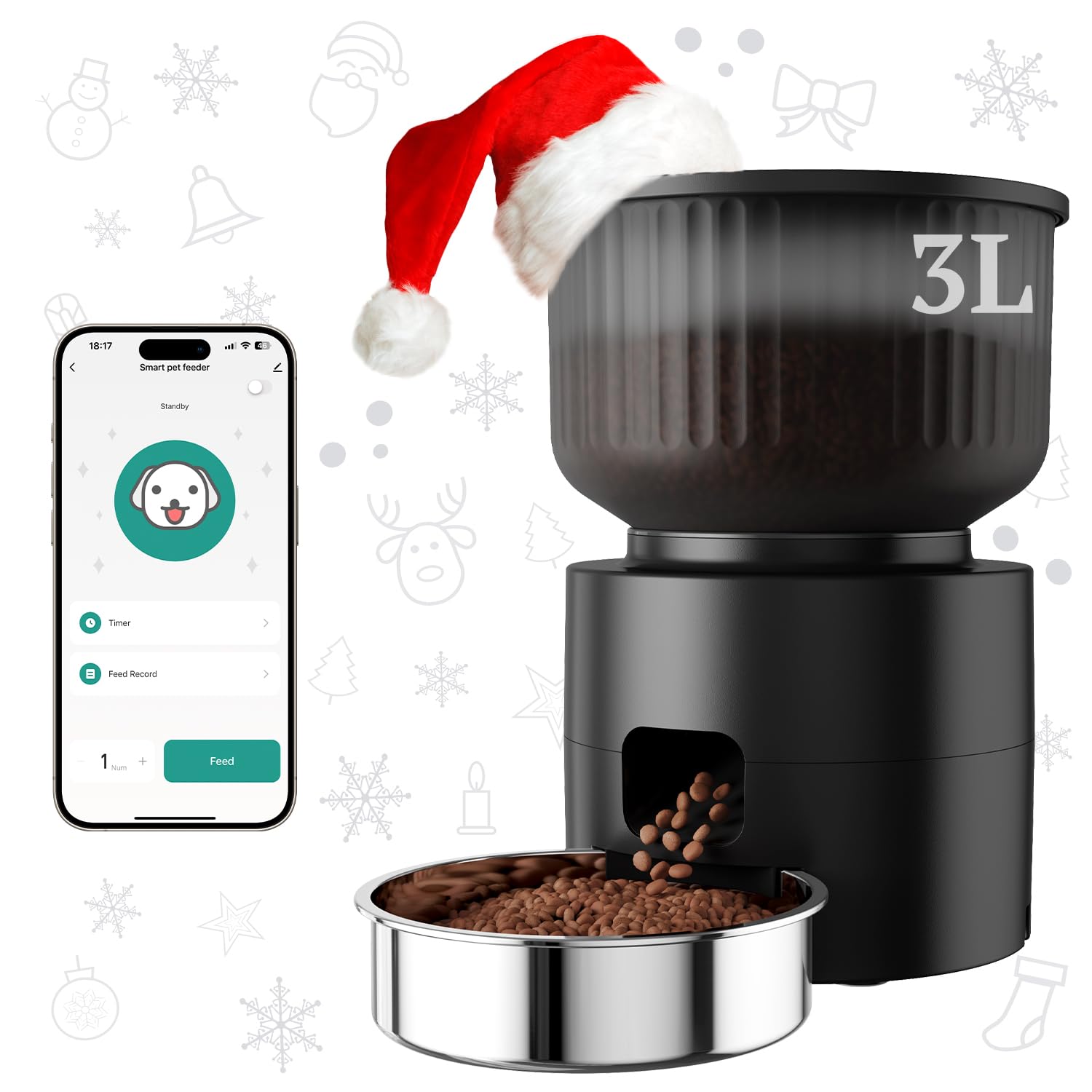
Image: The feeder in action, illustrating a healthy feeding schedule with details on meals and portions.
Manual Feeding:
You can manually dispense food at any time through the "Smart Life" app. This is useful for rewarding your pet or providing extra food as needed.

Image: Visual representation of the feeder's convenience for various lifestyles, ensuring pets are fed on time.
Maintenance
Cleaning the Feeder:
Regular cleaning ensures hygiene and proper functioning of the feeder.
- Disconnect Power: Before cleaning, always unplug the feeder from the power outlet and remove any backup batteries.
- Disassemble: Remove the food tank, lid, and stainless steel bowl from the base unit.
- Wash Components: The food tank, lid, and stainless steel bowl can be washed with mild soap and water. Rinse thoroughly and dry completely before reassembly.
- Clean Base Unit: Wipe the base unit with a damp cloth. Do not wash the base unit directly with water, as it contains electronic components.
- Replace Desiccant: Replace the desiccant bag every 1-2 months for optimal food freshness.
- Reassemble: Once all parts are dry, reassemble the feeder and reconnect power.
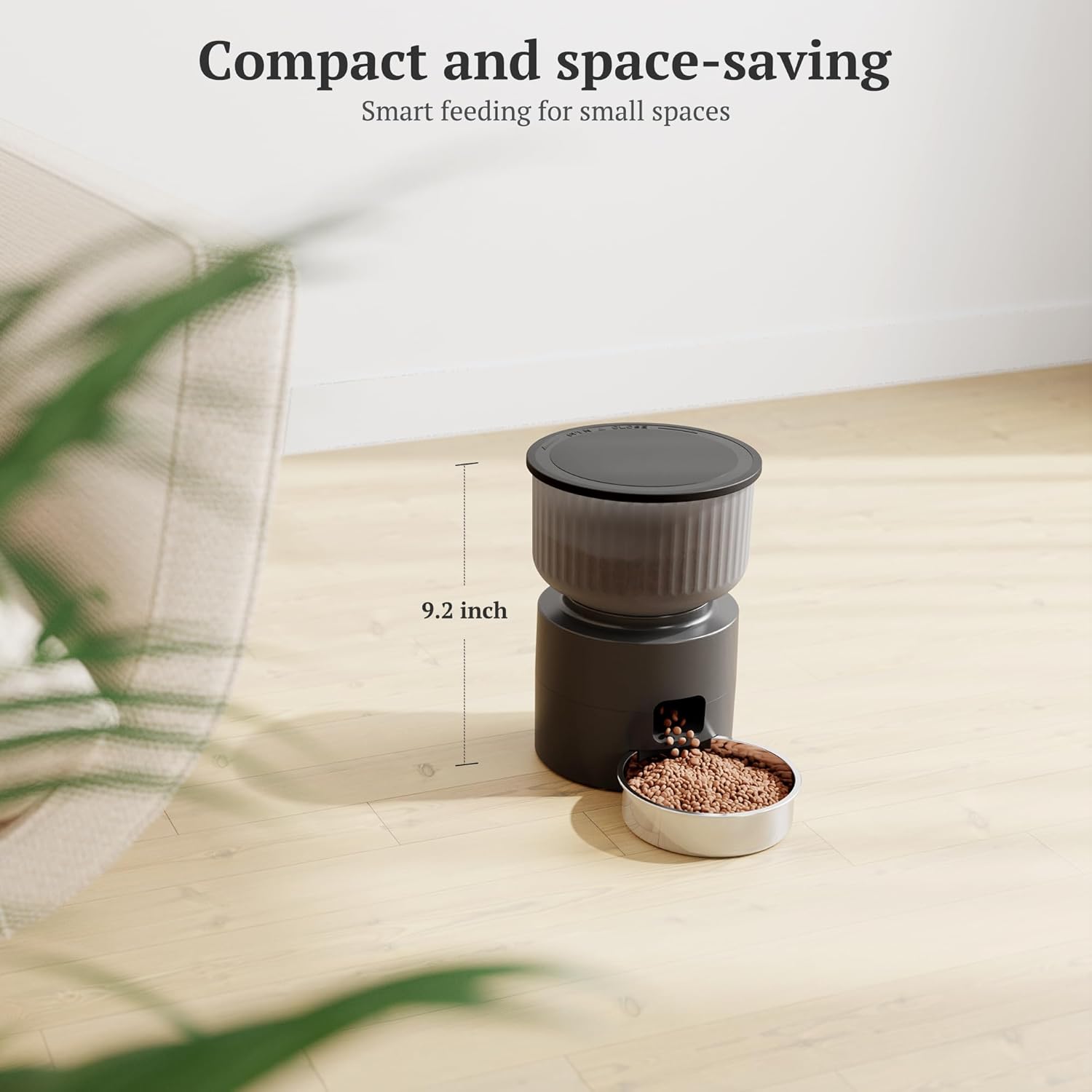
Image: Detached components of the feeder (food tank, lid, bowl) being cleaned in a sink. Note: The base unit should not be submerged.
Troubleshooting
| Problem | Possible Cause | Solution |
|---|---|---|
| Feeder not dispensing food. |
|
|
| Cannot connect to Wi-Fi. |
|
|
| Food container detaches easily. |
|
|
| Stainless steel bowl moves. |
|
|
Specifications
| Feature | Detail |
|---|---|
| Model Number | PFC13-A |
| Capacity | 3 Liters (approx. 12.7 cups) |
| Dimensions | 18.69 x 18.69 x 23.5 cm (7.36 x 7.36 x 9.25 inches) |
| Weight | 861.83 g (1.9 lbs) |
| Material | Plastic, Stainless Steel |
| Power Supply | DC 5V Adapter (Primary), 4 AA Batteries (Backup, not included) |
| Connectivity | 2.4GHz Wi-Fi |
| App Compatibility | "Smart Life" App (iOS & Android) |
| Recommended Kibble Size | 5-10mm (0.2-0.4 inches) |
| Max Meals/Day | 10 |
| Portions/Meal | 1-12 (approx. 15g or 1/16 cup per portion) |
| Target Species | Cats, Small Dogs, Small Animals |

Image: The feeder's compact dimensions, highlighting its 9.2-inch height.
Warranty and Support
Sandpoy offers a full one-year warranty for this automatic pet feeder. For any questions, technical support, or warranty claims, please contact Sandpoy customer service. We are committed to ensuring a positive experience for pet owners and their companions.


