1. Introduction
Thank you for choosing the Homall Electric Height Adjustable Desk Model 0403. This manual provides essential information for the safe assembly, operation, and maintenance of your new desk. Please read these instructions carefully before use and retain them for future reference.
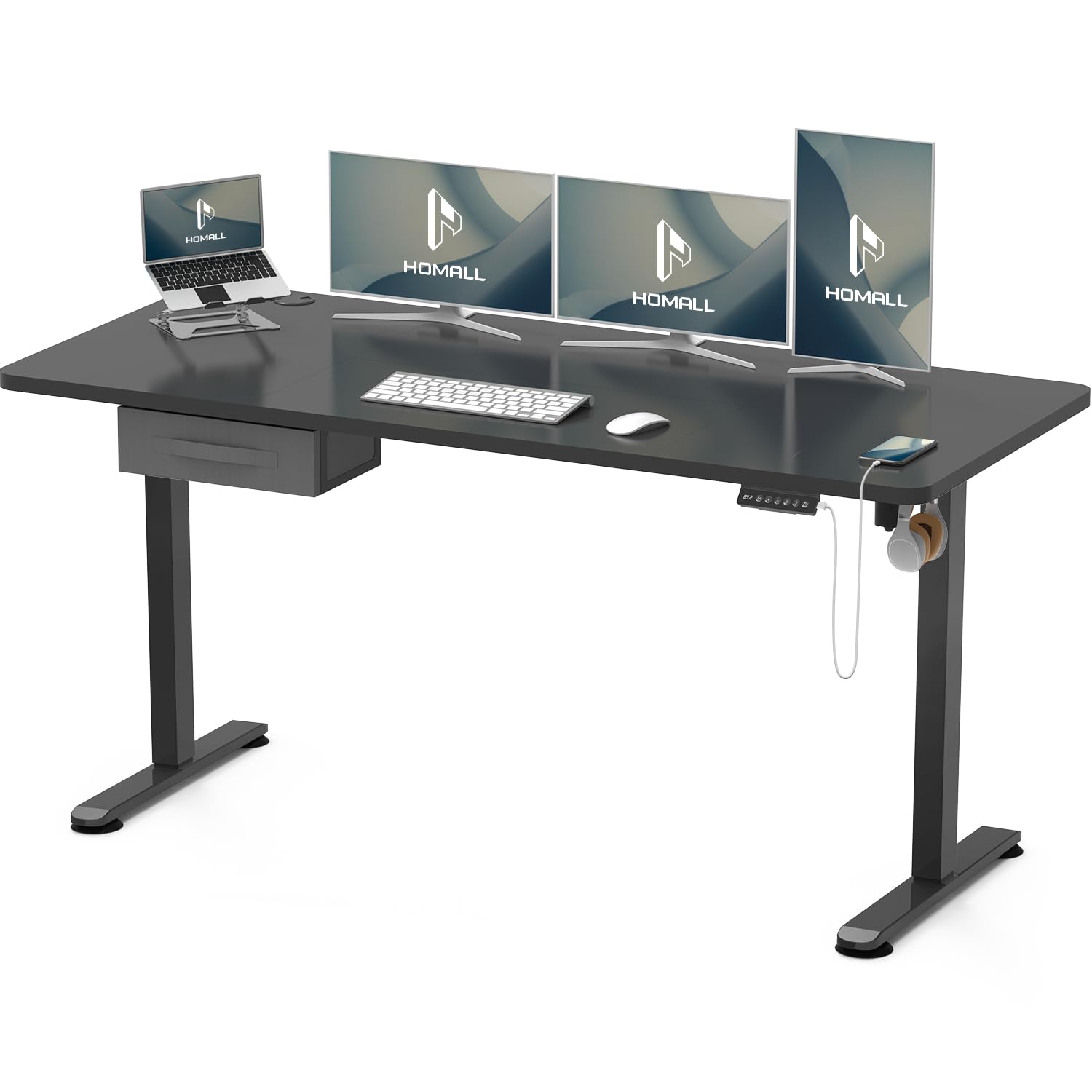
Image 1.1: The Homall Electric Height Adjustable Desk in a typical home office setup, showcasing its modern design and functionality.
2. Important Safety Instructions
To ensure safe operation and prevent damage, please observe the following safety guidelines:
- Ensure all connections are secure before plugging the desk into a power outlet.
- Keep children and pets away from the desk during height adjustment.
- Do not place objects exceeding the maximum weight capacity of 70 kg (154 lbs) on the desk.
- Avoid placing liquids directly on the control panel or near electrical components.
- Do not disassemble or modify the desk's motor or control system. Contact customer support for service.
- Ensure there are no obstructions above or below the desk when adjusting its height to prevent collisions.
3. Package Contents
Please check that all components are present and undamaged. If any parts are missing or damaged, contact customer support immediately.
- Desktop (1 piece)
- Leg Frames (2 pieces)
- Feet (2 pieces)
- Control Box (1 piece)
- Handset/Control Panel (1 piece)
- Power Adapter & Cable (1 set)
- Side Hooks (2 pieces)
- Cable Management Grommet (1 piece)
- Assembly Hardware (screws, Allen wrench, etc.)
4. Assembly Instructions
Follow these steps to assemble your Homall Electric Height Adjustable Desk. It is recommended to have two people for assembly.
- Unpack Components: Carefully remove all parts from the packaging and lay them out on a clean, soft surface to prevent scratches.
- Attach Feet to Leg Frames: Secure the feet to the bottom of each leg frame using the provided screws.
- Connect Leg Frames to Desktop: Place the desktop upside down. Attach the leg frames to the pre-drilled holes on the underside of the desktop. Ensure they are aligned correctly.
- Install Control Box and Handset: Mount the control box and handset to the designated areas under the desktop.
- Connect Cables: Connect the motor cables from the leg frames to the control box. Connect the handset cable to the control box. Finally, connect the power adapter to the control box.
- Install Side Hooks and Cable Grommet: Attach the side hooks to the desired locations on the desk frame. Insert the cable management grommet into the desktop hole.
- Flip the Desk: With assistance, carefully flip the assembled desk upright.

Image 4.1: Detail view showing the rounded desk corners, convenient side hooks for headphones or bags, and the integrated cable management grommet for an organized workspace.
5. Operating Instructions
Your Homall Electric Height Adjustable Desk is designed for ease of use. Familiarize yourself with the control panel for optimal functionality.
5.1 Control Panel Overview

Image 5.1: The control panel features an LED display, up/down adjustment buttons, two memory preset buttons (1, 2), a timer/alarm button, and a convenient USB charging port.
5.2 Height Adjustment
- To Raise: Press and hold the + button. The desk will move upwards. Release the button at your desired height.
- To Lower: Press and hold the - button. The desk will move downwards. Release the button at your desired height.

Image 5.2: The desk's height can be electrically adjusted between 73 cm (sitting position) and 118 cm (standing position) to suit various user preferences.
5.3 Memory Presets
The desk features two memory presets to save your preferred sitting and standing heights.
- Adjust the desk to your desired height using the + or - buttons.
- Press the M button. The LED display will show 'S-'.
- Within 3 seconds, press either button 1 or 2 to save the current height to that preset. The display will show 'S-1' or 'S-2' to confirm.
- To recall a saved height, simply press button 1 or 2. The desk will automatically move to the stored position.
5.4 USB Charging Port
A built-in USB port is located on the control panel for convenient charging of your electronic devices.
5.5 Anti-Collision Feature
The desk is equipped with an anti-collision system. If the desk encounters an obstruction during height adjustment, it will automatically stop and reverse slightly to prevent damage.
5.6 Timer/Alarm Function
Use the timer button (often depicted as a clock icon) to set reminders for alternating between sitting and standing positions, promoting healthier work habits.
6. Maintenance
Regular maintenance ensures the longevity and optimal performance of your desk.
- Cleaning: Wipe the desk surface and frame with a soft, damp cloth. Avoid abrasive cleaners or harsh chemicals.
- Cable Management: Periodically check all cables for wear or damage. Ensure cables are neatly organized to prevent entanglement during height adjustments.
- Fastener Check: Occasionally check all screws and bolts to ensure they are tight. Do not overtighten.
7. Troubleshooting
If you encounter issues with your desk, refer to the following common problems and solutions:
| Problem | Possible Cause | Solution |
|---|---|---|
| Desk does not move. | Power cable disconnected; Control box not connected; Overload. | Check power and control cables. Reduce weight on desk. Perform a reset. |
| Desk moves unevenly. | Uneven weight distribution; Loose connections. | Distribute weight evenly. Check all assembly screws. Perform a reset. |
| Error code on display. | Specific system error. | Refer to the specific error code in the full manual (if available) or perform a reset. If the issue persists, contact customer support. |
| Reset Procedure | To clear errors or recalibrate. | Press and hold the - button until the desk reaches its lowest point and slightly reverses, then stops. Release the button. If this does not work, unplug the desk for 30 seconds and plug it back in. |
If the problem persists after attempting these solutions, please contact Homall customer support.
8. Specifications
Key technical details for the Homall Electric Height Adjustable Desk Model 0403:
- Model: 0403
- Desktop Dimensions (L x W): 160 cm x 70 cm (63 in x 27.6 in)
- Height Adjustment Range: 73 cm - 118 cm (28.7 in - 46.5 in)
- Maximum Load Capacity: 70 kg (154 lbs)
- Material: Metal frame, engineered wood desktop
- Features: Electric height adjustment, integrated USB output, two memory presets, anti-collision technology, side hooks, cable management grommet.
- Noise Level: <55 dB during operation

Image 8.1: Dimensional drawing of the desk, indicating a desktop size of 160cm x 70cm and a height adjustment range of 73-118cm.
9. Warranty and Support
Homall is committed to providing high-quality products and excellent customer service.
- Warranty: From the date of purchase, we offer a 3-year warranty on the motor and a 5-year warranty on the table frame.
- Customer Support: Our customer service team, based in Germany, is available 24/7 to assist you with any questions or issues. Please refer to your purchase documentation for specific contact details.


