1. Introduction
This manual provides detailed instructions for the Fanvace 5-inch 80GB Android MP3 Player (Model US-M33). Please read this manual thoroughly before use to ensure proper operation and to maximize your device's potential. Keep this manual for future reference.

Image: Fanvace 5.0 inch MP3 Music Player highlighting key features.
2. Package Contents
Verify that all items listed below are included in your package:
- 1 x Fanvace 5-inch 80GB Android MP3 Player
- 1 x 64GB Micro SD Card
- 1 x USB-C Charging Cable
- 1 x Wired Earphones
- 1 x Screen Protector
- 1 x Protective Case
- 1 x User Manual (this document)

Image: All items included in the Fanvace MP3 Player package.
Video: Unboxing the Fanvace 5-inch MP3 player and its included accessories.
3. Device Overview
The Fanvace MP3 Player features a sleek design with a 5-inch IPS full-touchscreen. Familiarize yourself with the device's physical components:
- Front: 5-inch IPS Touchscreen
- Right Side: Volume Up/Down buttons, Reset button, Power On/Off button
- Bottom: USB-C port, 3.5mm headphone jack, Speaker, Micro SD card slot
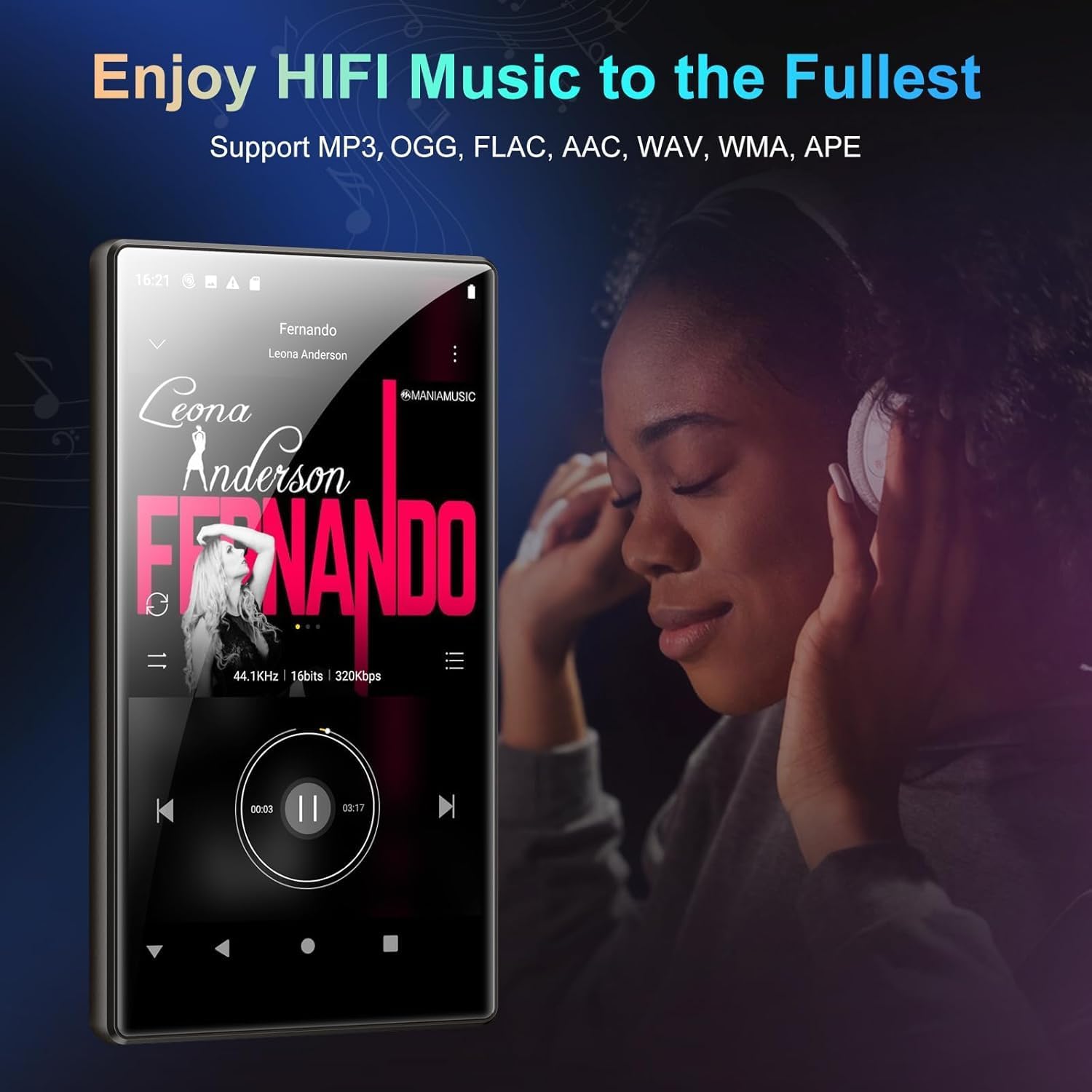
Image: Front view of the Fanvace MP3 Player.

Image: Product details showing button and port locations.
4. Setup
4.1 Charging the Device
Before first use, fully charge the device using the provided USB-C cable and a compatible power adapter (not included). Connect the USB-C cable to the player's port and the other end to a power source. The battery indicator on the screen will show charging status.
4.2 Power On/Off
- To Power On: Press and hold the Power On/Off button on the right side of the device until the screen illuminates.
- To Power Off: Press and hold the Power On/Off button, then select 'Power Off' from the on-screen options.
4.3 Inserting the Micro SD Card
Locate the Micro SD card slot on the bottom of the device. Gently insert the provided 64GB Micro SD card into the slot until it clicks into place. Ensure the card is formatted to FAT32 for optimal compatibility. The device supports external storage up to 1TB.

Image: Inserting the Micro SD card for expanded storage.
4.4 Initial Setup
Upon first power-on, follow the on-screen prompts to complete the initial setup:
- Select your preferred language.
- Connect to a Wi-Fi network (see section 5.4 for details).
- Sign in with your Google account to access the Play Store and other Google services.
- Set date and time.
Video: Overview of the Fanvace 5-inch MP3 Player's features and initial setup process.
5. Operating Instructions
5.1 Navigation (Touchscreen)
The device operates using a responsive 5-inch full-touchscreen. Swipe, tap, and pinch gestures are used for navigation and interaction with applications.
Video: Demonstration of the user interface and navigation on the Fanvace 5-inch MP3 Player.
5.2 Music Playback
The player supports HiFi lossless sound quality and is compatible with MP3, WAV, FLAC, APE, OGG, M4A, AAC, and WMA formats. Use the pre-installed music player app or download your preferred streaming service from the Play Store.

Image: Enjoying HiFi music on the device.
5.3 Video Playback
The 5-inch IPS screen provides clear video playback. The device supports RM, RMVB, FLV, MP4, DAT, MKV, MPG, MOV, and TS video formats directly, without conversion.

Image: Visual impact of the 5-inch HD screen for videos.
5.4 Bluetooth Connection
The player features stable and fast two-way Bluetooth connection technology (Bluetooth 4.1). To connect to Bluetooth headphones or speakers:
- Go to Settings > Connected devices > Bluetooth.
- Ensure Bluetooth is enabled on both the player and your external device.
- Select 'Pair new device' and choose your device from the list.

Image: Bluetooth 4.1 connectivity for headphones and speakers.
5.5 Wi-Fi Connection & App Usage
The device supports wireless network connection (Wi-Fi 2.4G & 5G). Connect to Wi-Fi to download apps, stream music and videos online, and browse the web.
- Go to Settings > Network & internet > Wi-Fi.
- Select your desired Wi-Fi network and enter the password if prompted.
The player comes pre-installed with popular online music apps like Spotify, Deezer, and Amazon Music. You can download additional apps from the Google Play Store.

Image: Accessing the Google Play Store for app downloads.
5.6 File Management
Use the pre-installed file manager to organize your music, videos, and other files on the internal 16GB ROM or the 64GB Micro SD card. You can transfer files via USB-C connection to a computer.
5.7 Other Functions
The device includes several other useful functions:
- FM Radio: Tune into local radio stations.
- Voice Recorder: Record audio notes or lectures.
- E-book: Read e-books using the Kindle app or other e-reader apps.
- Calculators & Browsers: Standard utility apps for daily needs.
6. Maintenance
6.1 Battery Care
The 2500mAh lithium battery provides approximately 50 hours of music playback or 8 hours of video playback. To prolong battery life:
- Avoid extreme temperatures.
- Do not fully discharge the battery regularly.
- Charge the device using the provided cable.

Image: Battery capacity and usage times.
6.2 Storage Management
Regularly manage your 80GB storage (16GB internal + 64GB SD card) to ensure optimal performance. Delete unnecessary files or transfer them to another device. The storage is expandable up to 1TB with a compatible Micro SD card (FAT32 format only).
6.3 Cleaning
Use a soft, dry cloth to clean the device. Avoid using harsh chemicals or abrasive materials that could damage the screen or casing.
7. Troubleshooting
If you encounter issues with your Fanvace MP3 Player, refer to the following common solutions:
| Problem | Possible Solution |
|---|---|
| Device does not power on | Ensure the battery is charged. Press and hold the power button for 10-15 seconds. If unresponsive, use a pin to press the reset button. |
| Wi-Fi connection issues | Check if Wi-Fi is enabled in settings. Ensure you are within range of a strong signal. Restart the device and your Wi-Fi router. |
| Micro SD card not recognized | Ensure the SD card is properly inserted. Verify the card is formatted to FAT32. Try reinserting the card or using a different card. |
| Device is slow or unresponsive | Close unused applications. Clear cache from apps. Restart the device. Ensure sufficient storage space is available. |
| No sound from speakers/headphones | Check volume levels. Ensure headphones are properly connected or Bluetooth device is paired correctly. Test with different audio files. |
8. Specifications
| Feature | Detail |
|---|---|
| Model Number | US-M33 |
| Screen Size | 5 Inches (IPS Full-Touchscreen) |
| Processor | 8-core MTK Chip |
| RAM | 3GB |
| Internal Storage (ROM) | 16GB |
| Included SD Card | 64GB TF Card |
| Expandable Storage | Up to 1TB (Micro SD, FAT32 format only) |
| Battery Capacity | 2500mAh Lithium Ion |
| Music Playback Time | Up to 50 hours |
| Video Playback Time | Up to 8 hours |
| Connectivity | Bluetooth 4.1, Wi-Fi (2.4G & 5G), USB-C |
| Audio Formats | MP3, WAV, FLAC, APE, OGG, M4A, AAC, WMA |
| Video Formats | RM, RMVB, FLV, MP4, DAT, MKV, MPG, MOV, TS |
| Dimensions | 6.69 x 5.75 x 0.87 inches |
| Weight | 14 ounces |

Image: High performance configuration details.
9. Warranty and Support
Fanvace provides 12 hours of customer service. If you encounter any problems during use, please contact us. We are committed to resolving your issues within 12 hours.
For support, please refer to the contact information provided in your purchase documentation or visit the official Fanvace website.


