
1. Introduction
The TOPDON TS004 is a compact, handheld thermal monocular designed for various outdoor applications, including wildlife observation, hunting, security, and search and rescue. It utilizes advanced thermal imaging technology to detect heat signatures, providing clear visuals in complete darkness, fog, or dense vegetation. This manual provides essential information for the safe and effective operation and maintenance of your TS004 thermal monocular.

Image: The TOPDON TS004 thermal monocular shown alongside a smartphone displaying a thermal image of a cow, illustrating its wireless connectivity feature.
2. Safety Information
- Do not look directly at strong light sources (e.g., the sun, lasers) through the monocular, as this may damage the sensor.
- Keep the device away from extreme temperatures, humidity, and corrosive substances.
- Avoid dropping or subjecting the device to severe impact.
- Do not attempt to disassemble or modify the monocular. Repairs should only be performed by authorized service personnel.
- Ensure the USB-C port cover is securely closed when not in use, especially in wet conditions, to maintain IP67 waterproof rating.
- Dispose of the battery and device according to local regulations.
3. Package Contents
Verify that all items are present in the package:
- TOPDON TS004 Thermal Monocular
- Quick User Guide
- Carrying Bag
- USB-A to USB-C Cable
- Hanging Strap

Image: An illustration showing the TOPDON TS004 thermal monocular, quick user guide, carrying bag, USB-A to USB-C cable, and hanging strap included in the product package.
4. Product Overview
Familiarize yourself with the components and controls of the TS004 thermal monocular:

Image: A detailed diagram of the TOPDON TS004 thermal monocular, highlighting and labeling its key components including the Power Button, Zoom Button, LED Indicator, Mode Button, Tripod Screw Hole, Camera Button, Diopter Adjustment Knob, USB-C Port, LED Flashlight, Thermal Camera, and Eyepiece.
- Power Button: Press and hold to power on/off. Short press to toggle the flashlight when the device is off.
- Zoom Button: Adjusts digital zoom levels (1X, 2X, 4X, 8X).
- Mode Button: Cycles through thermal imaging color palettes. Long press to access settings.
- Camera Button: Short press to take photos. Press and hold to record videos.
- USB-C Port: For charging and data transfer.
- Diopter Adjustment Knob: Rotate to optimize image sharpness for individual eyesight.
- Tripod Screw Hole: Standard 1/4-inch thread for mounting on a tripod.
5. Setup
5.1 Charging the Device
Before first use, fully charge the TS004. Connect the provided USB-A to USB-C cable to the device's USB-C port and a compatible USB power adapter (not included). The LED indicator will show charging status. A full charge provides up to 11 hours of continuous operation.
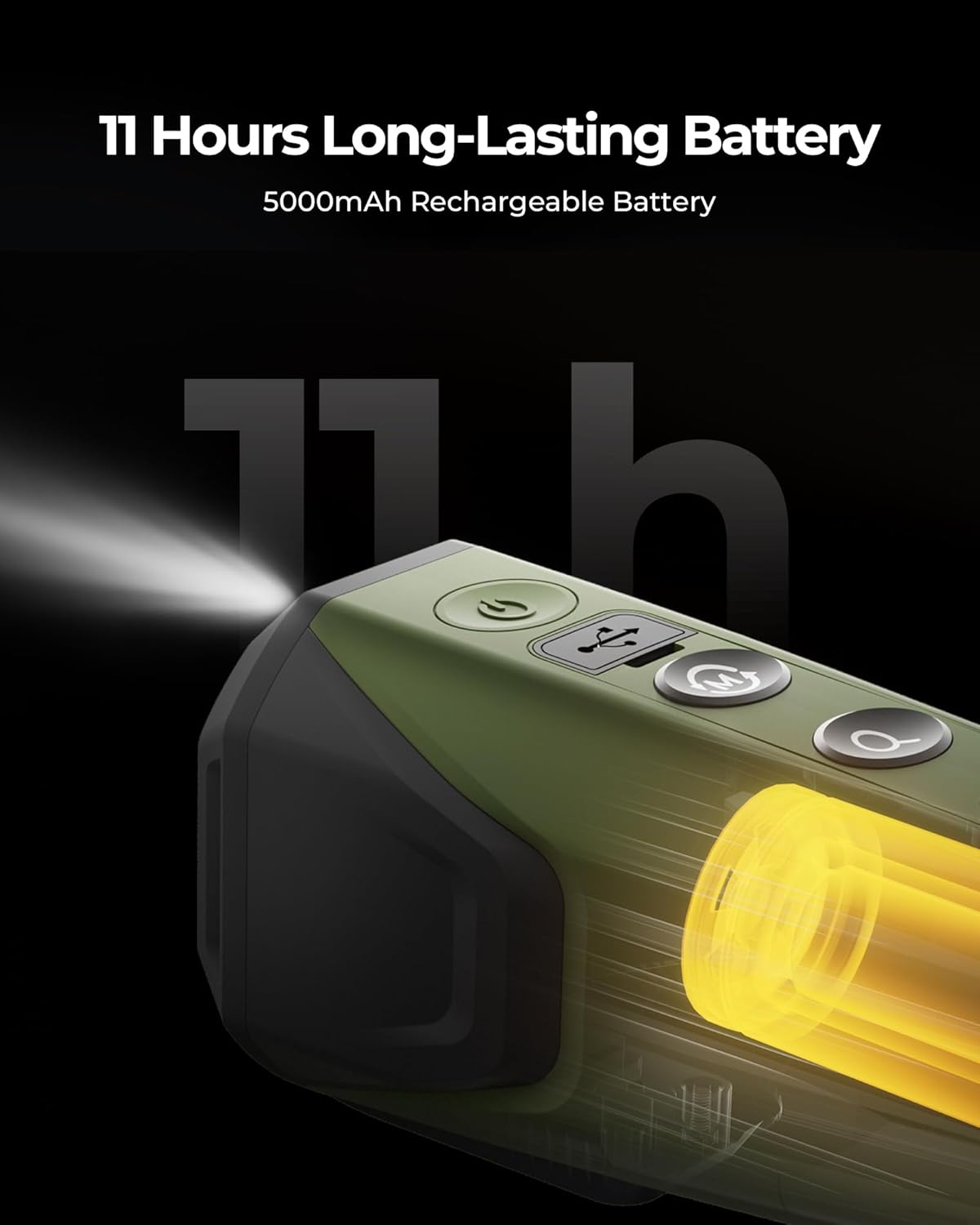
Image: A close-up view of the TOPDON TS004 thermal monocular, highlighting its USB-C charging port and an illuminated battery indicator, signifying its 11-hour long-lasting battery life from a 5000mAh rechargeable battery.
5.2 Power On/Off
- To power on, press and hold the Power Button until the screen illuminates.
- To power off, press and hold the Power Button until the device shuts down.
5.3 Diopter Adjustment
Adjust the diopter knob located near the eyepiece to achieve a sharp image for your vision. Rotate the knob until the on-screen display and thermal image appear clear and in focus.
5.4 Wireless Connection (TopInfrared App)
The TS004 supports wireless connection to your smartphone via the TopInfrared app for real-time viewing, video recording with audio, and image capture.
- Download the "TopInfrared" app from your smartphone's app store.
- Power on the TS004.
- Open the TopInfrared app on your smartphone and follow the in-app instructions to connect to the TS004's Wi-Fi network.

Image: A visual representation of the TOPDON TS004 thermal monocular wirelessly connecting to a smartphone running the TopInfrared app, demonstrating real-time thermal image streaming.
6. Operating Instructions
6.1 Basic Viewing
Once powered on, look through the eyepiece. The thermal image will be displayed. Adjust the diopter knob for optimal clarity.
6.2 Zoom Functionality
Press the Zoom Button to cycle through digital magnification levels: 1X, 2X, 4X, and 8X. This allows for closer inspection of distant targets.

Image: A comparison showing a rabbit in a standard view and then with 8x digital zoom applied through the TS004, demonstrating the magnification capability.
6.3 Thermal Imaging Modes (Color Palettes)
Press the Mode Button to switch between different color palettes, which represent heat signatures in various ways. The TS004 offers 5 color palettes:
- Bird: Optimized for bird observation.
- White Hot: Hot objects appear white.
- Black Hot: Hot objects appear black.
- Red Hot: Hot objects appear red.
- Fusion: Combines different colors to represent temperature variations.

Image: An illustration demonstrating the five different color palettes available on the TOPDON TS004: Bird, White Hot, Black Hot, Red Hot, and Fusion, used for spotting targets.
6.4 Photo and Video Recording
The TS004 has a built-in 32GB eMMC card for storing thermal images and videos.
- To take a photo, short press the Camera Button.
- To record a video, press and hold the Camera Button. Press again to stop recording.
- Recorded media can be accessed via the TopInfrared app or by connecting the device to a computer using the USB-C cable.

Image: A visual demonstrating the photo and video recording capabilities of the TOPDON TS004, showing icons for capturing images and videos of a wolf in thermal view.
6.5 Detection Range
The TS004 offers an extensive detection range, allowing users to spot objects from significant distances.

Image: A comparison illustrating the extensive detection range of the TOPDON TS004, showing thermal detection of individuals at 100 yards compared to traditional night vision devices, and diagrams for 450-yard detection and 100-yard recognition distances.

Image: A bar chart illustrating the detection and recognition distances for different targets with the TOPDON TS004: human (1312yd detection, 164yd recognition), boar (1006yd detection, 125yd recognition), and bird (559yd detection, 69yd recognition).
6.6 Applications
The TS004 is suitable for a variety of uses:
- Wildlife Observation: Spot animals in their natural habitat without disturbing them.
- Hunting: Aid in tracking and locating game.
- Property Surveillance: Monitor your property for intruders or unusual activity.
- Farming: Observe livestock or detect pests.
- Search & Rescue: Locate individuals in low visibility conditions.
- Outdoor Exploration: Enhance situational awareness during hiking or camping.

Image: A collage of images depicting various outdoor activities where the TOPDON TS004 can be used, including wildlife observation, farming, search and rescue operations, and general outdoor exploration.
7. Maintenance
7.1 Cleaning
- Use a soft, lint-free cloth to clean the device's exterior.
- For the lens, use a specialized lens cleaning cloth and solution. Avoid abrasive materials.
- Do not use harsh chemicals or solvents.
7.2 Storage
- Store the monocular in its carrying bag in a cool, dry place when not in use.
- Avoid prolonged exposure to direct sunlight or extreme temperatures.
7.3 Water and Dust Resistance
The TS004 is rated IP67, meaning it is protected against dust ingress and can withstand immersion in water up to 1 meter for 30 minutes. Ensure all port covers are sealed properly to maintain this rating.

Image: The TOPDON TS004 thermal monocular resting in a shallow stream, illustrating its IP67 waterproof capability for use in various environments.
8. Troubleshooting
If you encounter issues with your TS004, refer to the following common solutions:
- Device not powering on: Ensure the battery is charged. Connect the device to a power source using the USB-C cable.
- Image is blurry: Adjust the diopter adjustment knob near the eyepiece. Ensure the lens is clean.
- No thermal image: Verify the device is powered on. Ensure the lens cap is removed.
- App connection issues: Ensure the TS004's Wi-Fi is enabled and your smartphone is connected to its network. Restart both the monocular and the app.
- Short battery life: Ensure the device is fully charged before use. Operating in very cold temperatures can reduce battery performance.
For further assistance, please contact TOPDON customer support.
9. Specifications
Key technical specifications for the TOPDON TS004 Thermal Monocular:
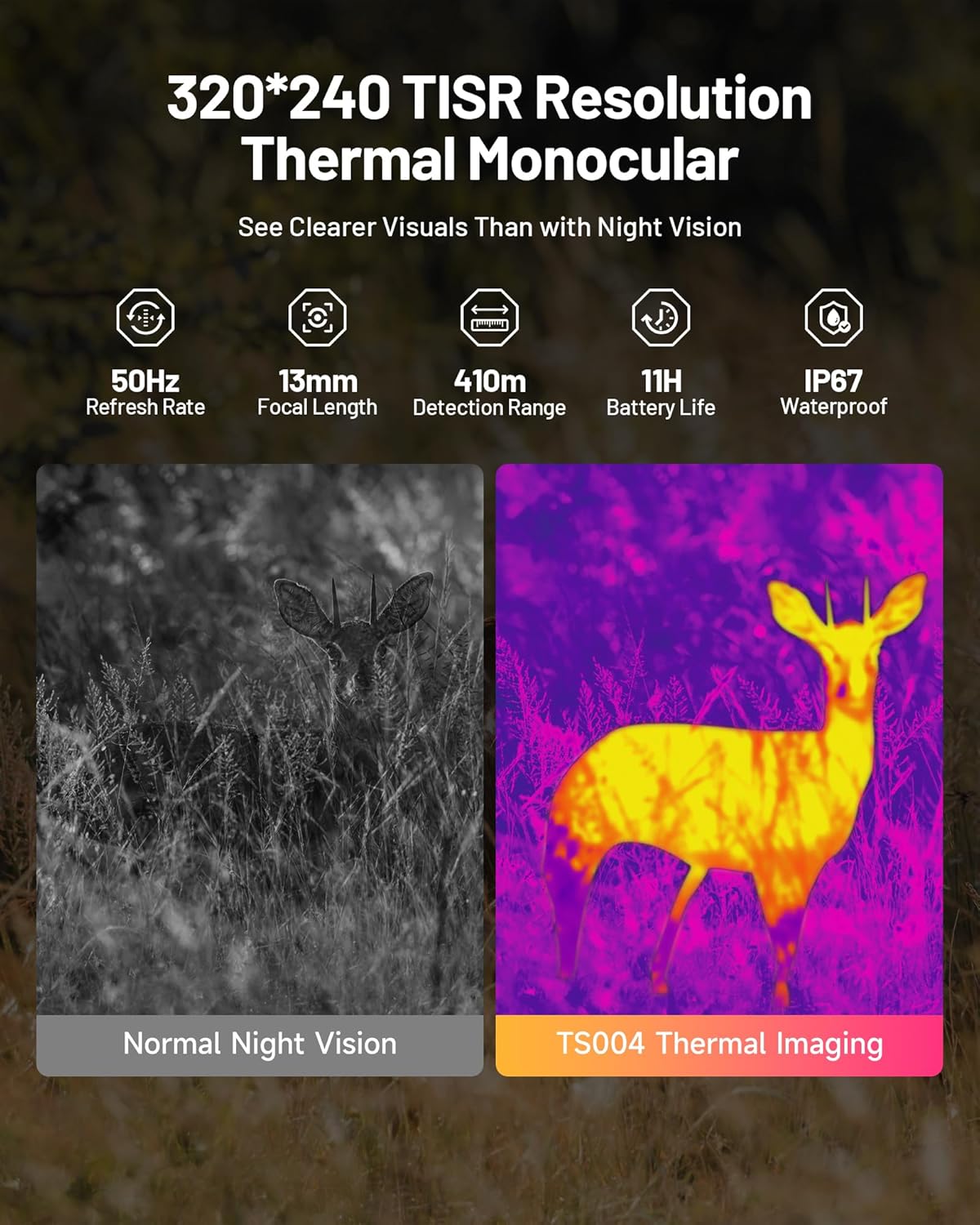
Image: An overview of the TOPDON TS004's key features, including 320x240 TISR Resolution, 50Hz Refresh Rate, 13mm Focal Length, 410m Detection Range, 11H Battery Life, and IP67 Waterproof rating.
| Feature | Specification |
|---|---|
| Model Number | TS004 |
| Thermal Resolution | 320x240 pixels |
| Refresh Rate | 50Hz |
| Focal Length | 13mm |
| Detection Range | Up to 410 meters |
| Battery Life | Up to 11 hours (5000mAh) |
| Waterproof Rating | IP67 |
| Digital Zoom | 1X, 2X, 4X, 8X |
| Storage | 32GB eMMC (internal) |
| Connectivity | Wireless (TopInfrared App), USB-C |
| Product Dimensions | 24.89 x 15.24 x 9.65 cm |
| Item Weight | 70 g |
| Material | Durable Polymer/Metal Alloy |
| Color | Green |
10. Warranty and Support
The TOPDON TS004 Thermal Monocular is manufactured by TOPDON USA. For warranty information, product support, or service inquiries, please refer to the official TOPDON website or contact their customer service directly. Keep your purchase receipt for warranty claims.


