
1. Introduction
Thank you for choosing the Nimble Champ Portable Charger. This 10,000mAh power bank is designed to provide fast and reliable charging for your electronic devices on the go. This manual provides essential information for safe and efficient use of your device.
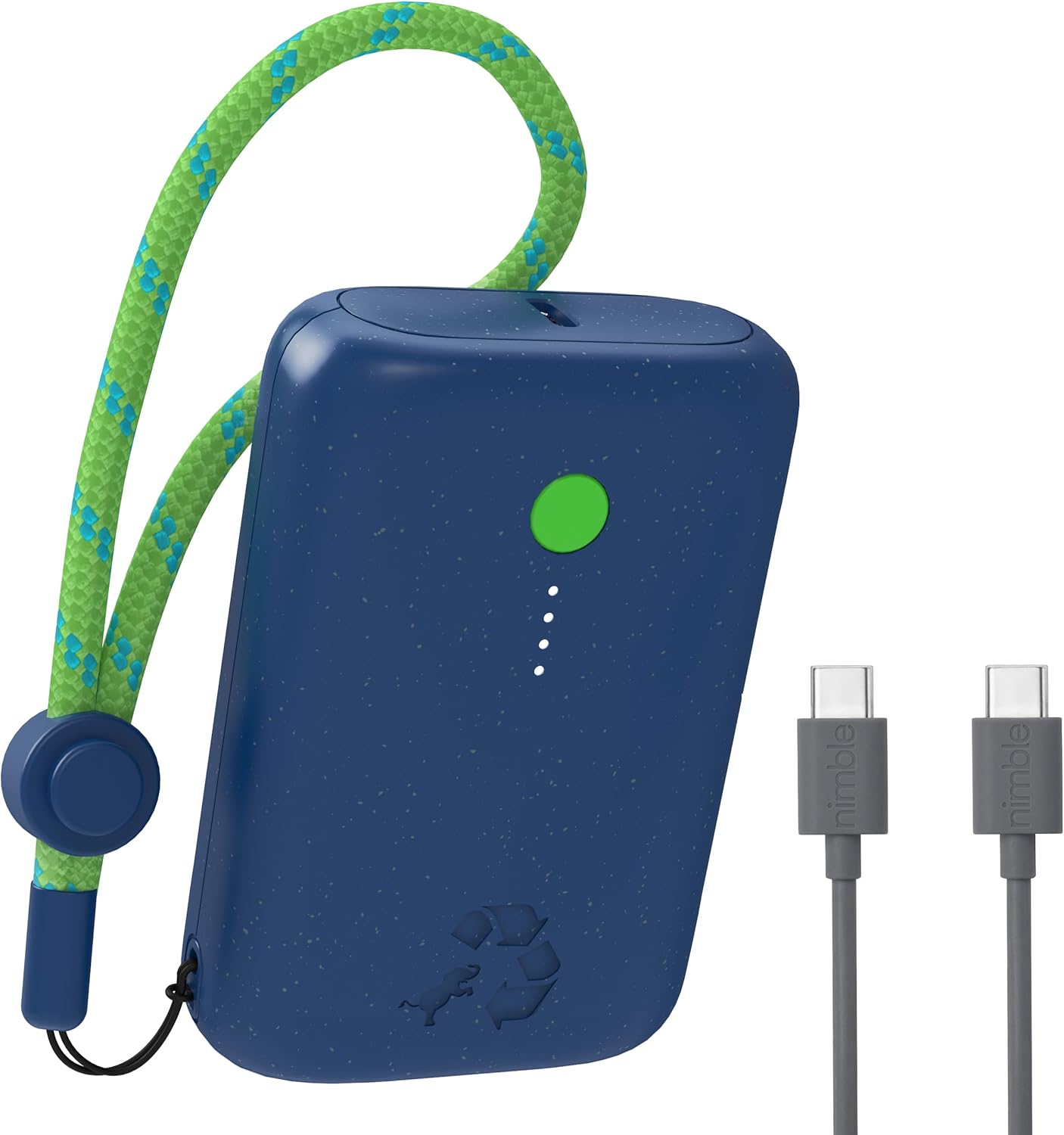
Image 1.1: The Nimble Champ Portable Charger in Nebula Blue, showcasing its compact design and the included USB-C charging cables.
2. Safety Information
- Do not expose the power bank to extreme temperatures, direct sunlight, or fire.
- Avoid dropping, disassembling, or attempting to repair the device yourself.
- Keep away from water and other liquids.
- Use only certified cables and chargers for optimal performance and safety.
- Keep out of reach of children.
- Dispose of the power bank responsibly according to local regulations.
3. Package Contents
Verify that all items are present in your package:
- Nimble Champ 10,000mAh Portable Charger
- USB-C to USB-C Charging Cable
- User Manual (this document)
4. Product Overview
The Nimble Champ Portable Charger features a compact design with essential indicators and ports for efficient charging.
- Power On/Off Button: Activates the power bank and checks battery level.
- LED Power Indicators: Four small LEDs indicate the remaining battery capacity. Each LED represents approximately 25% charge.
- Dual USB-C Ports: Used for both input (recharging the power bank) and output (charging devices).
- Adjustable Lanyard Loop: For convenient carrying.

Image 4.1: Close-up view of the power bank showing the power button, LED indicators, and USB-C ports during a pass-through charging operation.
5. Setup
5.1 Initial Charging of the Power Bank
- Connect the included USB-C cable to one of the USB-C ports on the Nimble Champ.
- Connect the other end of the USB-C cable to a compatible USB wall adapter (not included).
- The LED indicators will illuminate and blink to show the charging progress. All four LEDs will be solid when fully charged.
- A full charge typically takes approximately 1.85 hours with a 20W power adapter.
6. Operating Instructions
6.1 Charging Your Devices
- Connect your device (e.g., smartphone, tablet) to one of the USB-C ports on the Nimble Champ using a compatible USB-C cable.
- The power bank will automatically begin charging your device. If not, press the Power On/Off button once.
- The LED indicators will show the remaining power bank battery level during charging.
- To stop charging, disconnect your device. The power bank will automatically power off after a period of inactivity.

Image 6.1: The Nimble Champ Portable Charger demonstrating its ability to charge two devices concurrently via its dual USB-C ports.
6.2 Dual Device Charging
The Nimble Champ features two USB-C ports, allowing you to charge two devices simultaneously. Connect each device to a separate USB-C port on the power bank. The 20W maximum output will be shared between the two devices.
6.3 Pass-Through Charging
The power bank supports pass-through charging, meaning you can recharge the Nimble Champ while it is simultaneously charging another device. Connect the power bank to a wall adapter and then connect your device to the power bank.
6.4 Checking Battery Level
Press the Power On/Off button once to view the current battery level indicated by the four LED lights:
- 4 LEDs solid: 75% - 100% charge
- 3 LEDs solid: 50% - 75% charge
- 2 LEDs solid: 25% - 50% charge
- 1 LED solid: 0% - 25% charge (recharge soon)

Image 6.2: Illustration of the Nimble Champ's universal compatibility with a wide range of electronic devices.
7. Maintenance
7.1 Cleaning
Wipe the power bank with a soft, dry cloth. Do not use harsh chemicals or abrasive materials.
7.2 Storage
Store the power bank in a cool, dry place away from direct sunlight and extreme temperatures. For long-term storage, it is recommended to charge the power bank to approximately 50% every three months to maintain battery health.
8. Troubleshooting
- Power bank not charging: Ensure the charging cable is securely connected to both the power bank and the wall adapter. Try a different cable or adapter.
- Device not charging from power bank: Ensure the power bank has sufficient charge. Press the power button to activate it. Try a different cable or device.
- Slow charging: Ensure you are using a compatible fast-charging cable and adapter. Some devices may limit charging speed based on their battery status.
- LED indicators not working: If the power bank is completely depleted, the LEDs may not light up immediately. Charge the power bank for a few minutes and check again. If the issue persists, contact support.
9. Specifications
| Feature | Specification |
|---|---|
| Model Number | NB-CPC-10K2C |
| Battery Capacity | 10,000 mAh |
| Output | 20W Max (Dual USB-C) |
| Input | USB-C |
| Product Dimensions | 3.38 x 2.28 x 0.98 inches |
| Item Weight | 7.4 ounces (approx. 210g) |
| Special Features | Auto Shut-Off, Portable, Travel, Pocket Size, Lightweight, Eco Print, LED Indicator Lights, Dual USB-C Ports, Fast Charging, Slim |
| Material | Certified Recycled Plastic |
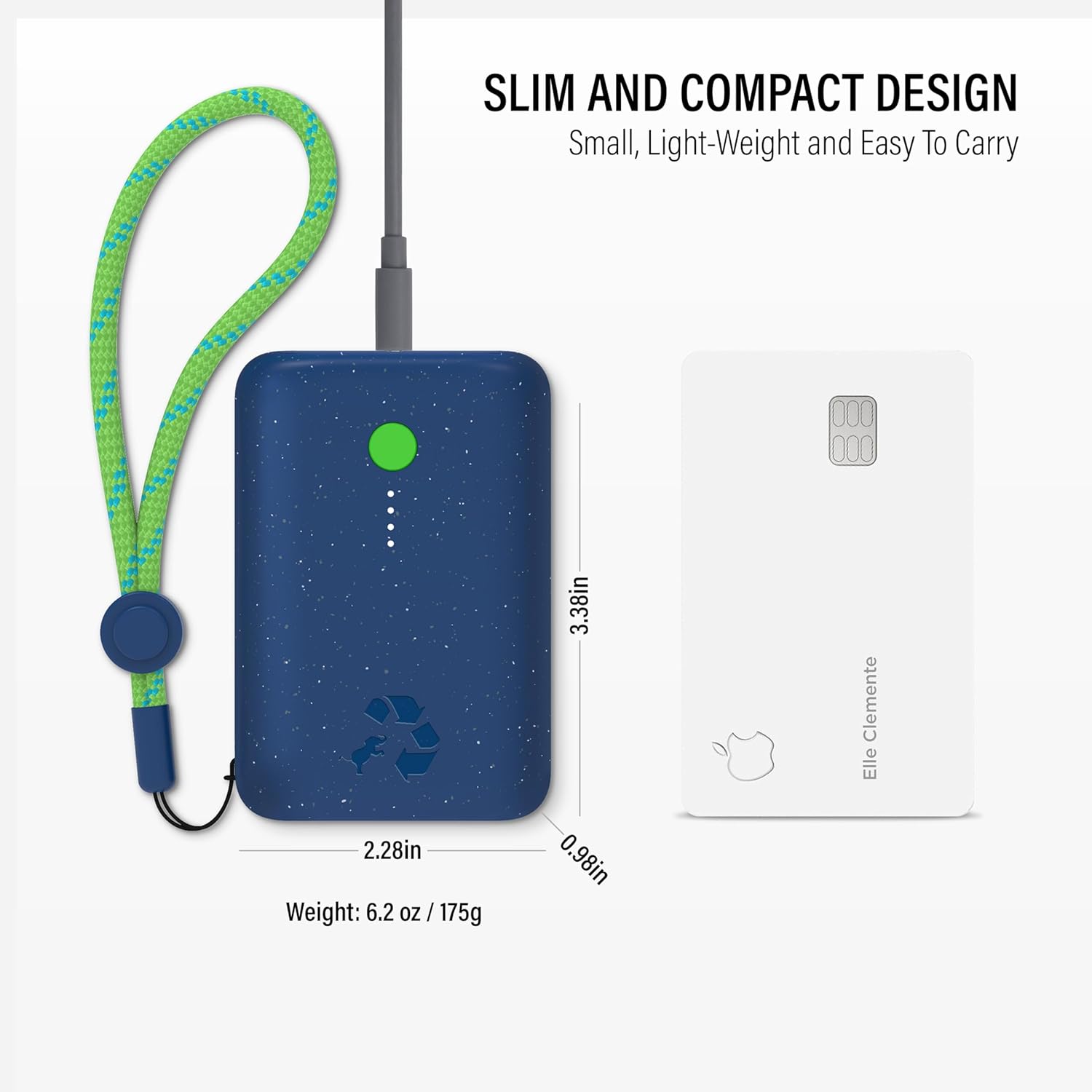
Image 9.1: The compact size of the Nimble Champ Portable Charger, illustrated by its comparison to a standard credit card.

Image 9.2: Overview of the advanced 6-layer protection features integrated into the Nimble Champ Portable Charger for enhanced safety.

Image 9.3: Details on the eco-friendly design of the Nimble Champ, emphasizing its use of recycled materials and reduced carbon footprint.
10. Warranty & Support
The Nimble Champ Portable Charger comes with a 2-year warranty from the date of purchase, covering defects in materials and workmanship. This warranty does not cover damage caused by misuse, accidents, unauthorized modifications, or normal wear and tear.
For warranty claims, technical support, or any questions regarding your product, please visit the official Nimble website or contact their customer service directly. Keep your proof of purchase for warranty validation.
You can find more information and support at the Nimble Store on Amazon.


